1. Utangulizi
This manual provides comprehensive instructions for the safe and efficient operation, setup, and maintenance of your Roco Heavy Duty Stapler SH-208. Please read this manual thoroughly before using the stapler to ensure optimal performance and longevity of the device.
2. Bidhaa Imeishaview
The Roco Heavy Duty Stapler SH-208 is designed for demanding stapling tasks, offering a robust and reliable solution for binding large quantities of paper. Its construction combines metal components for durability with a plastic casing for comfortable handling.
Sifa Muhimu:
- Uwezo wa Juu: Capable of stapling up to 210 sheets of 80 g/m² paper.
- Ujenzi wa kudumu: Features a metal stapler mechanism with a protective plastic casing.
- Double Staple Guide: Ensures precise staple placement and prevents jams.
- Easy Loading System: Push-button front-load mechanism for quick and convenient staple replenishment.
- Versatile Stapling: Movable anvil allows for both permanent and temporary stapling, as well as nailing functionality.
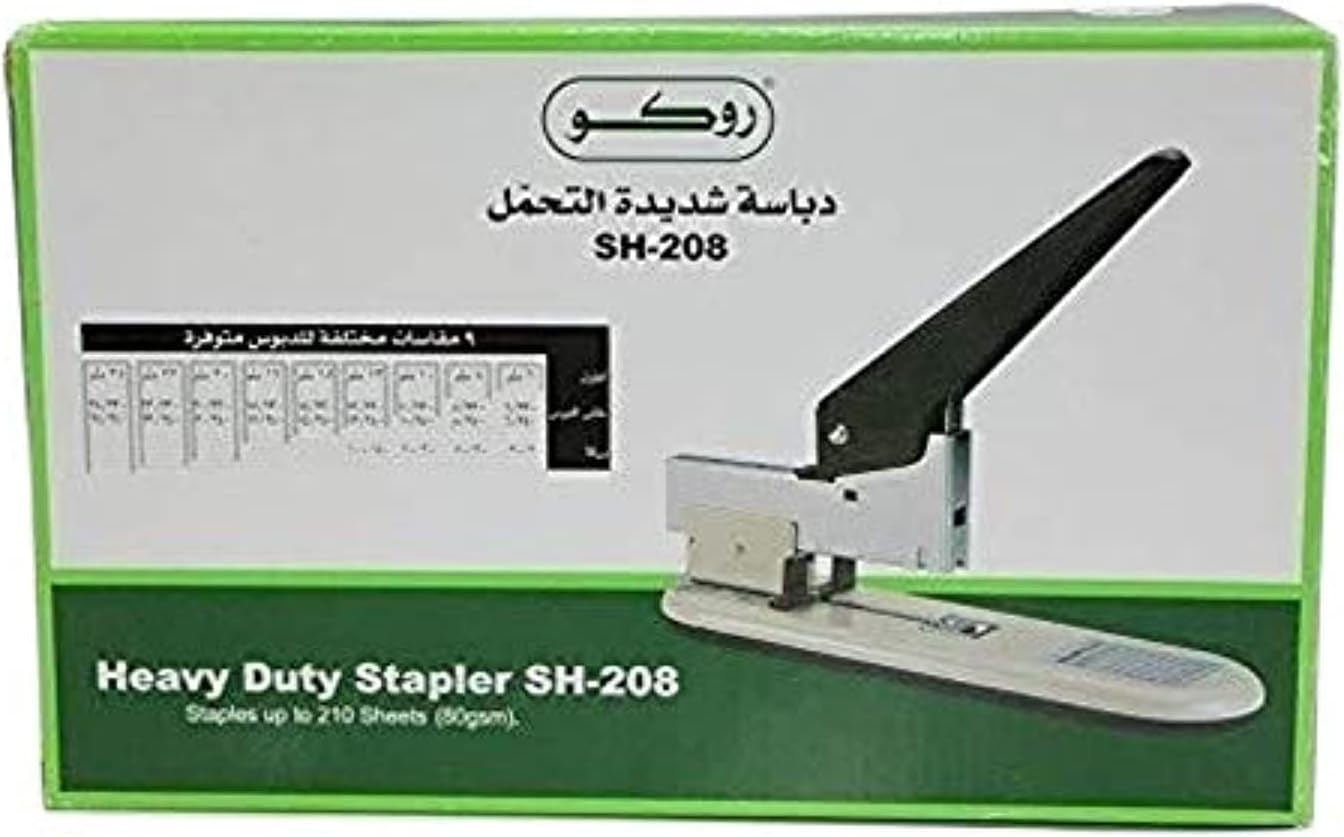
Figure 1: Roco Heavy Duty Stapler SH-208 in its retail packaging, showing the stapler and staple size chart.
3. Kuweka
3.1 Kufungua
Carefully remove the stapler from its packaging. Inspect the device for any signs of damage. Retain the packaging for future storage or transport.
3.2 Kupakia Msingi
- Ensure the stapler is on a stable surface.
- Locate the push-button loading system at the front of the stapler. Press the button to release the staple tray.
- Pull the staple tray forward until it fully extends.
- Insert a strip of compatible heavy-duty staples into the tray. Refer to the specifications section for recommended staple types and sizes based on sheet capacity.
- Gently push the staple tray back into the stapler until it clicks securely into place.
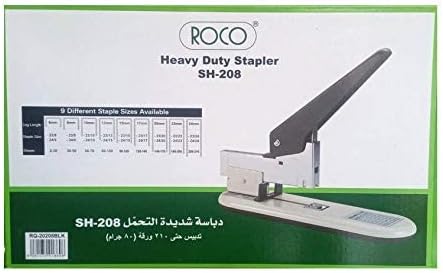
Kielelezo 2: Upande view of the Roco Heavy Duty Stapler SH-208, illustrating its robust design.
4. Maagizo ya Uendeshaji
4.1 Stapling Documents
- Gather the documents you wish to staple, ensuring they are neatly aligned.
- Place the corner or edge of the documents under the stapler head, positioning them against the staple guide for accurate placement.
- Press down firmly on the stapler handle until the staple penetrates all sheets and clinches underneath.
- Release the handle and remove the stapled documents.
Kumbuka: The stapler can handle up to 210 sheets (80 g/m²). Ensure you use appropriate staple sizes for the number of sheets to prevent jams or incomplete stapling.
4.2 Adjusting for Temporary/Permanent Stapling (Movable Anvil)
The Roco SH-208 features a movable anvil to switch between permanent and temporary stapling modes. The anvil is the metal plate at the base of the stapler where the staple clinches.
- Kuunganisha kwa Kudumu: The staple ends are bent inwards, securely binding the documents. This is the standard setting.
- Kuunganisha kwa Muda: The staple ends are bent outwards, allowing for easy removal without tearing the paper. To activate, rotate the anvil 180 degrees.
Consult the markings on the anvil for correct orientation for each stapling type.
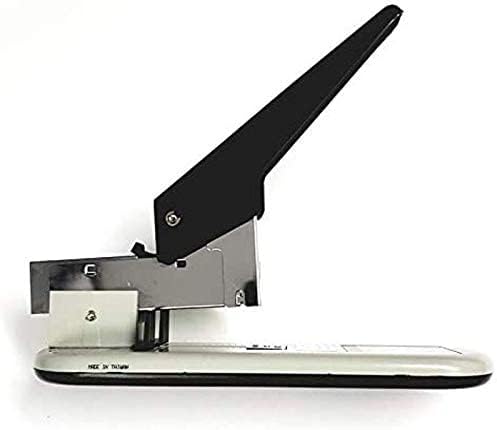
Kielelezo 3: Juu-chini view of the Roco Heavy Duty Stapler SH-208, showing the handle and stapling mechanism.
5. Matengenezo
Regular maintenance ensures the smooth operation and extends the lifespan of your stapler.
- Kusafisha: Periodically wipe the exterior of the stapler with a soft, dry cloth to remove dust and debris. Avoid using harsh chemicals or abrasive cleaners.
- Tray kuu: Occasionally remove the staple tray and clear any small paper fragments or broken staples that may have accumulated.
- Upakaji mafuta: The stapler mechanism is generally self-lubricating. If you notice stiffness, a small amount of light machine oil can be applied to moving parts, but avoid over-lubrication.
- Hifadhi: Store the stapler in a dry, clean environment when not in use.
6. Utatuzi wa shida
If you encounter issues with your Roco Heavy Duty Stapler, refer to the following common problems and solutions:
- Staples not penetrating all sheets:
- Ensure you are using the correct staple size for the number of sheets.
- Apply sufficient pressure when pressing the handle.
- Check if the staple tray is fully loaded and correctly seated.
- Stapler jams:
- Remove the staple tray and clear any jammed or broken staples.
- Hakikisha bidhaa kuu zimepakiwa kwa usahihi na hazijapinda au kuharibiwa.
- Avoid overfilling the staple tray.
- Staples clinching improperly (e.g., not bending inwards for permanent stapling):
- Check the position of the movable anvil. Ensure it is set to the permanent stapling mode.
- Verify that the staple size is appropriate for the paper thickness.
If problems persist, contact Roco customer support for further assistance.
7. Vipimo
| Kipengele | Maelezo |
|---|---|
| Chapa | Roco |
| Nambari ya Mfano | RQ-20208 |
| Stapling Uwezo | Up to 210 sheets (80 g/m²) |
| Nyenzo | Metal with plastic casing |
| Rangi | Nyeusi |
| Vipimo vya Bidhaa | 13.97 x 6.09 x 3.81 cm |
| Uzito wa Kipengee | 60 g |
| Hali ya Uendeshaji | Mwongozo |
| Mwongozo Mkuu | Double, spring-mounted |
| Aina ya Anvil | Movable (for temporary/permanent stapling) |
8. Udhamini na Msaada
For warranty information and customer support, please refer to the documentation included with your purchase or visit the official Roco webtovuti. Weka uthibitisho wako wa ununuzi kwa madai yoyote ya udhamini.
If you require assistance with your Roco Heavy Duty Stapler SH-208, please contact Roco customer service through their official channels.


