1. Utangulizi
This manual provides detailed instructions for the installation, operation, and maintenance of your Tonton 3MP Ultra HD Wireless Security Camera System with 8-Channel NVR Recorder. This system is designed for reliable surveillance, offering high-definition video recording and remote access capabilities.
The Tonton NVR supports up to 16 channels and is compatible with 4K, 8MP, 5MP, 4MP, 3MP, 2MP, and 1080P IP cameras. It features H.265 & H.264 compression technology, VGA & HDMI output (up to 4K), and supports various recording modes including full-time, scheduled, and motion detection. Remote viewing is available via a free app on smartphones, as well as software or web browsers on Mac and PC.
2. Yaliyomo kwenye Kifurushi
Tafadhali thibitisha kuwa bidhaa zote zilizoorodheshwa hapa chini zimejumuishwa kwenye kifurushi chako:
- 1 x Tonton 8-Channel NVR Recorder (1TB Hard Drive Pre-installed)
- 1 x kipanya cha USB
- Ugavi 1 wa Umeme kwa NVR
- 1 x Mwongozo wa Mtumiaji (hati hii)
Note: Security cameras are sold separately or as part of a complete kit. This NVR is designed to work with Tonton wireless IP cameras.
3. Kuweka Mfumo
3.1 Muunganisho wa Awali wa NVR
- Unganisha NVR: Plug the provided power supply into the NVR's DC12V port and then into a power outlet.
- Unganisha Onyesho: Unganisha kifuatiliaji kwenye NVR kwa kutumia mlango wa HDMI au VGA.
- Unganisha Kipanya: Chomeka kipanya cha USB kwenye mojawapo ya milango ya USB ya NVR.
- Network Connection (Optional for initial setup, required for remote viewing): Connect an Ethernet cable from the NVR's NET port to your router for internet access.

Figure 3.1: Rear panel of the NVR with connection ports.
3.2 Camera Pairing (Plug and Play)
The Tonton wireless security camera system is designed for true plug-and-play operation. Cameras automatically connect to the NVR's dedicated WiFi network.
- Washa Kamera: Connect each wireless camera to its respective power adapter and plug it into a power outlet.
- Muunganisho wa Kiotomatiki: The cameras will automatically search for and connect to the NVR's internal WiFi network. Live video feeds should appear on your connected monitor within minutes.
- Wireless Repeater Function: Cameras can act as repeaters, extending the wireless range. They connect to the NVR's WiFi, not your home WiFi.

Figure 3.2: Wireless solution range and connectivity diagram.
Kijijini cha 3.3 Viewing Kuweka
Kwa view your camera feeds remotely, you need to connect the NVR to the internet and configure the mobile application or PC software.
- NVR Internet Connection: Ensure the NVR is connected to your router via an Ethernet cable.
- Pakua App: Download the free Tonton security app from your smartphone's app store (iOS or Android).
- Ongeza Kifaa: Open the app, create an account, and follow the on-screen instructions to add your NVR. This typically involves scanning a QR code displayed on the NVR's monitor interface.
- PC/Mac Software: For desktop viewing, install the dedicated software from the Tonton support webtovuti.
4. Maagizo ya Uendeshaji
4.1 Njia za Kurekodi
The NVR comes with a pre-installed 1TB hard drive for automatic recording. You can configure the recording mode via the NVR's on-screen menu:
- Full-time Recording: Continuous recording 24/7.
- Schedule Time Recording: Weka saa maalum za kurekodi.
- Kurekodi Kugundua Mwendo: Recording starts only when motion is detected.
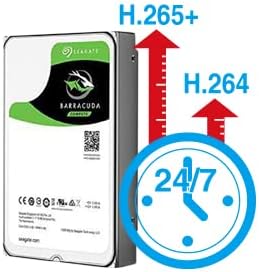
Figure 4.1: H.265+ compression for efficient storage.
4.2 Motion Detection and Email Alerts
The NVR supports motion detection and can send email alerts when motion is detected.
- Configure Motion Detection: Access the NVR's menu to define motion detection zones and sensitivity for each camera.
- Set Up Email Alerts: In the NVR's network settings, configure your email server details to enable email notifications. Any detected motion will trigger an email alert to your specified address.
4.3 Uchezaji na Uhifadhi Nakala
Unaweza tenaview foo iliyorekodiwatage directly from the NVR or remotely via the app/software.
- Uchezaji wa Ndani: Use the NVR's interface to search for recordings by time or event.
- Uchezaji wa Mbali: Access recorded videos through the mobile app or PC software.
- Hifadhi Nakala ya USB: Connect a USB flash drive to the NVR's USB port to back up important video files.
5. Matengenezo
Matengenezo ya mara kwa mara huhakikisha utendaji bora na uimara wa mfumo wako wa usalama.
- Vifaa Safi: Periodically wipe the NVR and camera lenses with a soft, dry cloth. Avoid abrasive cleaners.
- Sasisho za Firmware: Check the Tonton official website for any available firmware updates for your NVR and cameras. Follow instructions carefully for updates.
- Usimamizi wa Hifadhi Ngumu: The 1TB HDD will overwrite older footage when full. Regularly back up critical recordings.
- Ukaguzi wa Ugavi wa Nishati: Ensure all power adapters are securely connected and free from damage.
6. Utatuzi wa shida
Sehemu hii inashughulikia masuala ya kawaida ambayo unaweza kukutana nayo.
- Hakuna Onyesho la Video:
- Check NVR power connection.
- Verify monitor connection (HDMI/VGA) and input source.
- Ensure cameras are powered on.
- Kamera Haziunganishwi:
- Hakikisha kamera ziko ndani ya umbali wa mawimbi ya wireless ya NVR.
- Check camera power.
- If using an extension antenna, ensure it is properly installed.

Figure 6.1: Wireless extension antenna setup.
- Mbali Viewing Not Working:
- Confirm NVR is connected to the internet via Ethernet.
- Angalia muunganisho wa intaneti wa kipanga njia chako.
- Ensure the app/software is updated and the NVR is correctly added.
- Hakuna Rekodi:
- Verify the 1TB hard drive is detected and functioning.
- Check recording schedule and motion detection settings.
If issues persist, please contact Tonton technical support.
7. Vipimo
| Chapa | Tonton |
| Mfano | 8CH NVR Recorder (B082HC5GPC) |
| Teknolojia ya Uunganisho | HDMI, USB, VGA, Wireless |
| Azimio la Kukamata Video | Supports up to 4K 8MP/5MP/4MP/3MP/2MP 1080p |
| Kipengele Maalum | Bila waya |
| Idadi ya Vituo | 8 (NVR supports up to 16 channels) |
| Uwezo wa Kuhifadhi Kumbukumbu | HDD ya TB 1 (imesakinishwa awali) |
| Rangi | Nyeusi |
| Chanzo cha Nguvu | Umeme wa Cord |
| Vifaa Sambamba | Cameras, Desktop, Smartphones, Tablets |
| Teknolojia ya Mwanga wa Chini | Maono ya Usiku |
| Jumla ya Bandari za USB | 2 |
| Ingizo la Video | HDMI, USB, VGA |
| Mtengenezaji | Tonton security |
| UPC | 740385275593 |
| ASIN | B082HC5GPC |
| Tarehe ya Kwanza Inapatikana | Tarehe 8 Desemba 2019 |
8. Udhamini na Msaada
Your Tonton Security Camera System comes with a Udhamini wa Miaka 1 kuanzia tarehe ya ununuzi.
For technical assistance, troubleshooting, or warranty claims, please contact Tonton Technical Support. Refer to the contact information provided on the Tonton official webtovuti au hati zako za ununuzi.


