Utangulizi
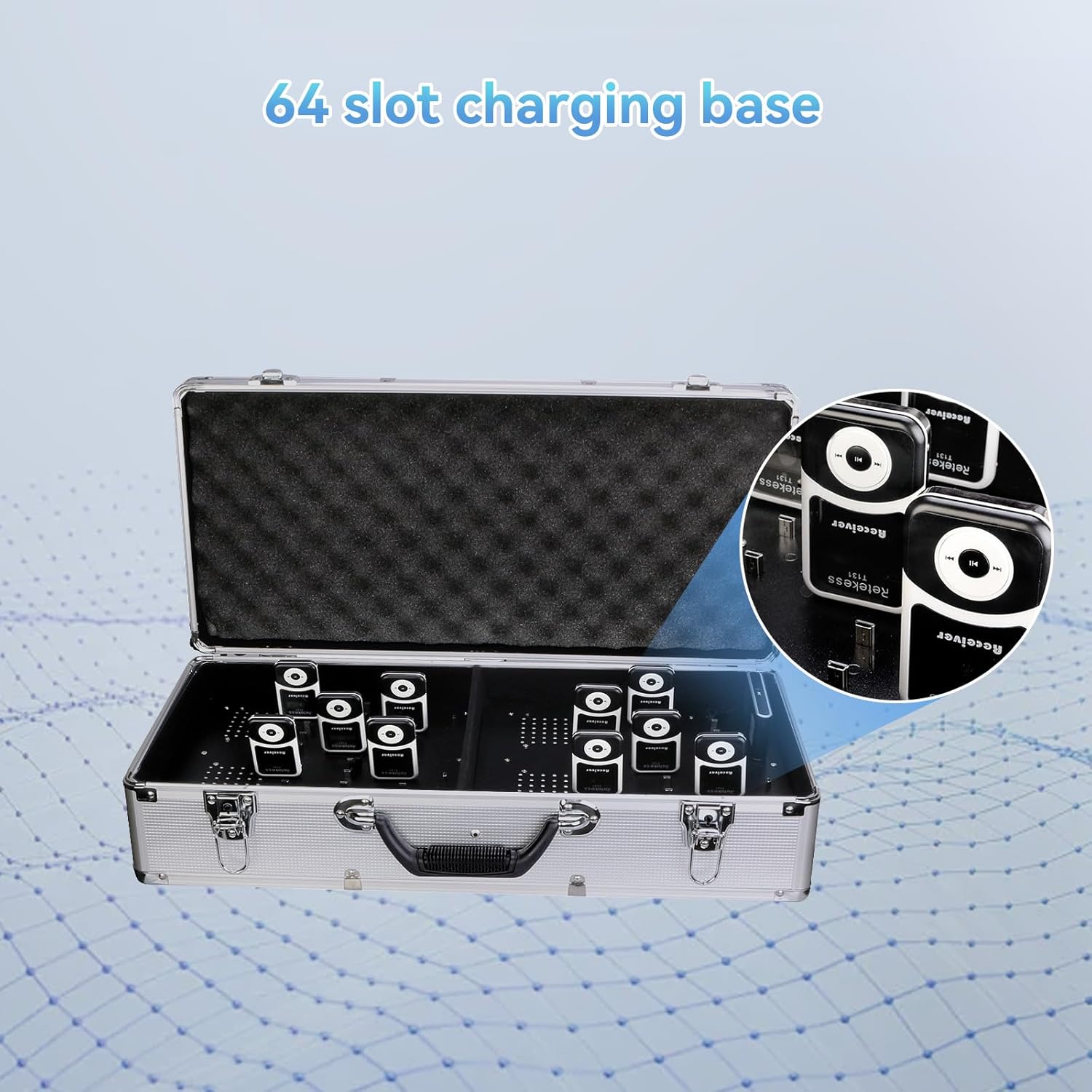
The Retekess T130 Wireless Tour Guide System is designed to facilitate clear communication in various settings such as tours, conferences, church translations, and factory visits. This system provides reliable audio transmission with a range of up to 196 feet, ensuring that all participants receive clear sound. It features an easy-to-use interface with both automatic and manual pairing functions, making setup straightforward. The compact and lightweight design of the receivers allows for comfortable wear, and the included 64-slot charging case offers convenient simultaneous charging for multiple units.
Ni nini kwenye Sanduku
The Retekess T130 system package includes the following components:
- Visambazaji 4
- 60 wapokeaji
- 1 x 64-Slot Charging Case
- Sauti 4 zisizo na waya
- 64 Lanyards

Bidhaa Imeishaview
The Retekess T130 system consists of transmitters and receivers, each designed for specific functions to ensure effective communication.
Transmitter (T130)
The transmitter is used by the speaker or tour guide to broadcast audio. It features a clear display and control buttons for channel selection and volume adjustment. It includes a microphone input for direct audio capture.

Receiver (T131)
The receiver is a compact, lightweight device worn by participants to listen to the broadcasted audio. It includes an earphone jack and controls for volume. Its small size makes it convenient for extended use.


Sanidi
Follow these steps to set up your Retekess T130 Wireless Tour Guide System:
1. Nguvu ya Awali Imewashwa
Ensure all transmitters and receivers are fully charged before initial use. Press and hold the power button on each device until the screen illuminates.
2. Kuoanisha Kiotomatiki
The T130 system supports automatic pairing, allowing receivers to quickly synchronize with the transmitter's channel.
- On the transmitter, press and hold the 'M' button and the '►►' (forward) key simultaneously to enter ID setting mode. The ID number will flash.
- On the receiver, press and hold the '◀◀' (rewind) and '►►' (forward) buttons simultaneously to power on. Release the '►►' button after power on.
- When the receiver displays 'ID: 00', release the '◀◀' button. The receiver will automatically search for and pair with the transmitter.
- Once paired, the receiver's ID will match the transmitter's ID, and the antenna icon will stop flashing.

3. Manual Channel Selection (Transmitter)
If automatic pairing is not desired or for specific channel assignments:
- On the transmitter, press the 'M' button to enter channel setting mode. The channel number will flash.
- Use the '◀◀' (rewind) and '►►' (forward) buttons to select the desired channel (1-99).
- Press 'M' again to confirm the channel.
4. Manual Channel Selection (Receiver)
To manually set a receiver to a specific channel:
- On the receiver, press the 'M' button to enter channel setting mode. The channel number will flash.
- Use the '◀◀' (rewind) and '►►' (forward) buttons to select the desired channel to match the transmitter.
- Press 'M' again to confirm the channel.
Setup and Pairing Videos:
Video: Demonstrates how to use the Retekess T130 tour guide system, including basic setup and operation.
Video: Explains the automatic pairing process for the Retekess T130 tour guide system.
Video: Provides a simple guide to the pairing method for the Retekess T130 tour guide system.
Maagizo ya Uendeshaji
Once the system is set up and paired, follow these instructions for operation:
1. Uendeshaji wa Transmitter
- Washa/Zima: Bonyeza na ushikilie kitufe cha kuwasha/kuzima.
- Uteuzi wa Kituo: Use the 'M' button to enter channel mode, then '◀◀' and '►►' to change channels. Press 'M' to confirm.
- Matumizi ya Maikrofoni: Connect the wireless microphone to the MIC input on the transmitter. Ensure the microphone is positioned correctly for clear audio capture.
- Ingizo la Sauti: The transmitter supports external audio input from devices like soundboards, laptops, computers, or smartphones via the AUX/USB port.

2. Uendeshaji wa Mpokeaji
- Washa/Zima: Bonyeza na ushikilie kitufe cha kuwasha/kuzima.
- Marekebisho ya Sauti: Tumia vitufe vya '+' na '-' kurekebisha sauti ya kusikiliza.
- Muunganisho wa Simu ya masikioni: Plug the earphone into the earphone jack on the receiver.
- Amevaa: Attach the lanyard to the receiver for hands-free use, or place it in a pocket.
Uendeshaji Zaidiview Video:
Video: Provides a detailed overview of the Retekess T130 tour guide system, including its components and basic functions.
Inachaji
The Retekess T130 system offers convenient charging options to ensure your devices are always ready for use.
1. Using the 64-Slot Charging Case
The included aluminum alloy charging case is designed to charge all 4 transmitters and 60 receivers simultaneously.
- Place the transmitters and receivers into their designated slots in the charging case.
- Unganisha kipochi cha kuchaji kwenye chanzo cha nishati kwa kutumia kebo ya kuchaji iliyotolewa.
- Ensure the white sponge is removed from the charging case when charging to allow proper contact.
- The devices will begin charging automatically.

2. Individual Charging
Individual transmitters and receivers can also be charged using a standard USB cable.
- Connect a USB charging cable to the DC5V port on the side of the transmitter or receiver.
- Plug the other end of the USB cable into a compatible USB power adapter or computer port.
Vipimo
| Kipengele | Vipimo |
|---|---|
| Chapa | Rudisha tena |
| Nambari ya Mfano | FF9423D-F9423EX4-F9424AX20 |
| Aina ya Kuweka | Sehemu ya kibao |
| Chanzo cha Nguvu | Inaendeshwa na Betri |
| Aina ya kiunganishi | Aux, USB |
| Nyenzo | Plastiki |
| Idadi ya Vituo | 99 |
| Ingizo la Sauti | Sauti ya sauti ya Lavalier |
| Uzito wa Kipengee | Pauni 28.8 |
| Vipimo vya Bidhaa | Inchi 22.64 x 11.42 x 5.51 |
| Betri | Betri 64 ya Ion ya Lithium inahitajika. (pamoja na) |
| Teknolojia ya Uunganisho | Bila waya |
| Rangi | Nyeusi |
| Vifaa Sambamba | Headphone, Headset, Laptop, Smartphone, Tablet |
Matengenezo
To ensure the longevity and optimal performance of your Retekess T130 system, follow these maintenance guidelines:
- Kusafisha: Use a soft, dry cloth to clean the exterior of the transmitters, receivers, and charging case. Avoid using harsh chemicals or abrasive materials.
- Hifadhi: Store the system in a cool, dry place away from direct sunlight and extreme temperatures. When not in use for extended periods, ensure devices are fully charged before storage.
- Utunzaji wa Betri: Recharge batteries regularly, even if the devices are not in frequent use, to maintain battery health. Avoid overcharging or completely draining the batteries.
- Kushughulikia: Handle all components with care to prevent physical damage. Avoid dropping the devices or exposing them to moisture.
Kutatua matatizo
If you encounter issues with your Retekess T130 system, refer to the following common troubleshooting tips:
- Hakuna Sauti kutoka kwa Kipokeaji:
- Ensure the receiver is powered on and fully charged.
- Verify that the receiver is on the same channel as the transmitter.
- Check the earphone connection and volume level on the receiver.
- Ensure the transmitter is powered on, charged, and its microphone is active.
- Ubora duni wa Sauti:
- Check for interference from other wireless devices. Try changing the channel.
- Ensure the transmitter and receiver are within the specified operating range (up to 196 feet).
- Verify the microphone connection to the transmitter and its position.
- Devices Not Pairing:
- Confirm both transmitter and receiver are in pairing mode as described in the Setup section.
- Ensure devices are close enough during the pairing process.
- Check battery levels on both devices.
- Masuala ya Kuchaji:
- Ensure the charging cable and power adapter are working correctly.
- For the charging case, ensure devices are properly seated in their slots and the white sponge is removed.
Udhamini na Msaada
Retekess provides comprehensive support for its products:
- Udhamini: Bidhaa inakuja na dhamana ya miezi 12.
- Usaidizi kwa Wateja: 24-hour customer support is available for assistance with any product-related inquiries or issues.


