1. Bidhaa Imeishaview
The GOWIN 10.1 Inch Android 10.0 Tablet is a high-performance device designed for versatile use, featuring a quad-core processor, 4GB RAM, and 64GB internal storage, expandable up to 128GB. It supports dual SIM cards for cellular connectivity and includes a detachable keyboard and wireless mouse for enhanced productivity.

Image: GOWIN 10.1 Inch Android Tablet with its accessories, including a detachable keyboard, wireless mouse, and stylus.
2. Ni nini kwenye Sanduku
Thibitisha kuwa vipengee vyote vipo kwenye kifurushi:
- GOWIN 10.1 Inch Android Tablet
- Kibodi ya Bluetooth
- Kipanya kisicho na waya
- Kesi ya Ubao
- Chaja ya AC
- Mwongozo wa Mtumiaji
- Kebo ya USB
- Cable ya OTG

Image: All components included in the GOWIN tablet package, laid out for inspection.
3. Device Layout and Ports
Familiarize yourself with the tablet's physical features and connection points.
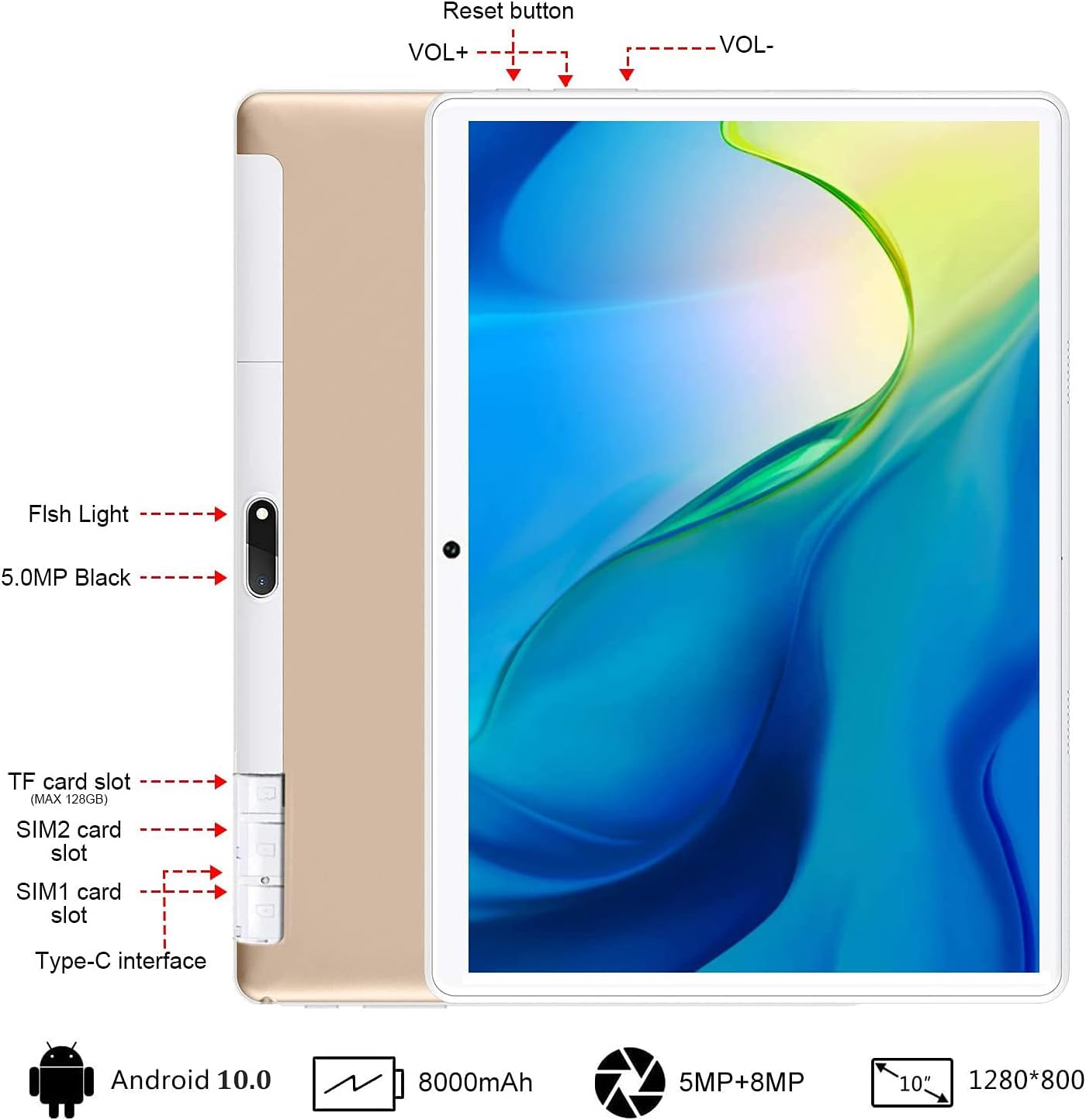
Picha: Nyuma view of the GOWIN tablet, highlighting the TF card slot, SIM card slots, Type-C interface, reset button, volume controls, and camera.
- Yanayopangwa Kadi ya TF: For expandable storage (up to 128GB).
- SIM1/SIM2 Card Slots: For dual 4G cellular connectivity.
- Aina ya C-Interface: Kwa malipo na uhamisho wa data.
- VOL+ / VOL-: Volume up and down buttons.
- Badilisha Kitufe: To restart the device if unresponsive.
- Kamera: 5MP front-facing and 8MP rear-facing cameras.
4. Kuweka
4.1 Kuchaji Awali
Before first use, fully charge the tablet using the provided AC charger and USB cable. The 8000mAh battery provides extended usage time.

Image: The GOWIN tablet screen showing a full battery indicator, emphasizing its 8000mAh capacity.
4.2 Kuingiza SIM na Kadi za SD
Carefully insert your SIM cards and/or a microSD card into the designated slots as shown in the device layout section. Ensure the tablet is powered off before inserting or removing cards.
4.3 Connecting Keyboard and Mouse
The included keyboard and mouse connect via Bluetooth. Refer to their individual instructions for pairing. Once paired, they provide a laptop-like experience.

Image: A user's hands typing on the detachable Bluetooth keyboard connected to the GOWIN tablet, with the wireless mouse nearby.
4.4 Attaching Tablet Case
The tablet case provides protection and can be folded into a stand for multiple viewpembe za pembe.

Image: The GOWIN tablet positioned in its protective case, illustrating how the case can be folded to create various viewpembe za pembe.
5. Maagizo ya Uendeshaji
5.1 Washa/Zima
- Kuwasha: Bonyeza na ushikilie kitufe cha Power hadi skrini itakapowaka.
- Kuzima: Bonyeza na ushikilie kitufe cha Kuwasha/Kuzima, kisha uchague "Zima" kutoka kwa chaguo.
5.2 Urambazaji wa Msingi (Android 10.0)
The tablet runs on Android 10.0, offering an intuitive user interface. Swipe gestures and on-screen buttons are used for navigation. Access Google Play Store to download applications like YouTube and Netflix.
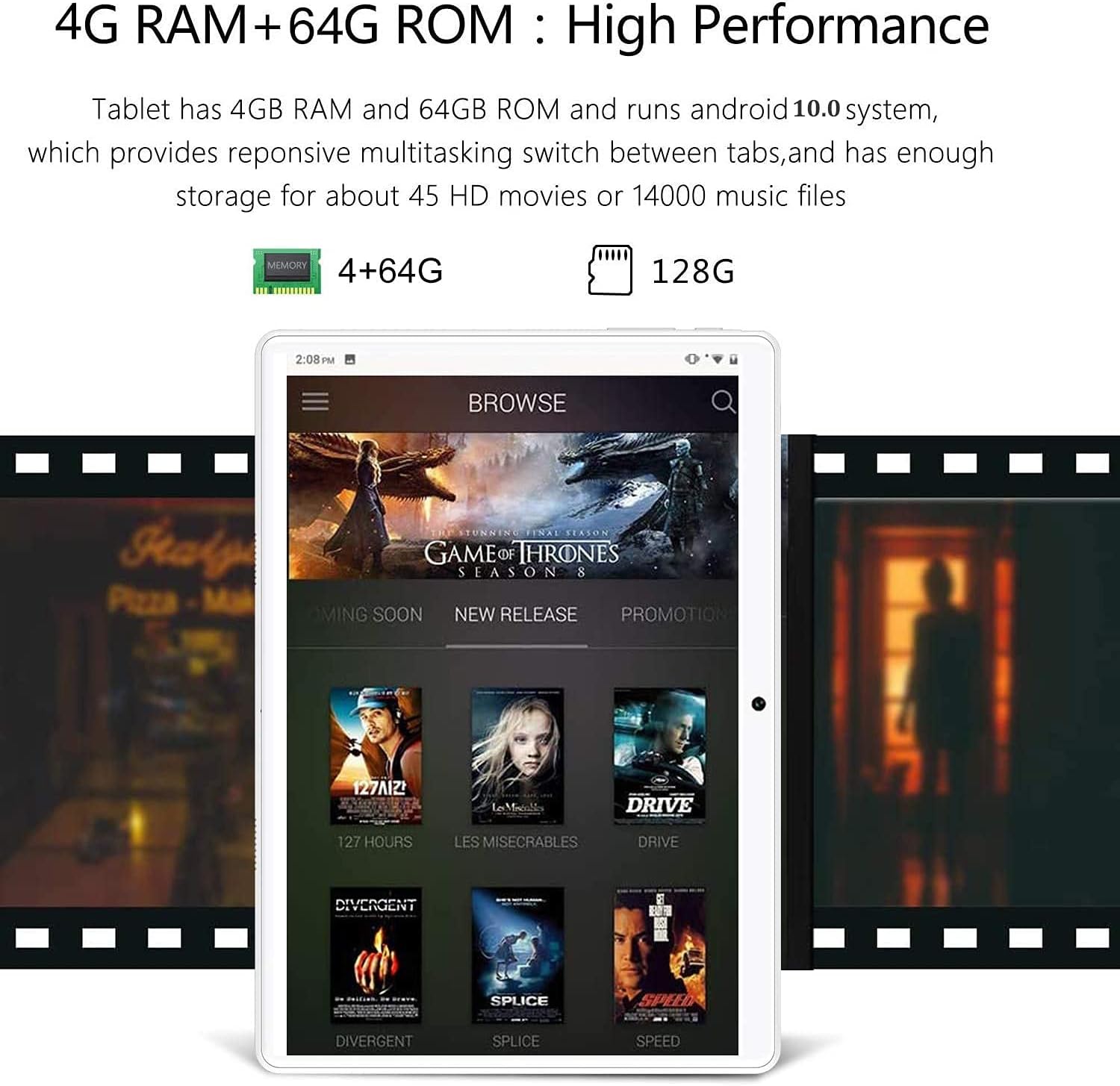
Image: The GOWIN tablet's display showing the Android 10.0 interface with various media applications, demonstrating its high performance and storage capacity.
5.3 Muunganisho
- Wi-Fi: Nenda kwenye Mipangilio > Mtandao na intaneti > Wi-Fi ili kuunganisha kwenye mitandao inayopatikana.
- Bluetooth: Nenda kwenye Mipangilio > Vifaa vilivyounganishwa > Bluetooth ili kuoanisha na vifuasi vya Bluetooth.
- Data ya Simu: If SIM cards are inserted, enable mobile data in Settings > Network & internet > Mobile network.
5.4 Matumizi ya Kamera
The tablet is equipped with a 5MP front camera and an 8MP rear camera for photos and videos. Open the Camera app from the home screen or app drawer.

Image: The GOWIN tablet screen showcasing a vibrant image, illustrating the quality of its 8MP rear camera.
6. Matengenezo
- Kusafisha: Tumia kitambaa laini, kisicho na ute ili kusafisha skrini na mwili. Epuka visafishaji au viyeyusho vyenye kukwaruza.
- Utunzaji wa Betri: To prolong battery life, avoid extreme temperatures and do not let the battery fully drain frequently.
- Masasisho ya Programu: Periodically check for system updates in Settings > System > System update to ensure optimal performance and security.
7. Utatuzi wa shida
- Device is Slow/Apps Crashing: Close unused applications, clear cache, or restart the tablet. Ensure sufficient storage space is available.
- Skrini Haifanyi kazi: Perform a soft reset by pressing and holding the power button until the device restarts. If unresponsive, use the reset button (refer to Section 3).
- Haiwezi Kuunganishwa kwa Wi-Fi/Bluetooth: Ensure Wi-Fi/Bluetooth is enabled. Restart the tablet and the router/Bluetooth device.
- Betri Huisha Haraka: Reduce screen brightness, disable unused features (Wi-Fi, Bluetooth, GPS), and close background apps.
For further assistance, please contact customer service through Amazon. We aim to provide a satisfactory answer within 24 hours.
8. Vipimo
| Kipengele | Vipimo |
|---|---|
| Chapa | GOWIN |
| Jina la Mfano | Touch (K6) |
| Mfumo wa Uendeshaji | Android 10 |
| Ukubwa wa skrini | Inchi 10.1 |
| Azimio la skrini | 1280 x 800 pixels (IPS) |
| Kichakataji | 1.5 GHz Quad-Core (MediaTek) |
| RAM | GB 4 |
| Hifadhi ya Ndani | GB 64 |
| Hifadhi inayoweza kupanuliwa | Hadi GB 128 (microSD) |
| Kamera ya Nyuma | 8 Mbunge |
| Kamera ya mbele | 5 Mbunge |
| Uwezo wa Betri | 8000 mAh |
| Muunganisho | Dual 4G Cellular, Wi-Fi, Bluetooth |
| Uzito wa Kipengee | Pauni 1.2 |
| Rangi | Dhahabu |
9. Udhamini na Msaada
GOWIN provides a one-month free replacement policy and 365 days of free repair service for non-human damage. For any questions or support needs, please contact our customer service team via Amazon. We are committed to providing a satisfactory resolution within 24 hours.
For more information about DUODUOGO products, visit the official brand store: DUODUOGO Store on Amazon.


