Bidhaa Imeishaview
The 360 S7 Robot Vacuum Cleaner is an advanced robotic cleaning device designed to efficiently vacuum and mop various floor types. Equipped with smart navigation, powerful suction, and app control, it provides a comprehensive solution for maintaining clean living spaces.
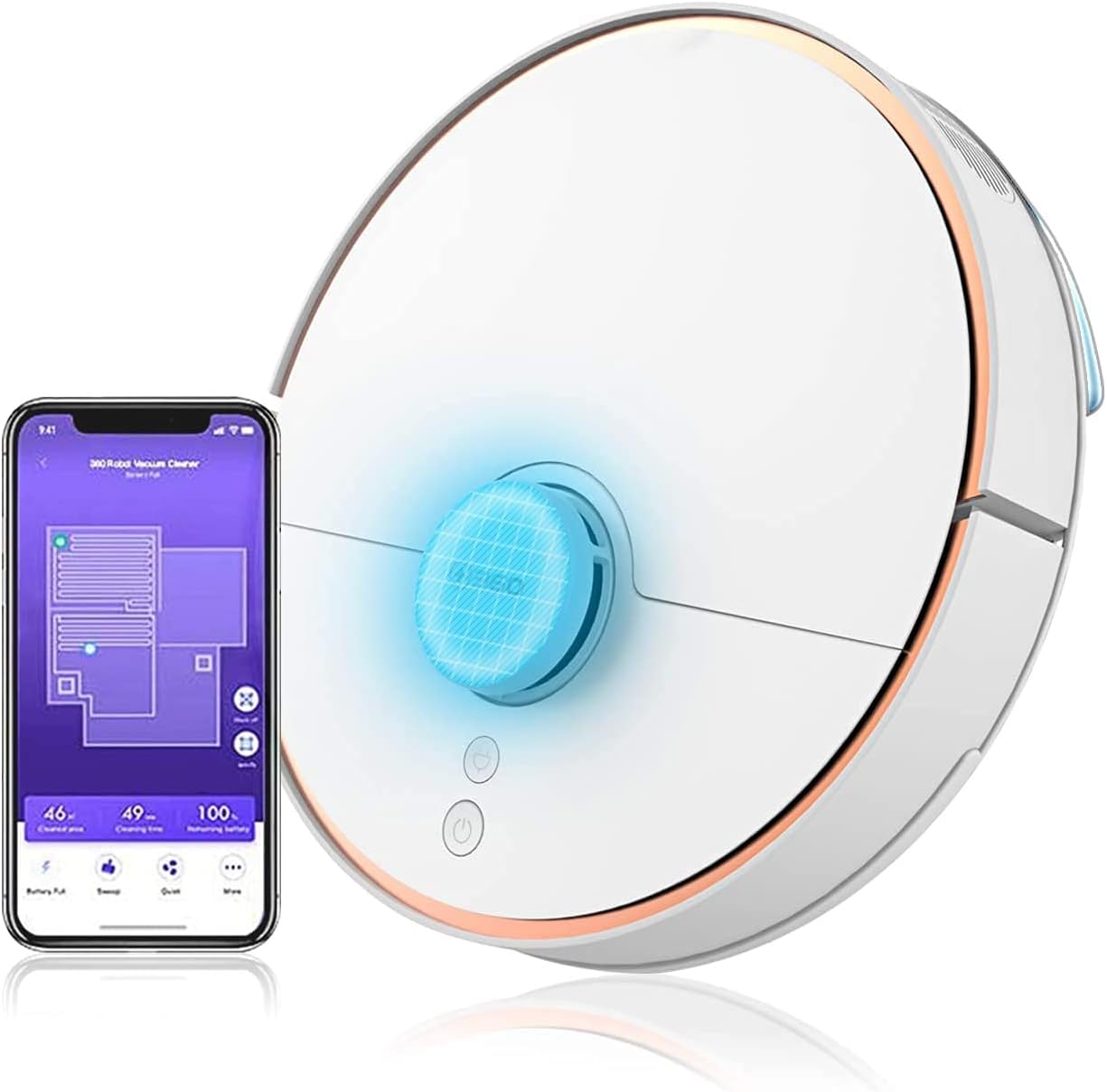
Image: The 360 S7 Robot Vacuum Cleaner shown alongside its mobile application interface, demonstrating its smart capabilities and connectivity.
Mwongozo wa Kuweka
1. Unboxing na Uwekaji wa Awali
Carefully remove all components from the packaging. Place the charging dock against a wall in an open area, ensuring there are no obstacles within 1 meter (3 feet) to the sides and 1.5 meters (5 feet) in front. Connect the power adapter to the charging dock and plug it into a power outlet.
2. Kuchaji Roboti
Place the 360 S7 robot onto the charging dock. Ensure the charging contacts on the robot align with those on the dock. The indicator light on the robot will show charging status. For first use, fully charge the robot, which typically takes about 4-5 hours.
3. Upakuaji wa Programu na Muunganisho
Download the "360 Robot" app from your mobile device's app store (iOS or Android). Open the app and follow the on-screen instructions to register an account and add your 360 S7 robot. This involves connecting the robot to your home Wi-Fi network. Ensure your Wi-Fi is 2.4GHz.
Operating Your 360 S7
Smart Navigation and Mapping
The 360 S7 utilizes LDS Lidar and SLAM algorithms for precise navigation and real-time mapping of your home. This allows the robot to plan efficient cleaning paths, avoid obstacles, and remember previously cleaned areas.

Image: An illustration showing the 360 S7 Robot Vacuum's smart navigation capabilities, including anti-collision, anti-drop, and long-lasting battery features, powered by LDS and SLAM technology.
Cleaning Modes and Suction Power
The 360 S7 offers 2-in-1 sweeping and mopping functionality. You can select various cleaning modes and adjust suction power via the app. The maximum suction power is 2650Pa for deep cleaning.

Image: The 360 S7 Robot Vacuum illustrating its dual function of sweeping and mopping, highlighting adjustable suction levels from quiet (600pa) to max (2650pa).
App Control and Voice Commands
Utilize the 360 Robot app to schedule cleanings, set virtual no-go zones, and monitor cleaning progress. The robot also supports voice commands through compatible devices like Amazon Alexa.
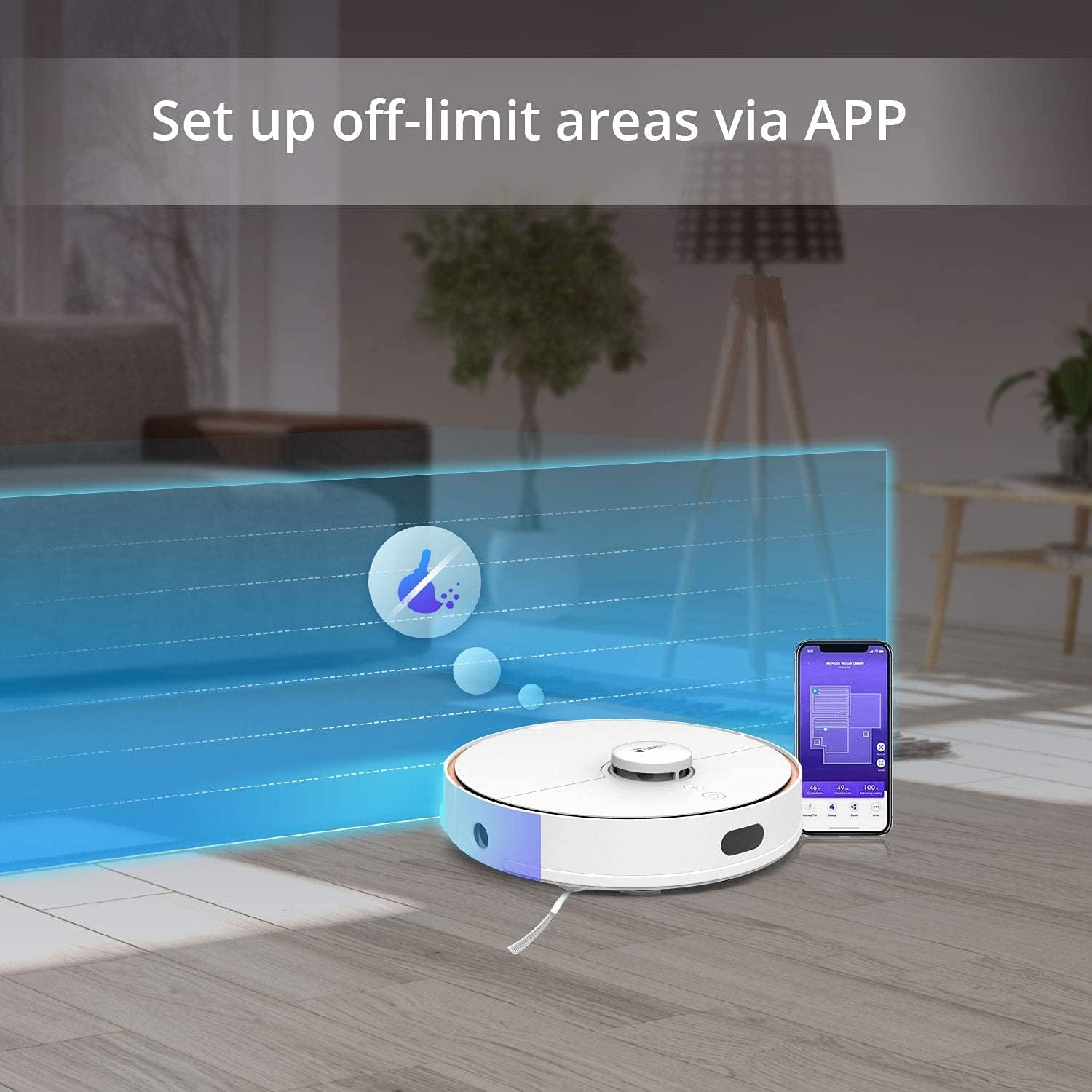
Image: The 360 S7 Robot Vacuum operating in a room, with an overlay demonstrating how to set up off-limit areas using the mobile application.

Image: A couple interacting with the 360 S7 Robot Vacuum using voice commands, illustrating its compatibility with smart home assistants like Amazon Alexa.
Obstacle Avoidance and Mobility
The 360 S7 is designed with high passability and features anti-collision, anti-drop, and anti-stuck mechanisms to navigate your home safely and effectively.

Image: A four-panel image showcasing the 360 S7 Robot Vacuum's capabilities: high passability (clearing 3.9-inch obstacles), anti-collision, anti-drop (cliff detection), and anti-stuck features.
Matengenezo na Utunzaji
Regular maintenance ensures optimal performance and extends the lifespan of your 360 S7 Robot Vacuum Cleaner.
- Kichujio cha takataka na kichujio: Empty the dustbin after each cleaning cycle. Clean the filter regularly by tapping out debris or rinsing with water (ensure it's completely dry before reinserting).
- Brashi Kuu: Remove and clean the main brush weekly. Use the cleaning tool provided to cut and remove tangled hair or debris.
- Brashi za pembeni: Check side brushes monthly for wear and tear. Replace if bristles are bent or damaged. Clean any tangled hair.
- Sensorer: Wipe all sensors (cliff sensors, wall sensors, charging contacts) with a clean, dry cloth monthly to ensure proper function.
- Pedi ya Mop: Remove and wash the mop pad after each mopping session. Allow it to air dry completely.
- Tangi la maji: Empty any remaining water from the tank after mopping and allow it to air dry to prevent mold or odors.
Kutatua Masuala ya Kawaida
| Tatizo | Sababu inayowezekana | Suluhisho |
|---|---|---|
| Roboti haina malipo. | Charging contacts are dirty or misaligned. Power adapter not connected. | Clean charging contacts on both robot and dock. Ensure power adapter is securely plugged in. |
| Roboti hukwama mara kwa mara. | Obstacles in cleaning path. Sensors are dirty. | Clear cables, small objects, and thick rugs. Clean all sensors. |
| Nguvu ya kunyonya ni dhaifu. | Dustbin full. Filter clogged. Main brush tangled. | Empty dustbin. Clean or replace filter. Clean main brush. |
| Roboti haiwezi kuunganisha kwenye Wi-Fi. | Incorrect Wi-Fi password. Router too far. 5GHz Wi-Fi network. | Verify password. Move robot closer to router. Ensure 2.4GHz Wi-Fi is used. |
| Mopping function is ineffective. | Mop pad dry or dirty. Water tank empty. | Wet and clean mop pad. Fill water tank. |
Vipimo vya Kiufundi
| Kipengele | Maelezo |
|---|---|
| Chapa | 360 |
| Jina la Mfano | 360 S7 |
| Rangi | Nyeupe |
| Maisha ya Betri | dakika 120 |
| Voltage | 110 Volts |
| Uwezo wa Dustbin | 0.57 lita |
| Chanzo cha Nguvu | Umeme wa Cord |
| Njia ya Kudhibiti | Programu |
| Vifaa Sambamba | Amazon Echo |
| Uzito wa Kipengee | Pauni 7.6 |
| Vipimo vya Bidhaa | Inchi 9.45 x 27.17 x 0.98 |
| Mtengenezaji | Qihoo 360 |
| Vipengee vilivyojumuishwa | Mwongozo wa Maagizo |
Taarifa na Usaidizi wa Dhamana
The 360 S7 Robot Vacuum Cleaner comes with a standard manufacturer's warranty. For specific warranty terms and conditions, please refer to the warranty card included in your product packaging or visit the official 360 webtovuti.
For technical support, troubleshooting assistance, or spare parts inquiries, please contact 360 customer service through the contact information provided in the app or on the official website. Please have your product model and serial number ready when contacting support.


