Utangulizi
Welcome to the user manual for your Soundcore Anker Liberty Neo True Wireless Earbuds. These earbuds are designed to provide a high-quality audio experience with features tailored for active lifestyles. This manual will guide you through the setup, operation, maintenance, and troubleshooting of your device to ensure optimal performance.

Figure 1: Soundcore Anker Liberty Neo True Wireless Earbuds in their charging case.
Ni nini kwenye Sanduku
Your Soundcore Anker Liberty Neo True Wireless Earbuds package includes the following items:
- Kesi ya Kuchaji
- Mwongozo wa Mtumiaji (hati hii)
- Kebo ya Kuchaji ya USB
- Multiple sizes of EarTips and WingTips for a secure fit

Figure 2: Included accessories with the Soundcore Anker Liberty Neo Earbuds.
Sanidi
1. Charging Your Earbuds and Case
Kabla ya matumizi ya kwanza, chaji kikamilifu vifaa vya sauti vya masikioni na kisanduku cha kuchaji.
- Weka vifaa vya masikioni kwenye kisanduku cha kuchaji. Hakikisha vimekaa vizuri; viashiria vya LED kwenye vifaa vya masikioni vitawaka ili kuthibitisha kuchaji.
- Connect the provided USB charging cable to the charging port on the case and to a power source. The LED indicators on the charging case will show the charging status.
- Once fully charged, the LED indicators will turn solid or off, depending on the model.

Figure 3: Earbuds placed in the charging case.
2. Kuoanisha na Kifaa Chako
The Liberty Neo earbuds feature one-step pairing for convenience.
- Open the charging case. The earbuds will automatically enter pairing mode, and their LED indicators will flash white.
- Kwenye kifaa chako (smartphone, kompyuta kibao, nk), washa Bluetooth.
- Tafuta "Soundcore Liberty Neo" in the list of available Bluetooth devices and select it to connect.
- Once connected, the LED indicators on the earbuds will turn solid white or off, indicating successful pairing.
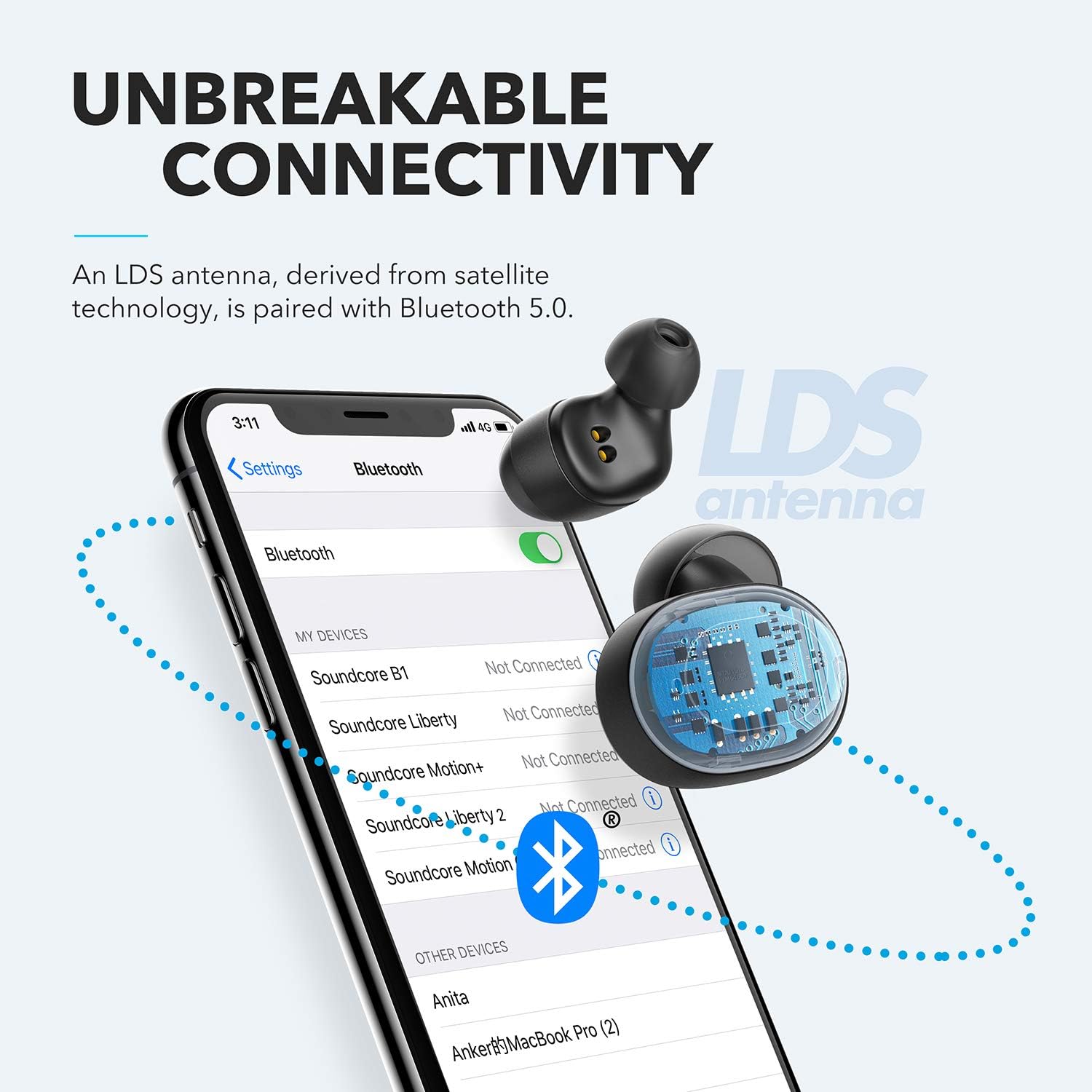
Figure 4: Bluetooth pairing process on a smartphone.
Kuendesha vifaa vyako vya masikioni
1. Kuvaa vifaa vya masikioni
For optimal sound quality and a secure fit, choose the correct size of EarTips and WingTips. Insert the earbuds into your ears and twist them gently until they feel snug and comfortable.

Figure 5: Proper wearing of the earbuds for a secure fit.
2. Vidhibiti
The Liberty Neo earbuds feature intuitive touch controls:
- Cheza/Sitisha: Tap the multi-function button on either earbud once.
- Wimbo Ufuatao: Double-tap the multi-function button on the right earbud.
- Wimbo Uliopita: Double-tap the multi-function button on the left earbud.
- Jibu/Maliza Simu: Tap the multi-function button on either earbud once.
- Kataa Simu: Bonyeza na ushikilie kitufe cha kazi nyingi kwenye vifaa vya sauti vya masikioni kwa sekunde 2.
- Washa Msaidizi wa Sauti: Press and hold the multi-function button on either earbud for 1 second.
3. Njia za Sauti
While the Liberty Neo earbuds offer excellent passive noise isolation, they do not feature Active Noise Cancellation (ANC) or Transparency modes. They are designed to provide a rich audio experience with Soundcore's signature sound and BassUp technology.
Matengenezo
Ili kuhakikisha maisha marefu na utendakazi bora wa vifaa vyako vya masikioni:
- Keep the earbuds and charging case clean and dry. Use a soft, dry cloth to wipe them.
- Epuka halijoto kali.
- Usitumie visafishaji babuzi.
- The earbuds are IPX7 waterproof, meaning they can withstand sweat and rain. However, the charging case is not waterproof. Ensure earbuds are dry before placing them back in the case.

Figure 6: Earbuds demonstrating IPX7 waterproof rating.
Kutatua matatizo
If you encounter any issues with your earbuds, refer to the following common solutions:
| Tatizo | Suluhisho |
|---|---|
| Vifaa vya sauti vya masikioni havioanishi | Ensure earbuds are charged. Turn off Bluetooth on your device, then turn it back on. Try resetting the earbuds (refer to Soundcore support for specific reset instructions). |
| Kifaa kimoja tu cha masikioni kinachocheza sauti | Place both earbuds back into the charging case, close the lid, then open it again. Ensure both earbuds are connected to your device. |
| Ubora duni wa sauti | Ensure earbuds are clean and free of debris. Try different sized EarTips for a better seal. Check your device's audio settings. |
| Vifaa vya masikioni vinaanguka | Experiment with different sizes of EarTips and WingTips to find the most secure and comfortable fit for your ears. |
Vipimo
| Kipengele | Maelezo |
|---|---|
| Jina la Mfano | Uhuru Neo |
| Nambari ya Mfano | A3911 |
| Teknolojia ya Uunganisho | Isiyo na waya (Bluetooth 5.0) |
| Kiwango cha Upinzani wa Maji | IPX7 (Earbuds pekee) |
| Maisha ya Betri | 8 Hours (Earbuds), 40 Hours with Charging Case |
| Aina ya Kiendesha Sauti | Dynamic Driver (Graphene-enhanced) |
| Njia ya Kudhibiti | Gusa |
| Uzito wa Kipengee | 1.76 wakia |
| Vipimo vya Bidhaa | Inchi 2.95 x 1.38 x 1.18 |
Udhamini na Msaada
For warranty information and customer support, please refer to the official Soundcore webtovuti au wasiliana na huduma kwa wateja wao moja kwa moja. Hifadhi risiti yako ya ununuzi kwa madai ya udhamini.
Msaada mkondoni: Tembelea www.soundcore.com kwa Maswali Yanayoulizwa Mara kwa Mara, miongozo ya utatuzi wa matatizo, na taarifa za mawasiliano.


