1. Utangulizi
Thank you for choosing the ZIPRO Neon Magnetic Elliptical Trainer. This elliptical is designed for effective home workouts, allowing you to train endurance and strengthen muscles. Its compact size makes it ideal for smaller living spaces. The user-friendly computer tracks key workout parameters such as speed, distance, calories, and pulse. Featuring a robust construction, anti-slip footrests, and ergonomic handles, it ensures a comfortable and safe exercise experience. The internal magnetic mechanism provides smooth and quiet operation with 8 adjustable resistance levels to suit your individual training needs.

Image: The ZIPRO Neon Magnetic Elliptical Trainer, showcasing its sleek black design with green accents.
2. Taarifa Muhimu za Usalama
Please read all instructions carefully before using this product. Failure to follow these instructions may result in injury or damage to the equipment.
- Wasiliana na daktari kabla ya kuanza programu yoyote ya mazoezi, hasa ikiwa una matatizo ya kiafya yaliyopo.
- Weka watoto na wanyama wa kipenzi mbali na vifaa wakati wa operesheni.
- Weka mkufunzi wa mviringo kwenye uso wa gorofa, imara na kibali cha kutosha kuzunguka.
- Wear appropriate exercise clothing and athletic footwear. Avoid loose clothing that could get caught in moving parts.
- Before each use, ensure all bolts, nuts, and connections are securely tightened.
- Usizidi kiwango cha juu cha uzito wa mtumiaji cha kilo 120 (pauni 264).
- If you experience dizziness, chest pain, or any other abnormal symptoms, stop your workout immediately and consult a physician.
- Do not attempt to service the elliptical trainer beyond the maintenance steps described in this manual. Contact customer support for assistance.
3. Yaliyomo kwenye Kifurushi
Thibitisha kuwa vipengele vyote vipo kabla ya kuanza mkusanyiko. Ikiwa sehemu zozote hazipo au kuharibika, tafadhali wasiliana na usaidizi kwa wateja.
| Kipengee | Kiasi |
|---|---|
| Mkutano Mkuu wa Mfumo | 1 |
| Baa ya Kiimarishaji cha Mbele | 1 |
| Baa ya Nyuma ya Kiimarishaji | 1 |
| Vishikizo vya Kusonga | 2 |
| Fixed Handlebar Post | 1 |
| Pedali za miguu | 2 |
| Kitengo cha Console | 1 |
| Kishikilia Chupa cha Maji | 1 |
| Hardware Kit (Bolts, Washers, Nuts, Tools) | seti 1 |
| Mwongozo wa Mtumiaji | 1 |
4. Kusanyiko na Kuweka
4.1 Kufungua
Carefully remove all components from the packaging. Lay them out on a clean, flat surface to ensure all parts are accounted for and to prevent scratching.
4.2 Hatua za Kusanyiko
- Ambatisha Baa za Kutuliza: Funga baa za kuimarisha mbele na nyuma kwenye fremu kuu kwa kutumia boliti na mashine za kuosha zilizotolewa. Hakikisha zimekazwa vizuri kwa ajili ya uthabiti.
- Install Pedal Arms and Moving Handlebars: Connect the pedal arms to the main crank assembly and then attach the moving handlebars to the pedal arms. Pay attention to left and right markings.
- Mount Console Post and Fixed Handlebars: Attach the console post to the main frame. Then, secure the fixed handlebars to the console post. Ensure all wiring for the console is routed correctly and connected.
- Attach Console Unit: Carefully connect the sensor wires from the console post to the back of the console unit. Then, mount the console onto its designated bracket on the console post.
- Install Foot Pedals: Secure the foot pedals to the pedal arms. Ensure they are oriented correctly and tightened to prevent wobbling during use.
- Attach Water Bottle Holder: Mount the water bottle holder to the designated spot on the frame.
- Ukaguzi wa Mwisho: Review all connections and ensure all bolts are tightened. Test the elliptical for smooth movement and stability. Adjust the leveling caps on the stabilizer bars if the unit is uneven.
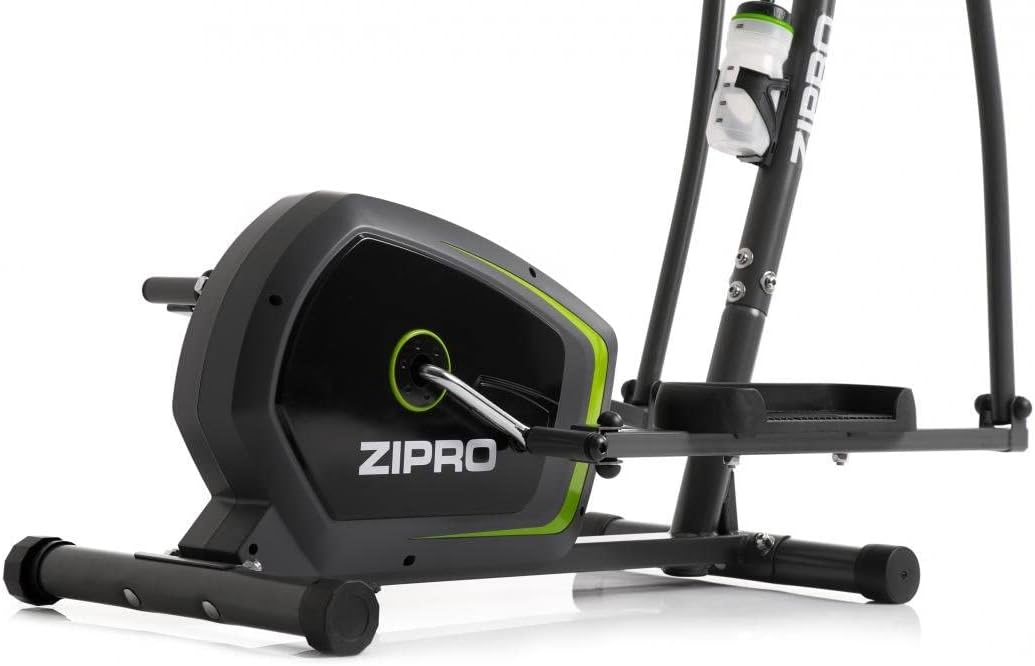
Image: Detail of the sturdy base and flywheel housing.

Picha: Side profile of the elliptical, showing the pedal arms and handlebars.

Picha: Mbele view, highlighting the console post and handlebars.
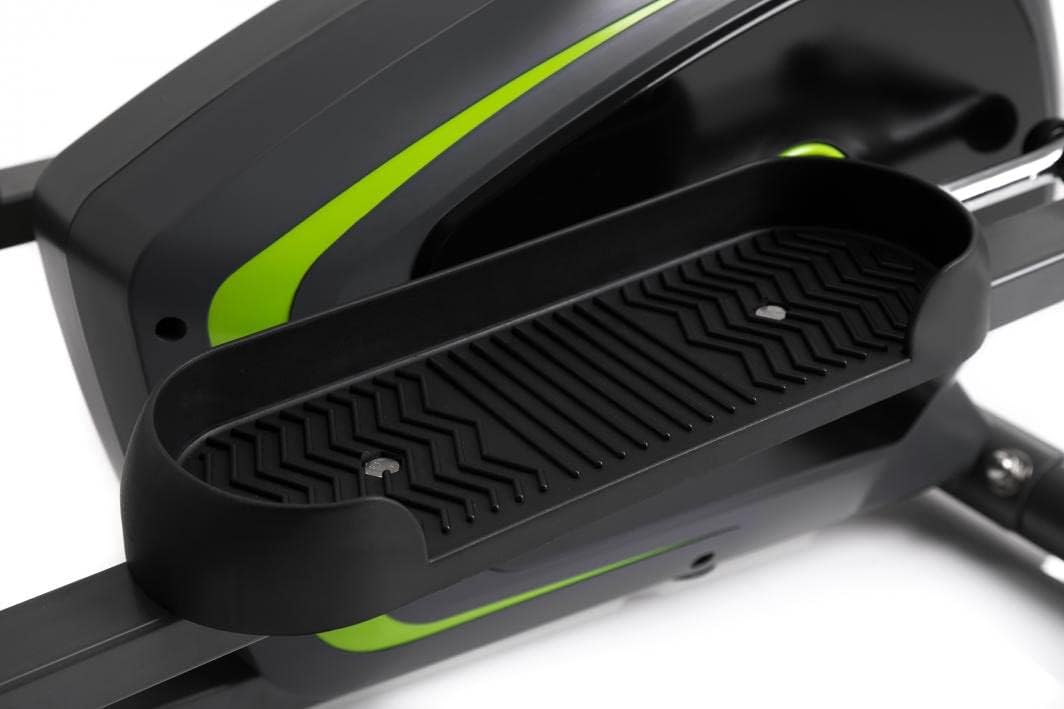
Image: Detail of the textured, anti-slip foot pedal surface.

Image: The integrated water bottle holder on the elliptical frame.

Image: The rear stabilizer bar with built-in transport wheels for easy relocation.
5. Maagizo ya Uendeshaji
5.1 Kazi za Console
The integrated console provides real-time feedback on your workout. It typically displays:
- TIME: Muda wa mazoezi yako.
- KASI: Kasi ya sasa katika km/h au mph.
- UMBALI: Jumla ya umbali uliofunikwa wakati wa mazoezi.
- KALORI: Kadirio ya kalori iliyochomwa.
- MPIGO: Your heart rate (measured via hand pulse sensors on fixed handlebars).
- SAKATA: Huzunguka kiotomatiki kupitia vitendakazi vyote vya onyesho.
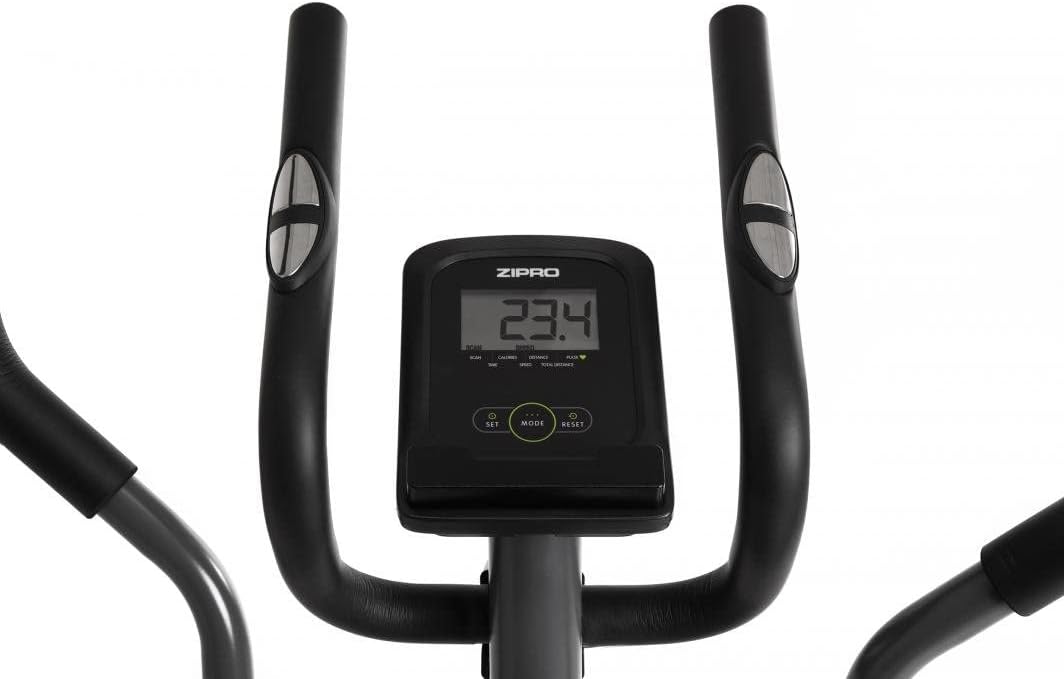
Image: The digital console displaying workout metrics.
Use the 'MODE' button to select a specific display function or 'SCAN' mode. 'RESET' will clear all workout data.
5.2 Kurekebisha Upinzani
The ZIPRO Neon Elliptical Trainer features 8 levels of magnetic resistance. To adjust the resistance, turn the tension control knob located on the main frame. Turn clockwise to increase resistance for a more challenging workout, and counter-clockwise to decrease resistance for an easier workout.

Image: The resistance control knob with settings from 1 to 8.
5.3 Kutumia Kishikilia Kifaa
The elliptical is equipped with a convenient shelf for mobile devices, allowing you to place your smartphone or tablet while exercising. This is located just below the console.

Image: The device holder, capable of holding a tablet or smartphone for entertainment during workouts.
5.4 Workout Guidelines
- Kuongeza joto: Begin each workout with 5-10 minutes of light exercise and stretching.
- Mazoezi: Maintain a steady pace and resistance level for 20-30 minutes, or as recommended by your fitness plan.
- Tulia: Finish with 5-10 minutes of slower pedaling and stretching.
- Uingizaji hewa: Use the integrated bottle holder to keep water accessible and stay hydrated during your workout.
6. Matengenezo na Matunzo
Regular maintenance will extend the life of your elliptical trainer.
- Kusafisha: Futa vifaa na tangazoamp kitambaa baada ya kila matumizi ili kuondoa jasho na vumbi. Usitumie visafishaji vya abrasive au vimumunyisho.
- Upakaji mafuta: Periodically check moving parts for friction. Apply a silicone-based lubricant to pivot points and joints if squeaking occurs.
- Kaza Fasteners: Regularly inspect all bolts, nuts, and screws to ensure they are tight. Tighten as necessary to prevent noise and ensure stability.
- Hifadhi: Hifadhi elliptical mahali pakavu, baridi mbali na jua moja kwa moja na joto kali.
7. Utatuzi wa shida
If you encounter issues with your elliptical trainer, refer to the table below for common problems and solutions.
| Tatizo | Sababu inayowezekana | Suluhisho |
|---|---|---|
| Kupiga kelele au kusaga | Boliti zilizolegea; ukosefu wa mafuta; sehemu zilizochakaa. | Tighten all visible bolts. Apply silicone lubricant to pivot points. If noise persists, contact support. |
| Dashibodi haionyeshi data | Batteries low or dead; loose sensor connection. | Replace console batteries. Check all sensor cables are securely connected. |
| Upinzani haubadilika | Kebo ya upinzani imekatwa au kuharibika. | Kagua muunganisho wa kebo ya upinzani kwenye kisu na utaratibu wa gurudumu la juu. Unganisha tena ikiwa imelegea. |
| Elliptical feels unstable/wobbly | Uneven surface; loose stabilizer bar bolts. | Adjust the leveling caps on the stabilizer bars. Ensure all stabilizer bar bolts are tightened. |
8. Maelezo ya kiufundi
| Kipengele | Vipimo |
|---|---|
| Jina la Mfano | Neon |
| Chapa | ZIPRO |
| Rangi | Nyeusi |
| Vipimo vya Bidhaa (L x W x H) | Sentimita 107 x 67 x 152 (inchi 42.1 x 26.4 x 59.8) |
| Uzito wa Kipengee | Kilo 29.8 (pauni 65.7) |
| Nyenzo | Durable Steel Frame, Plastic Components |
| Utaratibu wa Upinzani | Sumaku |
| Mapendekezo ya Uzito wa Juu | Kilo 120 (pauni 264) |
| Urefu wa Juu wa Hatua | sentimita 27 (inchi 10.6) |
| Idadi ya Viwango vya Upinzani | 8 |
| Vipengee vilivyojumuishwa | Elliptical Trainer, Water Bottle Holder |
| Betri Imejumuishwa | Ndiyo |
| Mtengenezaji | Morele.net Sp. z oo |
| Nambari ya Mfano | 1592673 |
9. Udhamini na Msaada
Your ZIPRO Neon Magnetic Elliptical Trainer comes with a standard manufacturer's warranty covering defects in materials and workmanship. Please refer to the warranty card included in your package for specific terms and conditions, including the warranty period.
For technical support, replacement parts, or warranty claims, please contact ZIPRO customer service. Have your model number (1592673) and proof of purchase ready when contacting support.
Maelezo ya Mawasiliano:
Please visit the official ZIPRO webtovuti kwa maelezo ya mawasiliano ya kisasa zaidi kwa eneo lako.


