Utangulizi
The Rexing V1 Basic Dash Cam is designed to provide reliable video evidence on the road. With its advanced features and user-friendly design, it ensures your driving experiences are securely recorded. This manual will guide you through the setup, operation, and maintenance of your new dash cam.
Ni nini kwenye Sanduku
- Rexing V1 Basic Dash Cam
- Car Power Cable (12V adapter with USB port)
- Mwongozo wa Mtumiaji
- Mlima wa wambiso
- Cable Management Sehemu
- Memory Card (Note: Some packages may include a memory card, otherwise it needs to be purchased separately.)

Image: Rexing V1 Basic Dash Cam and included accessories.
Mwongozo wa Kuweka
1. Kuweka Dash Cam
Attach the dash cam to your vehicle's windshield using the provided adhesive mount. Position it discreetly behind your rearview mirror to ensure it does not obstruct your view. The lens is adjustable, allowing you to fine-tune the recording angle after mounting.

Image: The discreet design of the Rexing V1 Basic Dash Cam, mounted on a car windshield.
2. Kuingiza Kadi ya Kumbukumbu
Insert a high-endurance Micro SD card (up to 256GB, Class 10 or higher recommended) into the designated slot on the side of the dash cam. Ensure the device is powered off before inserting or removing the memory card to prevent data corruption.

Picha: Upande view of the Rexing V1 Basic Dash Cam showing the Micro SD card slot.
3. Kuwasha Kifaa
Connect the dash cam to your car's 12V power outlet using the provided car power cable. The cable is long enough to be routed around your windshield for a clean installation. The 12V adapter also features an additional USB port for charging other devices.

Image: The Rexing V1 Basic Dash Cam highlighting its premium features and power connection.
Video: Bidhaa rasmi imeishaview of the Rexing V1 Basic Dash Cam, demonstrating its features and setup.
Maagizo ya Uendeshaji
Kurekodi Kiotomatiki
The Rexing V1 Basic Dash Cam is designed for convenience. It automatically powers on and begins recording when your vehicle starts, and powers off when the vehicle is turned off, ensuring continuous coverage without manual intervention.
Kurekodi Kitanzi
The dash cam records video in seamless loops. When the memory card is full, the oldest unlocked footage is automatically overwritten, ensuring that recording never stops. You can set the loop recording duration to 1, 2, or 3 minutes via the settings menu.

Image: Illustration of the Loop Recording function, showing older fileinabadilishwa.
G-Sensor (Accident Auto-Detection)
Equipped with a built-in G-sensor, the dash cam automatically detects sudden shakes or collisions. In such an event, the current video footage is locked and protected from being overwritten, providing crucial evidence in case of an accident. The sensitivity of the G-sensor can be adjusted in the settings.
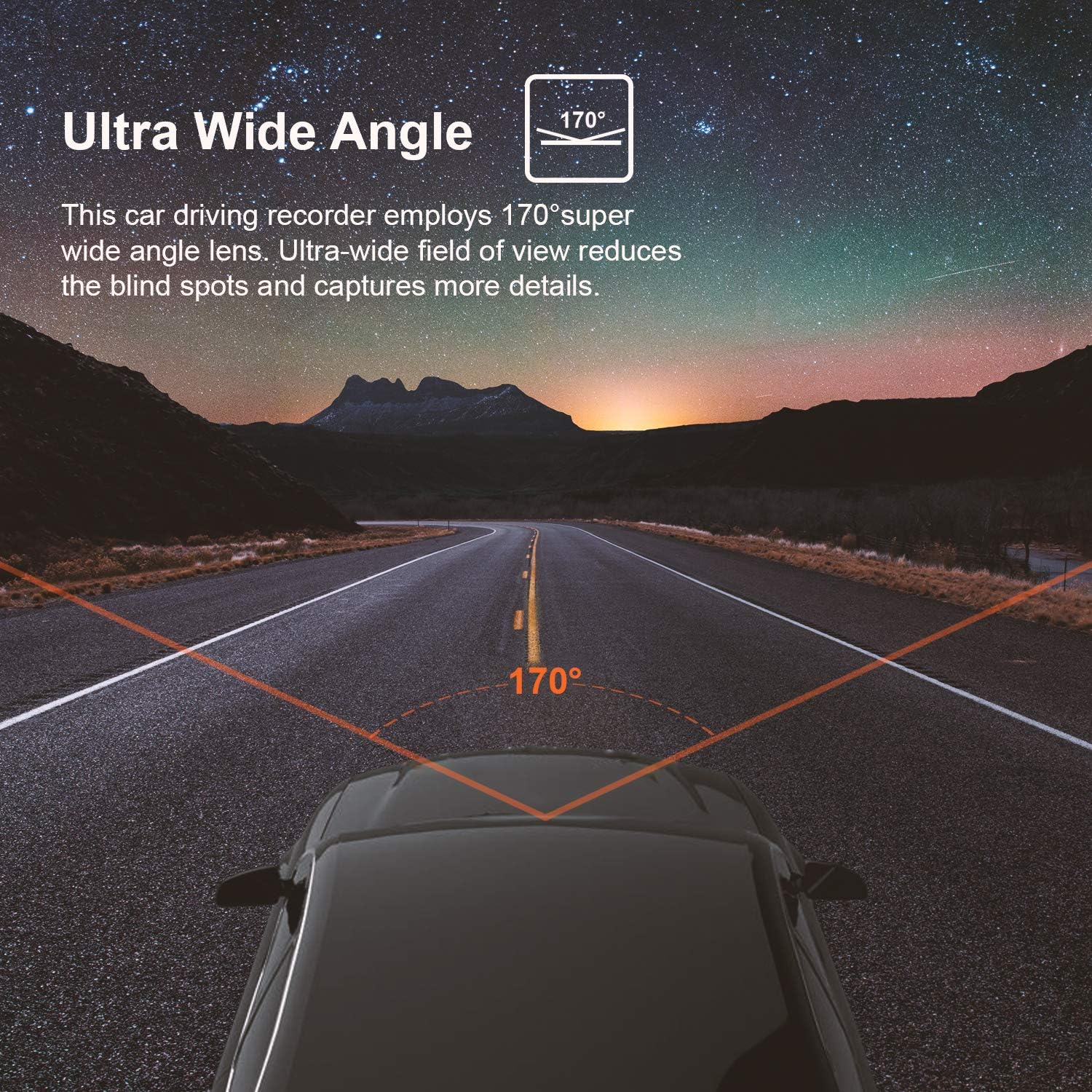
Image: The Gravity Sensor icon indicating footage is locked upon collision detection.
Ufuatiliaji wa Maegesho
When the parking monitor feature is enabled, the dash cam will automatically turn on and begin recording if it detects any vibration or impact while your vehicle is parked. This provides 24/7 surveillance and protection for your car.

Image: The Parking Monitor feature ensures surveillance even when the car is off.
Super Night Vision & WDR
The dash cam features a combination of F1.8 large aperture, WDR (Wide Dynamic Range), and HDR (High Dynamic Range) to ensure clear images even in low-light conditions. This eliminates the need for an auxiliary light source at night, making it easy to obtain sharp, color-accurate footage.
Image: Visual representation of Superior Night Vision and WDR enhancing video quality in low light.
170° Super Wide Angle Lens
The 170° super wide-angle lens provides an ultra-wide field of view, reducing blind spots and capturing more details of the road ahead. This comprehensive coverage helps to preserve the real scene in your recordings.

Image: Depiction of the 170° super wide-angle lens capturing a broad view ya barabara.
Optional GPS Functionality
While the GPS unit is sold separately, the Rexing V1 Basic Dash Cam is compatible with an optional GPS module. When connected, it allows you to record your driving route, location, and speed, which can be viewimetengenezwa kwa kutumia programu ya Rexing GPS Player kwenye kompyuta yako.
Image: The Rexing V1 Basic Dash Cam, compatible with an optional GPS module for tracking driving data.
Using the Mobile App (TimaCam)
The dash cam supports WiFi connectivity, allowing you to connect it to your smartphone via the TimaCam app (available on App Store and Google Play). Through the app, you can access camera settings, view ishi footage, and download recorded videos directly to your phone.
Utunzaji na Utunzaji
To ensure the longevity and optimal performance of your Rexing V1 Basic Dash Cam, follow these care guidelines:
- Upinzani wa Halijoto: The dash cam is designed to withstand extreme temperatures from -5°F to 160°F (-20°C to 71°C). However, prolonged exposure to direct sunlight in extremely hot conditions may affect performance.
- Kusafisha: Use a soft, dry cloth to clean the camera lens and body. Avoid using harsh chemicals or abrasive materials that could scratch the lens or damage the device.
- Kadi ya Kumbukumbu: Regularly format your memory card (at least once a month) to ensure stable recording and prevent data corruption. Use only high-endurance Micro SD cards from reputable brands.
Image: The dash cam is built to withstand a wide range of temperatures, from hot deserts to snowy environments.
Kutatua Masuala ya Kawaida
If you encounter any issues with your Rexing V1 Basic Dash Cam, refer to the following common solutions:
- Kifaa Kisichowashwa: Ensure the power cable is securely connected to both the dash cam and the car's 12V outlet. Check if the car's 12V outlet is functioning. If the battery is completely discharged, it may take a few minutes to turn on after connecting to power.
- Makosa ya Kadi ya Kumbukumbu: If the dash cam displays a memory card error, try formatting the card through the camera's settings menu. If the issue persists, try a different high-endurance Micro SD card.
- Footage Not Saving/Looping: Ensure loop recording is enabled in the settings. Check the G-sensor sensitivity; if it's too high, it might lock too many files, filling up the card quickly.
- Ubora duni wa Video: Ensure the lens is clean and free from smudges. Check the video resolution settings to ensure it's set to your desired quality (e.g., 1080p FHD).
- Kifaa Hugandisha: If the device freezes, press and hold the power button for 4 seconds to reset it. If the problem continues, try updating the firmware or contacting customer support.
Vipimo vya Bidhaa
| Kipengele | Maelezo |
|---|---|
| Vipimo vya Bidhaa | Inchi 3.5 x 2.25 x 1.5 |
| Uzito wa Kipengee | 3.2 wakia |
| Nambari ya Mfano wa Kipengee | Rexing V1 Basic |
| Betri | Betri 1 za Lithium Ion zinahitajika (pamoja na) |
| Teknolojia za Kuunganisha | Auxiliary, Wireless |
| Vipengele Maalum | Kurekodi Kitanzi, Kihisi G, Maono ya Usiku |
| Rangi | Nyeusi |
| Ni nini kwenye Sanduku | Cable, User Manual, Memory Card |
| Mtengenezaji | Rexing |
| Tarehe ya Kwanza Inapatikana | Oktoba 2, 2019 |
| Mwelekeo | Mbele |
| Aina ya Huduma ya Gari | Gari |
| Azimio la Kukamata Video | 1080p |
| Aina ya Kuweka | Mlima wa wambiso |
| Uwanja wa View | 170 Digrii |
Udhamini na Usaidizi wa Wateja
Rexing products are designed for quality and reliability. For warranty information, technical support, or any inquiries regarding your Rexing V1 Basic Dash Cam, please contact Rexing customer support:
- Webtovuti: www.rexingusa.com
- Barua pepe: huduma@rexingusa.com
Tafadhali uwe tayari na modeli ya bidhaa yako na maelezo ya ununuzi unapowasiliana na usaidizi.


