1. Utangulizi
The Osmo Genius Starter Kit for iPad & iPhone transforms your device into a hands-on learning tool, combining physical play with digital interaction. Designed for children aged 6-10, this kit offers five educational games that cover subjects like math, spelling, creativity, and problem-solving. Children interact with physical game pieces, and the Osmo Base and Reflector allow the device to 'see' and react to their real-life movements, bringing their creations and actions to life on screen.
Official Osmo overview video demonstrating the interactive learning experience.
2. Ni nini kwenye Sanduku
Your Osmo Genius Starter Kit includes the following components:
- Osmo Base & Reflector for iPad
- Tangram pieces
- Numbers tiles
- Words tiles
- Stackable storage for each game
- Access to 5 Game Apps: Numbers, Tangram, Words, Newton, and Masterpiece
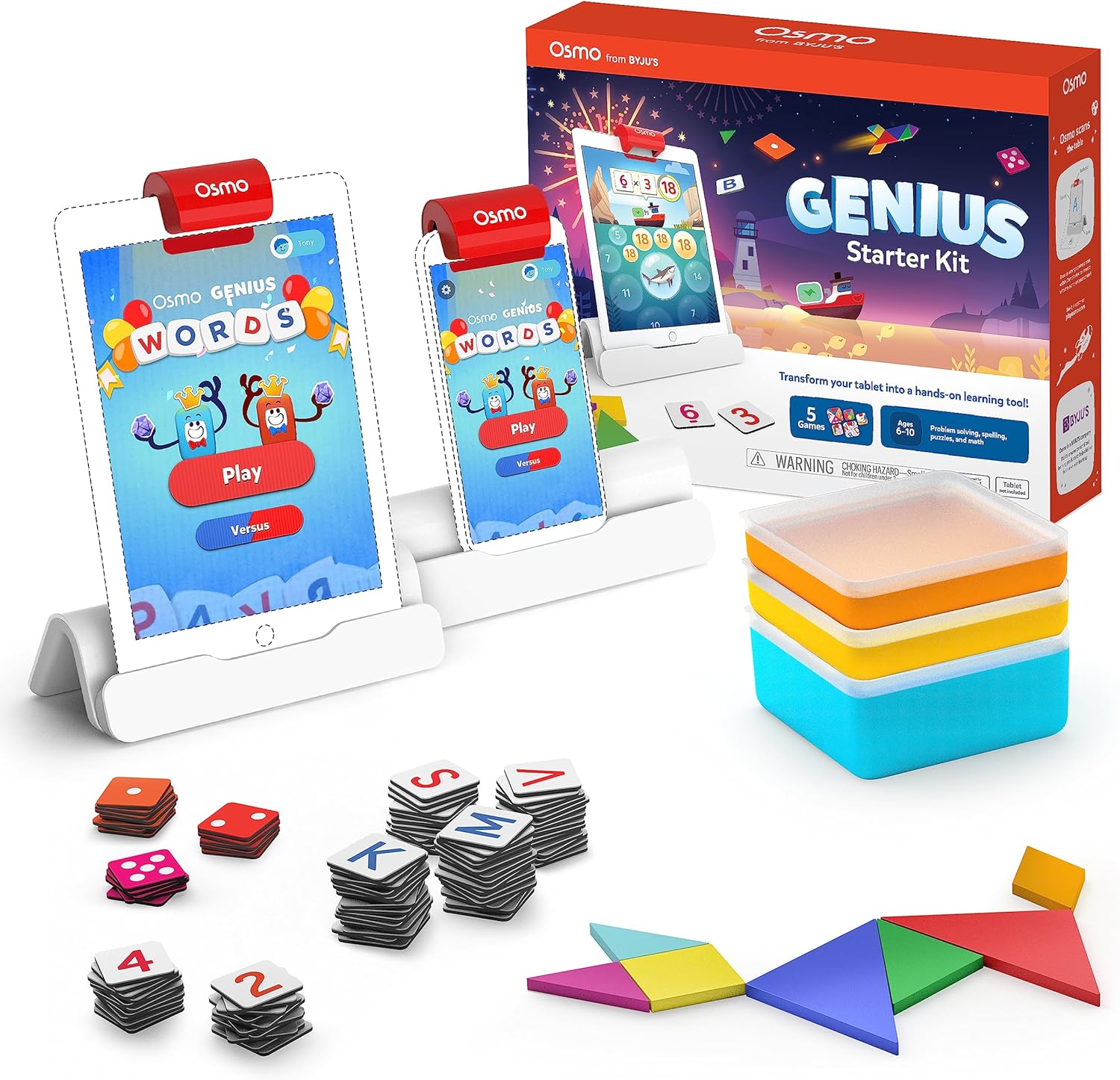
Image showing the Osmo Genius Starter Kit packaging, base, and included game pieces.
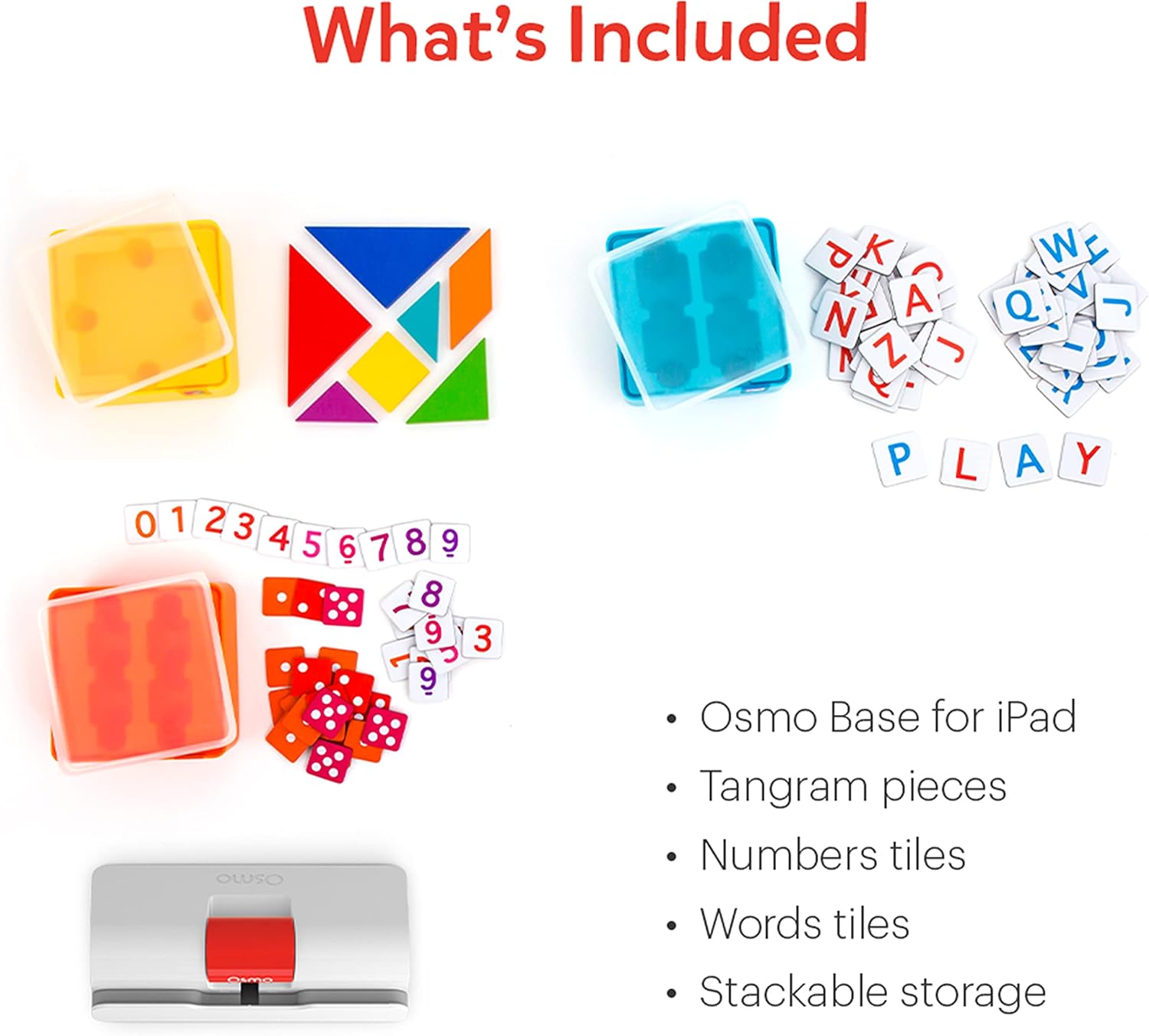
Kina view of the physical game pieces and their convenient stackable storage containers.
3. Utangamano
The Osmo Genius Starter Kit is compatible with most iPad and iPhone models. Please verify your device's compatibility before use.
- iPad Compatibility: All iPads except Generation 1-4, Air Gen 1, & iPad Mini Gen 1-3. The new iPad 10th Gen, iPad Pro 11” (4th Gen), & iPad Pro 12.9” (6th Gen) are not currently compatible; compatibility coming later in 2023. iPad Reflector 2021 required for: iPad Mini 6, iPad Air 4-5, iPad Pro 11-inch & iPad Pro 12.9-inch. The minimum iOS version needed is iOS 15.
- Utangamano wa iPhone: iPhone 12, 12 Pro, 12 Pro Max, 13, 13 Pro, 13 Pro Max, 14, 14 Plus. No other iPhones are compatible. Requires the Osmo iPad base & 2021 reflector hardware. The minimum iOS needed is iOS 14.0.

Visual guide to compatible iPhone and iPad models for the Osmo system.
4. Maagizo ya Kuweka
Follow these steps to set up your Osmo Genius Starter Kit:
- Place your device in the Osmo Base: Ensure your iPad or iPhone is securely seated in the white Osmo Base. The device should be positioned vertically.
- Attach the Reflector: Gently place the red Osmo Reflector over the top edge of your device, ensuring it covers the front-facing camera. The reflector is crucial for the Osmo system to 'see' the physical game pieces on your table.
- Download Osmo Apps: Tafuta
Nyaraka Zinazohusiana - 901-00011

Nambari za Osmo na Mwongozo wa Mtumiaji wa Osmo Newton
Mwongozo wa kina wa kutumia Nambari za Osmo na Osmo Newton, unaofafanua mechanics ya mchezo, vidokezo na mbinu bora za matumizi ya elimu ya kuvutia.
Mwongozo wa Usanidi wa Osmo kwa Kompyuta Kibao cha Moto
Mwongozo huu unatoa maagizo ya hatua kwa hatua ya kusanidi vifaa vya kuchezea vya Osmo na Kompyuta kibao za Amazon Fire, kufunika uoanifu wa kifaa, usanidi wa msingi, kuunda akaunti, upakuaji wa michezo na mtaalamu.file usimamizi.
Kuanza na Maneno ya Osmo
Mwongozo wa kina wa Maneno ya Osmo, unaohusu usanidi wa mchezo, uchezaji, hali, kuunda albamu maalum, na mbinu bora za utendakazi bora. Jifunze jinsi ya kutumia vigae vya herufi kutamka maneno kulingana na picha, chunguza hali tofauti za mchezo kama vile Adventure, Versus, na Zen, na ugundue jinsi ya kuunda na kushiriki albamu zako za maneno.
Mwongozo wa Usanidi wa Osmo wa iPad na Kompyuta Kibao cha Moto
Mwongozo wa kina wa usanidi wa bidhaa za Osmo, ikijumuisha Osmo Creative Set na Osmo Newton, unaoeleza kwa kina uoanifu, hatua za usanidi, maagizo ya mchezo na utatuzi wa matatizo.
Kuanza na Nambari za Osmo
Mwongozo wa Hesabu za Osmo, mchezo wa kielimu kwa wanafunzi wa mapema unaozingatia dhana za hesabu kama vile kuhesabu, kujumlisha, kutoa, na kuzidisha. Jifunze jinsi ya kucheza, fahamu njia za mchezo, na ugundue vidokezo vya kuongeza alama na kufungua maudhui mapya.
Anza na Osmo Tangram
Mwongozo wa Osmo Tangram, unaofafanua vipengele vya mchezo, viwango, mafanikio na mbinu bora zaidi za matumizi bora. Jifunze jinsi ya kucheza, kuvinjari menyu, na kuhifadhi vipande vyako vya Tangram.