1. Utangulizi
This manual provides essential instructions for the installation, operation, and maintenance of your Lorex 1080p 8-Channel 1TB Wired DVR Security System. Please read this manual thoroughly before using the product to ensure proper setup and functionality.

Picha 1.1: Juuview of the Lorex 1080p 8-Channel 1TB Wired DVR Security System components.
1.1 Ni nini kwenye Sanduku
- 1080p Full HD 8-Channel Security System with 1 TB DVR
- Four 1080p Night Vision Dome Cameras
- Power adapters for DVR and cameras
- Video cables for camera connection
- Panya ya USB
- Kebo ya Ethaneti
- Vifaa vya kupachika
2. Kuweka
2.1 DVR Connection
- Unganisha kwenye Kifuatiliaji: Use an HDMI or VGA cable to connect the DVR to a compatible monitor.
- Unganisha Kipanya cha USB: Plug the included USB mouse into an available USB port on the DVR.
- Muunganisho wa Mtandao (Si lazima): Kwa kijijini viewing, connect an Ethernet cable from the DVR's LAN port to your router.
- Muunganisho wa Nishati: Connect the DVR's power adapter to the DVR and then to a power outlet.

Image 2.1: Rear panel of the DVR with connection ports.
2.2 Ufungaji wa Kamera
The included dome cameras are designed for both indoor and outdoor use, featuring IP67 weatherproof rating and durable metal housing.
- Chagua Mahali pa Kupachika: Chagua eneo linalokupa unachotaka viewing angle and is within reach of the video and power cables. Consider areas that offer optimal coverage and minimize blind spots.
- Weka Kamera: Use the provided mounting hardware to securely attach the cameras to a wall or ceiling. Ensure the camera is positioned correctly for the desired field of view.
- Connect Video and Power: Connect the camera's video cable to an available BNC input on the DVR. Connect the camera's power cable to the power adapter and then to a power source.

Image 2.2: Dome camera mounted on an exterior wall.

Image 2.3: Dome camera mounted under eaves for subtle security.
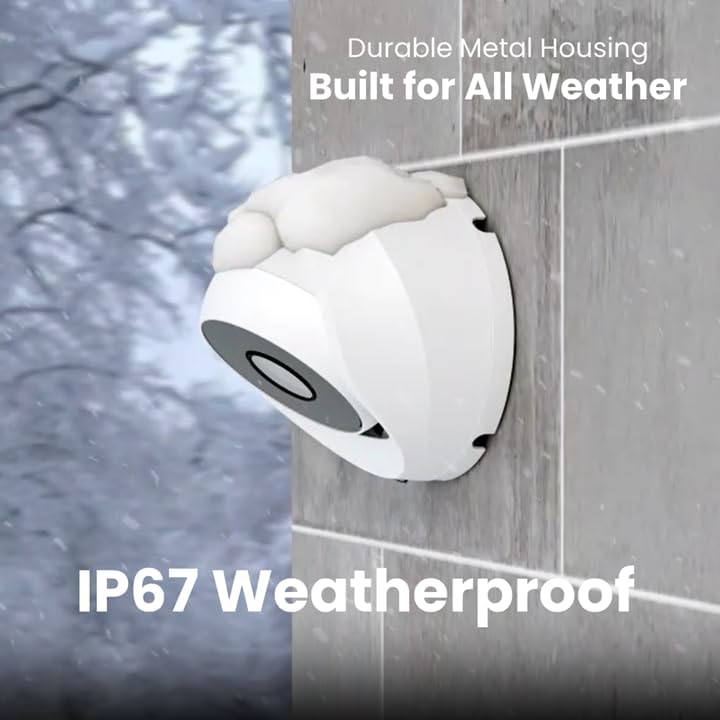
Image 2.4: Camera demonstrating IP67 weatherproof durability.
2.3 Usanidi wa Awali
After powering on the DVR, follow the on-screen prompts to complete the initial setup, which typically includes:
- Uchaguzi wa lugha
- Mipangilio ya tarehe na wakati
- Password creation
- Network settings (if connected)
3. Uendeshaji wa Mfumo
3.1 Ishi View na Kurekodi
Mara tu mfumo utakapowekwa, unaweza view live feeds from all connected cameras on your monitor. The DVR is configured for 24/7 continuous recording to the internal 1TB hard drive.
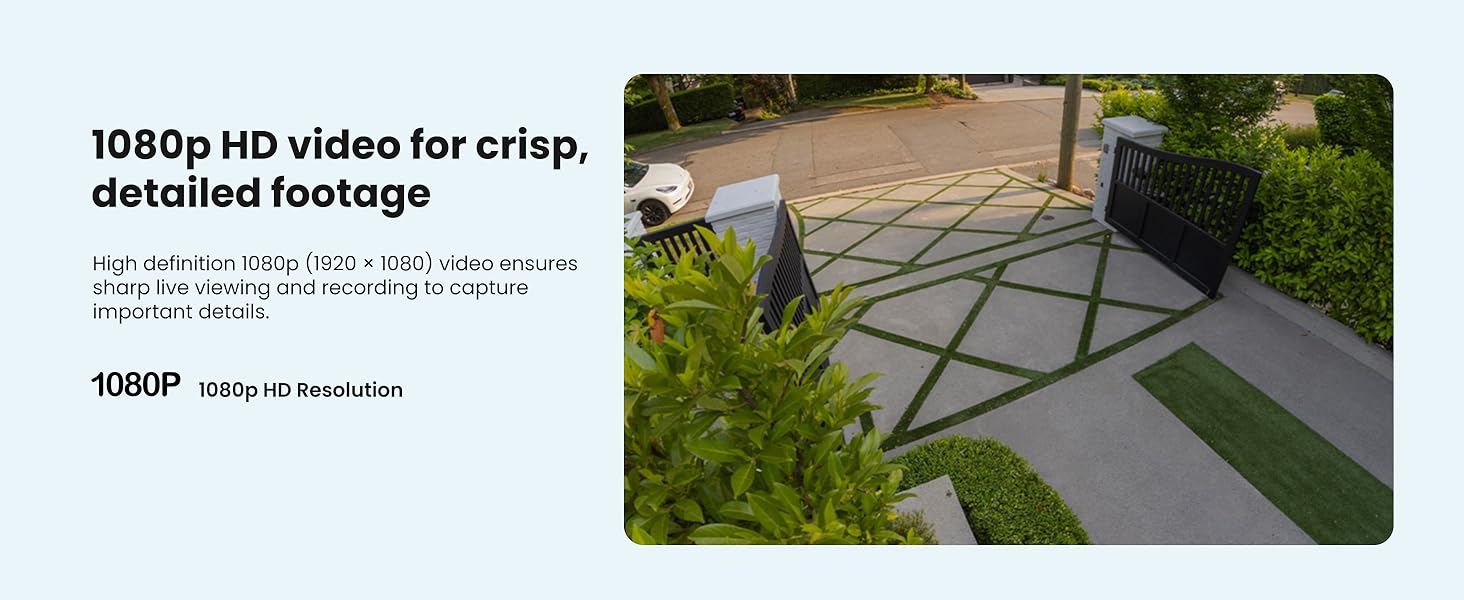
Picha 3.1: Kutample of 1080p HD video resolution.
3.2 Utambuzi wa Mwendo Mahiri
The system features Smart Motion Detection, which can differentiate between people and vehicles. This helps reduce false alarms and ensures you receive relevant alerts.
- Usanidi: Access the DVR's menu to configure motion detection zones and sensitivity for each camera.
- Tahadhari: Enable push notifications through the Lorex App for real-time alerts on your smartphone when person or vehicle motion is detected.
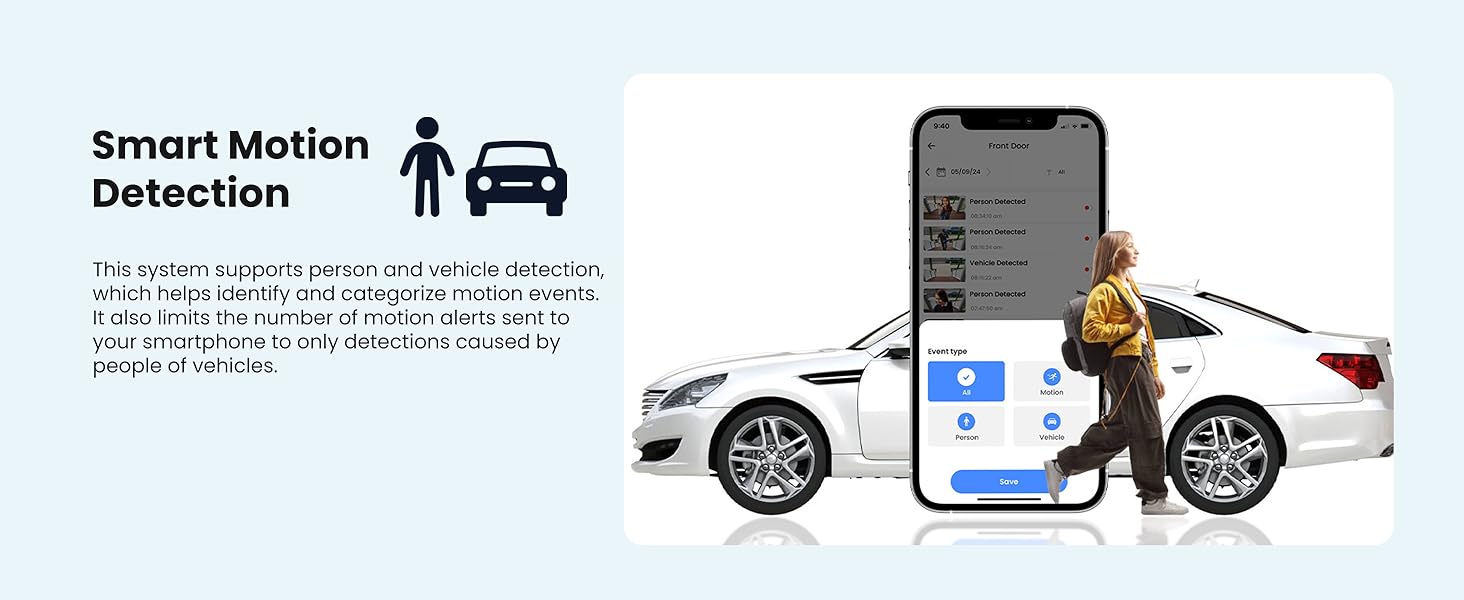
Image 3.2: Smart Motion Detection identifying a person and vehicle.
3.3 Maono ya Usiku
The cameras are equipped with Smart Infrared (IR) night vision, providing clear black and white video footage up to 65 feet in low-light conditions. The IR mode activates automatically.
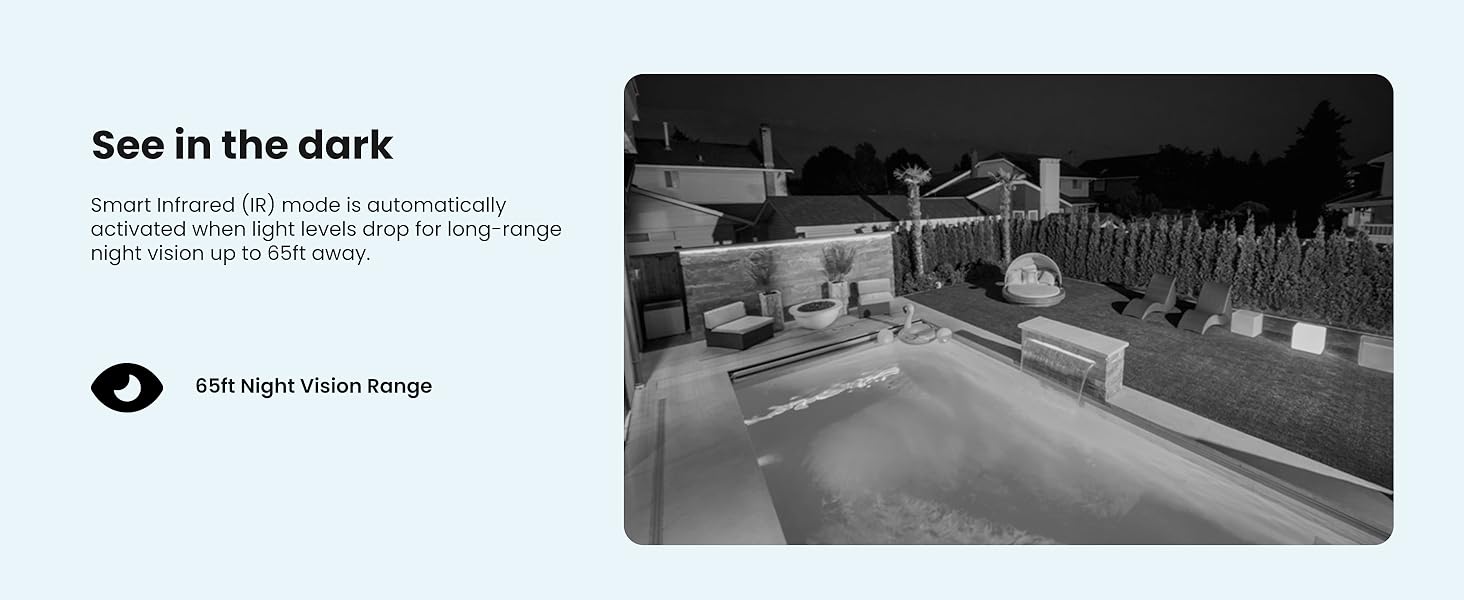
Image 3.3: Comparison of daytime and infrared night vision.
3.4 Playback and Digital Zoom
Review foo iliyorekodiwatage directly from the DVR. The system also supports digital zoom on both live and recorded video for closer inspection of details.

Image 3.4: Digital zoom functionality on recorded video.
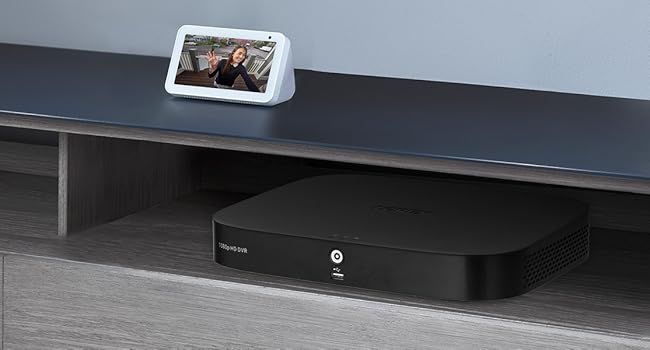
Image 3.5: Quick search feature for reviewmimi footage.
3.5 Remote Access (Lorex App)
Download the Lorex App on your smartphone or tablet to access live views, playback recordings, and receive alerts remotely. Ensure your DVR is connected to the internet for this feature.
4. Matengenezo
4.1 Usimamizi wa Hifadhi ngumu
The 1TB internal hard drive provides ample storage for continuous recording without the need for monthly fees or subscriptions. The system automatically overwrites the oldest footage wakati diski kuu imejaa.

Image 4.1: 1TB hard drive for local storage.
4.2 Kusafisha
- Lenzi za Kamera: Safisha lenzi za kamera mara kwa mara kwa kitambaa laini, kisicho na rangi ili kuhakikisha ubora wa picha. Epuka visafishaji vya kukwaruza.
- Kitengo cha DVR: Keep the DVR unit free from dust and ensure proper ventilation to prevent overheating.
4.3 Sasisho za Firmware
Check the Lorex support website periodically for firmware updates. Keeping your DVR's firmware updated ensures optimal performance and access to the latest features and security enhancements.
5. Utatuzi wa shida
If you encounter issues with your Lorex security system, refer to the following common troubleshooting steps:
- Hakuna Onyesho la Video: Ensure all cables (power, video, monitor) are securely connected. Verify the monitor input source is correct.
- Hakuna Rekodi: Check if the hard drive is properly installed and initialized. Verify recording schedules and motion detection settings.
- Masuala ya Ufikiaji wa Mbali: Confirm the DVR is connected to the internet and has a stable network connection. Ensure the Lorex App is updated and configured correctly.
- Ubora duni wa Picha: Clean camera lenses. Check cable connections for damage. Adjust camera position if glare or obstructions are present.
For more detailed troubleshooting guides and technical support, visit the official Lorex support webtovuti.
6. Vipimo
| Kipengele | Vipimo |
|---|---|
| Chapa | lorex |
| Nambari ya Mfano | AZT-D24281-2ND4-1 |
| Teknolojia ya Uunganisho | Wired |
| Azimio la Kukamata Video | 1080p (1920 x 1080) |
| Idadi ya Vituo | 8 |
| Uwezo wa Kuhifadhi Kumbukumbu | 1 TB |
| Vipengele Maalum | App Control, Night Vision, Vehicle Detection, Weatherproof |
| Mbele ya Maono ya Usiku | Hadi futi 65 |
| Ukadiriaji wa Kuzuia hali ya hewa | IP67 |
| Joto la Uendeshaji | 140°F/60°C Heat Rating and -40°F/-40°C Cold Rating |
| ViewAngle | 94 Digrii |
| Chanzo cha Nguvu | Umeme wa Cord |
| Vipimo vya Kipengee (L x W x H) | Inchi 19.7 x 19.2 x 10.3 |
| Uzito wa Kipengee | Pauni 21.7 |
| UPC | 695529022086 |
7. Udhamini na Msaada
7.1 Taarifa ya Udhamini
For detailed warranty information regarding your Lorex 1080p 8-Channel 1TB Wired DVR Security System, please refer to the warranty card included with your product or visit the official Lorex webtovuti. Sheria na masharti ya udhamini yanaweza kutofautiana.
7.2 Usaidizi kwa Wateja
If you require further assistance, technical support, or have questions not covered in this manual, please contact Lorex customer support through their official website. Online resources, FAQs, and contact information are available to help you.
Rasmi ya Lorex Webtovuti: www.lorex.com


