1. Utangulizi
This manual provides essential information for the safe and efficient operation of your Pyle 40 Inch LED TV with Built-in CD/DVD Player, Model PTVDLED40.5. Please read this manual thoroughly before using the product and retain it for future reference.

Picha: Mbele view of the Pyle 40 Inch LED TV, showing the screen displaying a landscape, a remote control, and a hand inserting a disc into the side-loading DVD player.
2. Taarifa za Usalama
ONYO: KUPUNGUZA ATHARI ZA UMOJA WA UMEME, USIONDOE Jalada (AU NYUMA). HAKUNA SEHEMU ZINATUMIKA KWA MTUMISHI NDANI. Rejea KUHUDUMIA KWA WANAFANYA KAZI WENYE SIFA.
- Soma maagizo haya.
- Weka maagizo haya.
- Zingatia maonyo yote.
- Fuata maagizo yote.
- Usitumie kifaa hiki karibu na maji.
- Safisha tu kwa kitambaa kavu.
- Usizuie fursa yoyote ya uingizaji hewa. Sakinisha kwa mujibu wa maelekezo ya mtengenezaji.
- Usisakinishe karibu na vyanzo vyovyote vya joto kama vile radiators, rejista za joto, jiko, au vifaa vingine (pamoja na amplifiers) zinazotoa joto.
- Usivunje madhumuni ya usalama ya plagi ya aina ya polarized au ya kutuliza. Plug ya polarized ina blade mbili na moja pana zaidi kuliko nyingine. Plagi ya aina ya kutuliza ina blade mbili na ncha ya tatu ya kutuliza. Ubao mpana au pembe ya tatu hutolewa kwa usalama wako. Iwapo plagi iliyotolewa haitoshei kwenye plagi yako, wasiliana na fundi umeme ili kubadilisha plagi iliyopitwa na wakati.
- Linda waya wa umeme dhidi ya kutembezwa au kubanwa, haswa kwenye plagi, vyombo vya kuhifadhia umeme, na mahali zinapotoka kwenye kifaa.
- Tumia viambatisho/vifaa vilivyobainishwa na mtengenezaji pekee.
- Tumia tu na gari, stendi, tripod, mabano, au jedwali iliyobainishwa na mtengenezaji, au inayouzwa na kifaa. Rukwama inapotumiwa, tumia tahadhari unaposogeza mchanganyiko wa rukwama/vifaa ili kuepuka kuumia kutokana na ncha-juu.
- Chomoa kifaa hiki wakati wa dhoruba za umeme au kisipotumika kwa muda mrefu.
- Rejelea huduma zote kwa wahudumu waliohitimu. Huduma inahitajika wakati kifaa kimeharibiwa kwa njia yoyote, kama vile kamba ya usambazaji wa umeme au plagi imeharibiwa, kioevu kimemwagika au vitu vimeanguka kwenye kifaa, kifaa kimeathiriwa na mvua au unyevu, haifanyi kazi kawaida. , au imetupwa.
3. Yaliyomo kwenye Kifurushi
Thibitisha kuwa bidhaa zote zilizoorodheshwa hapa chini zimejumuishwa kwenye kifurushi chako:
- Pyle 40 Inch HD LED TV (Model PTVDLED40.5)
- Kazi Kamili Udhibiti
- (2) Betri za AAA kwa Udhibiti wa Mbali
- (2) Base Stands
- Mounting Screws for Base Stands
- Kamba ya Nguvu

Image: Included accessories for the Pyle 40 Inch LED TV, showing the remote control, power cord, two base stands, and screws.
4. Bidhaa Imeishaview
4.1 Mbele View
Picha: Mbele view of the Pyle 40 Inch LED TV, showcasing the screen and the Pyle logo.
- Onyesho la Skrini: 40-inch D-LED Backlight display.
- Pyle Logo: Indicates brand.
- Sensorer ya IR: Kwa ishara za udhibiti wa kijijini.
- Kiashiria cha Nguvu: LED light indicating power status.
4.2 Vidhibiti vya Paneli ya Upande

Image: Close-up of the side panel controls on the Pyle 40 Inch LED TV, showing buttons for volume, channel, menu, input, and power.
- JUZUU +/-: Hurekebisha kiwango cha sauti.
- CH +/-: Inabadilisha njia.
- MENU: Accesses the on-screen menu.
- Pembejeo: Huchagua chanzo cha ingizo (HDMI, AV, nk).
- NGUVU: Huwasha au kuzima TV.
4.3 Viunganisho vya Paneli ya Nyuma

Picha: Nyuma view of the Pyle 40 Inch LED TV, highlighting the various input and output ports.

Image: Detailed close-up of the input/output ports on the Pyle 40 Inch LED TV, including HDMI, VGA, PC Audio, RF, Earphone, USB, Coaxial, Audio Out, Mini YPbPr, and Video/Audio In (RCA).
- HDMI (x3): High-Definition Multimedia Interface inputs for digital audio/video.
- YPbPr (Component Video): Analog video input (green, blue, red) for high-quality analog video.
- RCA (L/R Audio, Video): Analog audio (white, red) and composite video (yellow) inputs.
- VGA/PC: Video Graphics Array input for connecting a computer.
- Sauti ya Kompyuta: Audio input for VGA connection.
- RF (Antena): Input for connecting an antenna or cable TV.
- Optical (Digital) Audio Out: Digital audio output for connecting to a soundbar or receiver.
- Vipokea sauti vya masikioni: Toleo la sauti la 3.5mm kwa vipokea sauti vinavyobanwa kichwani.
- USB: For service or media playback (check manual for specific functionality).
- Koaxial: Toleo la sauti dijitali.
4.4 Built-in CD/DVD Player
The TV features a side-loading CD/DVD player. Insert discs gently into the slot located on the side of the television.
Picha: Upande view of the Pyle 40 Inch LED TV, clearly showing the slot for the built-in CD/DVD player.
5. Kuweka
5.1 Attaching the Base Stands
- Weka kwa uangalifu skrini ya TV kwenye sehemu laini na safi ili kuzuia mikwaruzo.
- Align each base stand with the corresponding slots on the bottom of the TV.
- Funga kila stendi kwa kutumia skrubu zilizotolewa. Hakikisha zimekazwa vizuri.

Image: The Pyle 40 Inch LED TV shown with its two base stands securely attached, ready for placement on a flat surface.
5.2 Uwekaji wa Ukuta (Si lazima)
The TV is VESA mounting compatible (200mm x 200mm). Remove the base stands if you intend to wall mount the television. Use a VESA-compatible wall mount kit (sold separately) and follow the instructions provided with the wall mount.
WARNING: Wall mounting should be performed by qualified personnel to prevent injury or damage.
5.3 Nguvu ya Kuunganisha
- Connect the power cord to the AC input on the back of the TV.
- Plug the other end of the power cord into a standard electrical outlet (100-240V, 50/60Hz).
5.4 Kuunganisha Vifaa vya Nje
Refer to the "Rear Panel Connections" section for port locations.
- Vifaa vya HDMI: Connect HDMI cables from your devices (e.g., Blu-ray player, game console) to the HDMI ports on the TV.
- Component Video (YPbPr) Devices: Connect component video cables (green, blue, red) and RCA audio cables (white, red) from your device to the corresponding inputs.
- Composite Video (RCA) Devices: Connect composite video cable (yellow) and RCA audio cables (white, red) from your device to the corresponding inputs.
- Antena/Kebo: Connect an RF coaxial cable from your antenna or cable wall outlet to the RF input.
- Uunganisho wa PC: Connect a VGA cable from your computer to the VGA port and an audio cable from your computer's audio output to the PC Audio input.
6. Uendeshaji
6.1 Washa/Zima
Bonyeza kwa NGUVU button on the remote control or the side panel to turn the TV on or off.
Udhibiti wa Remote wa 6.2
Insert two 'AAA' batteries into the remote control, observing polarity. Point the remote control towards the TV's IR sensor.
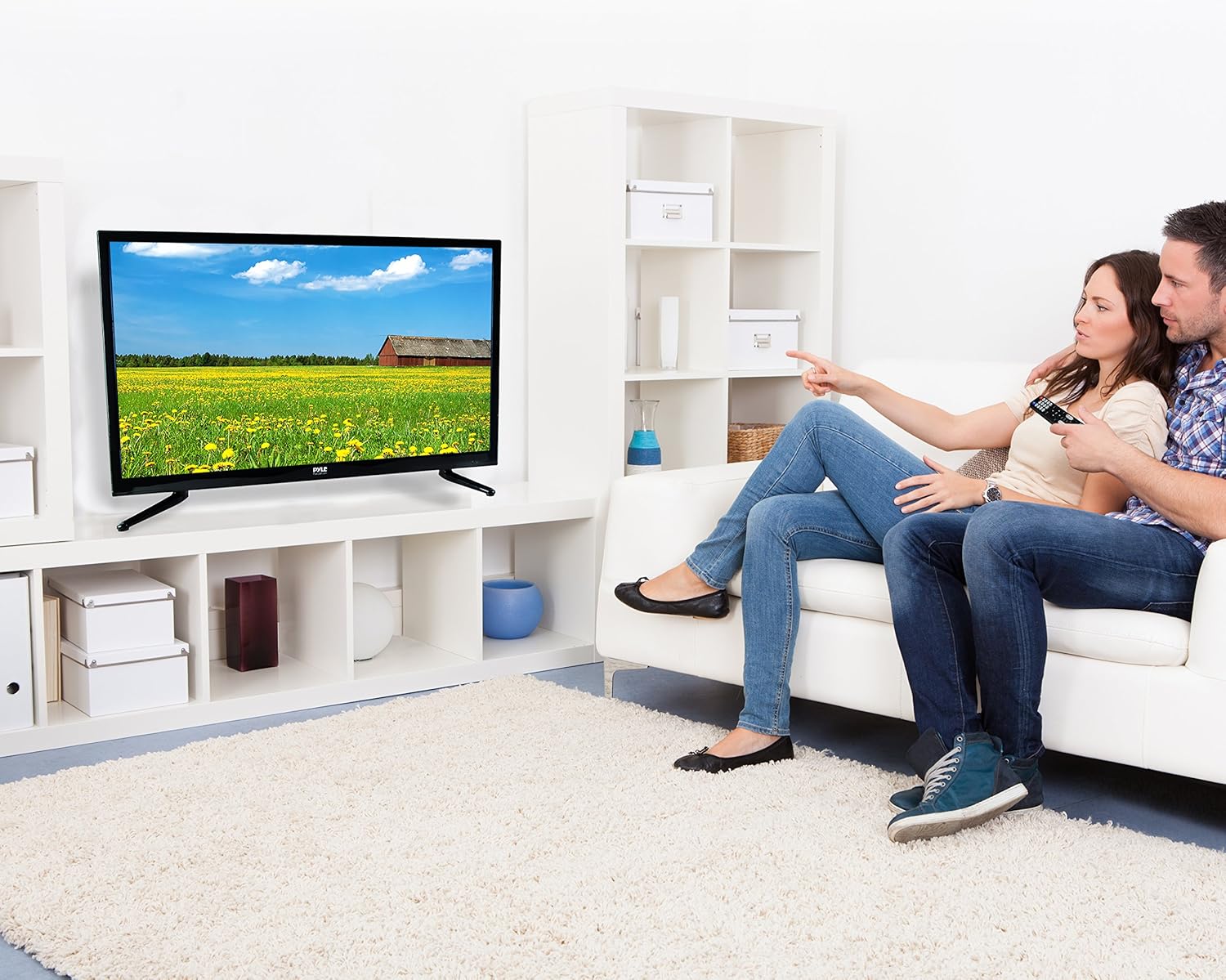
Image: The full-function remote control for the Pyle 40 Inch LED TV, showing various buttons for power, input, volume, channel, menu, and media playback.
- NGUVU: Huwasha/kuzima TV.
- Pembejeo: Huchagua chanzo cha kuingiza.
- JUZUU +/-: Inabadilisha sauti.
- CH +/-: Inabadilisha njia.
- MENU: Inafungua menyu kuu.
- Vifungo vya Kusogeza (Juu/Chini/Kushoto/Kulia/Sawa): Abiri chaguzi za menyu.
- TOKA/NYUMA: Exits current menu or goes back.
- NYAMAZA: Inanyamazisha/inazima sauti.
- DVD Controls: Play, Pause, Stop, Fast Forward, Rewind, Next/Previous Track.
- V-CHIP: Accesses V-Chip settings for parental control.
- CC (Closed Caption): Huwasha/kuzima manukuu yaliyofungwa.
- LALA: Inaweka kipima muda cha kulala.
6.3 Kuchagua Chanzo cha Kuingiza
Bonyeza kwa PEMBEJEO button on the remote control to cycle through available input sources (TV, HDMI1, HDMI2, HDMI3, YPbPr, AV, VGA, DVD).
6.4 Using the Built-in CD/DVD Player
- Hakikisha TV imewashwa.
- Gently insert a compatible disc (DVD, DVD+/-R, DVD+/-RW, CD, CD-R, CD-RW, JPEG) into the side-loading slot with the label facing up.
- The TV should automatically switch to DVD mode. If not, press the PEMBEJEO kitufe na uchague "DVD".
- Use the DVD control buttons on the remote control (Play, Pause, Stop, etc.) to manage playback.
6.5 Kazi za Menyu
Bonyeza kwa MENU button to access the on-screen display (OSD) menu. Use the navigation buttons to select and adjust settings.
- Mipangilio ya Picha: Adjust brightness, contrast, color, sharpness, and picture modes (Standard, Dynamic, Movie, User).
- Mipangilio ya Sauti: Adjust bass, treble, balance, and sound modes (Standard, Music, Movie, User).
- Mipangilio ya Kituo: Auto scan for channels, manual tuning, channel list.
- Mipangilio ya Wakati: Set current time, sleep timer, auto power off.
- Mipangilio ya Chaguo: Language, V-Chip (parental control), Closed Caption, display modes (16:9, 4:3, Zoom, Cinema).
7. Matengenezo
- Kusafisha skrini: Futa skrini kwa upole kwa kitambaa laini kisicho na pamba. Kwa alama za ukaidi, dampjw.org sw kitambaa chenye kiasi kidogo cha kisafisha skrini kilichoundwa mahususi kwa ajili ya vifaa vya elektroniki. Usinyunyize kisafishaji moja kwa moja kwenye skrini.
- Kusafisha Baraza la Mawaziri: Futa baraza la mawaziri la TV na kitambaa laini na kavu. Epuka kutumia visafishaji abrasive au vimumunyisho.
- Uingizaji hewa: Hakikisha fursa za uingizaji hewa nyuma ya TV hazijazuiwa ili kuzuia joto kupita kiasi.
- Kamba ya Nguvu: Angalia mara kwa mara kamba ya nguvu kwa uharibifu wowote. Ikiharibiwa, acha kutumia na uwasiliane na wafanyakazi wa huduma waliohitimu.
8. Utatuzi wa shida
| Tatizo | Sababu inayowezekana | Suluhisho |
|---|---|---|
| Hakuna nguvu | Kamba ya nguvu haijaunganishwa; hakuna nguvu kutoka kwa duka. | Hakikisha kwamba kebo ya umeme imechomekwa kwa usalama. Angalia kama plagi inafanya kazi kwa kuchomeka kifaa kingine. |
| Hakuna picha, lakini sauti iko | Chanzo cha ingizo kisicho sahihi kimechaguliwa; kebo ya video iliyolegea. | Bonyeza kwa PEMBEJEO button to select the correct source. Check video cable connections. |
| Hakuna sauti, lakini picha iko | Volume is muted or too low; incorrect audio cable connection. | Bonyeza kwa MUME kifungo au kuongeza sauti. Angalia miunganisho ya kebo ya sauti. |
| Udhibiti wa mbali haufanyi kazi | Betri zimekufa au kuingizwa vibaya; kizuizi kati ya kijijini na TV. | Replace batteries. Ensure correct polarity. Remove any obstructions. Point remote directly at the TV's IR sensor. |
| DVD player not reading disc | Disc is dirty, scratched, or incompatible format; disc inserted incorrectly. | Clean the disc. Try a different, known-good disc. Ensure disc is inserted with the label facing up. |
| Poor picture quality from antenna | Weak signal; antenna not positioned correctly. | Adjust antenna position. Perform an auto channel scan. Consider a stronger antenna or signal ampmaisha zaidi. |
9. Vipimo
| Kipengele | Maelezo |
|---|---|
| Nambari ya Mfano | PTVDLED40.5 |
| Ukubwa wa skrini | Inchi 40.0 (Kilalo) |
| Aina ya Kuonyesha | D-LED Backlight |
| Azimio la Onyesho | 1920 x 1080 (HD Kamili 1080p) |
| Usaidizi wa Mawimbi | 1080p, 1080i, 720p, 480p, 480i |
| Maonyesho ya Njia | 16:9, 4:3, Zoom, Cinema |
| ViewAngle | 178° Wima, 178° Mlalo |
| Nguvu ya Spika | (2) x 8 Watt, 8Ω |
| Kiwango cha Kuonyesha upya | 60Hz |
| Kitafuta TV | ATSC / NTSC |
| Muda wa Majibu | 6ms |
| Max. Rangi | 16.7M |
| Tofautisha | 5000:1 (50,000:1 Dynamic) |
| Mwangaza | 250 cd/m2 |
| CD/DVD Disc Support | DVD, DVD+/-R, DVD+/-RW, CD, CD-R, CD-RW, JPEG |
| Kuweka VESA | mm 200 x 200 mm |
| Nguvu | 100-240V, 50/60Hz |
| Vipimo (L x W x H) | 36.5'' x 3.5'' x 21.9'' (Panel Only) |
| Uzito wa Kipengee | Pauni 16.32 |
| Vipengee vilivyojumuishwa | 40'' HD LED TV, Full Function Remote Control |
| Teknolojia ya Uunganisho | HDMI |
| Ufanisi wa Nishati | Kadirio la Gharama ya Nishati ya Kila Mwaka: $11.52 |
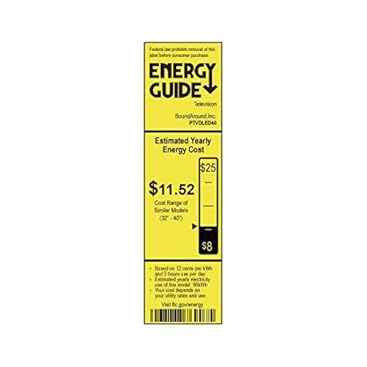
Image: Energy Guide label for the Pyle PTVDLED40 TV, showing an estimated yearly energy cost of $11.52.
10. Udhamini na Msaada
For warranty information and technical support, please refer to the warranty card included with your product or visit the official Pyle webtovuti. Weka risiti yako ya ununuzi kama dhibitisho la ununuzi kwa madai yoyote ya udhamini.
For customer support inquiries, you may also refer to the Amazon Customer Support page.


