1. Bidhaa Imeishaview
The VINABTY RC5112 is a replacement universal remote control designed for a wide range of televisions, including models from HITACHI, JVC, LAURUS, Bush, and Finlux. This remote provides full functionality for your compatible TV, offering an ergonomic design for comfortable use. It operates via infrared technology and requires no programming; simply insert batteries to begin use.

Kielelezo 1: Mbele view of the VINABTY RC5112 remote control, displaying its full button layout.
2. Mwongozo wa Kuweka
2.1 Ufungaji wa Betri
To power your VINABTY RC5112 remote control, follow these steps for battery installation:
- Tafuta sehemu ya betri nyuma ya kidhibiti cha mbali.
- Bonyeza chini latch na utelezeshe kifuniko cha betri chini ili kuifungua.
- Ingiza betri mbili za AAA (hazijajumuishwa), hakikisha vituo chanya (+) na hasi (-) vinapatana ipasavyo na alama zilizo ndani ya chumba.
- Telezesha kifuniko cha betri mahali pake hadi kibofye kwa usalama.
The remote control is now ready for use and does not require any additional programming.
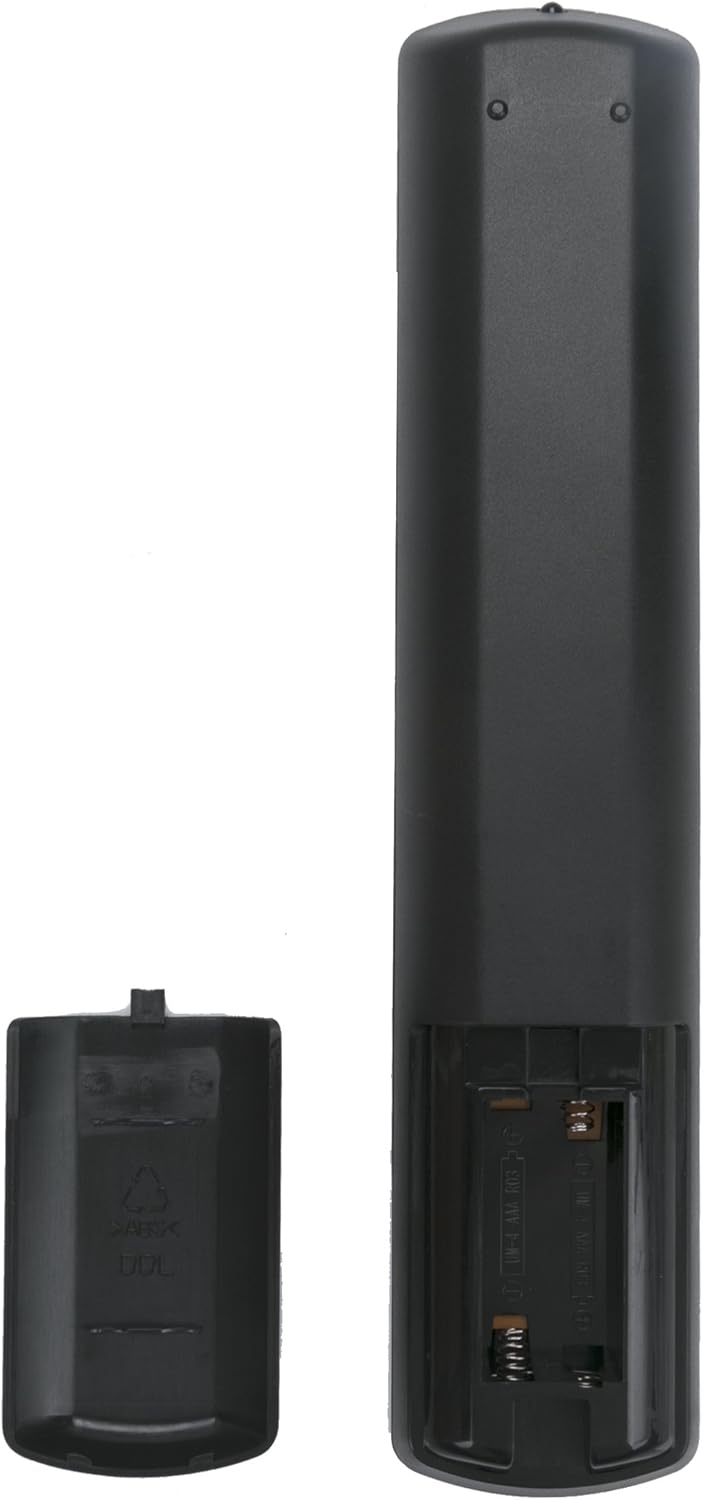
Kielelezo cha 2: Nyuma view of the remote control with the battery compartment open for battery insertion.
3. Maagizo ya Uendeshaji
This section details the functions of the buttons on your VINABTY RC5112 remote control.
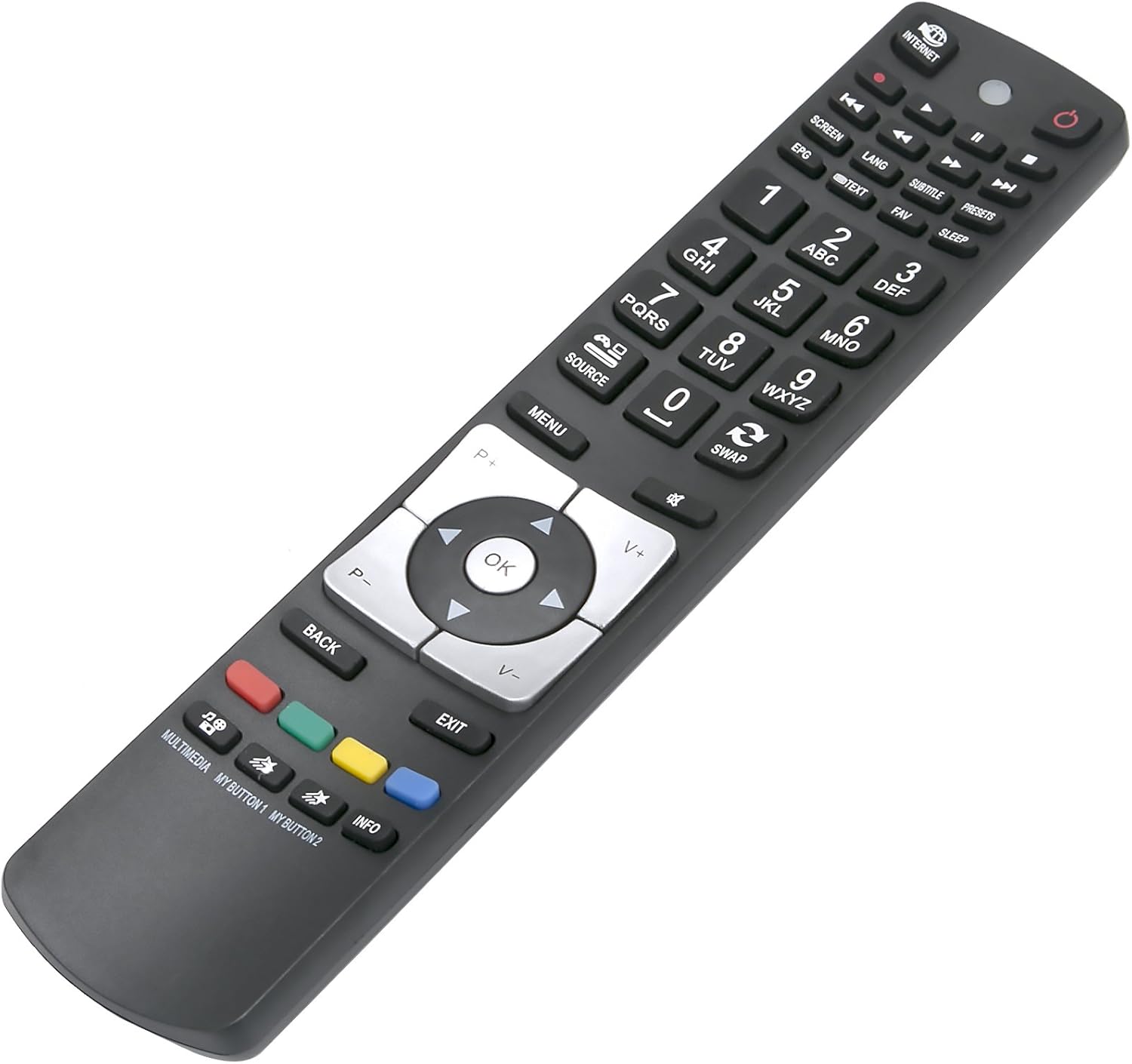
Kielelezo 3: Pembe view of the remote control, illustrating the button arrangement.
3.1 Kazi za Msingi
- Kitufe cha Nguvu (●): Huwasha au kuzima TV.
- Vifungo vya Nambari (0-9): Directly select TV channels.
- Volume Up/Down (V+/V-): Hurekebisha sauti ya sauti.
- Kituo Juu/Chini (P+/P-): Changes the TV channel sequentially.
- Kitufe cha Kunyamazisha: Inanyamazisha au kuzima sauti ya TV.
- Kitufe Chanzo: Cycles through available input sources (e.g., HDMI, AV).
- Kitufe cha Menyu: Opens the TV's main menu.
- Navigation Buttons (Up, Down, Left, Right, OK): Used to navigate menus and confirm selections.
- Kitufe cha Nyuma: Hurudi kwenye menyu au skrini iliyotangulia.
- Kitufe cha Kuondoka: Closes the current menu or application.
3.2 Kazi za Juu
- Kitufe cha INTERNET: Accesses smart TV features or internet browser.
- EPG (Mwongozo wa Programu ya Kielektroniki): Displays the TV program guide.
- Kitufe cha TEXT: Activates or deactivates Teletext.
- FAV (Favorites) Button: Hufikia orodha ya vituo unavyopenda.
- Kitufe cha KULALA: Sets the TV's sleep timer.
- SWAP Button: Switches between the current and previously viewid ed.
- MULTIMEDIA Button: Accesses multimedia functions (e.g., USB playback).
- MY BUTTON 1 / MY BUTTON 2: Customizable buttons for specific functions (refer to your TV's manual for programming).
- Kitufe cha INFO: Inaonyesha taarifa kuhusu programu ya sasa au ingizo.
4. Matunzo na Matengenezo
To ensure the longevity and optimal performance of your remote control, please observe the following:
- Kusafisha: Use a soft, dry cloth to clean the remote. Avoid using liquid cleaners or abrasive materials, as they may damage the surface or internal components.
- Ubadilishaji wa Betri: Replace batteries when the remote's response becomes sluggish or stops working. Always replace both batteries simultaneously with new ones of the same type (AAA).
- Hifadhi: Store the remote in a cool, dry place away from direct sunlight, extreme temperatures, and high humidity.
- Epuka Matone: Protect the remote from physical impact, as drops can damage internal circuitry.
5. Utatuzi wa shida
If you encounter issues with your VINABTY RC5112 remote control, refer to the following common problems and solutions:
- Kidhibiti cha Mbali hakijibu:
- Angalia kama betri zimeingizwa kwa usahihi na polarity sahihi (+/-).
- Badilisha betri za zamani na mpya.
- Ensure there are no obstructions between the remote and the TV's infrared sensor.
- Thibitisha kuwa kidhibiti cha mbali kimeelekezwa moja kwa moja kwenye TV.
- Specific Buttons Not Working:
- This may indicate a compatibility issue with a specific TV model or a faulty button. Try cleaning around the button.
- Ensure your TV supports the specific function (e.g., INTERNET button functionality depends on your TV's smart features).
- Masafa Mafupi ya Uendeshaji:
- Badilisha betri na mpya.
- Ensure the remote's infrared emitter is clean and unobstructed.
If problems persist after trying these solutions, please contact customer support.
6. Maelezo ya Bidhaa
| Kipengele | Vipimo |
|---|---|
| Chapa | VINABTY |
| Mfano | RC5112 |
| Teknolojia ya Uunganisho | Infrared |
| Vifaa Sambamba | Television (HITACHI, JVC, LAURUS, Bush, Finlux, etc.) |
| Aina ya Kidhibiti | Udhibiti wa Kitufe |
| Masafa ya Juu | Mita 10 |
| Chanzo cha Nguvu | Betri 2 x AAA (hazijajumuishwa) |
| Vipimo vya Bidhaa | 20 x 5 x 1 cm |
| Uzito wa Kipengee | 50 g |
| Vipengele Maalum | Ubunifu wa Ergonomic |
| UPC | 761895912327 |
7. Udhamini na Msaada
This VINABTY remote control is designed for reliable performance. For any questions, technical assistance, or support regarding your product, please refer to the retailer's return policy or contact VINABTY customer service through their official channels. Please have your product model (RC5112) and purchase information ready when contacting support.


