Chord Poly Wireless Streaming Module
Mwongozo wa Maagizo
1. Utangulizi
The Chord Poly is a revolutionary wireless streaming module designed to seamlessly integrate with your Chord Mojo DAC/headphone amplifier. It transforms your Mojo into a high-resolution network music player, offering unparalleled audio quality and versatile connectivity options.
With the Poly, you can stream music wirelessly via Wi-Fi and Bluetooth, access network storage devices (NAS), and play music directly from an SD card. Its compact and precision-engineered design makes it an ideal companion for both home and portable listening.
2. Taarifa za Usalama
- Usiweke kifaa kwa maji au unyevu mwingi.
- Epuka halijoto kali.
- Usijaribu kutenganisha au kutengeneza kifaa mwenyewe. Rejelea huduma zote kwa wafanyikazi waliohitimu.
- Tumia vifaa maalum vya kuchaji pekee.
- Hakikisha uingizaji hewa unaofaa unapotumia.
3. Yaliyomo kwenye Kifurushi
Tafadhali hakikisha kuwa vipengee vyote vipo:
- Chord Poly Wireless Streaming Module
- Kebo ya Kuchaji ya USB
- Mwongozo wa Mtumiaji (hati hii)
4. Bidhaa Imeishaview
4.1. Mbele View
The front of the Chord Poly features the "Poly" branding.
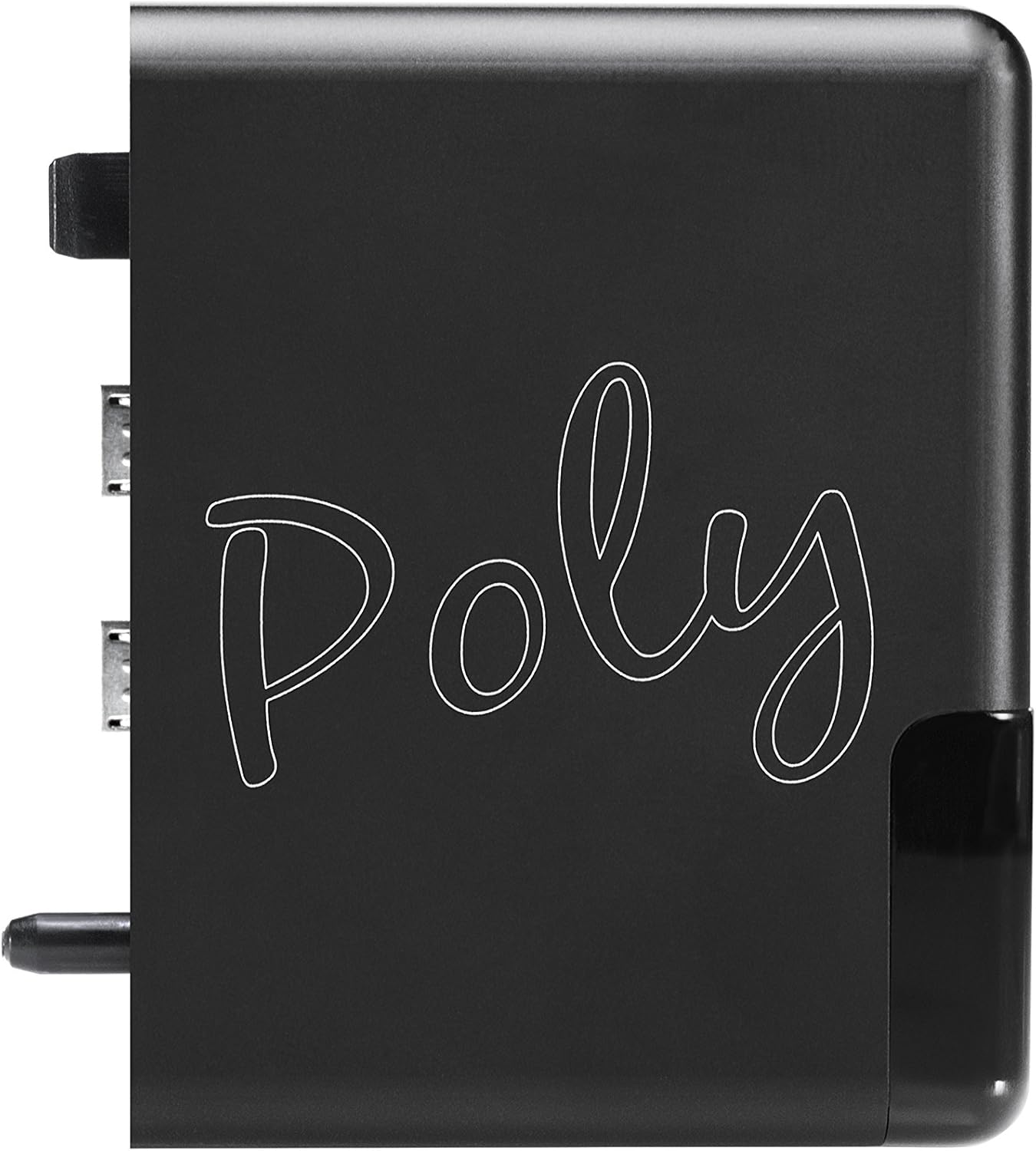
Kielelezo 4.1: Mbele view of the Chord Poly module.
4.2. Upande View pamoja na Bandari
Hii view shows the various ports and indicators on the side of the Poly module.
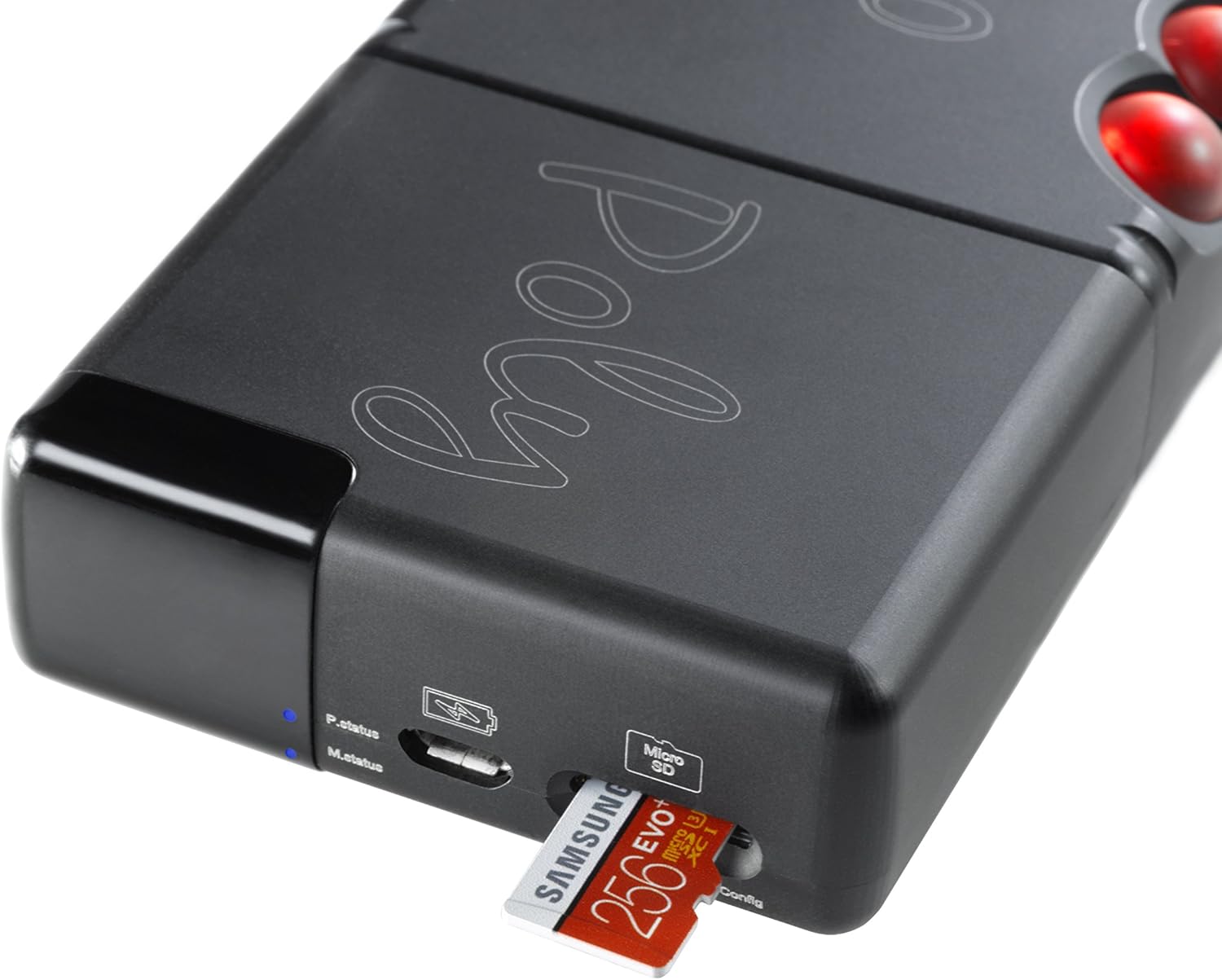
Kielelezo 4.2: Upande view of the Chord Poly, highlighting the P.status and M.status indicators, USB charging port, and Micro SD card slot.
4.3. Connection to Mojo
The Poly is designed to connect directly to the Chord Mojo, forming a compact and powerful portable audio system.

Figure 4.3: Chord Poly connected to the Chord Mojo.
5. Mwongozo wa Kuweka
5.1. Charging the Poly
Before first use, fully charge your Chord Poly. Connect the supplied USB cable to the Poly's charging port and a suitable USB power adapter (not included).

Figure 5.1: Charging the Chord Poly.
5.2. Attaching Poly to Mojo
- Ensure both Mojo and Poly are powered off.
- Align the Poly's connectors with the Mojo's ports.
- Gently push the Poly onto the Mojo until it clicks securely into place.
5.3. Initial Configuration (GoFigure App)
The Chord Poly is primarily configured using the dedicated 'GoFigure' app, available for iOS and Android devices. While the app simplifies setup, some users may find initial connection requires patience.
- Download the 'GoFigure' app from your device's app store.
- Power on the Poly (and Mojo if connected).
- Open the GoFigure app and follow the on-screen instructions to connect to your Poly and configure Wi-Fi settings.
- The app will guide you through connecting to your home Wi-Fi network or setting up a hotspot mode.
Note: Firmware updates are often handled automatically when connected to a network via the GoFigure app. Ensure your Poly's firmware is up to date for optimal performance.
6. Uendeshaji
6.1. Kuwasha/Kuzima
The Poly powers on automatically when connected to a powered Mojo. To power off, disconnect from Mojo or use the power management features within the GoFigure app.
6.2. Njia za Uchezaji
- Wi-Fi Streaming (DLNA/UPnP): Connect Poly to your home network. Use a compatible DLNA/UPnP control app (e.g., 8Player, BubbleUPnP) on your smartphone or tablet to browse and play music from network storage (NAS) or streaming services.
- Bluetooth: Enable Bluetooth on your source device (smartphone, tablet) and pair with the Chord Poly. Select Poly as the audio output.
- AirPlay: For Apple devices, select Poly as an AirPlay speaker from your audio source.
- Uchezaji wa Kadi ya SD: Insert a Micro SD card loaded with music files into the Poly's Micro SD slot. Use a compatible app (e.g., MPDeluxe, or certain UPnP apps that can access Poly's internal storage) to browse and play files moja kwa moja kutoka kwa kadi.
- Roon Tayari: The Poly is Roon Ready, allowing seamless integration with a Roon Core for advanced music management and playback.
6.3. Viashiria vya Hali
The Poly features LED indicators to show its status:
- P.status (Poly Status): Indicates Poly's operational status (e.g., booting, connected, playing).
- M.status (Mojo Status): Indicates the connection status with the Mojo.
7. Matengenezo
- Kusafisha: Use a soft, dry, lint-free cloth to clean the Poly's surface. Do not use abrasive cleaners or solvents.
- Hifadhi: When not in use for extended periods, store the Poly in a cool, dry place.
- Utunzaji wa Betri: To prolong battery life, avoid fully discharging the battery frequently and store the device with a partial charge if not used for a long time.
8. Utatuzi wa shida
| Tatizo | Sababu inayowezekana | Suluhisho |
|---|---|---|
| Poly does not power on. | Low battery; not properly connected to Mojo. | Charge the Poly; ensure secure connection to Mojo. |
| Haiwezi kuunganisha kwenye Wi-Fi. | Incorrect Wi-Fi password; out of range; network issues. | Verify password; move closer to router; restart router and Poly. Use GoFigure app for configuration. |
| Audio dropouts or stuttering. | Weak Wi-Fi signal; network congestion; large file ukubwa. | Improve Wi-Fi signal; reduce network traffic; try a different file. |
| GoFigure app not detecting Poly. | Poly not in configuration mode; app permissions. | Ensure Poly is powered on and in pairing mode (refer to GoFigure app instructions); check app permissions on your device. |
9. Vipimo
- Nambari ya Mfano: CHOPOLY
- Mtengenezaji: Chord
- Vipimo vya Bidhaa: 5 x 6.2 x 2.2 cm; Gramu 100
- Betri: 1 Lithium-Polymer battery required (included)
- Muunganisho: Wi-Fi (2.4GHz), Bluetooth 4.1, AirPlay, DLNA/UPnP, Roon Ready
- Hifadhi: Slot ya kadi ndogo ya SD
- Maisha ya Betri: Approximately 9 hours (may vary with usage)
10. Udhamini na Msaada
For warranty information and technical support, please refer to the official Chord Electronics webtovuti au wasiliana na muuzaji aliyeidhinishwa. Weka uthibitisho wako wa ununuzi kwa madai ya udhamini.


