Mwongozo wa Mtumiaji wa Kipima Urefu cha Dijitali cha Mkononi cha U1242C
Mfano: U1242C
1. Utangulizi
The KEYSIGHT U1242C is a robust and reliable handheld digital multimeter (DMM) designed for professional and industrial use. It offers high accuracy, durability, and advanced features for various electrical measurements. This manual provides essential information for the safe and efficient operation, maintenance, and troubleshooting of your U1242C DMM.
Vipengele muhimu ni pamoja na:
- 50,000 counts resolution on dual display
- 0.03% basic DC voltage usahihi
- True RMS AC measurement
- Data logging to DMM (max. 200 points) & PC with software bundle
- IP 67 certified for dust and water resistance
- Withstands up to 3-meter (10 feet) drop
- Tochi ya LED iliyojengwa ndani
2. Taarifa za Usalama
WARNING: Read and understand all safety instructions before operating this device. Failure to follow these instructions may result in injury or damage to the meter.
- Bidhaa hii imekusudiwa kwa matumizi ya kitaalamu pekee.
- Fuata kanuni za usalama za ndani na kitaifa kila wakati.
- Usitumie mita ikiwa inaonekana imeharibika au ikiwa insulation imeharibika.
- Hakikisha vizuizi vya majaribio viko katika hali nzuri na vimeunganishwa vizuri kabla ya kufanya vipimo.
- Usizidi mipaka ya juu zaidi ya ingizo kwa chaguo lolote.
- Tumia tahadhari wakati wa kufanya kazi na voltagiko juu ya 30V AC RMS, kilele cha 42V, au 60V DC. Juztaginaleta hatari ya mshtuko.
- Zima nguvu ya saketi kila wakati na utoe nguvu zote za juutage capacitors before performing resistance, continuity, or diode tests.
- Replace the battery and fuses only with the specified type and rating.
3. Bidhaa Imeishaview
3.1 Mbele View

This image displays the front of the KEYSIGHT U1242C Digital Multimeter, showing its large orange casing, the dual display screen, the rotary dial for function selection, and the input jacks for test leads. Various buttons for functions like Max/Min, Hz, Log, Hold, and Range are visible around the display.
Upande wa 3.2 View
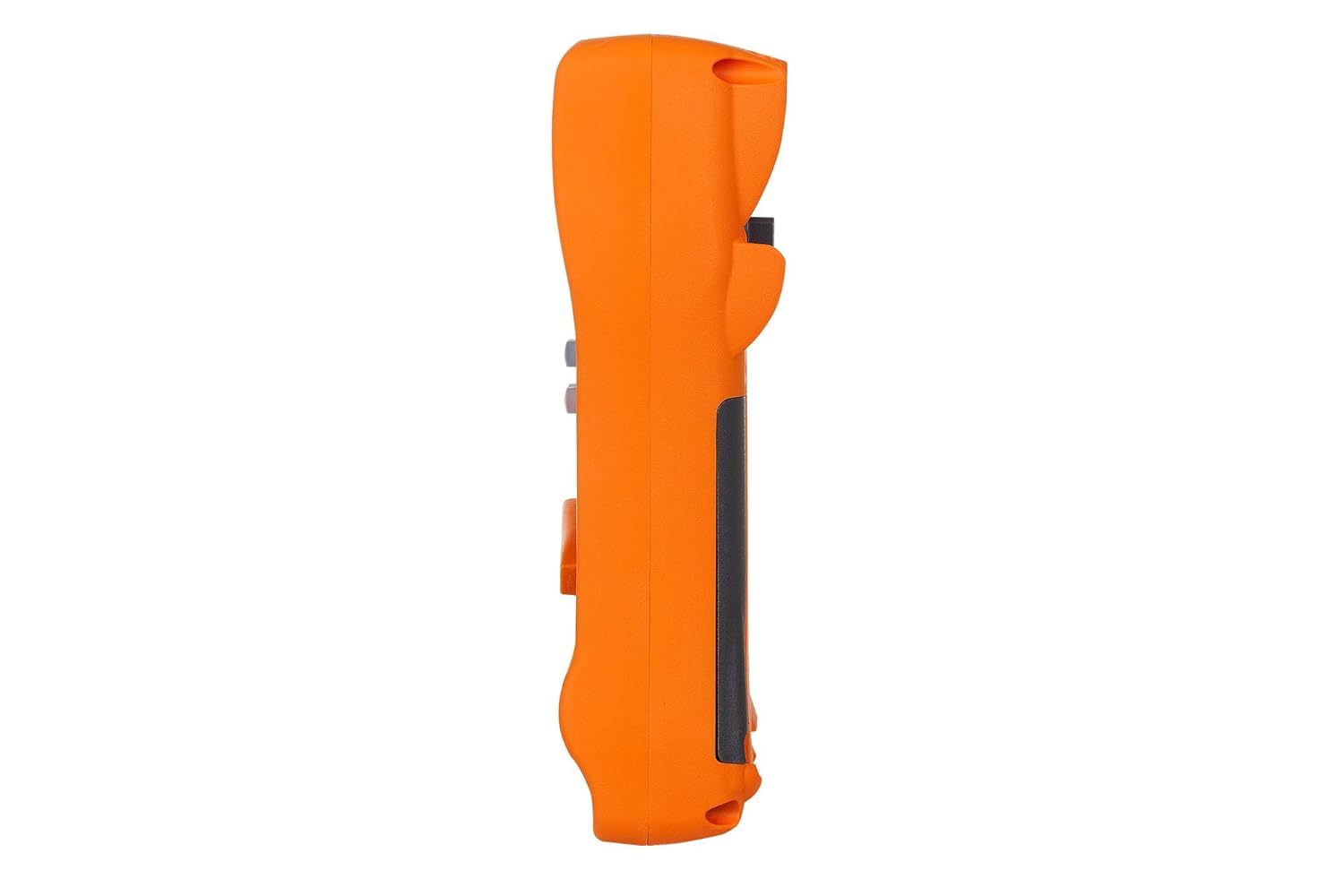
Picha hii inaonyesha mtaalamu wa upandefile of the KEYSIGHT U1242C Digital Multimeter, highlighting its ergonomic design and the textured grip on the orange casing. The side view emphasizes the compact and robust build of the device.
3.3 Nyuma View

This image presents the back of the KEYSIGHT U1242C Digital Multimeter, revealing the battery compartment cover, the kickstand for hands-free operation, and the product label with model and serial number information. The robust construction of the casing is also evident.
3.4 Vidhibiti na Viunganishi
- Onyesha: Large dual display for primary and secondary readings.
- Kubadilisha kwa Mzunguko: Huchagua vitendakazi vya kipimo (Juzuutage, Current, Resistance, etc.).
- Vifungo vya Utendaji: Max/Min, Hz, Log, Hold, Range, View, Shift.
- Ingizo Jacks:
- VΩHz: Ingizo la juzuutage, resistance, frequency, capacitance, and diode tests.
- COM: Common input for all measurements.
- mAµA: Ingizo la milliampere na microampvipimo vya sasa.
- 10A MAX FUSED: Ingizo kwa vipimo vya mkondo wa juu (hadi 10A).
4. Kuweka
4.1 Ufungaji wa Betri
- Hakikisha multimeter IMEZIMWA.
- Tafuta sehemu ya betri nyuma ya mita.
- Use a screwdriver to loosen the screw securing the battery cover.
- Ondoa kifuniko cha betri.
- Insert the specified batteries (e.g., 4 x AAA batteries) observing the correct polarity (+/-).
- Badilisha kifuniko cha betri na kaza skrubu kwa usalama.
4.2 Muunganisho wa Kiongozi wa Jaribio
Always connect the test leads to the appropriate input jacks for the measurement you intend to perform. Incorrect connection can lead to damage to the meter or personal injury.
- Kwa vipimo vingi (Juzuutage, Resistance, Continuity, Diode, Capacitance, Frequency), connect the black test lead to the COM Jack na risasi nyekundu ya majaribio kuelekea VΩHz jack.
- For current measurements (mA/µA), connect the black test lead to the COM Jack na risasi nyekundu ya majaribio kuelekea mAµA jack.
- For high current measurements (up to 10A), connect the black test lead to the COM Jack na risasi nyekundu ya majaribio kuelekea 10A MAX FUSED jack.
5. Maagizo ya Uendeshaji
This section outlines the basic steps for performing common measurements with your U1242C DMM.
5.1 Kupima AC/DC Voltage
- Geuza swichi ya mzunguko hadi ujazo unaotakatage range (V~ for AC, V- for DC). The meter may have an auto-ranging feature.
- Unganisha risasi nyeusi kwenye " COM Jack na risasi nyekundu ya majaribio kuelekea VΩHz jack.
- Unganisha probe za majaribio sambamba kwenye saketi au sehemu itakayopimwa.
- Soma juzuu yatage thamani kwenye onyesho.
5.2 Measuring AC/DC Current
CAUTION: Never connect the meter in parallel with a voltage source when measuring current. This can blow the fuse or damage the meter.
- Turn the rotary switch to the desired current range (A~ for AC, A- for DC, or mA/µA ranges).
- Unganisha risasi nyeusi kwenye " COM jack.
- For mA/µA measurements, connect the red test lead to the mAµA jack. For 10A measurements, connect the red test lead to the 10A MAX FUSED jack.
- Open the circuit where current is to be measured and connect the meter in series with the circuit.
- Soma thamani ya sasa kwenye onyesho.
5.3 Kupima Upinzani
- Turn the rotary switch to the Ω (Ohms) range.
- Unganisha risasi nyeusi kwenye " COM Jack na risasi nyekundu ya majaribio kuelekea VΩHz jack.
- Hakikisha saketi au sehemu imepunguzwa nguvu kabla ya kupima upinzani.
- Unganisha probe za majaribio kwenye sehemu itakayopimwa.
- Soma thamani ya kupinga kwenye maonyesho.
5.4 Mtihani wa Kuendelea
- Turn the rotary switch to the continuity symbol (speaker icon).
- Unganisha risasi nyeusi kwenye " COM Jack na risasi nyekundu ya majaribio kuelekea VΩHz jack.
- Hakikisha saketi imepunguzwa nguvu.
- Unganisha vichunguzi vya majaribio kwenye saketi au sehemu.
- The meter will beep if continuity is detected (resistance below a certain threshold).
5.5 Uwekaji wa Takwimu
The U1242C supports data logging. Refer to the detailed user manual for specific instructions on activating and managing data logging functions, including connecting to a PC with the software bundle for extended logging capabilities.
6. Matengenezo
6.1 Kusafisha
Wipe the meter's casing na tangazoamp kitambaa na sabuni laini. Usitumie viyeyusho au vimumunyisho. Hakikisha mita imekauka kabisa kabla ya matumizi.
6.2 Ubadilishaji wa Betri
When the battery indicator appears on the display, replace the batteries as described in Section 4.1. Prompt battery replacement ensures accurate readings and proper operation.
6.3 Uingizwaji wa Fuse
WARNING: Always replace blown fuses with fuses of the exact same type and rating to maintain safety and performance.
- Hakikisha kipima-wingi kimezimwa na viashiria vyote vya majaribio vimekatwa.
- Fungua sehemu ya betri kama ilivyoelezwa katika Sehemu ya 4.1.
- Tafuta fuse ndani ya sehemu.
- Gently remove the blown fuse.
- Insert a new fuse of the correct rating (e.g., 10A/1000V for the 10A input).
- Badilisha kifuniko cha betri na kaza skrubu kwa usalama.
6.4 Urekebishaji
The U1242C is factory calibrated. For continued accuracy, periodic calibration by a qualified service center is recommended. Refer to KEYSIGHT's official support channels for calibration services.
7. Utatuzi wa shida
| Tatizo | Sababu inayowezekana | Suluhisho |
|---|---|---|
| Kipima hakiwaki | Betri zilizokufa au zilizosakinishwa vibaya | Badilisha betri, angalia polarity |
| No reading or "OL" (Overload) displayed | Incorrect function selected; Open circuit; Input exceeds range | Select correct function; Check circuit continuity; Select higher range or auto-range |
| Usomaji sahihi | Low battery; Dirty test leads; Environmental interference; Needs calibration | Replace battery; Clean leads; Move away from interference; Consider calibration |
| Kipimo cha sasa hakifanyi kazi | Blown fuse; Incorrect lead connection; Meter not in series | Check/replace fuse; Verify lead connection; Ensure meter is in series with circuit |
8. Vipimo
| Kipengele | Vipimo |
|---|---|
| Nambari ya Mfano | U1242C |
| Hesabu za Kuonyesha | 50,000 |
| Basic DC Voltage Usahihi | 0.03% |
| Kipimo cha AC | RMS ya kweli |
| Ukadiriaji wa Ulinzi wa Ingress (IP). | IP 67 |
| Ulinzi wa Kuacha | Hadi mita 3 (futi 10) |
| Chanzo cha Nguvu | Inaendeshwa na Betri |
| Uzito wa Kipengee | Pauni 1 (aunsi 16) |
| Mtengenezaji | KUONA MUHIMU |
| Tarehe ya Kwanza Inapatikana | Mei 22, 2018 |
9. Udhamini na Msaada
9.1 Kanusho la Kisheria
Keysight Technologies products are classified as industrial monitoring and control equipment designed exclusively for professional or industrial use and related training programs. Keysight products are designed and certified to meet national industrial safety standards (such as Electrical Equipment for Measurement, Control and Laboratory Use) where products are sold solely for use by trained professionals. Keysight products are not intended for consumer use in a residential setting and may not meet consumer level standards for EMC and other regulated radiated emissions. Keysight products are intended for use in the country where the product was originally sold.
9.2 Msaada wa Kiufundi
For technical assistance, service, or warranty claims, please contact KEYSIGHT customer support through their official website or authorized service centers. Provide your product model number (U1242C) and serial number when seeking support.


