1. Utangulizi
This manual provides essential instructions for the installation, operation, maintenance, and troubleshooting of your Antec TruePower Classic TP-750C 750W 80 PLUS GOLD Certified Power Supply. Please read this manual thoroughly before installation and retain it for future reference. This power supply is designed to provide stable and efficient power to your personal computer system.
2. Taarifa za Usalama
- Hakikisha usambazaji wa umeme umekatwa kutoka kwa soketi ya umeme ya AC kabla ya kusakinisha au kushughulikia.
- Usifungue usambazaji wa umeme casing. Kiwango cha juutagVipengele vilivyo ndani vina hatari ya mshtuko wa umeme.
- Weka usambazaji wa umeme katika eneo lenye hewa ya kutosha ili kuzuia joto kupita kiasi.
- Tumia tu nyaya zinazotolewa na usambazaji wa umeme.
- Epuka kuweka umeme kwenye unyevu au halijoto kali.
- Bidhaa hii imekusudiwa kutumika katika mifumo ya kompyuta binafsi pekee.
3. Yaliyomo kwenye Kifurushi
Thibitisha kwamba vitu vyote vipo kwenye kifurushi kabla ya kuendelea na usakinishaji.
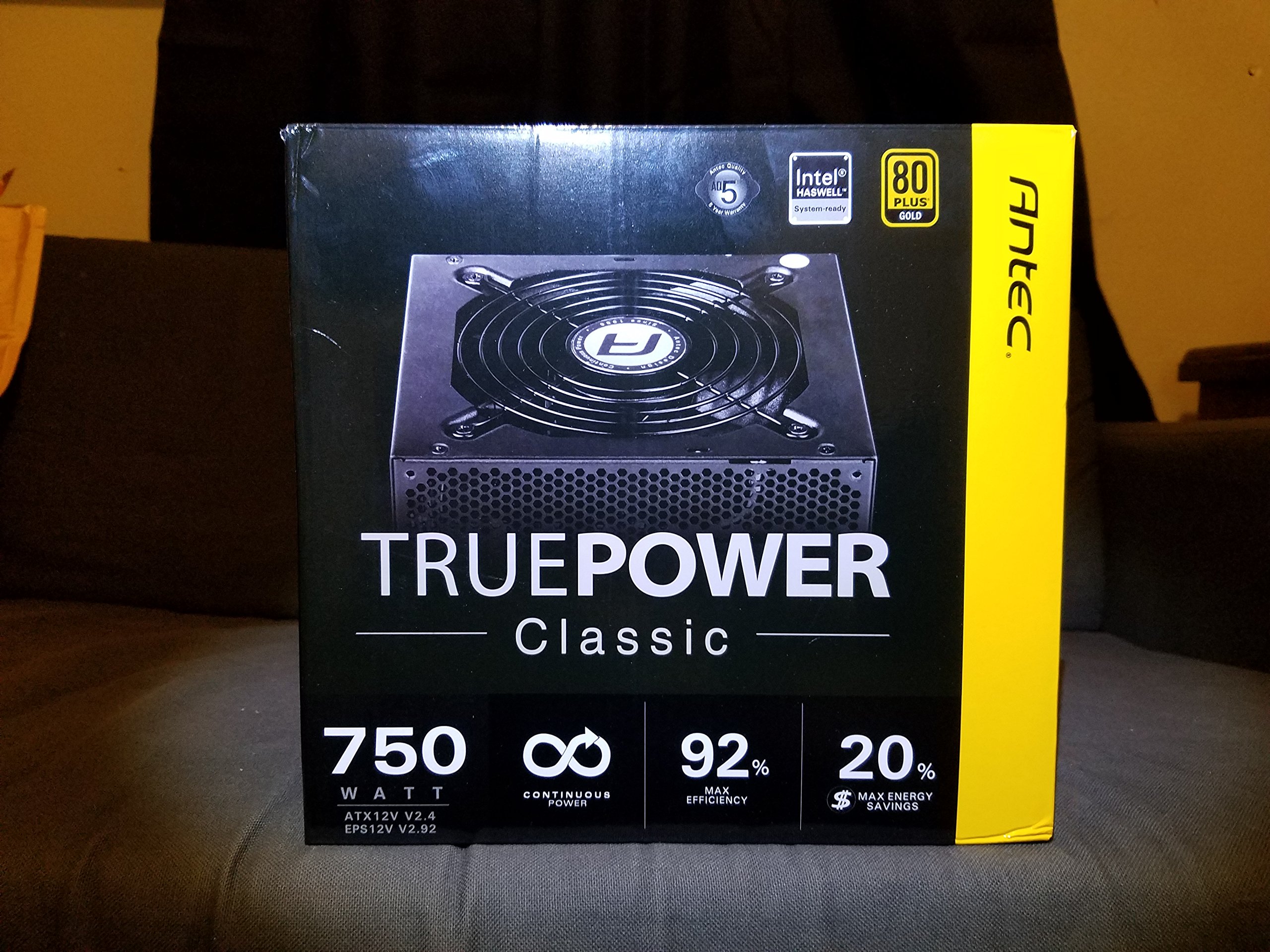
Image 1: Contents of the Antec TruePower Classic TP-750C package. The image displays the power supply unit, various power cables (including a main AC power cable), and user documentation neatly packed within a cardboard box.
- Antec TruePower Classic TP-750C Power Supply Unit
- Modular Cable Set (PCI-E, SATA, Molex, etc.)
- Kamba ya Nguvu ya AC
- Kuweka Screws
- Mwongozo wa Mtumiaji / Nyaraka
4. Kuweka na Kuweka
Follow these steps to properly install your power supply into your computer chassis.
- Kuandaa Chassis: Ensure your computer chassis is powered off and disconnected from all power sources. Open the side panel of your computer case.
- Weka Ugavi wa Nguvu: Carefully slide the Antec TP-750C power supply into the designated power supply bay in your chassis. Align the screw holes on the power supply with those on the chassis. Secure the power supply using the provided mounting screws.
- Unganisha Nguvu ya Ubao Mama: Connect the 24-pin ATX main power connector from the power supply to the corresponding port on your motherboard. Ensure it clicks into place.
- Unganisha Nguvu ya CPU: Connect the 4+4-pin (or 8-pin) EPS12V CPU power connector to the CPU power socket on your motherboard.
- Connect Graphics Card Power (PCI-E): If your graphics card requires external power, connect the appropriate 6+2-pin PCI-E power cables from the power supply to your graphics card.
- Unganisha Nguvu ya Pembeni (SATA/Molex): Connect SATA power cables to your storage drives (SSDs, HDDs) and optical drives. Use Molex connectors for other peripherals as needed.
- Usimamizi wa Cable: Route cables neatly to improve airflow and aesthetics within your chassis.
- Ukaguzi wa Mwisho: Double-check all connections to ensure they are secure. Close the chassis side panel.
- Unganisha Nishati ya AC: Connect the AC power cord to the power supply and then to a wall outlet or surge protector.
5. Maagizo ya Uendeshaji
The Antec TP-750C power supply operates automatically once correctly installed and connected to an AC power source. It provides stable DC power to all connected components.
- Washa: After connecting the AC power cord, flip the power switch on the back of the power supply to the "ON" (I) position.
- Boot ya Mfumo: Press the power button on your computer chassis to start your system.
- Zima umeme: Shut down your computer through the operating system. For complete power disconnection, flip the power switch on the power supply to the "OFF" (O) position and unplug the AC power cord.
6. Matengenezo
Matengenezo sahihi huhakikisha uimara na utendaji bora wa usambazaji wako wa umeme.
- Kusafisha vumbi: Periodically clean dust from the power supply's fan and ventilation grilles using compressed air. Ensure the power supply is disconnected from AC power before cleaning.
- Uingizaji hewa: Ensure adequate airflow around the power supply. Do not block the intake or exhaust vents.
- Uadilifu wa Kebo: Regularly check power cables for any signs of damage or fraying. Replace damaged cables immediately.
- Mazingira ya Uendeshaji: Operate the power supply within recommended temperature and humidity ranges.
7. Utatuzi wa shida
Ukikumbana na matatizo na usambazaji wako wa umeme, rejelea matatizo na suluhisho zifuatazo za kawaida.
| Tatizo | Sababu inayowezekana | Suluhisho |
|---|---|---|
| Mfumo hauwashi. | AC power cord not connected, power switch off, loose internal connections, faulty components. |
|
| Mfumo huwashwa lakini huzima mara moja. | Overload, overheating, short circuit, faulty component. |
|
| Unusual noise from the power supply. | Fan obstruction, faulty fan bearing, coil whine. |
|
If troubleshooting steps do not resolve the issue, contact Antec customer support for further assistance.
8. Vipimo
| Jina la Mfano | TruePower Classic TP-750C |
| Chapa | Antec |
| Wattage | 750 Watts |
| Udhibitisho wa 80 PLUS | Dhahabu |
| Kipengele cha Fomu | ATX |
| Aina ya kiunganishi | ATX |
| Kiasi cha Chini cha Ingizotage | 100 Volts |
| Vifaa Sambamba | Kompyuta ya kibinafsi |
| Uzito wa Kipengee | Pauni 6.24 (kilo 2.83) |
| Vipimo vya Kifurushi | Inchi 9.7 x 9 x 5.5 (sentimita 24.6 x 22.9 x 14) |
| ASIN | B00JOFALL0 |
| UPC | 132018316306 |
9. Udhamini na Msaada
The Antec TruePower Classic TP-750C Power Supply comes with a Udhamini wa Miaka 3 wa Mtengenezaji. Udhamini huu unashughulikia kasoro katika nyenzo na utengenezaji chini ya matumizi ya kawaida.
For technical support, warranty claims, or further inquiries, please visit the official Antec webtovuti au wasiliana na idara yao ya huduma kwa wateja. Weka uthibitisho wako wa ununuzi kwa uthibitisho wa udhamini.
Please note: Opening the power supply casing itabatilisha dhamana.


