1. Utangulizi
The Divoom Voombox Outdoor Speaker is a rugged, water-resistant portable audio device designed for outdoor use. It offers advanced audio performance and a long-lasting rechargeable battery, providing a full-range listening experience. This manual provides detailed instructions for setting up, operating, maintaining, and troubleshooting your Voombox Outdoor Speaker.

Figure 1: Divoom Voombox Outdoor Speaker, showcasinmuundo wake imara.
2. Ni nini kwenye Sanduku
Tafadhali angalia yaliyomo kwenye kifurushi ili kuhakikisha kuwa bidhaa zote zipo:
- (1) Divoom Voombox Outdoor Speaker
- (1) Kamba ya Wrist
- (1) Auxiliary Connection Cable
- (1) Micro-USB Charging Cable
3. Bidhaa za Bidhaa
The Divoom Voombox Outdoor Speaker is equipped with several features for an enhanced audio experience:
- Booming Dual Speakers: Delivers powerful and clear audio output.
- Uchezaji Bila Waya: Connects wirelessly via Bluetooth 4.0 from up to 10 meters away.
- Maikrofoni Imejengewa ndani: Enables hands-free calls and conference calls.
- Betri ya Muda mrefu: Features a 3200 mAh rechargeable battery providing up to 12 hours of playback.
- Sturdy and Weather-Resistant Design: Built to withstand outdoor conditions with an IP44 rating.

Kielelezo 2: Juu view of the Voombox Outdoor Speaker, highlighting its control panel.

Figure 3: The Voombox Outdoor Speaker demonstrating its IP44 weather resistance against splashes.
4. Kuweka
4.1 Kutoza malipo kwa Spika
- Locate the Micro-USB charging port on the speaker.
- Connect the Micro-USB charging cable to the speaker and the other end to a USB power source (e.g., computer USB port, USB wall adapter).
- The charging indicator light will illuminate. A full charge typically takes 3 to 4 hours.
- Mara baada ya kushtakiwa kikamilifu, mwanga wa kiashiria utabadilika au kuzima, kulingana na mfano.

Figure 4: Visual representation of the Voombox Outdoor Speaker's 12-hour battery life.
5. Maagizo ya Uendeshaji
5.1 Kuwasha / Kuzima
- To power on, press and hold the Power button until you hear an audible cue or see the indicator light.
- To power off, press and hold the Power button again until the device shuts down.
5.2 Kuoanisha Bluetooth
- Hakikisha spika imewashwa na ndani ya mita 10 kutoka kwenye kifaa chako cha Bluetooth.
- Spika itaingia kiotomatiki katika hali ya kuoanisha (inayoonyeshwa na LED inayowaka).
- Kwenye simu yako mahiri, kompyuta kibao, au kifaa kingine cha Bluetooth, washa Bluetooth na utafute vifaa vinavyopatikana.
- Select "Voombox Outdoor" from the list of devices.
- Mara tu ikiunganishwa, spika itatoa uthibitisho unaosikika, na kiashiria cha LED kitakuwa imara.
- Spika itaunganisha tena kiotomatiki kwenye kifaa cha mwisho kilichooanishwa inapowashwa, ikiwa kifaa kiko ndani ya uwezo wake.
5.3 Uchezaji wa Sauti
- Cheza/Sitisha: Bonyeza kitufe cha Cheza/Sitisha.
- Kiasi Juu: Bonyeza kitufe cha "+".
- Punguza sauti: Bonyeza kitufe cha "-".
- Wimbo Ufuatao: Bonyeza na ushikilie kitufe cha "+".
- Wimbo Uliopita: Bonyeza na ushikilie kitufe cha "-".
5.4 Kupiga Simu Bila Mikono
- Jibu Simu: Press the Call button (often the Play/Pause button) when a call comes in.
- Maliza Simu: Bonyeza kitufe cha Piga tena ili kukatisha simu.
- Kataa Simu: Bonyeza na ushikilie kitufe cha Simu ili kukataa simu inayoingia.
- Piga tena Nambari ya Mwisho: Bonyeza mara mbili kitufe cha Simu.
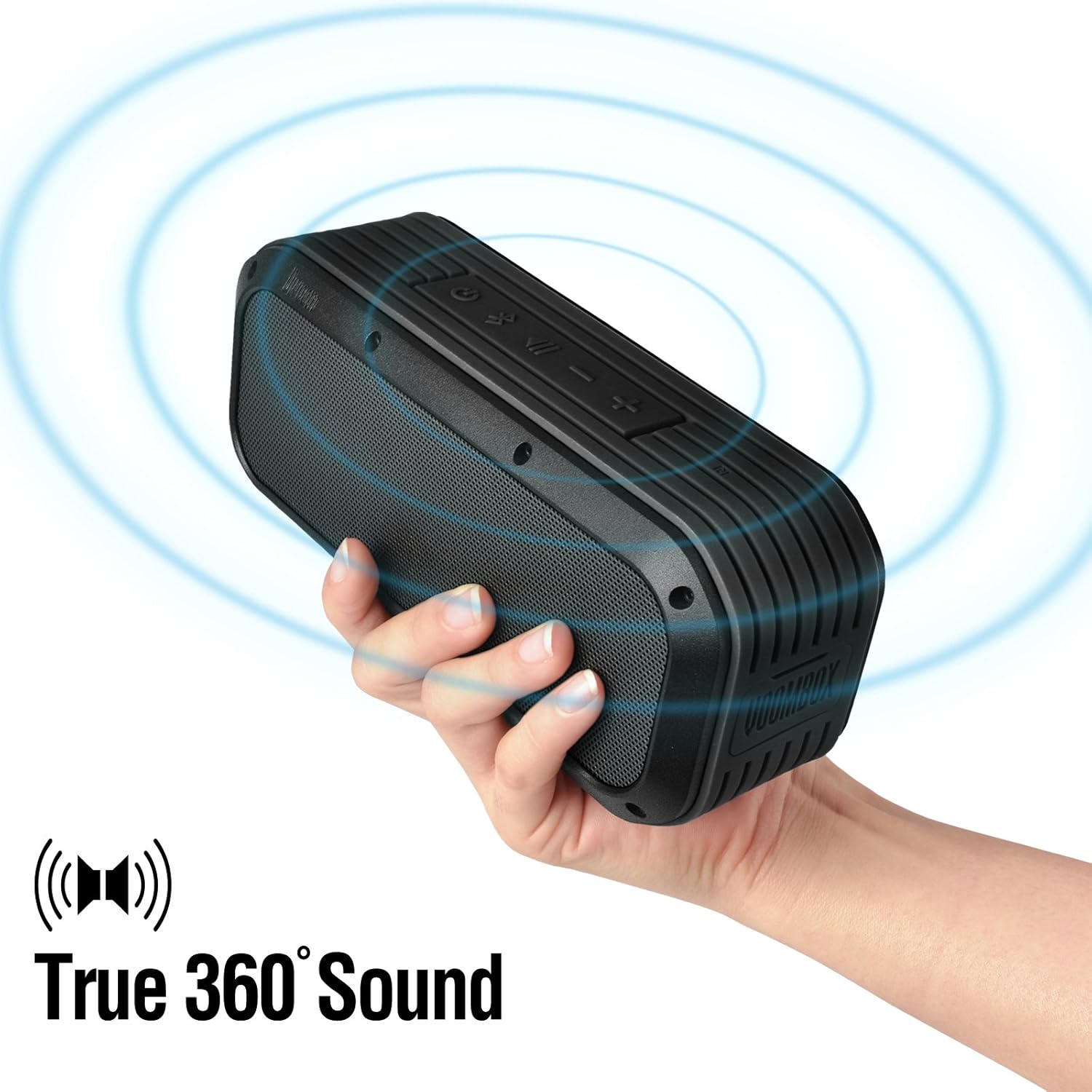
Figure 5: The Voombox Outdoor Speaker's ability to project 360-degree sound.
6. Matengenezo
Proper care will extend the life of your Divoom Voombox Outdoor Speaker:
- Kusafisha: Tumia laini, damp cloth to wipe the speaker's surface. Do not use harsh chemicals or abrasive cleaners.
- Upinzani wa Maji: While the speaker is weather-resistant (IP44), it is not designed for submersion. Ensure all port covers are securely closed before exposure to water splashes.
- Hifadhi: Hifadhi kipaza sauti mahali pa baridi, pakavu mbali na jua moja kwa moja na halijoto kali.
- Utunzaji wa Betri: Ili kudumisha afya ya betri, epuka kutoa betri nzima mara kwa mara. Chaji spika mara kwa mara, hata kama haitumiki kwa muda mrefu.
7. Utatuzi wa shida
| Tatizo | Sababu inayowezekana | Suluhisho |
|---|---|---|
| Spika hana nguvu. | Betri imeisha. | Chaji spika kwa saa 3-4. |
| Haiwezi kuoanisha na kifaa cha Bluetooth. | Speaker is not in pairing mode or too far. | Ensure speaker is on and within 10m. Turn Bluetooth off/on on your device. Forget previous pairings. |
| Hakuna sauti au sauti ya chini. | Sauti ya chini sana kwenye spika au kifaa chanzo. | Ongeza sauti kwenye spika na kifaa chako kilichounganishwa. |
| Upotoshaji wa sauti. | Volume too high or weak Bluetooth signal. | Punguza sauti. Sogeza spika karibu na kifaa chanzo. |
8. Vipimo
| Kipengele | Maelezo |
|---|---|
| Ukubwa wa Dereva | 2-inches x 2-inches |
| Nguvu ya Pato | 7.5 W x 2 (Total 15 Watts) |
| Vipimo vya Spika | 165L x 52D x 70 H (mm) |
| Uwiano wa Mawimbi kwa Kelele | ≥75dB |
| Uwezo wa Betri | 3200 mAh |
| Betri Voltage | 3.7 V |
| Muda wa Kuchaji Betri | Saa 3 hadi 4 |
| Rangi zisizo na waya | Hadi mita 10 |
| Utiifu wa Bluetooth | Bluetooth 4.0 |
| Pro ya Bluetoothfile Msaada | A2DP stereo |
| Muda wa Maongezi | Hadi saa 12 |
| Unyeti wa Maikrofoni | -40db |
| Vipimo vya Bidhaa | 18.49 x 5.99 x 7.8 cm |
| Uzito wa Kipengee | 698.53 g |
| Nambari ya Mfano | 17620 |

Figure 6: Internal components of the Voombox Outdoor Speaker, illustrating its robust construction.
9. Udhamini na Msaada
Divoom products are designed for durability and performance. For warranty information and technical support, please refer to the official Divoom webtovuti au wasiliana na huduma kwa wateja wao moja kwa moja. Weka risiti yako ya ununuzi kama dhibitisho la ununuzi kwa madai ya udhamini.
Kwa usaidizi au maswali zaidi, tafadhali tembelea Divoom Official Webtovuti.


