1. Utangulizi
This manual provides detailed instructions for the installation and use of the Logilink AD0010 Harddisk Mounting Set. This product allows for the secure installation of up to two 2.5-inch hard disk drives (HDDs) or solid-state drives (SSDs) into a standard 3.5-inch drive bay within a computer chassis. It is designed to optimize space and facilitate drive integration.
2. Yaliyomo kwenye Kifurushi
- 1x Logilink AD0010 2.5-inch to 3.5-inch Harddisk Mounting Set
- Mounting screws for 2.5-inch drives
- Mounting screws for 3.5-inch bay installation
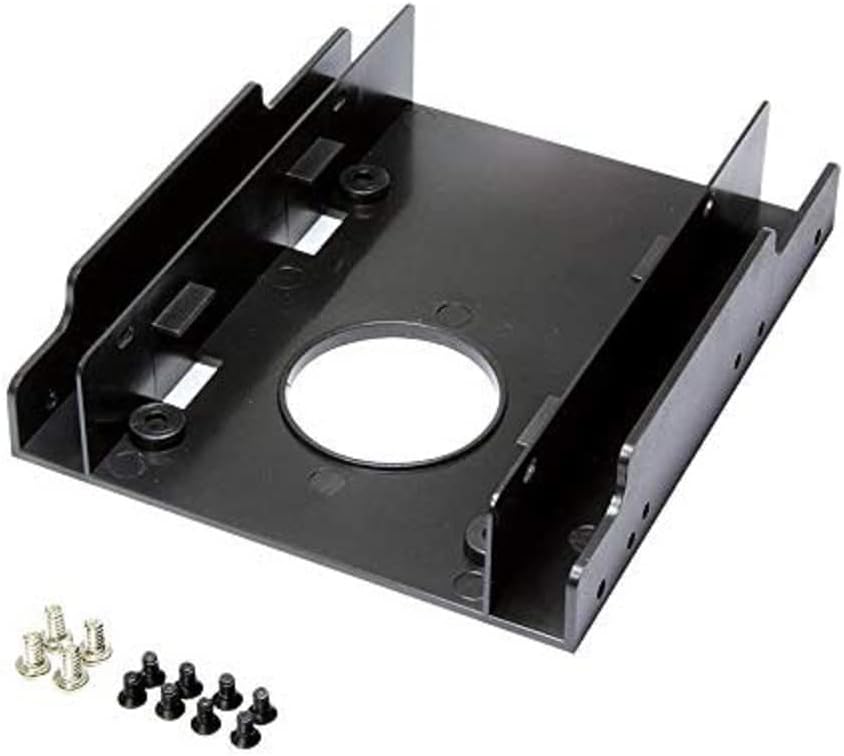
Image 2.1: The Logilink AD0010 mounting bracket shown with the included sets of screws for drive and bay installation.
3. Kuweka na Kuweka
Follow these steps to install your 2.5-inch drives into the mounting set and then into your computer's 3.5-inch drive bay.
3.1. Installing 2.5-inch Drives into the Adapter
- Align your 2.5-inch HDD or SSD with the screw holes on the bottom of the Logilink AD0010 mounting set. The drive's SATA data and power connectors should face towards the rear of the adapter.
- Secure the 2.5-inch drive to the adapter using the smaller screws provided. Typically, four screws are used per drive.
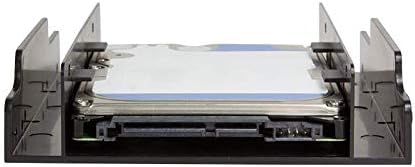
Picha 3.1: Upande view of the mounting set with a single 2.5-inch drive correctly installed, showing the alignment of the SATA connectors.

Picha ya 3.2: Chini view of the mounting set with a single 2.5-inch drive installed, illustrating the screw placement.
If installing a second 2.5-inch drive, repeat the process for the upper mounting position.

Picha 3.3: Yenye pembe view of the mounting set with two 2.5-inch drives installed, demonstrating the dual drive capacity.

Picha 3.4: Mbele view of the mounting set with two 2.5-inch drives installed, showing the stacked configuration.
3.2. Kusakinisha Adapta kwenye Ghuba ya Drive ya inchi 3.5
- Locate an available 3.5-inch drive bay in your computer chassis.
- Slide the Logilink AD0010 mounting set, with the 2.5-inch drives installed, into the 3.5-inch drive bay.
- Secure the adapter to the drive bay using the larger screws provided. Ensure all four side mounting holes are aligned and fastened for stability.
- Connect the appropriate SATA data and power cables from your power supply and motherboard to the installed 2.5-inch drives.

Picha 3.5: Mbele view of the mounting set with a single 2.5-inch drive, ready for insertion into a 3.5-inch bay.
4. Uendeshaji
The Logilink AD0010 Harddisk Mounting Set is a passive component. Once installed and connected, the 2.5-inch drives will function as standard storage devices within your computer system, provided they are properly recognized by the operating system and BIOS/UEFI.
5. Matengenezo
The mounting set requires minimal maintenance. Periodically, you may wish to:
- Gently clean the adapter with a dry, lint-free cloth to remove dust accumulation.
- Ensure all screws remain tightened to prevent vibration or movement of the installed drives.
Avoid using liquid cleaners directly on the adapter or any installed electronic components.
6. Utatuzi wa shida
Ukikumbana na matatizo wakati au baada ya usakinishaji, fikiria yafuatayo:
- Hifadhi hazitambuliki: Ensure SATA data and power cables are securely connected to both the drives and the motherboard/power supply. Verify that the drives are properly seated in the adapter.
- Adapter does not fit 3.5-inch bay: Confirm that the bay is a standard 3.5-inch size. Some tool-less bays may require specific adapters or removal of their internal mechanisms.
- Loose drives: Re-check all mounting screws for the 2.5-inch drives within the adapter and the adapter within the 3.5-inch bay.
7. Vipimo
| Kipengele | Vipimo |
|---|---|
| Nambari ya Mfano | AD0010 |
| Chapa | Logilink |
| Utangamano | 2x 2.5-inch HDD/SSD into 1x 3.5-inch drive bay |
| Nyenzo | Plastic (as per user reviews) |
| Rangi | Nyeusi |
| Uzito wa Kipengee | 1.41 wakia |
| Vipimo vya Bidhaa (LxWxH) | Inchi 3.94 x 4.8 x 0.98 |
8. Udhamini na Msaada
The Logilink AD0010 Harddisk Mounting Set typically comes with a 1-year warranty from the date of purchase. For warranty claims or technical support, please contact your retailer or visit the official Logilink webtovuti kwa taarifa za huduma kwa wateja.


