1. Utangulizi
The Avery Flexible Name Badge Labels, Model 5895, are designed to provide a secure and comfortable identification solution. These 2-1/3" x 3-3/8" labels feature a unique flexible material that moves with your clothing, preventing curling or falling off. The innovative Peel-Away design ensures easy separation from the printed sheet, making them ideal for events, meetings, and various organizational needs.
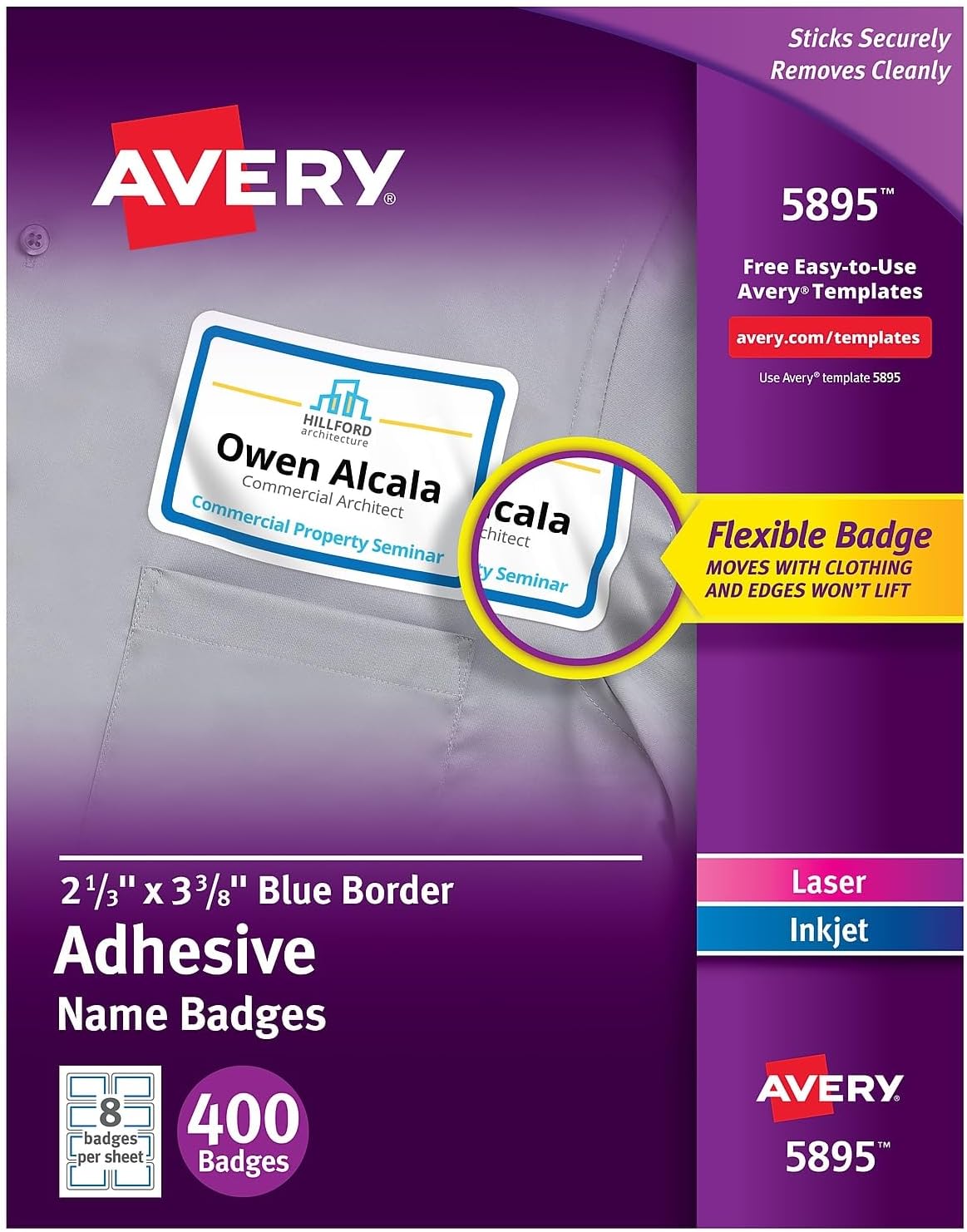
Packaging for Avery Flexible Name Badge Labels, Model 5895, highlighting key features like flexibility and secure adhesion.
2. Setup and Printing
Preparing your Avery Flexible Name Badge Labels for use is a straightforward process, whether you choose to handwrite or print them.
2.1. Design and Customization
You can easily customize your name tag labels by hand or utilize the free designs and templates available on the Avery website. No software download is required for the online design tools.
- Uandishi wa mkono: Use a permanent marker or pen for clear, legible text.
- Uchapishaji: Tembelea avery.com/templates to access a wide range of templates and design tools. These labels are compatible with both laser and inkjet printers.
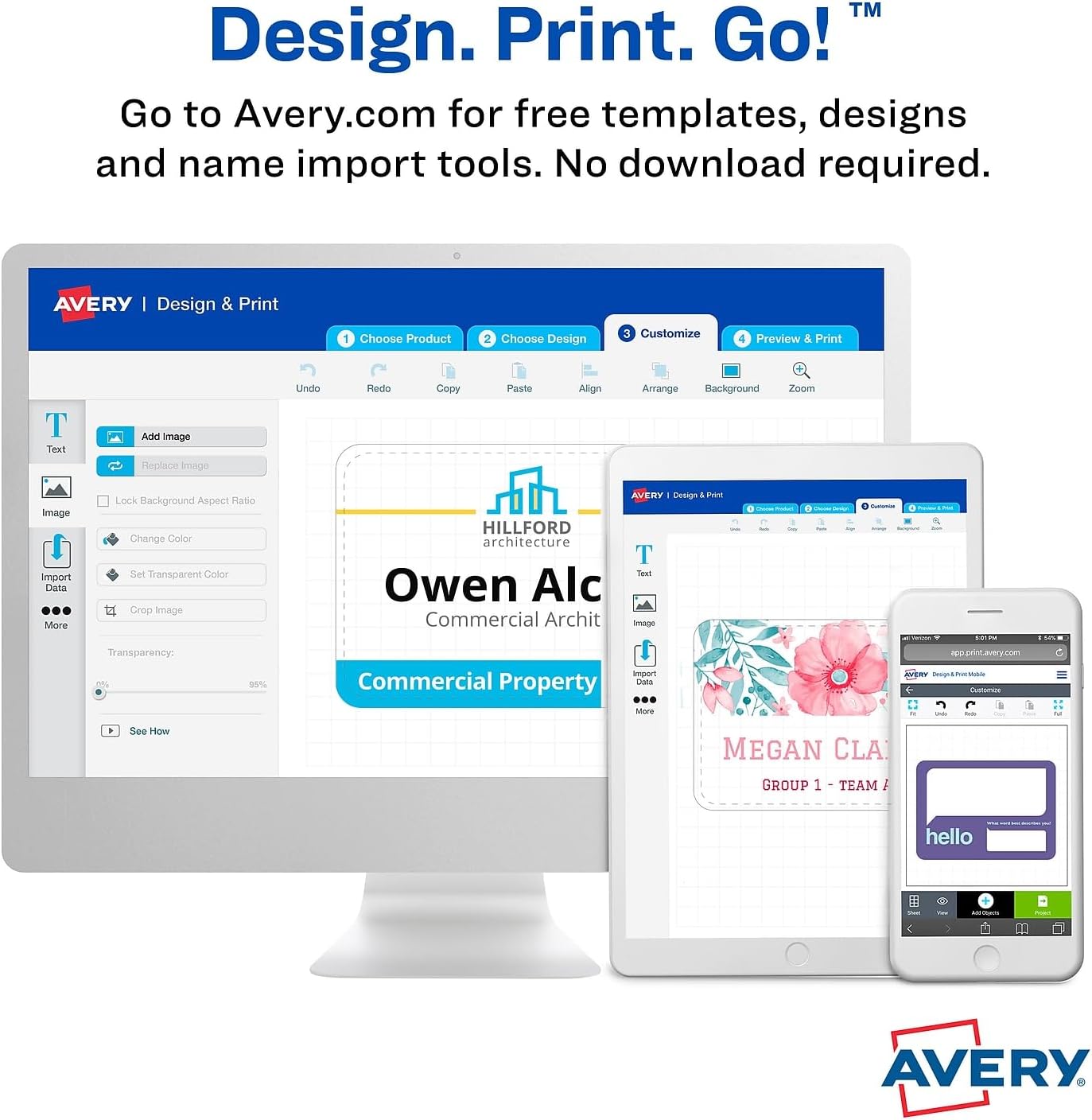
Screenshot of the Avery Design & Print online tool, showing the process of customizing and printing name badges from a computer or mobile device.
2.2. Loading Labels into Printer
Ensure your printer settings are configured correctly for label sheets (8.5" x 11"). Refer to your printer's manual for specific instructions on loading specialty paper or labels.
2.3. Label Quantity per Sheet
Each sheet contains 8 individual name badges, allowing for efficient printing and preparation.

Diagram illustrating the layout of 8 Avery Flexible Name Badges on a single sheet, indicating the quantity per sheet.
3. Uendeshaji na Utumiaji
The unique Peel-Away design of Avery Flexible Name Badge Labels simplifies the application process, ensuring a secure and comfortable fit.
3.1. Separating Labels
Once printed or handwritten, the labels are easy to separate from the main sheet. The individual label backing remains intact until you are ready to apply it, saving time and preventing premature adhesion.

A sheet of Avery Flexible Name Badges demonstrating the Peel-Away design, allowing easy separation of individual labels.
3.2. Applying the Badge
Peel the label from its backing and apply it directly to clothing. The flexible material is designed to move with the fabric, ensuring the edges do not curl up and the badge remains securely in place throughout wear.

Visual comparison illustrating how Avery Flexible Name Badges remain flat and secure on clothing, unlike standard name tags that may curl.

A person wearing an Avery Flexible Name Badge during a professional interaction, showcasing its discreet and professional appearance.
3.3. Matumizi Mengi
Beyond personal identification, these self-adhesive labels can be used for various purposes, such as labeling storage, craft projects, or temporary signage.

Avery Flexible Name Badges used as labels on food containers, demonstrating their versatility beyond personal identification.
4. Utunzaji na Uhifadhi
To maintain the quality and adhesive properties of your Avery Flexible Name Badge Labels, proper care and storage are recommended.
- Hifadhi: Store unused label sheets in their original packaging in a cool, dry place away from direct sunlight and extreme temperatures. This helps preserve the adhesive and prevents the sheets from warping.
- Kushughulikia: Avoid touching the adhesive side of the labels before application to ensure maximum stickiness.
5. Utatuzi wa shida
While Avery Flexible Name Badge Labels are designed for reliable performance, here are some common issues and their potential solutions:
- Labels Not Sticking:
- Ensure the surface (clothing) is clean, dry, and free of lint or oils.
- Apply firm, even pressure across the entire label when adhering.
- Check storage conditions; extreme humidity or dryness can affect adhesive.
- Labels Curling After Application:
- These labels are specifically designed to resist curling. If curling occurs, ensure the label was applied smoothly without wrinkles or air bubbles.
- Verify the label is an authentic Avery Flexible Name Badge Label, Model 5895.
- Printing Issues (Smudging, Misalignment):
- Ensure you are using the correct Avery template for Model 5895.
- Check your printer settings for paper type (e.g., 'labels' or 'heavy paper') and print quality.
- Perform a printer head cleaning or alignment if smudging or streaks appear.
6. Vipimo
| Sifa | Maelezo |
|---|---|
| Nambari ya Mfano | 5895 |
| Chapa | Avery |
| Uzito wa Kipengee | Pauni 1.2 |
| Vipimo vya Bidhaa | Inchi 11.4 x 8.88 x 0.6 |
| Rangi | White with Blue Border |
| Umbo | Rectangle (L Shaped) |
| Aina ya Nyenzo | Plastiki |
| Idadi ya Vipengee | 400 |
| Size (Individual Label) | 2.33" x 3.75" (2 1/3" x 3 3/8") |
| Maliza Aina | Isiyofunikwa |
| Tarehe ya Kwanza Inapatikana | Julai 2, 2012 |
7. Udhamini na Msaada
Specific warranty information for Avery Flexible Name Badge Labels, Model 5895, is not provided in this manual. For detailed warranty terms, product support, or to contact customer service, please visit the official Avery webtovuti au rejelea ufungaji wa bidhaa.
Avery Official Webtovuti: www.avery.com


