1. Utangulizi
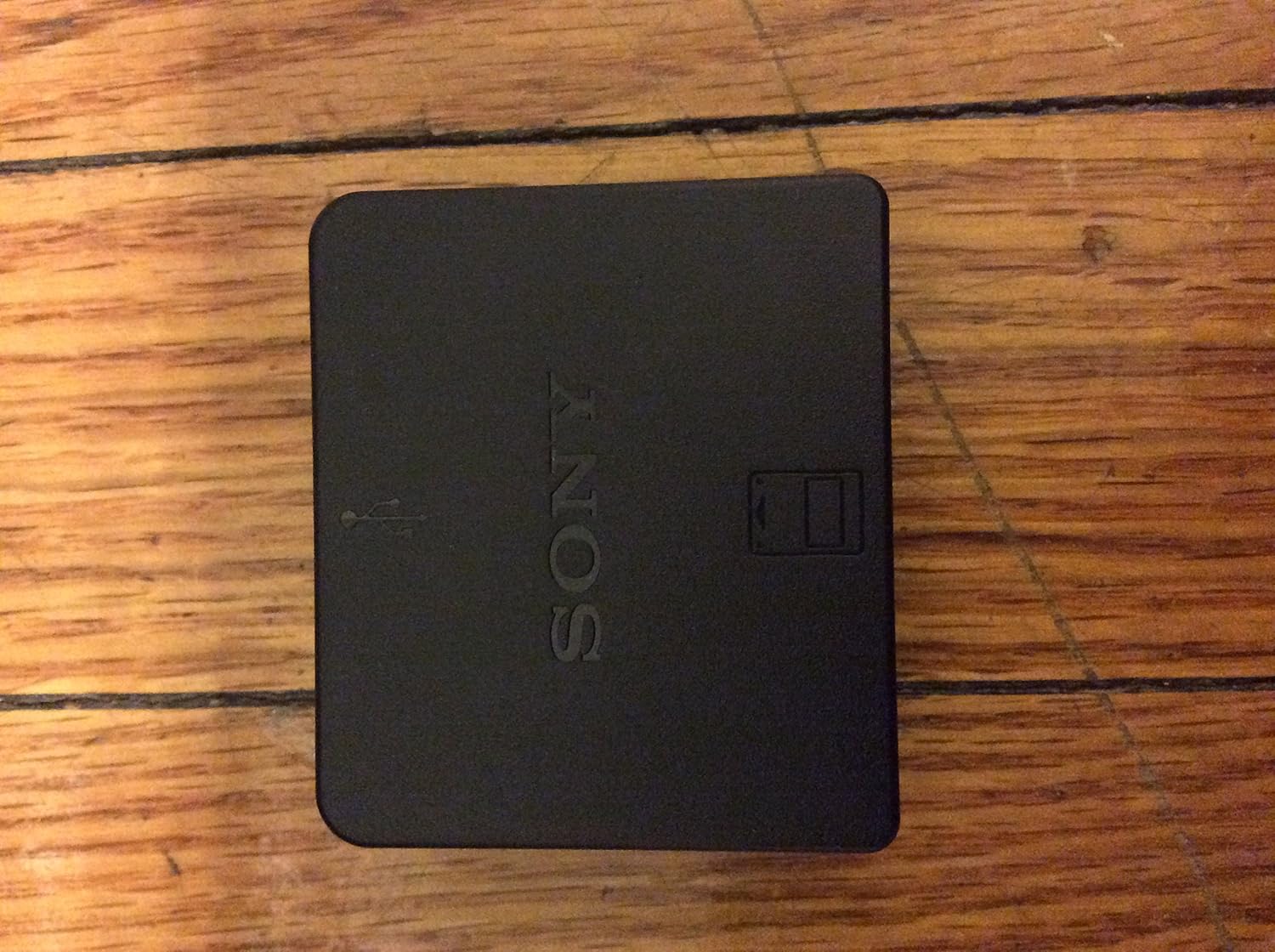
The PlayStation PS3 Memory Card Adaptor (Model CECHZM1) is designed to facilitate the transfer of saved game data from PlayStation (PS1) and PlayStation 2 (PS2) memory cards to the PlayStation 3 (PS3) console's internal hard disk drive (HDD). This adaptor allows users to continue playing their favorite PS1 and PS2 games on compatible PS3 models using their existing save data.
Utangamano:
- PlayStation (PS1) Memory Cards
- PlayStation 2 (PS2) Memory Cards
- PlayStation 3 (PS3) Console (models with PS2 backward compatibility or for creating virtual memory cards)
2. Kuweka
2.1 Yaliyomo kwenye Kifurushi
- PlayStation PS3 Memory Card Adaptor (CECHZM1)
Note: A USB cable (Mini-B type) is required for connection to the PS3 console and is not included with this product. The USB cable typically used for charging the PS3 controller can be used.
2.2 Connecting the Adaptor
- Tafuta mlango wa USB unaopatikana kwenye koni yako ya PlayStation 3.
- Connect one end of a compatible USB cable (Mini-B type) to the USB port on the Memory Card Adaptor.
- Connect the other end of the USB cable to a USB port on your PS3 console.

3. Uendeshaji
3.1 Kuweka Kadi ya Kumbukumbu
- Ensure the Memory Card Adaptor is connected to the PS3 console.
- Carefully insert your PlayStation or PlayStation 2 memory card into the designated slot on the adaptor. Ensure it is fully seated.

3.2 Transferring Save Data
- With the memory card inserted and the adaptor connected, navigate to the Game column on the PS3 XrossMediaBar (XMB).
- Select the 'Memory Card Utility (PS/PS2)' option.
- The PS3 system should detect the inserted memory card. Follow the on-screen prompts to create a virtual memory card on the PS3's HDD and transfer the save data.
- Once the transfer is complete, the data will be stored on your PS3's HDD as a virtual memory card, accessible for compatible PS1 and PS2 games.
Important Note: The PS3 Memory Card Adaptor is primarily designed to work with standard 8MB PlayStation and PlayStation 2 memory cards. Some larger capacity third-party memory cards (e.g., 64MB) may not be recognized or function correctly with this adaptor. The PS3 system typically creates 8MB partitions for virtual memory cards.
4. Matengenezo
To ensure the longevity and proper functioning of your Memory Card Adaptor, follow these general maintenance guidelines:
- Keep the adaptor clean and free from dust and debris. Use a soft, dry cloth for cleaning.
- Avoid exposing the adaptor to extreme temperatures, moisture, or direct sunlight.
- Do not attempt to disassemble or modify the adaptor, as this may void any applicable warranty and could cause damage.
- Store the adaptor in a safe place when not in use to prevent physical damage.
5. Utatuzi wa shida
If you encounter issues with your PS3 Memory Card Adaptor, refer to the following common problems and solutions:
- Adaptor Not Recognized by PS3:
- Ensure the USB cable is securely connected to both the adaptor and the PS3 console.
- Try using a different USB port on the PS3.
- Test with a different USB cable to rule out cable malfunction.
- Memory Card Not Detected or Data Transfer Fails:
- Verify that the PlayStation or PlayStation 2 memory card is correctly and fully inserted into the adaptor's slot.
- Ensure the memory card is a standard 8MB card. Larger capacity third-party cards may not be compatible.
- Check the memory card for any visible damage or dirt on the contacts.
- Restart your PS3 console and attempt the transfer again.
- Error Messages During Transfer:
- Note down the exact error message and consult the PlayStation support website or your PS3 console's digital manual for specific guidance.
6. Vipimo
| Nambari ya Mfano | CECHZM1 |
| Mtengenezaji | Burudani ya Kompyuta ya Sony |
| Vipimo vya Bidhaa | Inchi 8.5 x 3.5 x 1.26 |
| Uzito wa Kipengee | 3.2 wakia |
| Tarehe ya Kutolewa | Novemba 17, 2006 |
| Tarehe ya Kwanza Inapatikana | Oktoba 25, 2006 |
| ASIN | B000K1GZIU |

7. Udhamini na Msaada
For information regarding product warranty, please refer to the documentation included with your purchase or contact the retailer where the product was acquired. As this is an official PlayStation product, further support may be available through Sony Computer Entertainment's official support channels.
You may visit the official PlayStation webtovuti ya rasilimali za usaidizi na maelezo ya mawasiliano: Msaada wa PlayStation


