1. Utangulizi
Wipeout Pure is a high-speed, futuristic combat racing game developed for the Sony PlayStation Portable (PSP) handheld entertainment system. This manual provides essential information for setting up, playing, and maintaining your game, ensuring an optimal experience in the anti-gravity racing league.
Engage in intense races across 16 diverse tracks, piloting advanced anti-gravity vehicles. The game offers various modes, including single-player challenges and multiplayer competitions via Wi-Fi connectivity.
2. Kuweka na Kuweka
2.1 Inserting the UMD
- Hakikisha mfumo wako wa PSP umezimwa.
- Locate the UMD (Universal Media Disc) slot on the back of your PSP.
- Open the UMD compartment cover.
- Gently insert the Wipeout Pure UMD, label side facing up, until it clicks into place.
- Close the UMD compartment cover securely.
2.2 Initial Game Launch
- Washa mfumo wako wa PSP.
- Navigate to the 'Game' menu on the PSP XMB (XrossMediaBar).
- Select the 'UMD' icon, then choose 'Wipeout Pure' to start the game.
- Follow any on-screen prompts for initial setup, such as creating a save file. A Memory Stick Duo is required to save game progress and downloadable content.
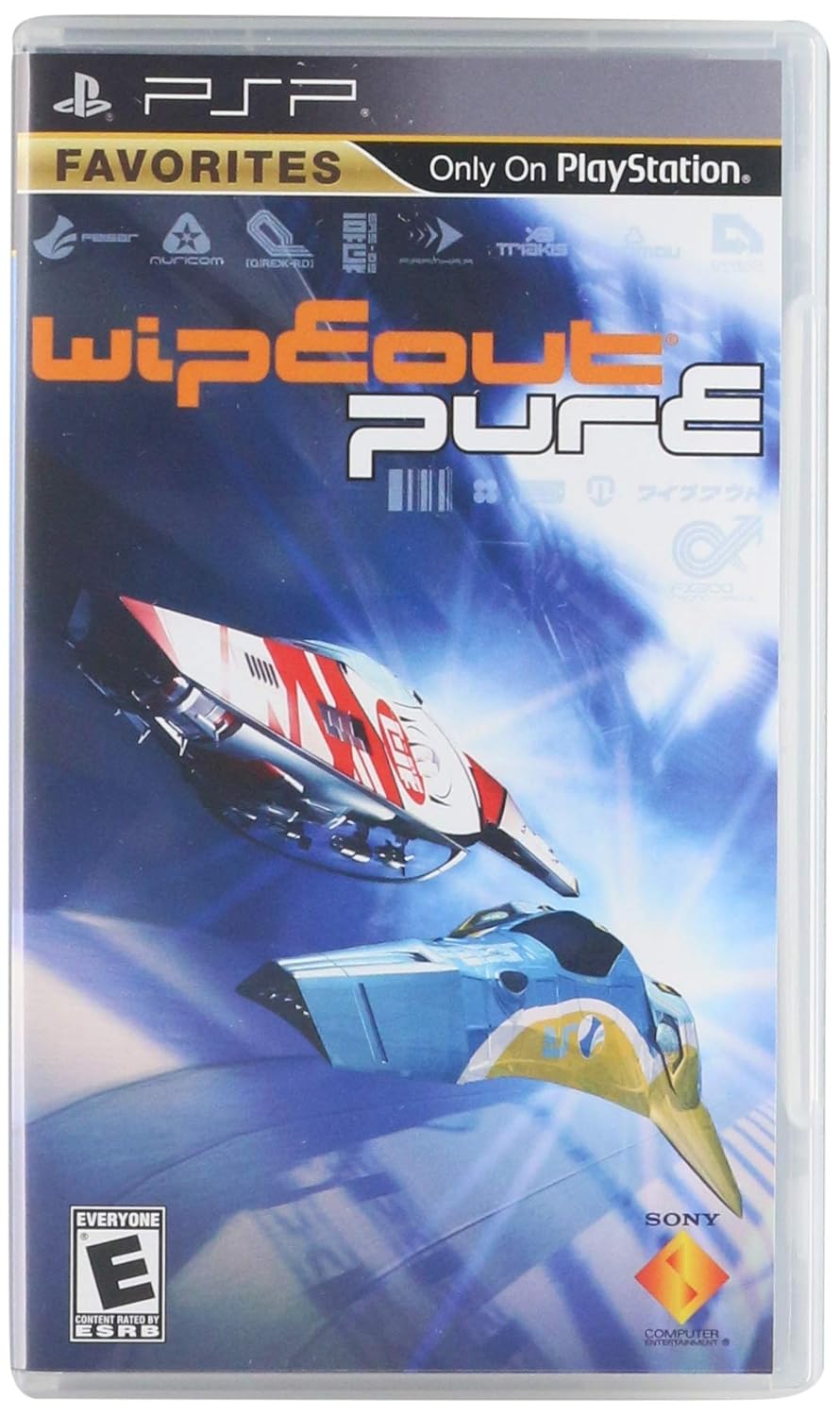
Figure 1: Front cover of the Wipeout Pure game case for Sony PSP. It displays the game title, PlayStation Portable branding, and an image of two futuristic racing craft in action.
3. Uendeshaji na Uchezaji
3.1 Vidhibiti vya Msingi
While specific controls can be customized or vary slightly, the standard PSP controls for Wipeout Pure are:
- Fimbo ya Analogi: Steer vehicle
- Kitufe cha X: Ongeza kasi
- Kitufe cha Mraba: Brake / Reverse
- Circle Button: Fire Weapon
- Triangle Button: Absorb Weapon (for shield/energy)
- L/R Shoulder Buttons: Airbrakes (for sharp turns)
- Kitufe cha Kuanza: Pause Game / Menu
3.2 Mchezo Modes
Wipeout Pure offers several engaging game modes:
- Single Race: Compete in a single race on any unlocked track.
- Mashindano: Participate in a series of races to earn points and unlock new content.
- Time Trial: Race against the clock to achieve the fastest lap times.
- Cheza Bure: Practice on tracks without competitive pressure.
- Hali ya Eneo: (Single-player only) Experience extreme speed as your craft accelerates continuously, focusing on survival and navigating increasingly challenging zones.
3.3 Speed Classes and Vehicles
Choose from five distinct speed classes, each offering a different level of challenge and vehicle performance:
- Vekta: Slowest class, ideal for beginners.
- Venom: Moderate speed.
- Mweko: Kasi kubwa.
- Rapier: Very high speed, requiring precise control.
- Phantom: Fastest class, for experienced pilots.
As you progress and win tournaments, you can unlock new racing crafts and customize their appearance with fresh racing colors.
3.4 Tracks and Environments
The game features 16 futuristic racing tracks, including 8 newly designed courses that traverse diverse environments such as snowy mountaintops and tracks suspended in the clouds. Additionally, there are 4 custom-built Zone tracks and 4 classic tracks from previous Wipeout installments that can be unlocked.
3.5 Multiplayer Gameplay
Wipeout Pure supports multiplayer gameplay for up to eight players via wireless Ad Hoc Mode. This allows multiple PSP systems to connect directly for local competitive races. To initiate multiplayer:
- Ensure all participating PSP systems have Wipeout Pure inserted.
- Select the 'Multiplayer' option from the main menu.
- Follow the on-screen instructions to create or join a game session.

Figure 2: Back cover of the Wipeout Pure game case for Sony PSP. It provides a brief description of the game, lists key features like 16 tracks and 8-player multiplayer, and includes legal information and ESRB rating.
4. Matengenezo na Matunzo
4.1 UMD Care
- Always handle the UMD by its edges to avoid touching the data surface.
- Keep the UMD clean and free from dust, fingerprints, and scratches. Use a soft, dry cloth to gently wipe the surface if necessary.
- Store the UMD in its protective case when not in use to prevent damage.
- Avoid exposing the UMD to extreme temperatures, direct sunlight, or high humidity.
4.2 PSP System Care
Refer to your Sony PSP system's instruction manual for general care and maintenance guidelines for the console itself.
5. Utatuzi wa shida
If you encounter issues while playing Wipeout Pure, consider the following common solutions:
- Game Not Loading / UMD Read Error:
- Ensure the UMD is inserted correctly and the compartment cover is fully closed.
- Remove the UMD and gently clean its surface with a soft, lint-free cloth.
- Restart your PSP system.
- Try another UMD to determine if the issue is with the game disc or the PSP's UMD drive.
- Game Freezes or Crashes:
- Turn off your PSP system completely and restart it.
- Hakikisha programu yako ya mfumo wa PSP imesasishwa.
- If using a Memory Stick Duo, ensure it is properly inserted and not corrupted. Try removing it and playing without it (if possible for initial load).
- Multiplayer Connection Issues:
- Ensure all PSP systems are within close proximity for Ad Hoc Mode.
- Verify that Wi-Fi is enabled on all participating PSP systems.
- Check that all players are running the same version of the game.
For persistent issues, consult the official PlayStation support website or your PSP system's manual.
6. Vipimo
| Kipengele | Maelezo |
|---|---|
| Jina la Bidhaa | Wipeout Pure |
| Jukwaa | Sony PSP (PlayStation Portable) |
| Mchapishaji | Burudani ya Kompyuta ya Sony |
| Nambari ya Mfano wa Kipengee | 711719861225 |
| UPC | 711719861225 |
| Tarehe ya Kutolewa | Juni 15, 2006 |
| Lugha | Kiingereza |
| Ukadiriaji wa ESRB | Kila mtu |
| Vipimo vya Bidhaa | Inchi 7 x 4 x 0.75 |
| Uzito wa Kipengee | 0.32 wakia |
7. Msaada na Udhamini
For technical support regarding Wipeout Pure, please refer to the official PlayStation support resources. Information regarding game-specific issues, updates, and FAQs can often be found on the PlayStation webtovuti.
Warranty information for game software typically covers manufacturing defects. Please consult the packaging or the official PlayStation webtovuti kwa masharti ya kina ya udhamini na masharti yanayotumika kwa eneo lako.
Rasilimali za Mtandaoni:


