
Utangulizi
Thank you for choosing the Acer OHR632 Wireless Gaming Headset. This headset offers versatile connectivity options, high-fidelity audio, and a comfortable design for extended gaming sessions. Please read this manual carefully to ensure proper setup and optimal performance of your device.
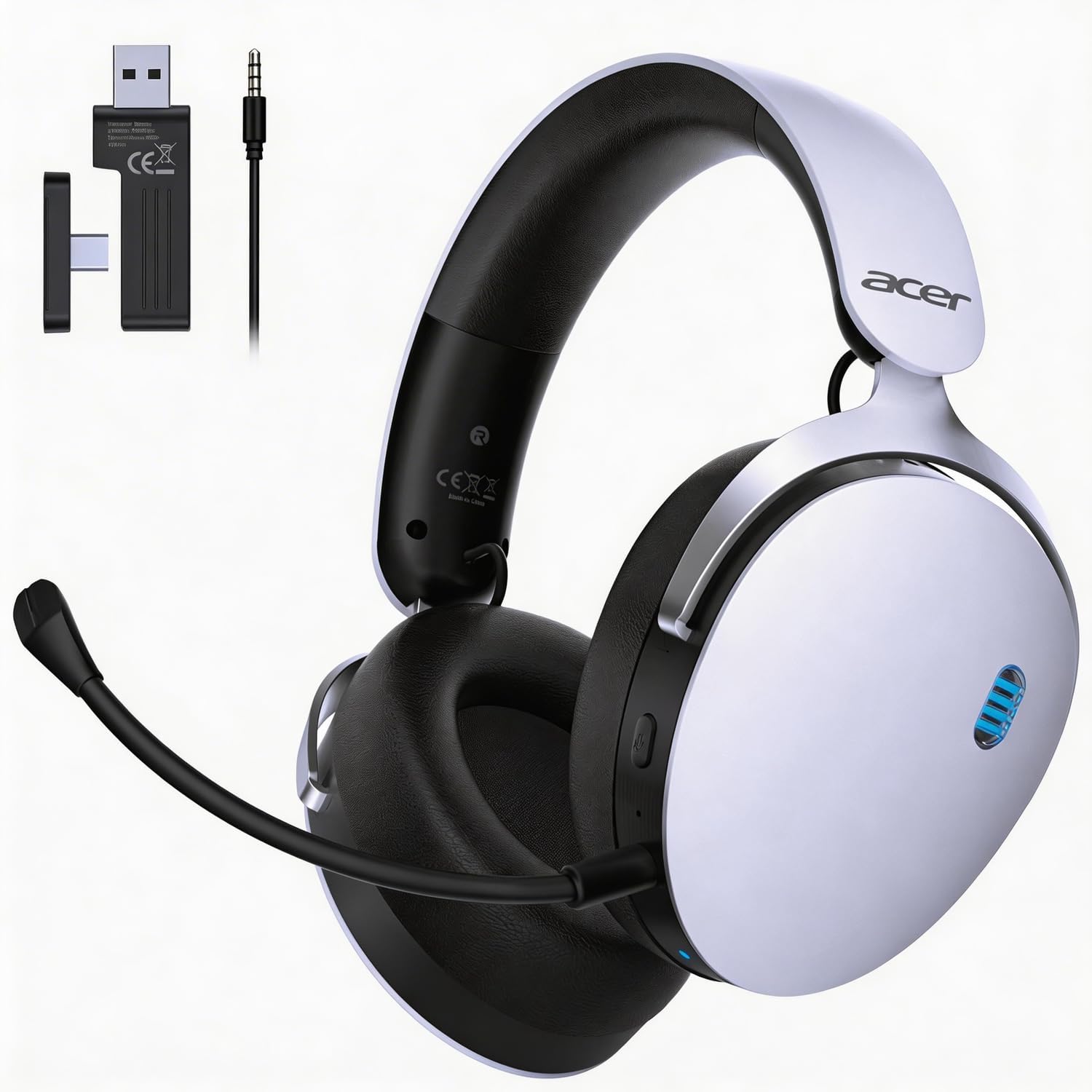
Image: The Acer OHR632 Wireless Gaming Headset in white, showcasing muundo wake maridadi.
Nini Pamoja
Thibitisha kuwa vipengee vyote vipo kwenye kifurushi:
- Kichwa cha sauti cha Michezo ya Kubahatisha
- Mwongozo wa Mtumiaji
- Maikrofoni inayoweza kutenganishwa
- Kebo ya Kuchaji ya USB-A hadi USB-C
- 3.5mm Audio Cable (4-prong)
- 2.4GHz Wireless USB Dongle (with USB-C adapter)

Image: A visual representation of all components included in the Acer OHR632 Wireless Gaming Headset package.
Sanidi
1. Kuambatanisha Kipaza sauti
- Locate the microphone port on the left earcup of the headset.
- Align the microphone's 3.5mm jack with the port, ensuring the groove on the jack matches the port's shape.
- Gently push the microphone into the port until it clicks securely into place.
- Adjust the flexible microphone arm to your preferred speaking position.
To remove the microphone, gently pull it out from the port.

Image: The Acer OHR632 headset with the detachable microphone connected, ready for use.
2. Kuchaji Kifaa cha Sauti
- Unganisha ncha ya USB-C ya kebo ya kuchaji kwenye mlango wa USB-C wa vifaa vya sauti.
- Unganisha mwisho wa kebo ya kuchaji ya USB-A kwenye mlango wa USB unaotumia nguvu (km, kompyuta, adapta ya ukutani).
- The LED indicator on the headset will show charging status. A full charge takes approximately 3 hours.

Image: An illustration demonstrating the charging process of the Acer OHR632 headset, highlighting its long battery life.
3. Kuunganisha kwa Vifaa
The Acer OHR632 offers three connection methods:
3.1. Muunganisho Usiotumia Waya wa 2.4GHz (Inapendekezwa kwa Michezo)
- Insert the 2.4GHz USB dongle into an available USB-A port on your PS5, PS4, PC, or Switch dock. If your device only has USB-C, use the included USB-C adapter.
- Power on the headset. It should automatically pair with the dongle.
- Hakikisha vifaa vya sauti vimechaguliwa kama kifaa cha kutoa/kuingiza sauti katika mipangilio ya mfumo wako.
3.2. Muunganisho wa Bluetooth 5.3
- Nguvu kwenye vifaa vya kichwa.
- Press and hold the Bluetooth pairing button (refer to headset controls section) until the LED indicator flashes, indicating pairing mode.
- On your Bluetooth-enabled device (e.g., smartphone, tablet, PC), search for "Acer OHR632" in the Bluetooth settings and select it to pair.
Muunganisho wa Waya wa 3.3. 3.5mm
- Unganisha ncha moja ya kebo ya sauti ya 3.5mm kwenye mlango wa 3.5mm wa vifaa vya sauti.
- Connect the other end of the 3.5mm audio cable to the audio jack of your device (e.g., controller, PC, Switch handheld).
- The headset will operate in wired mode, bypassing wireless functions.

Image: A diagram illustrating the three connectivity options: 2.4GHz wireless, Bluetooth 5.3, and 3.5mm wired.
Maagizo ya Uendeshaji
Washa/Zima
- Ili kuwasha: Bonyeza na ushikilie kitufe cha Kuwasha kwa sekunde 2.
- Kuzima: Bonyeza na ushikilie Kitufe cha Kuwasha/kuzima kwa sekunde 3.
Udhibiti wa Kiasi
- Volume Up: Rotate the volume wheel upwards.
- Volume Down: Rotate the volume wheel downwards.
Sauti ya Sauti ya Sauti ya Sauti / Ruhusu
- Press the dedicated Mute button on the earcup to toggle microphone mute on or off.
Kubadilisha Njia za Muunganisho
- The headset automatically prioritizes connections. When the 3.5mm cable is plugged in, it will switch to wired mode.
- To switch between 2.4GHz wireless and Bluetooth, use the mode switch button (refer to headset diagram for exact location).
Vipengele
- Muunganisho wa 3-katika-1: Seamlessly switch between 2.4GHz wireless, Bluetooth 5.3, and 3.5mm wired connections for ultimate versatility across PS5, PS4, PC, Switch, and other compatible devices.
- Sauti ya Kuzama: Equipped with powerful 50mm drivers and ultra-low latency (≤20ms), delivering high-fidelity stereo sound for a truly immersive audio experience.
- Detachable Noise-Reduction Microphone: Ensures crystal-clear communication with its omni-directional noise-canceling design. The flexible arm allows for optimal positioning.
- Faraja ya Siku Zote: Lightweight design, adjustable headband, and memory foam ear cushions provide comfort for extended wear.
- Maisha marefu ya Betri: Enjoy up to 40 hours of gameplay on a single charge, with quick charging capabilities.

Image: Detailed illustration of the headset's 3-in-1 connectivity modes.

Image: A user experiencing immersive sound with the Acer OHR632 headset.

Image: A user communicating clearly using the noise-canceling microphone of the Acer OHR632 headset.

Image: Close-up of the breathable, soft ear cushions for ultimate comfort.
Matengenezo
- Kusafisha: Tumia kitambaa laini na kikavu kusafisha vifaa vya masikioni. Usitumie kemikali kali au vifaa vya kukwaruza.
- Hifadhi: Hifadhi vifaa vya sauti mahali pa baridi, pakavu mbali na jua moja kwa moja na joto kali.
- Utunzaji wa Betri: Ili kuongeza muda wa matumizi ya betri, epuka kutoa chaji kamili ya vifaa vya sauti vya masikioni mara kwa mara. Vichaji mara kwa mara, hata kama havitumiki kwa muda mrefu.
Kutatua matatizo
| Tatizo | Suluhisho |
|---|---|
| No audio in wireless mode | Ensure the USB dongle is properly connected and the headset is powered on and paired. Check system audio settings to confirm the headset is selected as the output device. |
| Maikrofoni haifanyi kazi | Verify the microphone is securely attached and not muted. Check system audio settings to ensure the headset microphone is selected as the input device. |
| Masuala ya kuoanisha Bluetooth | Ensure the headset is in Bluetooth pairing mode (flashing LED). Turn off and on Bluetooth on your device and try pairing again. Keep devices close during pairing. |
| Maisha mafupi ya betri | Ensure the headset is fully charged (approx. 3 hours). Reduce volume levels or disable unnecessary features if available to conserve battery. |
Vipimo
- Chapa: acer
- Jina la Mfano: SIKIO632
- Rangi: Nyeupe
- Uwekaji wa Masikio: Juu ya Sikio
- Teknolojia ya Uunganisho: Waya isiyotumia waya (2.4GHz, Bluetooth 5.3), Inayotumia waya (3.5mm)
- Madereva: 50 mm
- Maisha ya Betri: Hadi saa 40
- Muda wa Kuchaji: Takriban masaa 3
- Maikrofoni: Detachable, Omni-directional, Noise-reduction
- Uzito: 11.3 oz (320g)
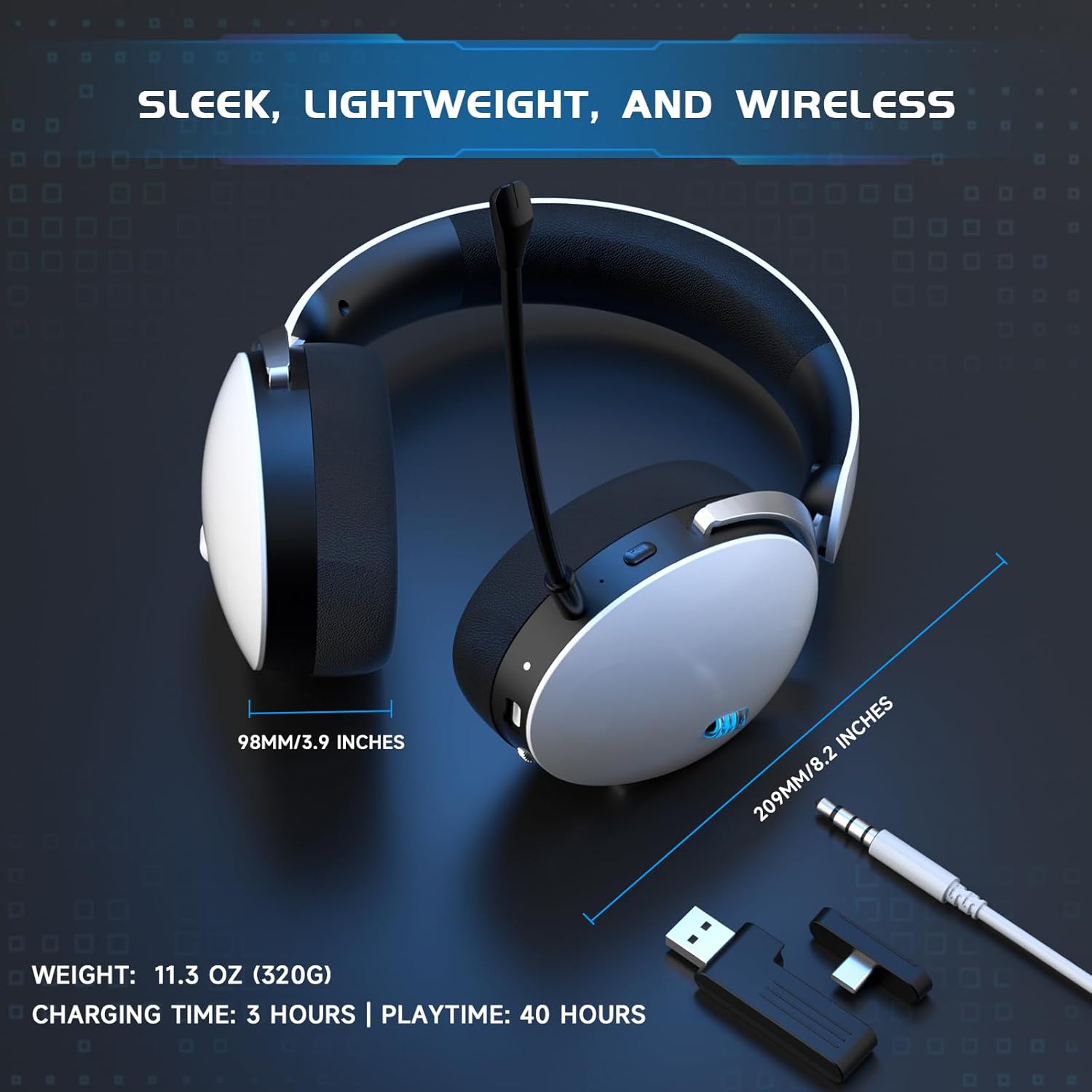
Image: Visual representation of the headset's dimensions, weight, charging time, and playtime.
Udhamini na Msaada
This Acer OHR632 Wireless Gaming Headset comes with a Udhamini wa Miaka 1 wa Mtengenezaji. For technical support, warranty claims, or further assistance, please contact Acer customer service or visit the official Acer support webtovuti. Weka risiti yako ya ununuzi kwa ajili ya uthibitisho wa dhamana.
Bidhaa Imeishaview Video
Watch this video for an unboxing, overview, and demonstration of the Acer OHR632 Wireless Gaming Headset's features and functionality.
Video: Kufungua na kurudishaview of the Acer OHR632 Wireless Gaming Headset by a seller, demonstrating its features and performance.