
WOLFANG WS03
WOLFANG WS03 2K Indoor Security Camera User Manual
Model: WS03 | Brand: WOLFANG
1. Utangulizi
This user manual provides detailed instructions for the installation, operation, and maintenance of your WOLFANG WS03 2K Indoor Security Camera. Please read this manual thoroughly before using the product to ensure proper functionality and safety. The WOLFANG WS03 camera offers 2K (3MP) resolution, 360° pan/tilt/zoom (PTZ) capabilities, automatic motion tracking, infrared night vision, two-way audio, and compatibility with smart home systems like Alexa and Google Assistant.
2. Yaliyomo kwenye Kifurushi
Thibitisha kuwa vipengee vyote vipo kwenye kifurushi:
- WOLFANG WS03 2K Indoor Security Camera (Quantity: 1 or 2, depending on pack)
- Adapta ya Nguvu
- Cable ya Nguvu ya USB
- Kuweka Bracket
- Kuweka Screw na Plugs za Ukutani
- Mwongozo wa Mtumiaji (hati hii)

Image: WOLFANG WS03 camera and its included accessories.
3. Kuweka
3.1 Ufungaji wa Kimwili
The WOLFANG WS03 camera can be placed on a flat surface or mounted to a wall or ceiling. Ensure the camera is positioned within range of your 2.4GHz Wi-Fi network.
- Chagua Mahali: Chagua eneo ambalo hutoa taka viewing angle and is close to a power outlet.
- Kuweka (Si lazima): If mounting, use the provided bracket, screws, and wall plugs. Mark the drill holes, drill, insert wall plugs, and secure the bracket. Attach the camera to the bracket.
- Muunganisho wa Nishati: Connect the USB power cable to the camera and the power adapter. Plug the adapter into a power outlet. The camera will power on and initiate a self-test, indicated by its rotation.

Image: WOLFANG WS03 camera placed on a surface, connected to power, with a smartphone displaying its live feed.
3.2 Usakinishaji na Muunganisho wa Programu
The WOLFANG WS03 camera operates via the Osaio app. Download and install the app on your smartphone.
- Pakua App: Tafuta "Osaio" in your mobile app store (App Store for iOS or Google Play Store for Android) and install it.
- Fungua Akaunti: Open the Osaio app and register for a new account or log in if you already have one.
- Ongeza Kifaa: Tap the "+" icon in the app to add a new device. Select your camera model (WS03).
- Muunganisho wa Wi-Fi: Follow the in-app instructions to connect the camera to your 2.4GHz Wi-Fi network. Ensure your phone is also connected to the same 2.4GHz network during setup. The camera's LED indicator will flash red when ready for pairing.
- Changanua Nambari ya QR: The app will display a QR code. Hold your camera approximately 15-20 cm (6-8 inches) in front of your phone screen until you hear a confirmation sound from the camera.
- Kukamilika: Once connected, the camera's LED indicator will turn solid blue, and you can view the live feed in the app.

Image: WOLFANG WS03 camera with a smartphone indicating 2.4GHz Wi-Fi connectivity.
4. Uendeshaji
4.1 Ishi View na Udhibiti wa PTZ
Access the live video feed from your camera through the Osaio app. You can remotely control the camera's pan and tilt functions.
- Mipasho ya Moja kwa Moja: Open the Osaio app and select your camera to view the real-time video stream.
- Udhibiti wa PTZ: Use the directional controls within the app interface to rotate the camera horizontally (360°) and vertically (110°) to adjust the viewpembe.

Picha: Juuview of WOLFANG WS03 features, including 360° horizontal and 110° vertical rotation.
4.2 Motion Tracking and Alerts
The camera can detect motion and sound, automatically track subjects, and send alerts to your phone.
- Wezesha Ugunduzi: In the Osaio app settings for your camera, enable motion detection and sound detection.
- Ufuatiliaji wa Kiotomatiki: When motion is detected, the camera will automatically pan and tilt to follow the moving object.
- Arifa: Configure push notifications in the app to receive instant alerts on your mobile device when motion or sound is detected.

Image: WOLFANG WS03 camera monitoring a sleeping baby in night vision mode.
4.3 Sauti ya Njia Mbili
Communicate through the camera using its built-in microphone and speaker.
- Sikiliza: Katika kuishi view, tap the speaker icon to listen to audio from the camera's location.
- Ongea: Tap and hold the microphone icon to speak through the camera. Release to stop speaking.

Image: WOLFANG WS03 camera demonstrating two-way audio with a dog in a living room, controlled via smartphone.
4.4 Maono ya Usiku
The camera is equipped with infrared LEDs for clear vision in low-light or complete darkness, up to 8 meters.
- Uamilishaji wa Moja kwa Moja: Night vision activates automatically in low light conditions.
- Udhibiti wa Mwongozo: You can manually toggle night vision on/off or set it to automatic mode within the app settings.
4.5 Chaguzi za Hifadhi
The WOLFANG WS03 offers flexible storage solutions for recorded video.
- Kadi ya SD ya Micro: The camera supports a Micro SD card up to 128GB (not included). Insert the card into the designated slot on the camera. Continuous recording or event-based recording can be configured in the app.
- Hifadhi ya Wingu: Encrypted cloud storage is available, often with a free trial period (e.g., 14 days). This provides off-site backup for your recordings. Details and subscription options are available within the Osaio app.
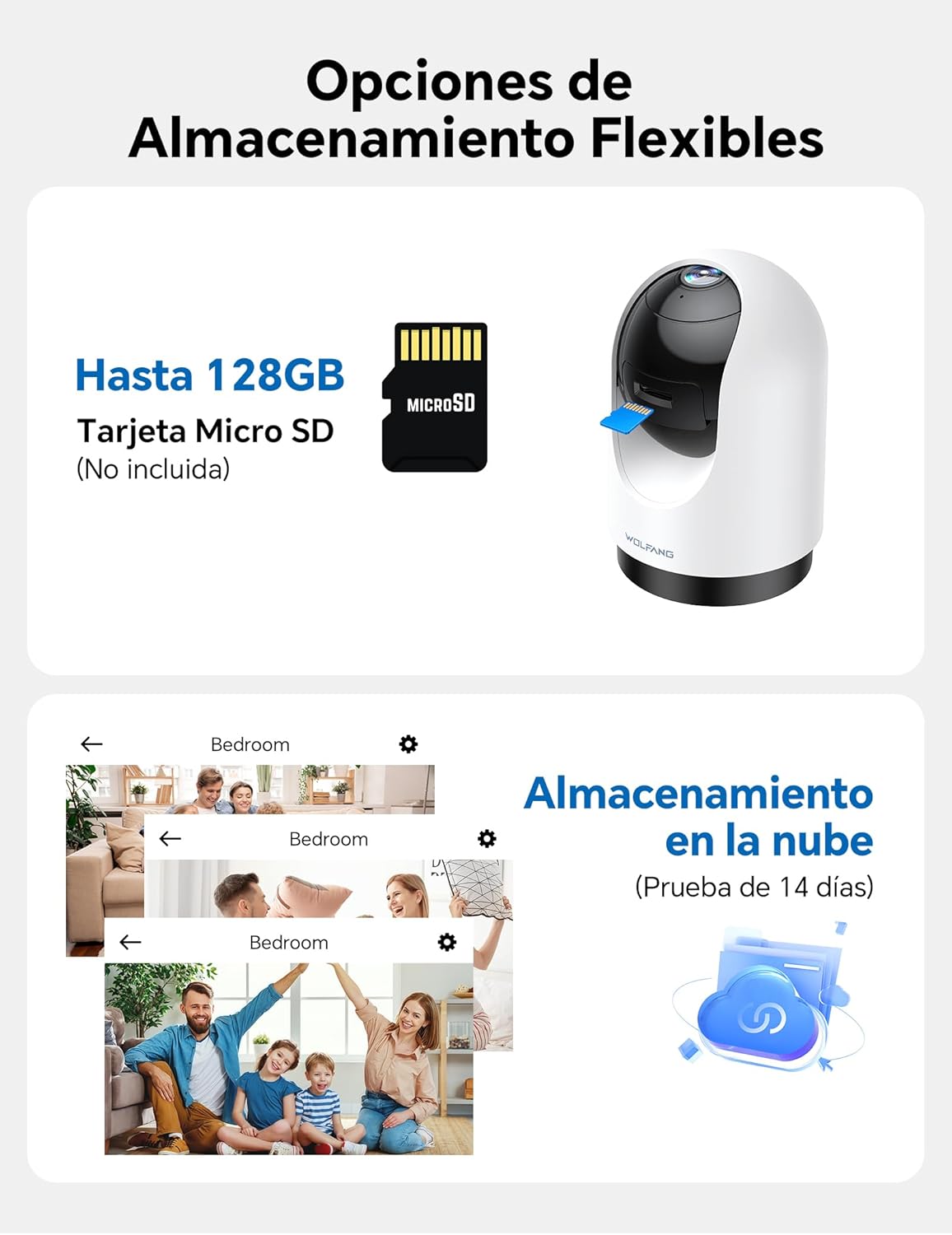
Image: WOLFANG WS03 camera illustrating MicroSD card and cloud storage options.
4.6 Multi-User Access and Multi-View
Share camera access with family members and view kamera nyingi kwa wakati mmoja.
- Shiriki Ufikiaji: In the Osaio app, you can invite up to 3 additional users to view mlisho wa kamera yako.
- nyingi-View: If you have multiple WOLFANG cameras, the app allows you to view live feeds from several cameras on a single screen.

Image: WOLFANG WS03 camera demonstrating multi-user sharing and multi-view functionality on a smartphone.
4.7 Udhibiti wa Sauti (Alexa na Msaidizi wa Google)
Integrate your WOLFANG WS03 camera with Amazon Alexa or Google Assistant for convenient voice control.
- Wezesha Ujuzi/Kitendo: In the Alexa or Google Home app, search for and enable the "Osaio" skill or action.
- Unganisha Akaunti: Link your Osaio account with your Alexa or Google account.
- Gundua Vifaa: Ask your smart assistant to discover new devices.
- Amri za Sauti: Use commands such as "Alexa, show me the living room camera" or "Hey Google, show me the baby monitor" to view mpasho wa moja kwa moja kwenye skrini mahiri zinazooana.

Image: A woman using a voice command with Alexa to display the WOLFANG WS03 camera feed on a tablet.
5. Matengenezo
5.1 Kusafisha
Kusafisha mara kwa mara husaidia kudumisha utendaji bora.
- Lenzi ya Kamera: Gently wipe the camera lens with a soft, dry, lint-free cloth. Avoid abrasive cleaners or solvents.
- Mwili wa Kamera: Clean the camera body with a slightly damp kitambaa. Hakikisha hakuna unyevu unaoingia kwenye kifaa.
- Zima umeme: Always disconnect the camera from power before cleaning.
5.2 Sasisho za Firmware
Keep your camera's firmware updated to ensure the latest features, security patches, and performance improvements.
- Angalia sasisho: The Osaio app will typically notify you when a new firmware update is available. You can also manually check in the camera's settings within the app.
- Mchakato wa Sasisho: Follow the on-screen instructions in the app to perform the update. Ensure the camera remains powered on and connected to Wi-Fi during the entire update process. Do not disconnect power or close the app until the update is complete.
6. Utatuzi wa shida
6.1 Masuala ya Kawaida na Suluhu
| Suala | Suluhisho linalowezekana |
|---|---|
| Kamera imeshindwa kuunganisha kwenye Wi-Fi. |
|
| Ubora duni wa video au kuchelewa. |
|
| Motion detection alerts are too frequent or not working. |
|
| Two-way audio is unclear or not working. |
|
| Micro SD card not recording. |
|
7. Vipimo
| Kipengele | Maelezo |
|---|---|
| Jina la Mfano | WS03 |
| Chapa | WOLFANG |
| Azimio | 2K (MP3) |
| Muunganisho | Wi-Fi (GHz 2.4 pekee) |
| Safu ya Kugeuza/kuinamisha | 360° Mlalo, 110° Wima |
| Maono ya Usiku | Infrared, up to 8m |
| Sauti | Sauti ya Njia Mbili (Maikrofoni na Spika Iliyojengewa Ndani) |
| Hifadhi | Micro SD card (up to 128GB, not included), Cloud Storage (optional) |
| Utangamano wa Msaidizi wa Sauti | Amazon Alexa, Msaidizi wa Google |
| Chanzo cha Nguvu | Wired (USB cable and power adapter) |
| Vipimo (L x W x H) | 7.5 x 14.9 x 7.5 cm |
| Umbizo la Kukamata Video | MP4 |
| UPC | 850067892434 |
8. Udhamini na Msaada
WOLFANG provides a 2-year after-sales guarantee for this product. For any questions or assistance regarding your WOLFANG WS03 Indoor Security Camera, please contact our customer service.
- Barua pepe ya Usaidizi: support.vc@wolfang.co
- Kipindi cha Udhamini: Miaka 2 tangu tarehe ya ununuzi.

Image: WOLFANG customer support details, including 24-hour response, 30-day return, 365-day replacement, and lifetime after-sales service.
Ask a question about this manual
Ask about setup, troubleshooting, compatibility, parts, safety, or missing instructions. Manuals+ will review the question and use this page’s manual context to help answer it.