
1. Utangulizi
The WOLFANG WS03 is an advanced indoor 2K 3MP WiFi security camera designed to provide comprehensive monitoring for your home or office. It features 360° pan and 110° tilt capabilities, automatic motion tracking, two-way audio communication, and enhanced infrared night vision. This manual will guide you through the setup, operation, and maintenance of your camera to ensure optimal performance and security.
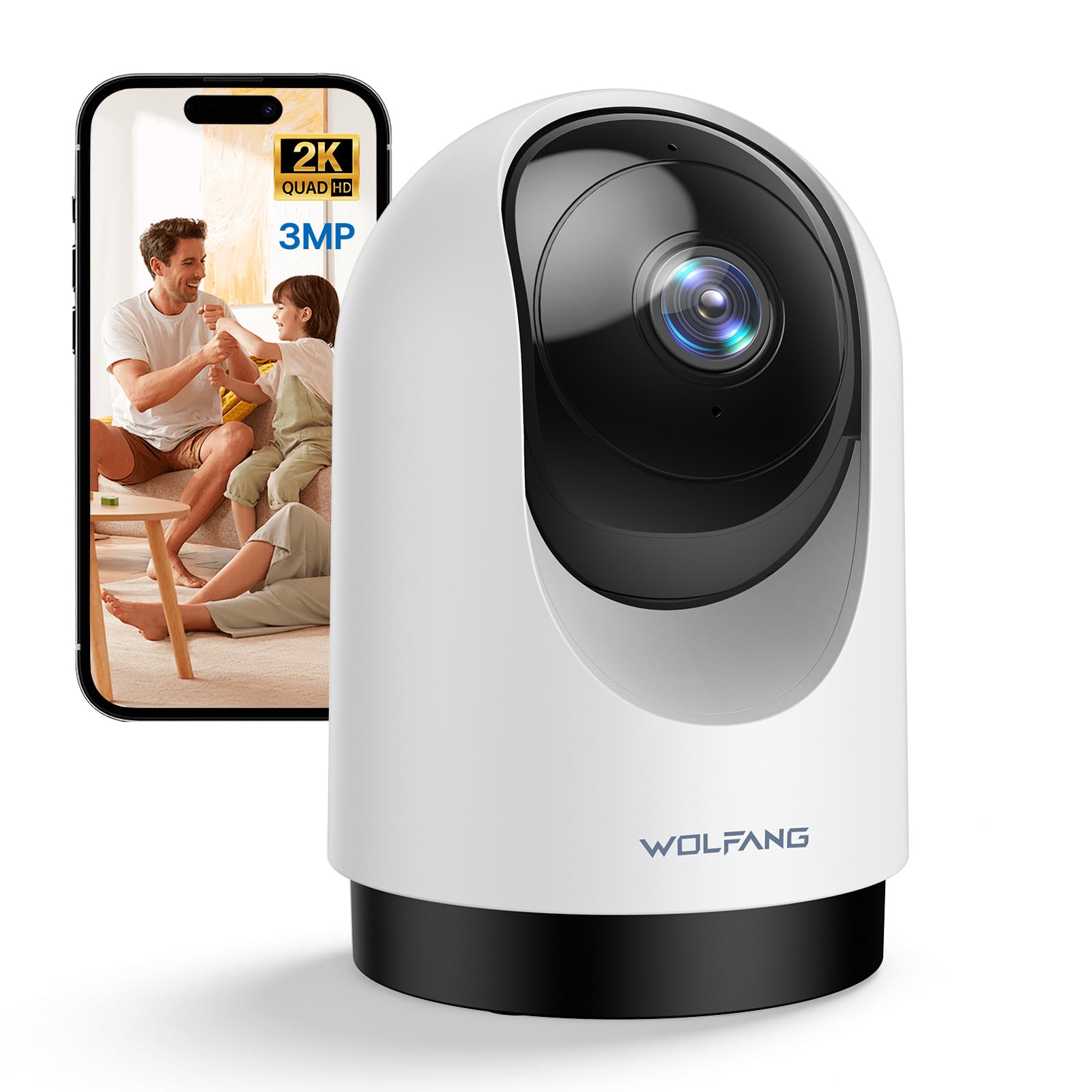
Image 1.1: WOLFANG WS03 Camera Overview
2. Yaliyomo kwenye Kifurushi
Tafadhali angalia yaliyomo kwenye kifurushi unapofungua kisanduku. Ikiwa bidhaa yoyote haipo au imeharibika, tafadhali wasiliana na huduma kwa wateja.
- WOLFANG WS03 2K Indoor Security Camera
- Adapta ya Nguvu
- Cable ya Nguvu ya USB
- Mounting Accessories (screws, wall plugs, mounting bracket)
- Mwongozo wa Mtumiaji (hati hii)
3. Bidhaa Imeishaview na Vipengele
Familiarize yourself with the key features and components of your WOLFANG WS03 camera.
- 2K 3MP Ultra HD Resolution: Captures crisp and detailed video footage at 2304 x 1296p.
- Sufuria ya 360° na 110° Inamisha: Provides extensive coverage of your indoor environment, minimizing blind spots.
- Ufuatiliaji wa Mwendo Kiotomatiki: The camera intelligently detects and follows moving subjects in real-time.
- Maono ya Usiku ya Infrared: Equipped with IR LEDs for clear monitoring in complete darkness.
- Sauti ya Njia Mbili: Features a built-in microphone and speaker for seamless remote communication.
- Smart Motion Detection & Instant Alerts: Advanced motion detection sends real-time notifications to your mobile device.
- Chaguo Rahisi za Hifadhi: Supports local storage via a microSD card (up to 128GB, not included) and offers optional cloud storage (14-day free trial).
- Utangamano wa Udhibiti wa Sauti: Integrates with Amazon Alexa and Google Home for convenient hands-free control.
- Kushiriki kwa Watumiaji Wengi: Allows secure sharing of camera access with up to four authorized users.

Image 3.1: WOLFANG WS03 Key Features Diagram
4. Mwongozo wa Kuweka
Follow these steps to set up your WOLFANG WS03 camera.
- 1. Inawasha: Connect the camera to a power outlet using the provided USB power cable and adapter. The camera will power on and indicate its status (e.g., flashing LED).
- 2. Pakua Programu: Pakua Osaio app from the Apple App Store or Google Play Store on your smartphone.
- 3. Create an Account: Open the Osaio app and follow the on-screen instructions to register for a new account or log in if you already have one.
-
4. Ongeza Kifaa: In the Osaio app, tap the '+' icon to add a new device. Select your camera model (WS03) and follow the prompts to connect it to your Wi-Fi network.
- Hakikisha simu yako mahiri imeunganishwa kwenye Mtandao wa Wi-Fi wa 2.4GHzKamera haitumii Wi-Fi ya 5GHz.
- You may need to scan a QR code displayed on your phone with the camera lens to establish the connection.
- 5. Placement and Mounting: Weka kamera kwenye uso thabiti, gorofa na uwazi view of the area you wish to monitor. Alternatively, use the included mounting accessories to securely install the camera on a wall or ceiling. Ensure the camera is within range of your 2.4GHz Wi-Fi signal.
5. Maagizo ya Uendeshaji
Learn how to use the various functions of your WOLFANG WS03 camera through the Osaio app.
5.1 Ishi View na Udhibiti wa Pan/Tilt
Once connected, open the Osaio app and select your camera to view the live feed. Use the on-screen controls to pan (rotate horizontally 360°) and tilt (rotate vertically 110°) the camera lens to adjust your viewpembe.

Image 5.1: Pan and Tilt Functionality with Motion Tracking
5.2 Automatic Motion Tracking
Enable the automatic motion tracking feature in the app settings. The camera will then automatically detect and follow any moving objects or people within its field of view, ensuring important events are captured.
5.3 Sauti ya Njia Mbili
The built-in microphone and speaker allow for real-time two-way communication. Tap the microphone icon in the app to speak, and the sound will be projected through the camera's speaker. You can also hear audio from the camera's environment.

Image 5.2: Two-Way Audio Communication
5.4 Maono ya Usiku
The camera automatically activates its infrared night vision mode in low-light conditions, providing clear black-and-white video footage even in complete darkness. This ensures continuous monitoring around the clock.

Image 5.3: Advanced Night Vision in action
5.5 Kurekodi na Kuhifadhi
The WOLFANG WS03 offers flexible recording and storage options:
- Hifadhi ya Kadi ya MicroSD: Insert a microSD card (up to 128GB, not included) into the designated slot on the camera for continuous 24/7 recording or event-triggered recordings.
- Hifadhi ya Wingu: An optional cloud storage service is available, offering a 14-day free trial. This provides secure off-site storage for your video recordings.
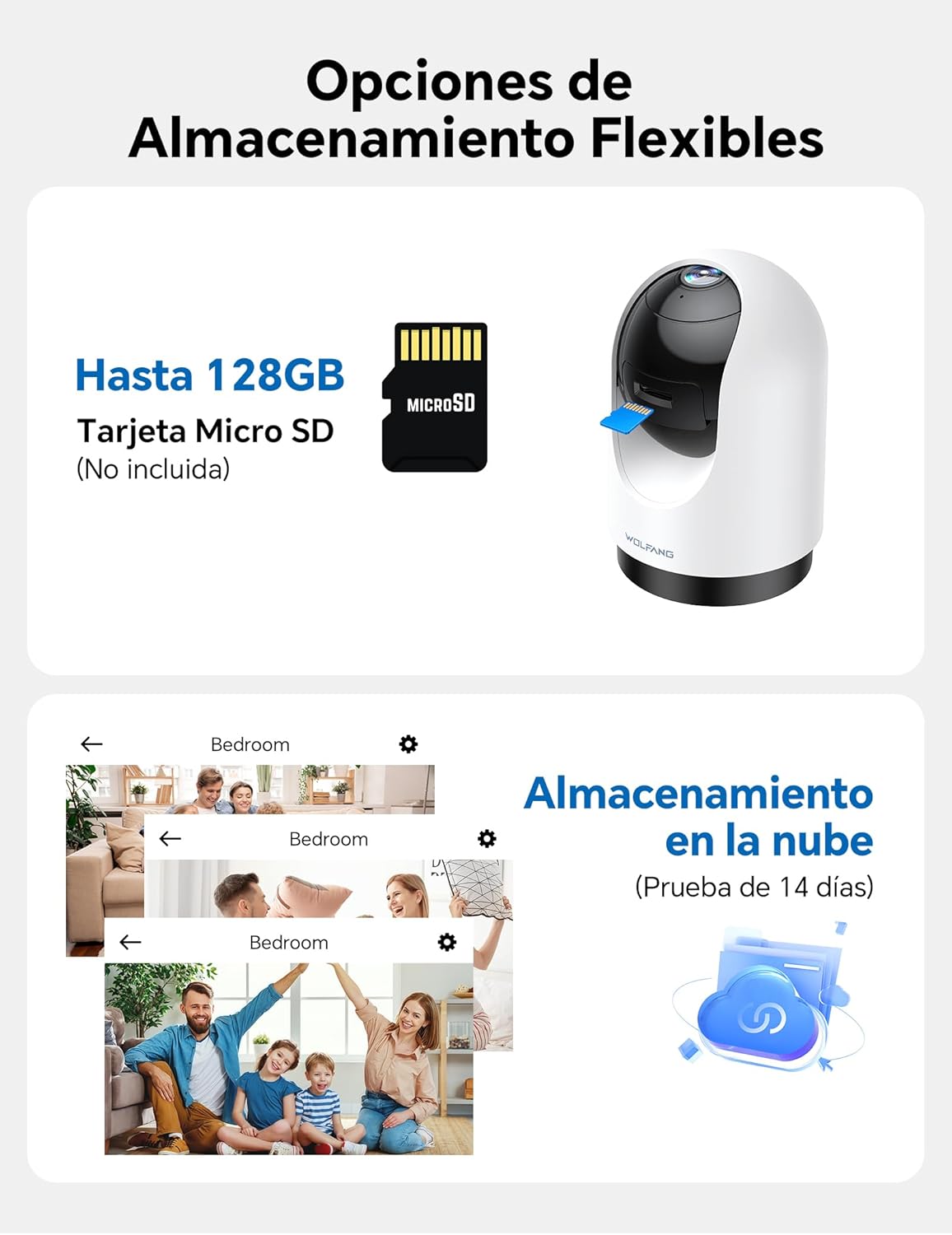
Image 5.4: Flexible Storage Options
5.6 Kushiriki kwa Watumiaji Wengi
You can share access to your camera's live feed and recordings with up to four other users. Use the sharing function within the Osaio app to invite family members or trusted individuals.

Image 5.5: Multi-User Sharing Interface
5.7 Muunganisho wa Udhibiti wa Sauti
The WOLFANG WS03 camera is compatible with Amazon Alexa and Google Home. Link your camera to your smart home assistant through their respective apps to control it using voice commands, such as "Alexa, show me the living room."

Image 5.6: Voice Control with Smart Assistants
6. Matengenezo
Utunzaji sahihi huhakikisha uimara na utendaji bora wa kamera yako.
- Kusafisha: Gently wipe the camera lens and exterior with a soft, dry, lint-free cloth. Avoid using liquid cleaners or abrasive materials, which can damage the lens or finish.
- Sasisho za Firmware: Regularly check the Osaio app for available firmware updates. Installing updates ensures your camera has the latest features, security patches, and performance improvements.
- Mzunguko wa Nguvu: If the camera becomes unresponsive or experiences connectivity issues, try power cycling it. Unplug the power adapter from the camera for 10-15 seconds, then plug it back in.
- Masharti ya Mazingira: Ensure the camera is used within its specified operating temperature and humidity ranges. Avoid exposing it to extreme temperatures, direct sunlight for prolonged periods, or high moisture environments.
7. Utatuzi wa shida
Rejelea sehemu hii kwa masuluhisho ya masuala ya kawaida ambayo unaweza kukutana nayo.
| Tatizo | Suluhisho linalowezekana |
|---|---|
| Kamera haiunganishi kwenye Wi-Fi |
|
| Poor video quality or blurry image |
|
| Motion detection not working or false alerts |
|
| Two-way audio issues (cannot hear or speak) |
|
| USB power cable issue |
|
8. Vipimo
| Kipengele | Maelezo |
|---|---|
| Chapa | WOLFANG |
| Jina la Mfano | WS03 |
| Azimio la Video | 2K (2304 x 1296p) |
| Azimio la Sensor | 3 Megapixels |
| Pembe ya Kusonga | 360° Mlalo |
| Pembe ya Kuinamisha | 110 ° Wima |
| Muunganisho | Wi-Fi (GHz 2.4 pekee) |
| Maono ya Usiku | Infrared (IR) |
| Sauti | Sauti ya Njia Mbili (Maikrofoni na Spika Iliyojengewa Ndani) |
| Chaguzi za Hifadhi | MicroSD card (up to 128GB, not included), Cloud Storage (optional) |
| Udhibiti wa Sauti | Compatible with Amazon Alexa, Google Home |
| Vipimo vya Bidhaa | Sentimita 7.5 x 11 x 7.5 (takriban inchi 2.95 x 4.33 x 2.95) |
| Umbizo la Kukamata Video | MP4 |
| Chanzo cha Nguvu | Wired Electric (No batteries required) |
| UPC | 850067892427 |
9. Udhamini na Msaada
WOLFANG is committed to providing high-quality products and customer satisfaction. For any questions, technical assistance, or warranty inquiries, please contact our dedicated customer support team.
Barua pepe ya Usaidizi kwa Wateja: support.vc@wolfang.co
Please include your product model (WS03) and a detailed description of your issue when contacting support for faster assistance.