
1. Bidhaa Imeishaview
The Anern 10.2KW Hybrid Solar Inverter is an all-in-one solution designed for off-grid solar power systems. It integrates a 10.2KW pure sine wave inverter, a 160A MPPT solar charge controller, and a 160A AC battery charger. This unit supports dual PV input and dual AC output, making it suitable for various household and office loads. It is compatible with 48V Lead-Acid (Seal, AGM, Gel, Flooded) and Lithium batteries, providing a reliable power source for home backup and off-grid applications.
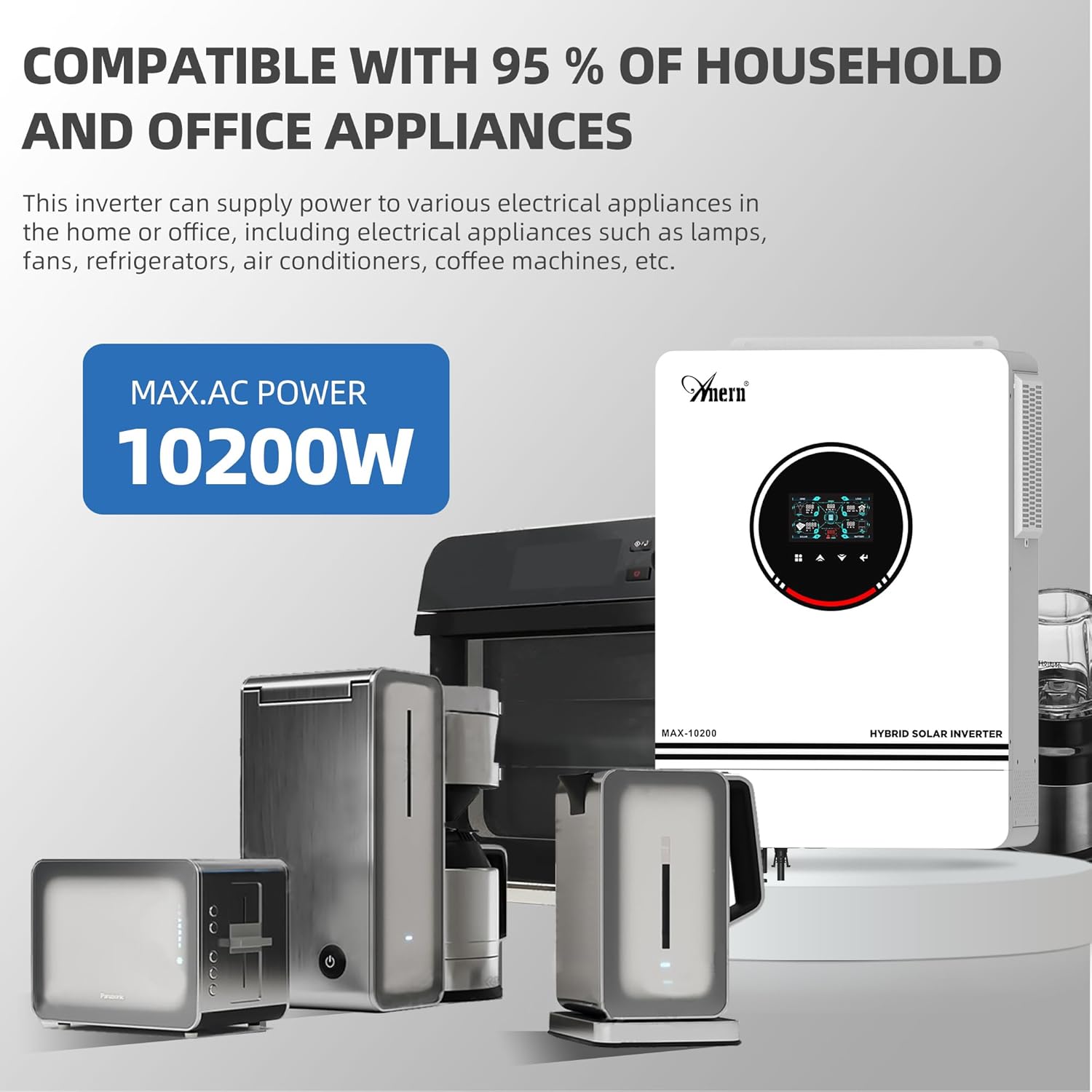
Figure 1: The Anern 10.2KW Hybrid Solar Inverter powering common household appliances.
2. Sifa Muhimu
- Muundo wa Yote kwa Moja: Combines inverter, MPPT solar charge controller, and AC battery charger.
- Pato la Nguvu ya Juu: 10.2KW pure sine wave output, suitable for sensitive electronics.
- Dual PV Input: Supports up to 10200W (90-450VDC range, max 500VOC) from two independent PV inputs.
- Pato la AC Mbili: Provides uninterrupted power supply for various loads.
- Utangamano wa Betri pana: Works with 48V Lead-Acid (Seal, AGM, Gel, Flooded) and Lithium batteries.
- Njia ya Mwanga ya RGB: Visual indication of different working modes (Purple-PV, Red-Battery, Blue-Utility).
- Backlight LCD Screen: Easy parameter browsing and setting.
- One-Click Restore: Quickly restore default settings to prevent configuration errors.
- Njia Nyingi za Kuchaji: Solar First (CSO), Solar and Utility (SNU), Only Solar (OSO).
- Njia Nyingi za Pato: Solar First, Mains First, SBU Priority.
- Ulinzi kamili: Includes Overload, Over temperature, and Short circuit protection.
- Built-in Anti-dust Kit: Enhances product reliability in harsh environments.
- Upoezaji Ufanisi: Equipped with three cooling fans for effective heat dissipation.
- Kazi ya Kuanza Baridi: Supports cold start at 46VDC.

Kielelezo 2: Zaidiview of the inverter's main power and charging capabilities.
3. Kuweka na Kuweka
Proper installation is crucial for the safe and efficient operation of your hybrid solar inverter. Please follow all local electrical codes and safety guidelines. It is recommended that installation be performed by a qualified professional.
3.1 Mchoro wa Wiring
The inverter supports dual photovoltaic (PV) inputs and dual AC outputs. Ensure all connections are secure and correctly polarized.

Figure 3: Comprehensive wiring diagram showing connections for PV, battery, AC input, and AC output.
3.2 Miongozo ya Muunganisho
- Ingizo la PV: Kiwango cha juu cha mzunguko wa wazi wa PVtage 500VDC. MPPT voltage range 90-450VDC. Suggested cable: 10 AWG/6mm². Connect solar modules in series for optimal performance.
- Muunganisho wa Betri: Compatible with 48V lead-acid/lithium batteries. Recommended cable and terminal size: Wire size 2 AWG/Cable 25mm². Recommended Fuse: 150A.
- Ingizo la AC (Huduma/Jenereta): 230 VDC. Maximum AC input voltage: 300VAC. Max AC charging current: 160A. Suggested cable: 10AWG/6mm². Recommended switch: 63A.
- Pato la AC: Output power 10200W. Output voltage: 220V/230V. Suggested cable: 10AWG/6mm². Recommended breaker: 63A.
Kumbuka: The inverter's output is 230V. For 110V/120V US home appliances, a separate converter (not included) is required to step down the voltage.

Figure 4: Rear panel connections for PV, AC, and battery inputs/outputs.
4. Njia za Uendeshaji
The inverter offers flexible charging and output modes to suit various energy management needs.
Njia 4.1 za Kuchaji
- AZAKI (Sola Kwanza): Solar energy charges the battery as a priority. The utility company only charges the battery when solar input is unavailable.
- SNU (Sola na Huduma): Solar energy and utility power charge the battery simultaneously. (Default mode)
- OSO (Sola Pekee): Solar energy is the sole source of charging, regardless of utility availability.
4.2 Njia za Kutoa
- Sola Kwanza: Prioritizes solar power for loads. If solar is insufficient, the grid or battery supplements.
- Kuu Kwanza: Prioritizes utility power for loads. Solar power is used when utility is unavailable or for charging.
- Kipaumbele cha SBU: Solar energy powers loads first. If solar is insufficient, battery power is used. If both are insufficient or battery voltage drops, utility power takes over.
4.3 RGB Light Indicators
The inverter features RGB lighting to indicate its current operating mode:
- Zambarau: PV Mode (Solar power is active).
- Nyekundu: Battery Mode (Operating from battery power).
- Bluu: Utility Mode (Operating from grid/utility power).
- Nyeupe: Stationary Mode (Idle or standby).

Figure 5: RGB lighting indicates the inverter's current operational status.
5. Utangamano wa Betri
The inverter is designed to work with various 48V battery types, including Lead-Acid (Sealed, AGM, Gel, Flooded) and Lithium batteries.
- The inverter can be used without batteries.
- For Lithium batteries, it can only be connected to PACE BMS. It is not compatible with BMS from other manufacturers.
- The inverter cannot communicate with other battery brands.
- If using a Lithium battery, select "User defined" in program 05 to configure battery parameters.
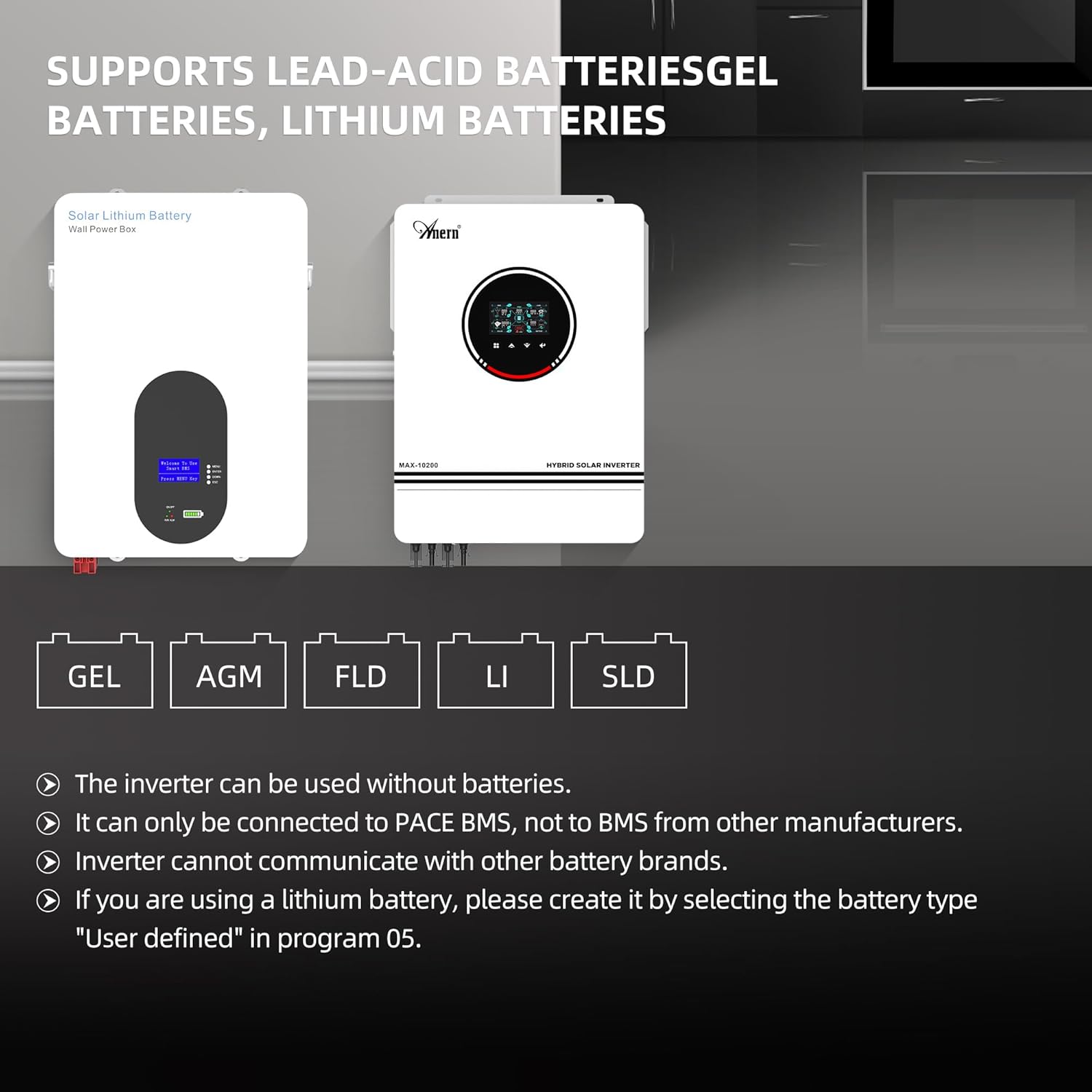
Figure 6: Supported battery types for the hybrid solar inverter.
6. Ufuatiliaji na Muunganisho
The inverter includes a WiFi module for remote monitoring and control via a mobile application.
- The inverter can be used with a WiFi transmitter (included).
- Monitor your hybrid inverter anytime, anywhere, by registering via the dedicated app.
- The app provides real-time performance monitoring, data visualizations, and control over system settings.
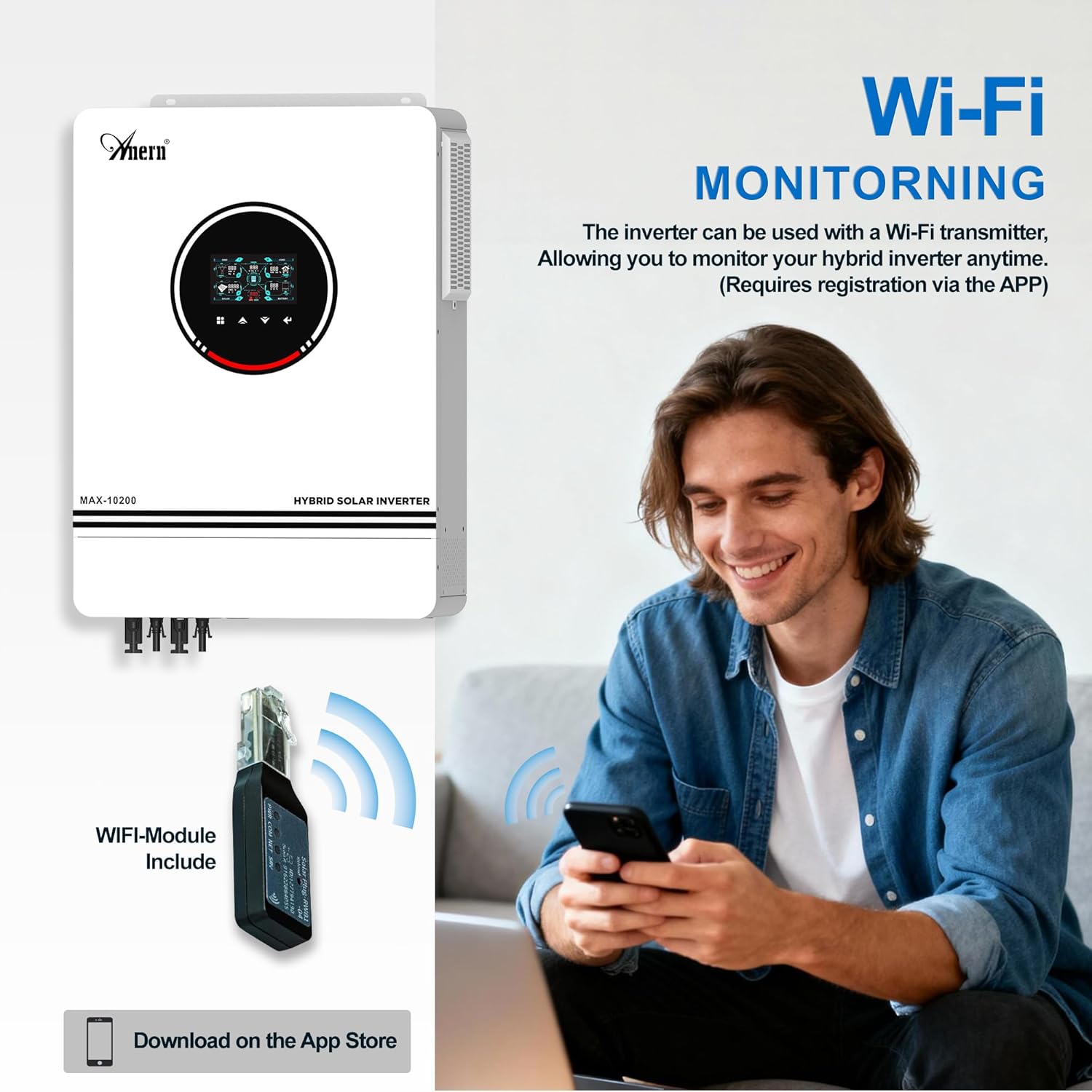
Figure 7: WiFi module for remote monitoring via a smartphone app.

Figure 8: The system's operation can be controlled and monitored via mobile phone.
7. Usalama na Ulinzi
The Anern Hybrid Solar Inverter is equipped with multiple protection features to ensure safe and reliable operation.
- Ulinzi wa Kupakia kupita kiasi: Huzuia uharibifu kutokana na mzigo kupita kiasi.
- Juu ya Ulinzi wa Joto: Shuts down the unit if internal temperatures exceed safe limits.
- Ulinzi wa Mzunguko Mfupi: Protects against short circuits in the output.
- Ulinzi wa Kupindukia: Kinga dhidi ya mtiririko wa sasa wa kupita kiasi.
- Kupindukiatage Ulinzi: Protects against input voltagkuongezeka.
- Kiwango cha chini Voltage Ulinzi: Prevents deep discharge of batteries.
- Backfilling Protection: Huzuia mtiririko wa mkondo wa nyuma.
- Ulinzi wa Kuchaji Zaidi: Ensures batteries are not overcharged.

Figure 9: Visual representation of the inverter's comprehensive safety protections.
8. Matengenezo
Matengenezo ya mara kwa mara husaidia kuhakikisha uimara na utendaji bora wa inverter yako.
- Ulinzi wa Vumbi: The inverter features a built-in removable dust protection grille. Regularly clean this grille to prevent dust accumulation, which can cause short circuits and reduce efficiency.
- Mfumo wa kupoeza: The unit is equipped with three cooling fans for efficient heat dissipation. Ensure the fan vents are clear of obstructions to maintain proper airflow and prevent overheating.
- Viunganisho: Periodically check all electrical connections (PV, battery, AC input/output) to ensure they are tight and free from corrosion.
- Mazingira: Hakikisha kibadilishaji umeme kimewekwa katika eneo lenye hewa ya kutosha, mbali na jua moja kwa moja, unyevu, na vifaa vinavyoweza kuwaka.

Figure 10: Features for easy maintenance and efficient cooling.
9. Utatuzi wa shida
If you encounter any issues with your Anern 10.2KW Hybrid Solar Inverter, please refer to the following general guidelines. For specific error codes or persistent problems, consult the detailed troubleshooting section in the full product manual or contact customer support.
- Hakuna Nguvu/Onyesho Limezimwa: Check all power connections, including battery and AC input. Ensure the on/off switch is in the 'on' position. Verify battery voltage iko ndani ya safu ya uendeshaji.
- Hakuna Toleo la AC: Check for overload conditions. Reduce the load if necessary. Verify AC output breaker is not tripped. Check for fault indicators on the LCD screen.
- Hakuna Chaji ya Jua: Ensure PV panels are connected correctly and receiving sufficient sunlight. Check PV input voltage and current on the display. Verify MPPT controller is functioning.
- Betri Haichaji: Check battery connections and ensure battery type settings are correct in the inverter's menu (Program 05). Verify AC input is present if using utility charging.
- Misimbo ya Hitilafu: If an error code appears on the LCD, note the code and refer to the comprehensive manual for its meaning and recommended actions.
If issues persist after following these steps, please contact Anern customer support for assistance.
10. Maelezo ya kiufundi
| Vipimo | Thamani |
|---|---|
| Chapa | Anern |
| Jina la Mfano | Anern 10.2KW Hybrid Solar Inverter |
| Nambari ya Mfano | B0G18VC2JV |
| Wattage | 10200 watts |
| Voltage | 48 Volts |
| Uingizaji Voltage | Volti 48 (DC) |
| Nguvu ya Pato | 10200 Watts |
| Pato Voltage | Volti 230 (AC) |
| Peak Output Power Watts | 10200 |
| Umbo la Wimbi la Pato la Umeme | Safi ya Sine Wimbi |
| Kidhibiti cha Chaji cha Jua cha MPPT | 160A |
| Chaja ya Betri ya AC | 160A |
| Max PV Input (VOC) | 500VDC |
| MPPT PV Voltage Mbalimbali | 90-450VDC |
| Aina ya Kuonyesha | LCD |
| Matumizi Yanayopendekezwa Kwa Bidhaa | Nyumbani |
| Chanzo cha Nguvu | Nishati ya jua |
11. Udhamini na Msaada
The Anern 10.2KW Hybrid Solar Inverter comes with a dhamana ya mwaka 1. For warranty claims, technical support, or any inquiries, please contact Anern customer service. Ensure you have your product model number (B0G18VC2JV) and purchase details available when contacting support.
Anern is committed to providing high-quality solar solutions and professional after-sales support. If you experience a malfunction, providing pictures or videos of the issue can help our technicians diagnose the problem efficiently.
12. Video ya Bidhaa
Video 1: Mwishoview of the Anern 10200W Solar Hybrid Inverter and its integration into a smart solar power system, highlighting key components and benefits.