
1. Taarifa Muhimu za Usalama
Tafadhali soma na uelewe maagizo yote kabla ya kukusanyika na kutumia. Weka mwongozo huu kwa marejeleo ya baadaye.
- Uwezo wa Uzito: Do not exceed the maximum weight capacity of 41 kg (90 lbs) for the entire unit. The top surface has a recommended weight limit of 15 kg.
- Kifaa cha Kuzuia Vidokezo: This cabinet includes an anti-tipping device. It is crucial to install this device to prevent serious injury from tipping furniture. Secure the cabinet to a wall stud using the provided hardware.
- Mkutano: Assemble the unit on a soft, clean surface to prevent scratches. Ensure all parts are present and undamaged before beginning assembly.
- Usalama wa watoto: Keep children away from the assembly area. Do not allow children to climb on or play with the cabinet.
- Uwekaji: Weka kabati kwenye uso tambarare, imara, na tambarare.

Picha: Anti-Tipping Device Installation. This image illustrates the importance of securing the cabinet to the wall to prevent tipping, especially when children are present. The left side shows a child reaching for an unsecured cabinet, while the right side shows the cabinet safely secured.
2. Yaliyomo kwenye Kifurushi
Verify that all components are present and undamaged before proceeding with assembly. Refer to the included assembly instructions for a detailed list of parts and hardware.
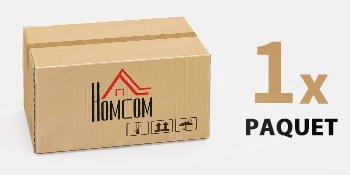
Picha: Package Contents. The product is delivered in one package. Ensure the package is intact upon arrival.
3. Kuweka na Kukusanya
This HOMCOM cabinet requires assembly. Detailed step-by-step instructions and all necessary hardware are included in the package. Follow the provided assembly manual carefully.
3.1 Orodha ya Hakiki ya Kabla ya Kusanyiko
- Fungua vipengele vyote na uviweke kwenye uso safi na laini.
- Identify all parts and hardware against the parts list in the assembly manual.
- Ensure you have the necessary tools (e.g., screwdriver, hammer) as specified in the manual.
3.2 Hatua za Mkutano (Mwongozo Mkuu)
- Attach the side panels to the base and top panels.
- Sakinisha slaidi za droo na uunganishe droo.
- Insert the adjustable shelf supports and the shelf.
- Attach the back panel.
- Mount the doors and adjust hinges for proper alignment.
- Install the handles on the drawer and doors.
- Secure the anti-tipping device to the cabinet and then to a wall stud.

Picha: Cabinet Interior. This image shows the cabinet's interior with the drawer and doors open, highlighting the storage capacity and the adjustable shelf.
4. Maagizo ya Uendeshaji
4.1 Using the Drawer
The top drawer provides convenient storage for smaller items. It features silent guides for smooth and quiet opening and closing.

Picha: Silent Drawer Guide. This detail shows the smooth-gliding mechanism of the drawer, designed for quiet operation.
4.2 Using the Double Doors and Adjustable Shelf
The lower section features double doors that open to reveal a storage compartment with an adjustable shelf. The shelf can be moved to three different height levels to accommodate items of various sizes.
- To adjust the shelf height, remove all items from the shelf.
- Inua rafu kwa uangalifu na uondoe pini za rafu kutoka kwenye mashimo yao ya sasa.
- Reinsert the shelf pins into the desired new height holes, ensuring they are level.
- Weka rafu nyuma kwenye pini.

Picha: Adjustable Shelf. This image highlights the three adjustable height options for the interior shelf, allowing for flexible storage configurations.
4.3 Top Surface Usage
The top surface of the cabinet can be used to display decorative items or store frequently accessed objects. Ensure that items placed on top do not exceed the recommended weight limit of 15 kg.

Picha: Top Surface Display. This image shows the cabinet's top surface being used to hold various kitchen items, illustrating its practical use as a display or serving area.
4.4 Robot Vacuum Clearance
The cabinet is designed with a 13 cm clearance from the floor, allowing most robot vacuum cleaners to pass underneath for easy floor cleaning.

Picha: Robot Vacuum Clearance. This image demonstrates the 13 cm clearance beneath the cabinet, allowing for convenient cleaning by robot vacuum cleaners.
5. Matengenezo
Proper care and maintenance will extend the life of your HOMCOM cabinet.
- Kusafisha: Futa nyuso kwa laini, damp kitambaa. Epuka kemikali kali au visafishaji vya kukwaruza, kwani vinaweza kuharibu umaliziaji.
- Kumwagika: Clean up spills immediately to prevent staining or damage to the engineered wood material.
- Mwangaza wa jua: Epuka kukabiliwa na jua moja kwa moja kwa muda mrefu ili kuzuia kufifia au kubadilika rangi.
- Unyevu: Weka kabati mbali na unyevu au unyevu kupita kiasi.
- Vifaa: Mara kwa mara angalia skrubu na viungio vyote ili kuhakikisha vinabana. Funga tena ikiwa ni lazima.
6. Utatuzi wa shida
- Baraza la Mawaziri la Wobbly: Hakikisha kabati limewekwa kwenye uso ulio sawa. Angalia skrubu zote za kuunganisha na uzikaze ikiwa zimelegea. Hakikisha kifaa cha kuzuia kuinama kimewekwa vizuri.
- Droo Isiyotelezesha Ulaini: Check that the drawer slides are correctly installed and free from obstructions. Ensure all screws on the slides are tight.
- Milango Isiyopangiliwa: Adjust the door hinges as per the assembly instructions to achieve proper alignment. Ensure the cabinet is level.
- Sehemu Zinazokosekana: If any parts are missing or damaged upon arrival, contact HOMCOM customer support immediately.
7. Vipimo
| Kipengele | Maelezo |
|---|---|
| Nambari ya Mfano | 83B-310V00GN |
| Chapa | HOMCOM |
| Vipimo vya Jumla (L x W x H) | Sentimita 80 x 40 x 90 (inchi 31.5 x 15.7 x 35.4) |
| Uzito | Kilo 21.5 (pauni 47.4) |
| Nyenzo | Mbao iliyotengenezwa |
| Rangi | Light Green (Vert clair) |
| Idadi ya Droo | 1 |
| Idadi ya Milango | 2 |
| Rafu Inayoweza Kubadilishwa | Ndio, viwango 3 |
| Max. Weight Capacity (Total) | Kilo 41 (pauni 90) |
| Uwezo wa Uzito wa Juu (Uso wa Juu) | Kilo 15 (pauni 33) |
| Usafishaji wa Sakafu | sentimita 13 (inchi 5.1) |

Picha: Product Dimensions. This diagram provides a visual representation of the cabinet's key measurements, including its overall height, width, and the clearance from the floor.
8. Udhamini na Msaada
For warranty information, missing parts, or any questions regarding your HOMCOM product, please refer to the warranty card included in your package or visit the official HOMCOM website. You may also contact customer support through your retailer.
Maelezo ya Mawasiliano: Please refer to your purchase documentation or the HOMCOM official webtovuti kwa maelezo ya mawasiliano ya huduma kwa wateja yaliyosasishwa zaidi.