
1. Utangulizi
Thank you for choosing the SENIX Electric Corded Garden Tiller & Cultivator, Model TLE13-M. This manual provides essential information for the safe operation, assembly, maintenance, and troubleshooting of your new garden tool. Please read this manual thoroughly before operating the tiller to ensure proper use and to prevent injury or damage.
This electric tiller is designed for cultivating soil in gardens, flower beds, and for lawn renovation. Its powerful motor and durable steel tines make it suitable for breaking through tough soil and preparing seedbeds.
2. Taarifa Muhimu za Usalama
ONYO: Soma maonyo na maagizo yote ya usalama. Kukosa kufuata maonyo na maagizo kunaweza kusababisha mshtuko wa umeme, moto na/au majeraha mabaya.
- Vaa vifaa vya kinga vya kibinafsi vinavyofaa kila wakati (PPE), ikijumuisha miwani ya usalama, glavu na viatu imara.
- Keep children and bystanders at a safe distance (at least 50 feet / 15 meters) from the operating area.
- Inspect the work area for rocks, debris, or other objects that could be thrown by the tines.
- Ensure the power cord is in good condition and positioned to avoid entanglement with the tines. Use only outdoor-rated extension cords.
- Never operate the tiller in wet conditions or rain.
- Always disconnect the power supply before performing any adjustments, cleaning, or maintenance.
- Use the dual safety switch mechanism for safe startup and to prevent accidental activation.

Kielelezo cha 2.1: The dual safety switch requires pressing the lock-off button (Step 1) before engaging the switch lever (Step 2) to start the tiller, ensuring safe operation.
3. Bidhaa Imeishaview
The SENIX Electric Corded Garden Tiller & Cultivator is designed for efficient soil preparation. Key features include:
- Nguvu 13.5-Amp Motor: Delivers strong power for breaking through tough soil.
- 16-inch Tilling Width & 8-inch Tilling Depth: Cultivates a significant area in a single pass.
- 6 Durable Steel Tines: Built for longevity and effective soil churning.
- 3-Position Wheel Adjustment: Allows customization of tilling depth and speed.
- Foldable Handle Design: For compact storage and easy transport.
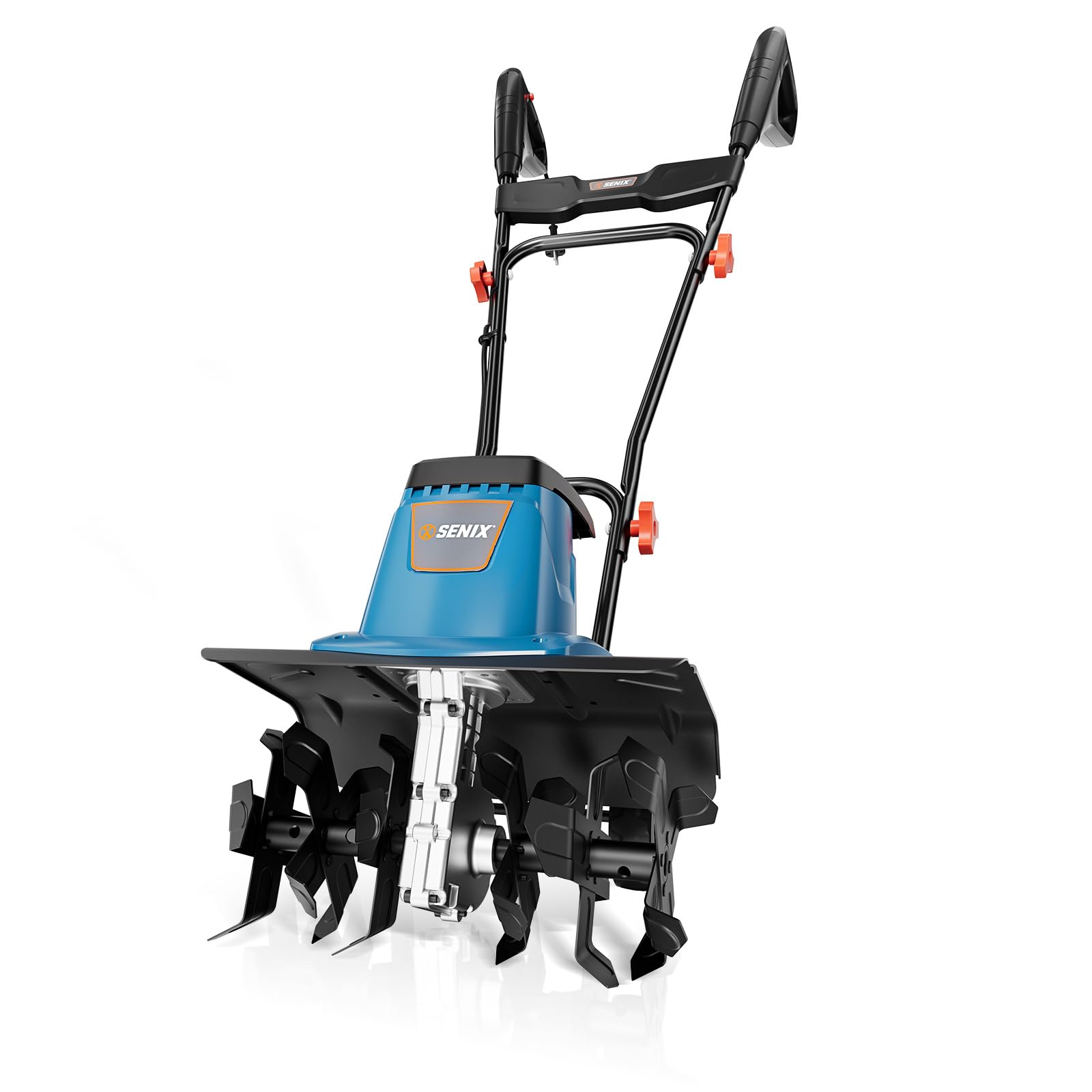
Kielelezo cha 3.1: Zaidiview of the SENIX Electric Tiller highlighting its powerful motor, steel tines, foldable handles, and 3-position wheel adjustment.

Kielelezo cha 3.2: Illustration of the tiller's 16-inch wide and 8-inch deep tilling capacity in soil.

Kielelezo cha 3.3: Visual representation of the 13.5 Amp high-power motor and 370 RPM tilling speed for efficient soil cutting and aeration.
4. Kuweka na Kukusanya
The SENIX TLE13-M tiller requires minimal assembly. Follow these steps:
- Fungua Vipengee: Ondoa kwa uangalifu sehemu zote kutoka kwa kifurushi. Thibitisha kuwa vipengele vyote vilivyoorodheshwa kwenye orodha ya vifungashio vipo.
- Kushughulikia Bunge: Ambatisha mpini wa juu kwenye mpini wa chini kwa kutumia visu na boliti zilizotolewa. Hakikisha mpini umefungwa vizuri.
- Usimamizi wa Kamba: Secure the power cord along the handle using the provided clips to prevent it from interfering with operation or getting caught in the tines.
- Marekebisho ya Gurudumu: Adjust the wheels to the desired height for transport or initial tilling. Refer to the "Operating Instructions" section for details on wheel positions.

Kielelezo cha 4.1: The tiller features a foldable handle design, allowing for compact storage and easy transport. Dimensions shown are for the folded state.
5. Maagizo ya Uendeshaji
Before starting, ensure you have read and understood all safety warnings.
5.1 Kuanza na Kusimamisha Mkulima
- Unganisha Nguvu: Plug the tiller's power cord into a suitable outdoor-rated extension cord, then plug the extension cord into a grounded 120V AC outlet.
- Anza: Press and hold the lock-off button (refer to Figure 2.1) with your thumb, then squeeze the switch lever with your fingers. The tines will begin to rotate.
- Acha: Release the switch lever. The tines will stop rotating.
5.2 Adjusting Wheel Position
The tiller features a 3-position wheel adjustment system to control tilling depth and ease of transport.

Kielelezo cha 5.1: The 3-position adjustable wheels allow for different tilling depths and transport modes.
- Nafasi ya Juu: For easy transport over uneven ground or very light cultivation.
- Nafasi ya Kati: Ideal for general soil tilling and preparing seedbeds.
- Nafasi ya Chini: For deep tine penetration and intensive cultivation in tougher soil.
To adjust, lift the tiller slightly and reposition the wheels into the desired slot. Ensure both wheels are set to the same position.
5.3 Tilling Techniques
- Initial Pass: For hard-packed soil, start with a shallow depth setting (higher wheel position) and make several passes, gradually increasing the depth.
- Mwingiliano: Overlap each pass by a few inches to ensure complete cultivation of the area.
- Udhibiti: Hold the tiller firmly with both hands. Allow the tiller to pull itself forward; do not force it. Guide it gently.
- Vizuizi: If the tines strike a hard object, release the switch lever immediately. Disconnect power, then inspect the tines for damage and remove the obstruction.
6. Matengenezo
Regular maintenance ensures optimal performance and extends the life of your tiller.
WARNING: Always disconnect the power supply before performing any maintenance or cleaning.
- Kusafisha: After each use, clean soil and debris from the tines and housing. Use a stiff brush or cloth. Do not use water directly on the motor housing.
- Ukaguzi wa Tini: Regularly inspect the steel tines for wear, damage, or bending. Replace damaged tines promptly.
- Ukaguzi wa kamba: Check the power cord and extension cord for cuts, fraying, or damage. Replace damaged cords immediately.
- Hifadhi: Store the tiller in a dry, secure location, out of reach of children. The foldable handle allows for compact storage.
7. Utatuzi wa shida
This section addresses common issues you might encounter with your SENIX TLE13-M tiller.
| Tatizo | Sababu inayowezekana | Suluhisho |
|---|---|---|
| Tiller does not start. |
|
|
| Tiller stops during operation. |
|
|
| Tiller vibrates excessively. |
|
|
8. Vipimo
| Kipengele | Maelezo |
|---|---|
| Nambari ya Mfano | TLE13-M |
| Chanzo cha Nguvu | Corded Electric (AC) |
| Injini | 13.5 Amp |
| Upana wa Kilimo | inchi 16 |
| Kina cha Kulima | inchi 8 |
| Tine Speed | 370 RPM |
| Idadi ya Tines | Matairi 6 ya Chuma |
| Nyenzo | Chuma |
| Vipimo vya Bidhaa (D x W x H) | 19.3" x 17.7" x 17" |
9. Udhamini na Msaada
The SENIX Electric Corded Garden Tiller & Cultivator (Model TLE13-M) is backed by a Udhamini mdogo wa mwaka 3. Udhamini huu unashughulikia kasoro katika nyenzo na utengenezaji chini ya matumizi ya kawaida.
For warranty claims, technical assistance, or to purchase replacement parts, please contact SENIX Tools customer service. Keep your proof of purchase for warranty validation.
Mtengenezaji: SENIX
Muuzaji: SENIX Tools
For the most up-to-date contact information, please refer to the official SENIX webtovuti au hati zako za ununuzi.