
Bidhaa Imeishaview
The pTron Studio Pro are wireless over-ear headphones designed for extended listening and clear communication. They feature an ergonomic design with soft earpads and an adjustable headband for comfortable wear. Key features include long battery life, advanced audio drivers, and versatile connectivity options.
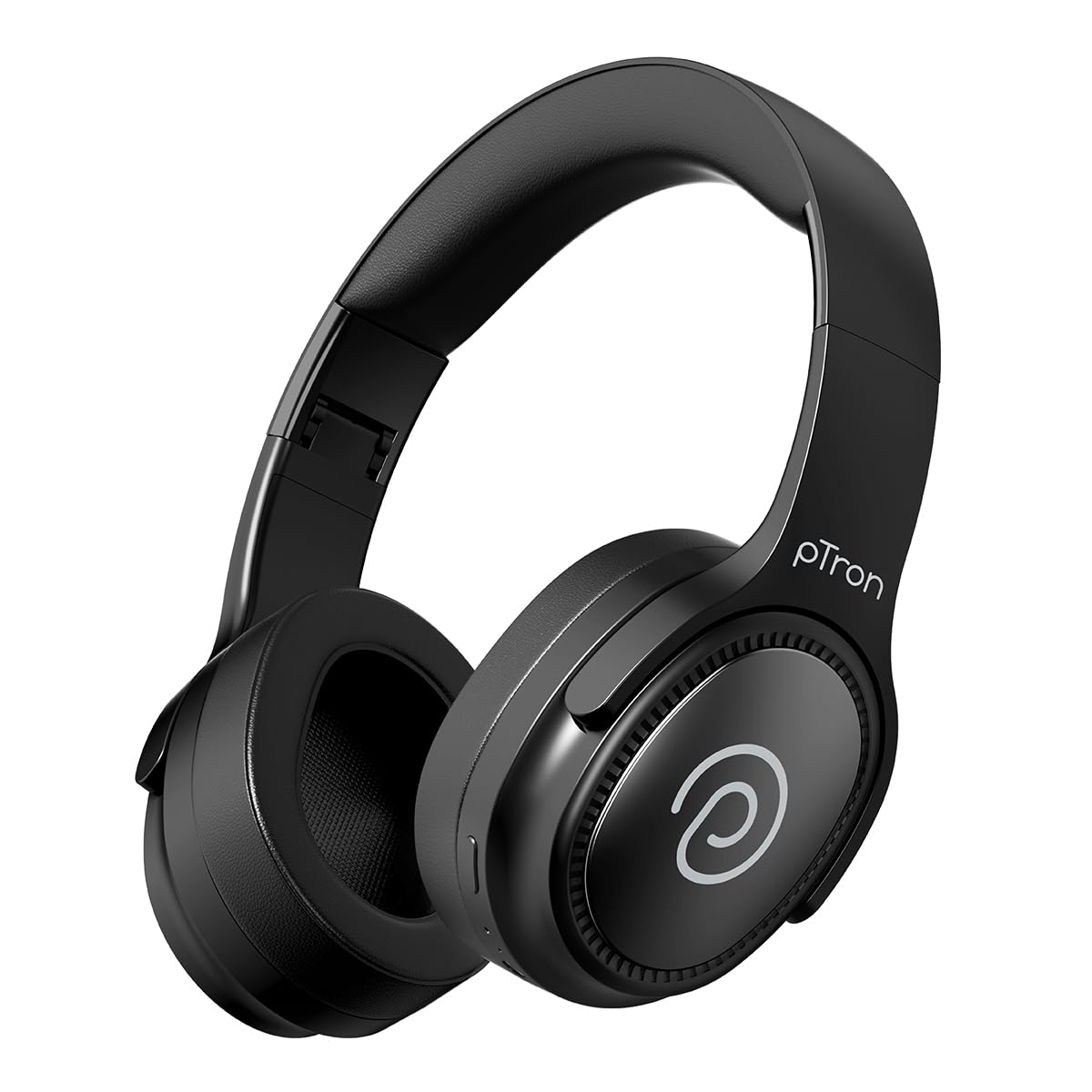
Image: pTron Studio Pro Wireless Over-Ear Headphones in Jet Black, showcasing muundo maridadi.
Sifa Muhimu
- Muda Ulioongezwa wa Kucheza: Up to 65 hours of music playback on a single full charge.
- Inachaji haraka: 2.5 hours for a full charge via Type-C. A 10-minute charge provides approximately 4 hours of playtime.
- Sauti ya Ubora wa Juu: Equipped with 40mm Neody Drivers for pristine stereo sound.
- Futa Simu: Built-in HD Microphone with TruTalk AI-ENC (Environmental Noise Cancellation) for crystal-clear calls.
- Muunganisho wa Kina: Fast Bluetooth v5.4 for instant pairing and stable connection.
- Kuoanisha Vifaa Viwili: Seamlessly connect and switch between two devices simultaneously.
- Njia Mbalimbali: Dedicated Low-Latency Gaming Mode and Music Mode.
- Upinzani wa Maji: IPX4 rating, making them resistant to water splashes and sweat.
- Comfort & Portability: Ergonomic, lightweight, and foldable design with soft earpads and an adjustable headband for a perfect fit and easy storage.
- Vidhibiti Rahisi: Multi-functional buttons for managing music, calls, and activating voice assistant.

Image: Infographic detailing the main features of the pTron Studio Pro headphones, including battery life, drivers, and connectivity.
Ni nini kwenye Sanduku
Upon unboxing your pTron Studio Pro headphones, you will find the following items:
- pTron Studio Pro Wireless Over-Ear Headphones
- Kebo ya Kuchaji (Aina-C)
- Mwongozo wa Mtumiaji
Video: An official product video demonstrating the unboxing and key features of the pTron Studio Pro headphones.
Product Layout and Controls
Familiarize yourself with the physical components and control buttons of your pTron Studio Pro headphones.

Picha: Kina view of the multi-function control buttons located on the ear cup, including power, volume, and track controls.
Kazi za Kitufe cha Kudhibiti:
| Kitufe/Kitendo | Kazi |
|---|---|
| Kitufe cha Nguvu (Bonyeza kwa Muda Mrefu) | Washa/Zima, Ingiza Hali ya Kuoanisha |
| Play/Pause Button (Single Press) | Cheza/Sitisha Muziki, Jibu/Katisha Simu |
| Play/Pause Button (Long Press) | Kataa Simu, Washa Kisaidizi cha Sauti |
| Ongeza Sauti (+) (Bonyeza Mara Moja) | Ongeza Kiasi |
| Kupunguza Sauti (-) (Bonyeza Mara Moja) | Punguza Sauti |
| Volume Up (+) (Long Press) | Wimbo Unaofuata |
| Volume Down (-) (Long Press) | Wimbo Uliopita |
| Mode Button (Single Press) | Switch between Game Mode and Music Mode |
Sanidi
1. Kuchaji Headphones
- Unganisha kebo ya kuchaji ya Aina ya C kwenye mlango wa kuchaji kwenye vipokea sauti vinavyobanwa kichwani.
- Connect the other end of the cable to a USB power source (DC5V-1A max.).
- Kiashiria cha LED kitaonyesha hali ya kuchaji. Chaji kamili huchukua takriban saa 2.5.
- A 10-minute charge can provide up to 4 hours of playtime.

Image: The pTron Studio Pro headphones highlighting the Type-C charging port and emphasizing the 65-hour playtime.
2. Kuoanisha Bluetooth
- Hakikisha vipokea sauti vya masikioni vimejaa chaji.
- Press and hold the Power button until the LED indicator flashes red and blue alternately, indicating pairing mode.
- Kwenye kifaa chako (smartphone, kompyuta ya mkononi, kompyuta ya mkononi), washa Bluetooth na utafute vifaa vinavyopatikana.
- Select "pTron Studio Pro" from the list of devices.
- Once connected, the LED indicator will turn solid blue or stop flashing.
3. Kuoanisha Vifaa Viwili
- Oanisha vipokea sauti vya masikioni na kifaa cha kwanza kama ilivyoelezwa hapo juu.
- Zima Bluetooth kwenye kifaa cha kwanza. Vipokea sauti vya masikioni vitaingia tena katika hali ya kuoanisha.
- Oanisha vipokea sauti vya masikioni na kifaa cha pili.
- Washa tena Bluetooth kwenye kifaa cha kwanza. Vipokea sauti vya masikioni vinapaswa kuunganishwa kiotomatiki kwa vifaa vyote viwili.
- You can now switch audio playback between the two connected devices.

Image: The headphones connected to both a laptop and a smartphone, demonstrating the dual device pairing feature.
4. Wired Connection (3.5mm Aux-in)
- Insert one end of a 3.5mm audio cable (not included) into the Aux-in port on the headphones.
- Connect the other end of the cable to your audio source's 3.5mm jack.
- Vipokea sauti vinavyobanwa kichwani vitabadilika kiotomatiki hadi hali ya waya.

Image: The headphones connected to a smartphone using a 3.5mm Aux-in cable, illustrating wired music playback.
Maagizo ya Uendeshaji
Washa/Zima
- Washa: Bonyeza na ushikilie kitufe cha Kuwasha kwa takriban sekunde 3 hadi kiashiria cha LED kiwake.
- Zima umeme: Bonyeza na ushikilie kitufe cha Kuwasha kwa takriban sekunde 5 hadi kiashiria cha LED kizime.
Vidhibiti vya Muziki
- Cheza/Sitisha: Bonyeza kitufe cha Cheza/Sitisha mara moja.
- Wimbo Ufuatao: Bonyeza kitufe cha Kuongeza Sauti (+) kwa muda mrefu.
- Wimbo Uliopita: Bonyeza kitufe cha "Volume Down" kwa muda mrefu (-).
- Kiasi Juu: Single press the Volume Up (+) button.
- Punguza sauti: Single press the Volume Down (-) button.
Udhibiti wa simu
- Jibu/Maliza Simu: Bonyeza kitufe cha Cheza/Sitisha mara moja.
- Kataa Simu: Bonyeza kwa muda mrefu kitufe cha Cheza/Sitisha.
Msaidizi wa Sauti
- Washa Msaidizi wa Sauti: Long press the Play/Pause button (after rejecting a call, if applicable, or when not on a call).
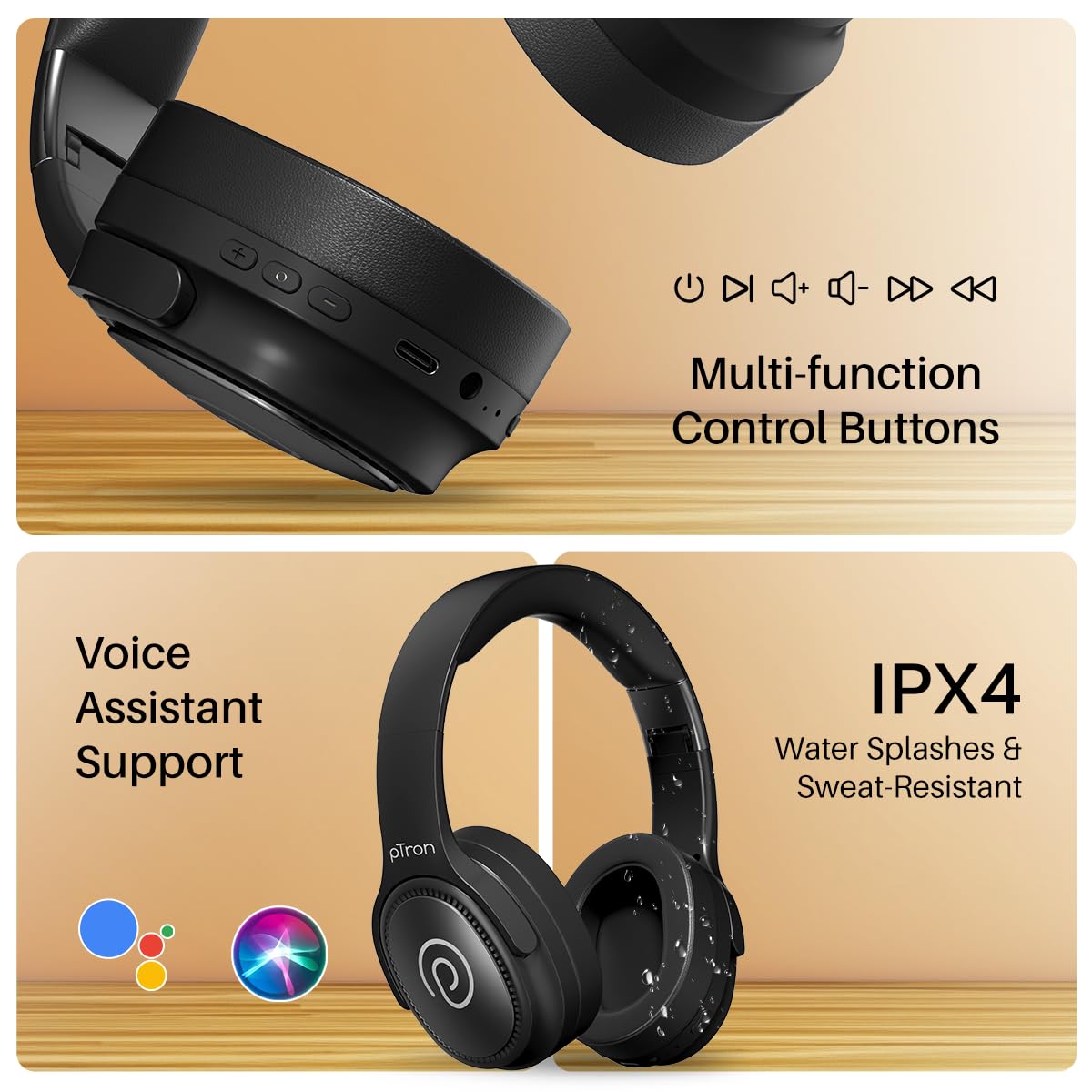
Image: The headphones illustrating support for voice assistants like Google Assistant and Siri, along with their IPX4 water-resistant rating.
Game & Music Modes
- Badili Modi: Single press the Mode button to toggle between Low-Latency Gaming Mode and standard Music Mode.
Matengenezo
To ensure the longevity and optimal performance of your pTron Studio Pro headphones, follow these maintenance guidelines:
- Kusafisha: Tumia kitambaa laini na kikavu kusafisha vichwa vya sauti. Usitumie visafishaji vya abrasive au vimumunyisho.
- Hifadhi: Ikiwa haitumiki, hifadhi vipokea sauti vya masikioni mahali pakavu na penye baridi. Muundo unaoweza kukunjwa huruhusu hifadhi ndogo.
- Mfiduo wa Maji: While rated IPX4 for water splashes and sweat resistance, avoid submerging the headphones in water or exposing them to heavy rain. Dry them thoroughly if they get wet.
- Inachaji: Use only the provided Type-C cable and a compatible power adapter (DC5V-1A max.) for charging.
- Epuka Halijoto Zilizokithiri: Usiweke vipokea sauti vya masikioni kwenye halijoto ya juu sana au ya chini sana.
Kutatua matatizo
If you encounter any issues with your pTron Studio Pro headphones, refer to the following common troubleshooting steps:
| Tatizo | Suluhisho |
|---|---|
| Vipokea sauti vya masikioni haviwashi. | Hakikisha vipokea sauti vya masikioni vimechajiwa kikamilifu. Unganisha kwenye chanzo cha umeme na uangalie kiashiria cha kuchaji. |
| Haiwezi kuoanisha na kifaa. | Make sure Bluetooth is enabled on your device and the headphones are in pairing mode (LED flashing red/blue). Move closer to the device. Forget previous pairings on your device and try again. |
| Hakuna sauti au sauti ya chini. | Check the volume levels on both the headphones and your connected device. Ensure the headphones are correctly paired. If using Aux-in, ensure the cable is fully inserted. |
| Ubora wa simu ni duni. | Ensure the microphone is not obstructed. Move to an area with less environmental noise. Check your device's network signal. |
| Vipokea sauti vya masikioni hukatwa mara kwa mara. | Ensure there are no obstacles between the headphones and your device. Keep within the Bluetooth range (10 meters). Avoid strong electromagnetic interference. |
Vipimo
| Kipengele | Maelezo |
|---|---|
| Chapa | pTron |
| Jina la Mfano | Studio |
| Uwekaji wa Masikio | Juu ya Sikio |
| Toleo la Bluetooth | 5.4 |
| Msururu wa Bluetooth | Mita 10 |
| Ukubwa wa Dereva wa Sauti | Milimita 40 |
| Impedans | 32 ohm |
| Wastani wa Maisha ya Betri | Saa 65 |
| Muda wa Kuchaji Betri | Saa 2.5 |
| Kuchaji Bandari | Aina-C |
| Kiwango cha Upinzani wa Maji | IPX4 (Inayostahimili Maji) |
| Maikrofoni | Built-in HD Mic with AI-ENC |
| Jack ya kipaza sauti | 3.5 mm Jack |
| Aina ya Kudhibiti | Call Control, Push Button |
| Vipengele vya Bidhaa | Fast Charging, Foldable, Microphone Included, Noise Isolation, Surround Sound |
| Uzito wa Kipengee | Gramu 200 |
| Nyenzo | Acrylonitrile Butadiene Styrene (ABS) |
| Vifaa Sambamba | Cellphones, Desktops, Laptops, Tablets |
Udhamini na Msaada
Your pTron Studio Pro headphones come with a manufacturer's warranty and dedicated customer support.
- Udhamini: 6 Months Manufacturer Warranty from the Date of Purchase on Manufacturing Defects Only.
- Anwani ya Mtengenezaji: Building A1, Red Box Creative Park, No. 3 Huancheng South Road, Bantian Street, Longgang District, Shenzhen City, China 518116.
- Maelezo ya Mawasiliano ya Huduma kwa Wateja: 40-67138888 / Support@ptron.in
- Anwani ya Mwagizaji: PALRED ELECTRONICS PVT. LTD., SY.NO. 56, GHOROFA YA 1, GUNDLAPOCHAMPALLY VILLAGE, TECH PARK MTP, TSIIC-IALA NACHARAM, HYDERABAD - 500076, TELANGANA, INDIA.