
Utangulizi
The Radtel RT13 Super Mini Walkie Talkie is a compact and lightweight two-way radio designed for clear and stable communication. This manual provides detailed instructions for setting up, operating, and maintaining your device to ensure optimal performance.
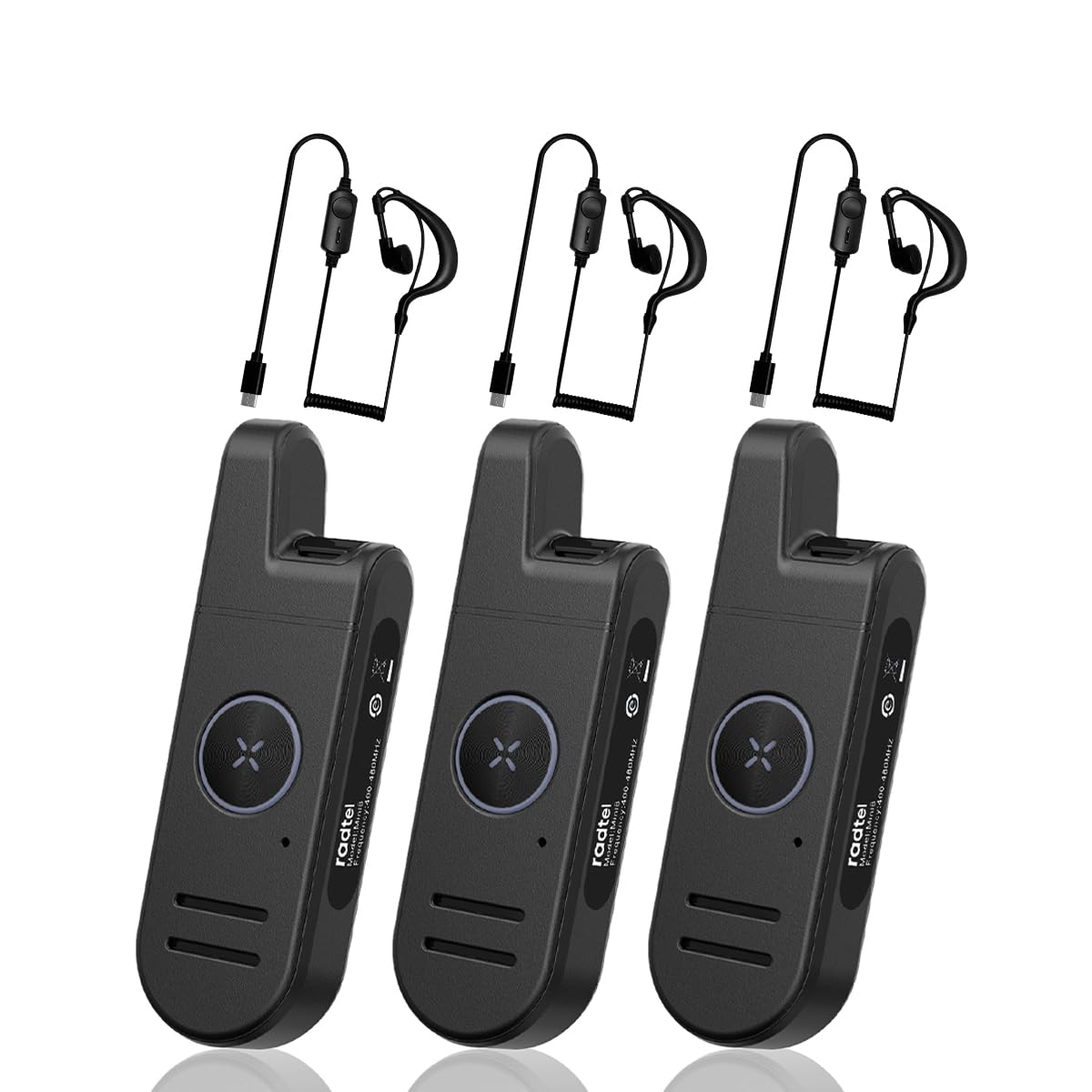
Image: The Radtel RT13 Super Mini Walkie Talkie, showcasing muundo wake kompakt.
Ni nini kwenye Sanduku
- 3x Radtel RT13 Radio with built-in battery
- 3x USB-C Charger cable
- Kipande cha sikio 3x
- 3x klipu ya ukanda
- 3x Mwongozo wa Mtumiaji

Image: Components included with the Radtel RT13, such as the radio unit, earpiece, and charging cable.
Vipengele vya Bidhaa
- Super Mini and Lightweight: The RT13 features a compact design, making it easy to hold, pocket, or clip onto clothing.
- Long Range & Clear Audio: Equipped with 1W power and a fixed antenna for stable communication. Effective in downtown areas, open spaces, and multi-floor buildings.
- Voice-Activated Launching (VOX): Allows hands-free operation. Includes frequency hopping, inverter, high/low power switching, battery saving, and busy lock functions.
- Maisha marefu ya Betri: Features a 700mAh Li-ion battery for extended continuous use.
- Stylish and Durable: Designed with a simple, fashionable aesthetic and constructed from strong, fall-resistant materials for a longer service life.
Bidhaa Imeishaview na Vidhibiti
Familiarize yourself with the various parts and controls of your Radtel RT13 radio:

Image: Diagram illustrating the antenna, headphone/microphone/Type-C jack, power button, volume/channel buttons, PTT button, microphone, and speaker on the Radtel RT13.
- Antena: Imeunganishwa kwa ajili ya upitishaji na upokeaji wa mawimbi.
- Headphone/Microphone/Type-C Jack: Multi-functional port for charging, connecting the earpiece, and external microphone.
- Kitufe cha Nguvu: Used to turn the device on and off.
- Volume+/Channel+ Button: Increases volume or changes to the next channel.
- Volume-/Channel- Button: Decreases volume or changes to the previous channel.
- Kitufe cha PTT (Push-to-Ongee): Bonyeza na ushikilie ili kusambaza sauti yako.
- Maikrofoni: Captures your voice during transmission.
- Spika: Outputs incoming audio.
- Kitufe cha Kubadilisha Modi: Used for various customizable functions (e.g., scan, keypad lock).
- Klipu ya Ukanda: For convenient attachment to clothing or a belt.

Image: Various angles of the Radtel RT13, highlighting its slim profile and integrated belt clip.
Sanidi
Kuchaji Betri
The RT13 comes with a built-in 700mAh Li-ion battery. Use the provided USB-C charging cable to charge the device. A power block (not included) or any USB charging port can be used.

Image: Close-up of the Type-C charging port on the Radtel RT13.
The LED indicator will display red during charging and turn blue when fully charged. A low battery warning will remind you to recharge.
Washa/ZIMWASHA
To power ON: Press and hold the side power button until you hear "Welcome" and the current channel is announced. The LED indicator will light up green.
To power OFF: Press and hold the side power button until you hear two beeps ("ding-ding"), indicating the device is powered off. The LED indicator will flash red.
Video: Demonstrates how to power the Radtel RT13 on and off, including the voice prompts and LED indicator changes.
Uteuzi wa Kituo
The radio has 22 channels. To select a channel, long press the Volume+ or Volume- side button. The radio will announce the current corresponding channel. Ensure all radios in your group are on the same channel for communication.
Marekebisho ya Kiasi
Short press the Volume+ side button to increase volume. Short press the Volume- side button to decrease volume.
Switching Language (Chinese/English)
You can switch between Chinese and English voice prompts through computer programming software or by pressing and holding the power button and the Volume- button simultaneously when powering on the device.
Maagizo ya Uendeshaji
Kusambaza
To transmit, press and hold the PTT (Push-to-Talk) button located on the front of the radio. Speak into the microphone in your normal tone of voice. The LED indicator will display red when transmitting. To maximize sound clarity, hold the transceiver three to eight centimeters from your mouth.

Image: The large PTT button on the Radtel RT13, illuminated red to indicate transmission.
Kupokea
When not transmitting, the radio is in receive mode. The LED indicator will display green when receiving a signal.
VOX (Voice-Activated Transmission)
The VOX function allows for hands-free transmission. When enabled, the radio will automatically transmit when it detects your voice. The VOX gain level can be selected from 1 to 9 levels via programming software. This feature is useful when you need to communicate without pressing the PTT button.

Image: The Radtel RT13 demonstrating its voice-activated transmission (VOX) capability.
Kufuatilia Kazi
Short press the 'M' button to activate the monitor function. This allows you to listen to weak signals on the current channel without squelch. Press again to deactivate.
Kufuli/Kufungua Kinanda
Long press the 'M' button to lock or unlock the keypad. This prevents accidental changes to settings.
Matengenezo
Utunzaji wa Betri
To ensure long battery life, fully charge the device before first use. Avoid completely draining the battery frequently. Store the radio in a cool, dry place when not in use for extended periods.
Kusafisha
Futa redio kwa laini, damp cloth. Do not use harsh chemicals or abrasive cleaners. Ensure the charging port cover is securely closed to prevent dust and moisture ingress.
Upinzani wa Maji
The Radtel RT13 is moisture resistant, offering protection against light splashes or rain. It is not designed to be submerged in water. Ensure all port covers are sealed when exposed to moisture.
Kutatua matatizo
| Tatizo | Sababu inayowezekana | Suluhisho |
|---|---|---|
| Hakuna nguvu | Betri iko chini au imeisha. | Chaji betri kwa kutumia kebo ya USB-C iliyotolewa. |
| Haiwezi kuwasiliana na redio zingine | Redio ziko kwenye chaneli tofauti. | Hakikisha redio zote zimewekwa kwenye chaneli moja. |
| Poor audio quality or short range | Obstructions (buildings, terrain) or interference. | Move to an open area. Ensure no large obstructions are between radios. |
| Kibodi haifanyi kazi | Kitufe kimefungwa. | Long press the 'M' button to unlock the keypad. |
Vipimo
- Uzito wa Kipengee: 15.8 wakia
- Vipimo vya Bidhaa: Inchi 3.9 x 0.67 x 1.26
- Nambari ya Mfano wa Kipengee: RT-13
- Betri: Betri ya Li-ion ya 700mAh (imejumuishwa)
- Idadi ya Vituo: Chaneli 22 za FRS
- Kipengele Maalum: Type-C Charging, Super Mini Pocket Radio
- Masafa ya Marudio: 462/467Mhz FRS
- Upeo wa Masafa ya Kuzungumza: Kilomita 6 (takriban maili 3.7)
- Voltage: 7.4 Volts
- Kiwango cha Upinzani wa Maji: Inastahimili unyevu

Image: The Radtel RT13 walkie talkie with its compact dimensions highlighted.
Udhamini na Msaada
The Radtel RT13 comes with a 1-Year Warranty. For any support inquiries, troubleshooting assistance, or warranty claims, please contact Radtel customer service through the retailer where the product was purchased or visit the official Radtel webtovuti.
Kwa habari zaidi na rasilimali, unaweza kutembelea Radtel Store on Amazon.
Matukio ya Matumizi
The Radtel RT13 is versatile and suitable for various environments requiring reliable short-range communication:
- Biashara: Ideal for hotels, warehouses, restaurants, hair salons, and security personnel.
- Matukio ya Nje: Kamili kwa camping, hiking, festivals, and other recreational activities.
- Matumizi ya Kibinafsi: Great for families and friends to stay connected in close proximity.

Image: Collage showing the Radtel RT13 being used in diverse settings such as hotels, restaurants, car showrooms, and hair salons.
Video: Muhtasari mfupiview of the Radtel RT13, highlighting its small size and ease of use in various scenarios.