
Utangulizi
This manual provides detailed instructions for the New Bee M53 Bluetooth Headset. Please read this manual carefully before using the product to ensure proper operation and to maximize its performance and lifespan. Keep this manual for future reference.
Yaliyomo kwenye Kifurushi
Thibitisha kuwa vipengee vyote vipo kwenye kifurushi:
- Bluetooth Earpiece (1 unit)
- 500mAh Charging Case (1 unit)
- Ear Tips (3 sizes: S/M/L)
- Type-C Cable (1 unit, AC adapter not included)
- Mwongozo wa Mtumiaji (kitengo 1)
Bidhaa Imeishaview
The New Bee M53 Bluetooth Headset features an ergonomic design for comfortable wear and intuitive controls. Below is a general view of the headset and its charging case.
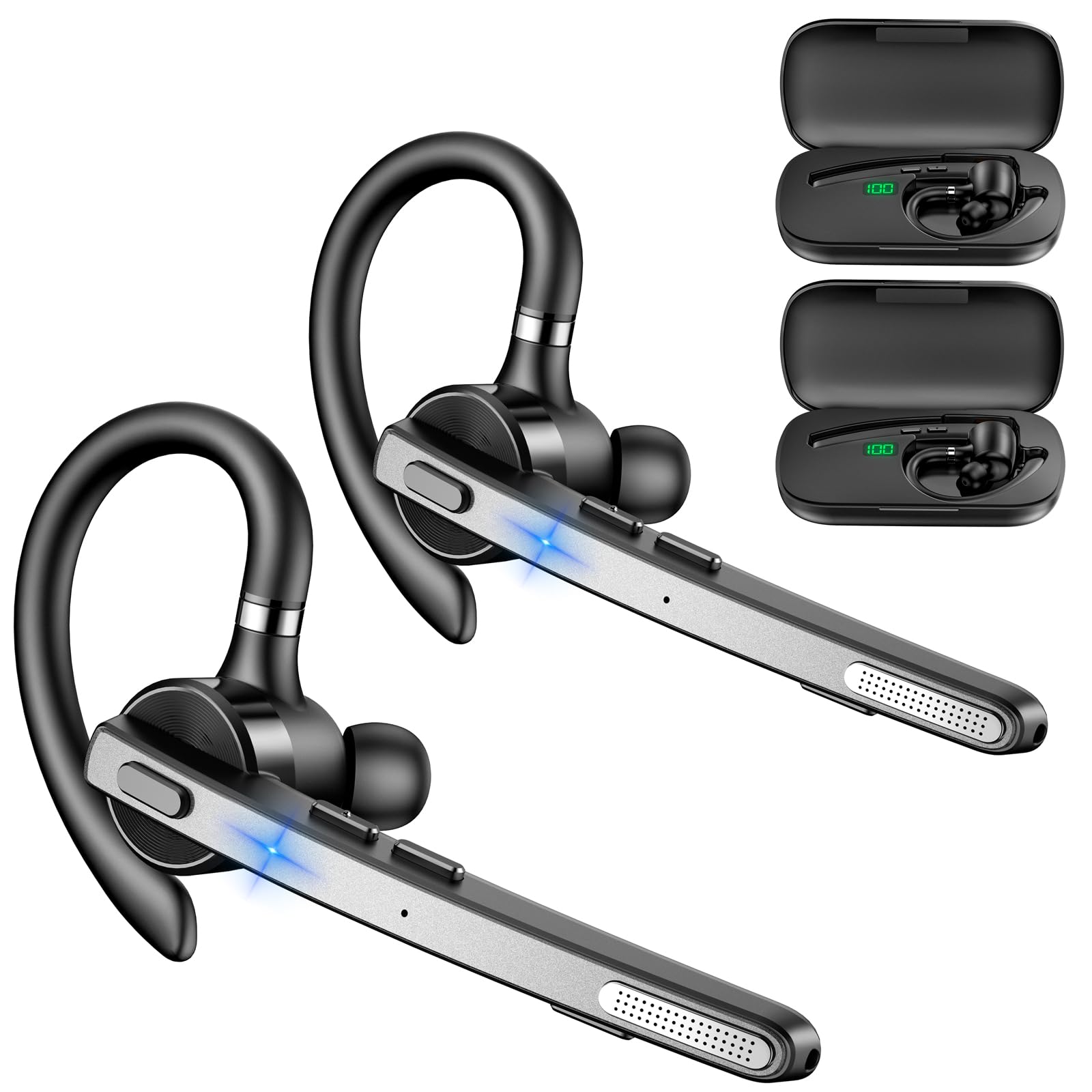
Image: New Bee M53 Bluetooth Headset with its charging case and included ear tips.

Image: Diagram illustrating the various buttons and their functions on the New Bee M53 Bluetooth Headset, including power, volume, call control, mute, and Type-C charging port.
Sanidi
1. Kuchaji Vifaa vya Kusikilizia Sauti na Kesi
Before first use, fully charge the headset and its charging case. The charging case has a digital display to indicate the remaining power.
- Connect the provided Type-C cable to the charging port on the case and to a USB power source (e.g., computer, wall adapter).
- Place the headset into the charging case.
- Chaji kamili huchukua takriban saa 2.
- The 500mAh charging case provides approximately 72 hours of total playtime for the headset.
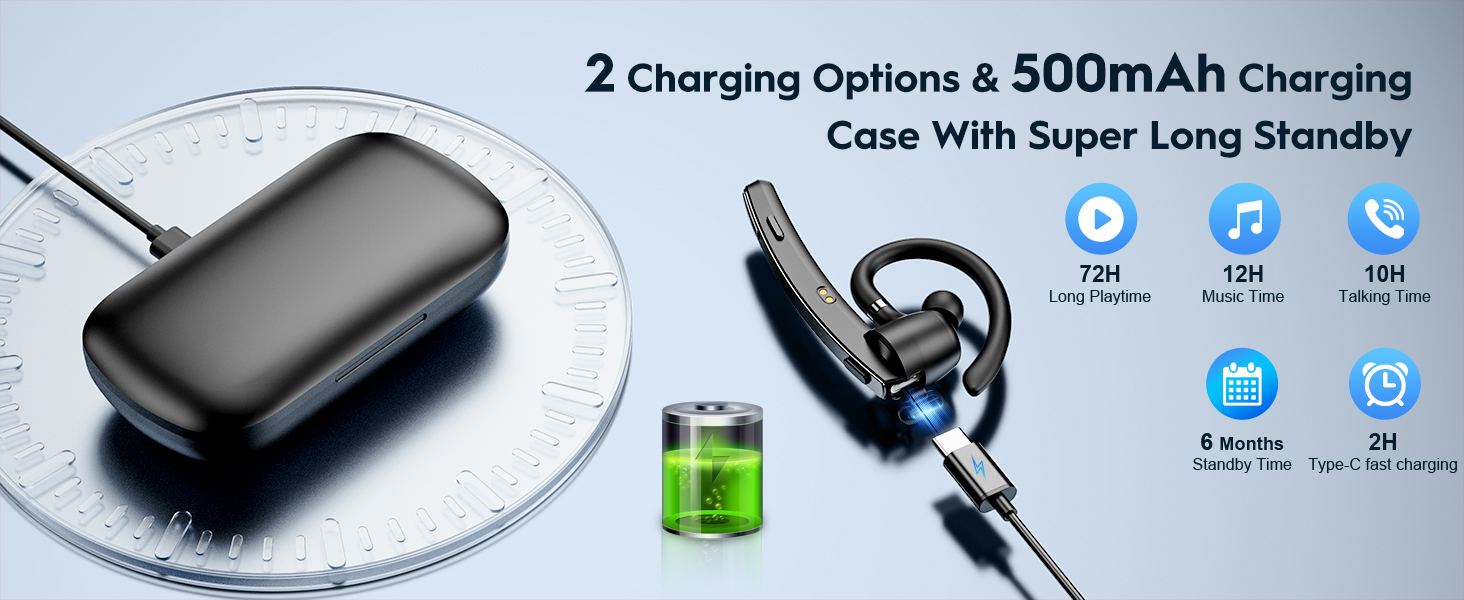
Image: The New Bee M53 charging case displaying battery level, with the headset inside, illustrating its long battery life capabilities.
2. Kuvaa Headset
The headset is designed for comfortable and secure fit. It can be worn on either the left or right ear.
- The flexible ear hook can be rotated 180° to fit either ear.
- The earphone arm can be rotated 270° to adjust the microphone position.
- Choose from the three included ear tip sizes (S, M, L) for the best fit and comfort.
- The headset weighs only 13.6 grams, ensuring comfort during extended wear.
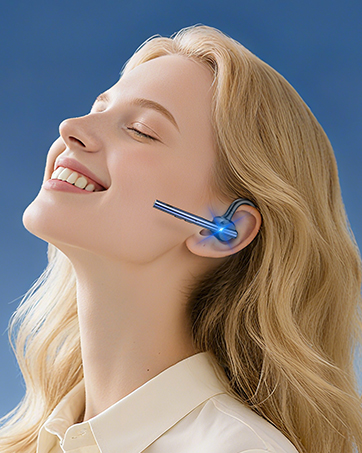
Image: Illustration of the headset's adjustable ear hook for left/right ear use and the three available ear tip sizes (S, M, L).
3. Kuoanisha Bluetooth
The headset uses Bluetooth 5.1 technology for quick and stable connections.
- Hakikisha vifaa vya masikioni vimechajiwa na vimezimwa.
- Press and hold the Power button for 3-5 seconds until the indicator light flashes blue and red, indicating pairing mode.
- Kwenye kifaa chako (smartphone, kompyuta ya mkononi, n.k.), washa Bluetooth na utafute vifaa vinavyopatikana.
- Chagua "M53" kutoka kwenye orodha ya vifaa.
- Mara tu ikiunganishwa, taa ya kiashiria itawaka bluu polepole.
The headset supports connecting to two devices simultaneously within a 15-meter (49 feet) range.

Image: The headset shown connecting to a mobile phone, demonstrating Bluetooth 5.1 quick connection and dual device capability.
Maagizo ya Uendeshaji
Kazi za Msingi
- Washa/Zima: Press and hold the Power button for 3 seconds to power on, 5 seconds to power off.
- Cheza/Sitisha: Bonyeza kitufe cha Cheza/Sitisha mara moja.
- Udhibiti wa Sauti: Tumia vitufe vya Sauti +/- kurekebisha kiwango cha sauti.
- Wimbo Uliofuata/Uliopita: Press and hold Volume + for next song, Volume - for previous song (3 seconds).
Usimamizi wa simu
- Jibu/Kata simu: Press the Answer/Hang Up button once.
- Kataa Simu: Press and hold the Answer/Hang Up button for 2 seconds.
- Piga tena Nambari ya Mwisho: Double-press the Answer/Hang Up button.
- Sauti Maikrofoni: Press the Mic Mute button once during a call to mute/unmute the microphone.
The headset features dual-mic noise reduction and CVC8.0 technology for clear calls by reducing ambient noise and echo.

Image: Illustration of the headset's one-button call answering and mute features for hands-free communication.

Image: Visual representation of the dual-mic noise cancelling technology, showing how external background noise is reduced for clear calls.
Matengenezo
To ensure the longevity and optimal performance of your New Bee M53 Bluetooth Headset, follow these maintenance guidelines:
- Kusafisha: Use a soft, dry, lint-free cloth to clean the headset and charging case. Do not use abrasive cleaners, solvents, or aerosol sprays.
- Hifadhi: Store the headset in its charging case when not in use to protect it from dust and damage. Avoid extreme temperatures.
- Mfiduo wa Maji: Vifaa vya masikioni havizuii maji. Epuka kuathiriwa na maji, unyevu, au unyevu kupita kiasi.
- Inachaji: Always use the provided Type-C cable for charging. Do not attempt to disassemble or modify the device.
Kutatua matatizo
Ukikumbana na matatizo na vifaa vyako vya sauti, rejelea suluhisho zifuatazo za kawaida:
| Tatizo | Suluhisho |
|---|---|
| Vifaa vya masikioni haviwaki. | Ensure the headset is fully charged. Place it in the charging case and connect the case to a power source. |
| Haiwezi kuoanisha na kifaa. |
|
| Hakuna sauti au sauti ya chini. |
|
| Ubora wa simu ni duni. |
|
Vipimo
| Kipengele | Maelezo |
|---|---|
| Jina la Mfano | M53 |
| Toleo la Bluetooth | 5.1 |
| Msururu wa Bluetooth | Hadi mita 15 (futi 49) |
| Battery Life (Talktime/Music) | Takriban saa 12 kwa malipo |
| Jumla ya Muda wa Kucheza na Kipochi cha Kuchaji | Hadi saa 72 |
| Uwezo wa Kesi ya Kuchaji | 500mAh |
| Muda wa Kuchaji | Approximately 2 hours (Type-C) |
| Uzito | 13.6 grams (earpiece) |
| Udhibiti wa Kelele | Dual-Mic Noise Reduction, CVC8.0 |
| Utangamano | iOS, Android, Windows (Cellphones, Laptops, Desktops) |
| Aina ya Kudhibiti | Udhibiti wa Kitufe |

Image: The headset demonstrating its wide compatibility with devices such as tablets, cellphones, laptops, PCs, and Kindles.
Udhamini na Msaada
New Bee provides a 3-year customer support service for this product. If you encounter any issues or have questions, please contact our customer support team. Refer to the contact information provided with your purchase or visit the official New Bee webtovuti kwa msaada.
Kwa madai ya udhamini, tafadhali hifadhi uthibitisho wako wa ununuzi.