
1. Utangulizi
Thank you for choosing the BUGANI OWSB10S Open Ear Wireless Headphones. These headphones are designed to provide a comfortable listening experience while maintaining situational awareness. Featuring Bluetooth 5.4 technology, HiFi stereo sound, and an IPX5 waterproof rating, they are suitable for various activities including sports, running, and cycling. This manual provides detailed instructions for setup, operation, maintenance, and troubleshooting to ensure optimal performance.
2. Yaliyomo kwenye Kifurushi
- BUGANI OWSB10S Open Ear Wireless Headphones (Left and Right)
- Kesi ya Kuchaji
- Kebo ya Kuchaji ya USB-C
- Mwongozo wa Mtumiaji
3. Bidhaa Imeishaview
The BUGANI OWSB10S headphones feature an open-ear design that rests gently outside your ears, reducing pressure and fatigue. This design allows you to stay aware of your surroundings, making them ideal for outdoor activities. They are equipped with custom dynamic drivers for rich audio and an HD microphone for clear calls.

Figure 3.1: BUGANI OWSB10S Open Ear Wireless Headphones worn on ear, demonstrating the comfortable fit.

Kielelezo cha 3.2: Kilipuka view of a BUGANI OWSB10S earbud, showcasing the custom dynamic driver and internal structure.

Figure 3.3: Diagram illustrating the directional sound transmission technology of the BUGANI OWSB10S, designed to reduce sound leakage.
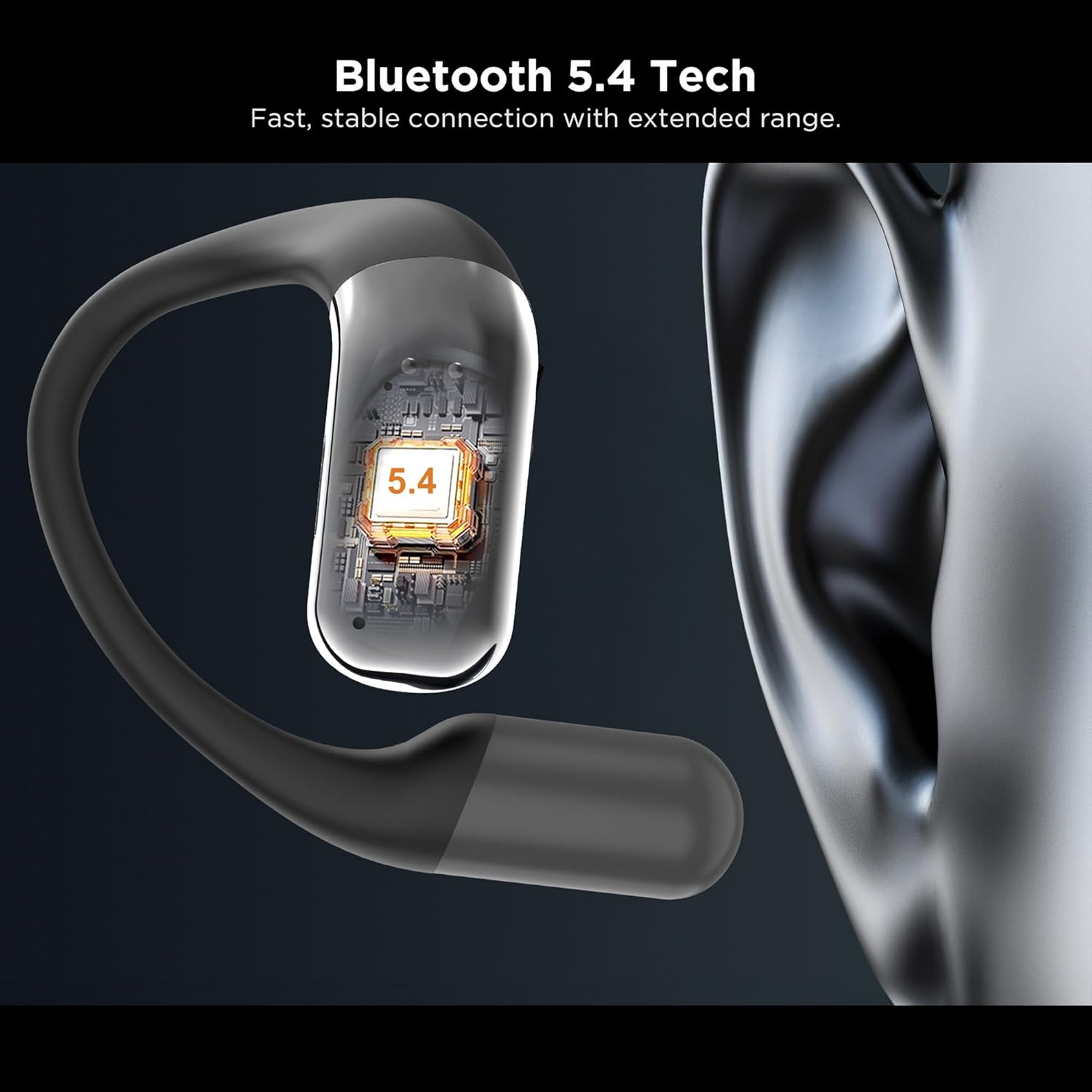
Kielelezo 3.4: Karibu view of the integrated Bluetooth 5.4 chip within the BUGANI OWSB10S earbud, ensuring stable connectivity.

Figure 3.5: The BUGANI OWSB10S earbuds securely placed in their charging case, ready for recharging.
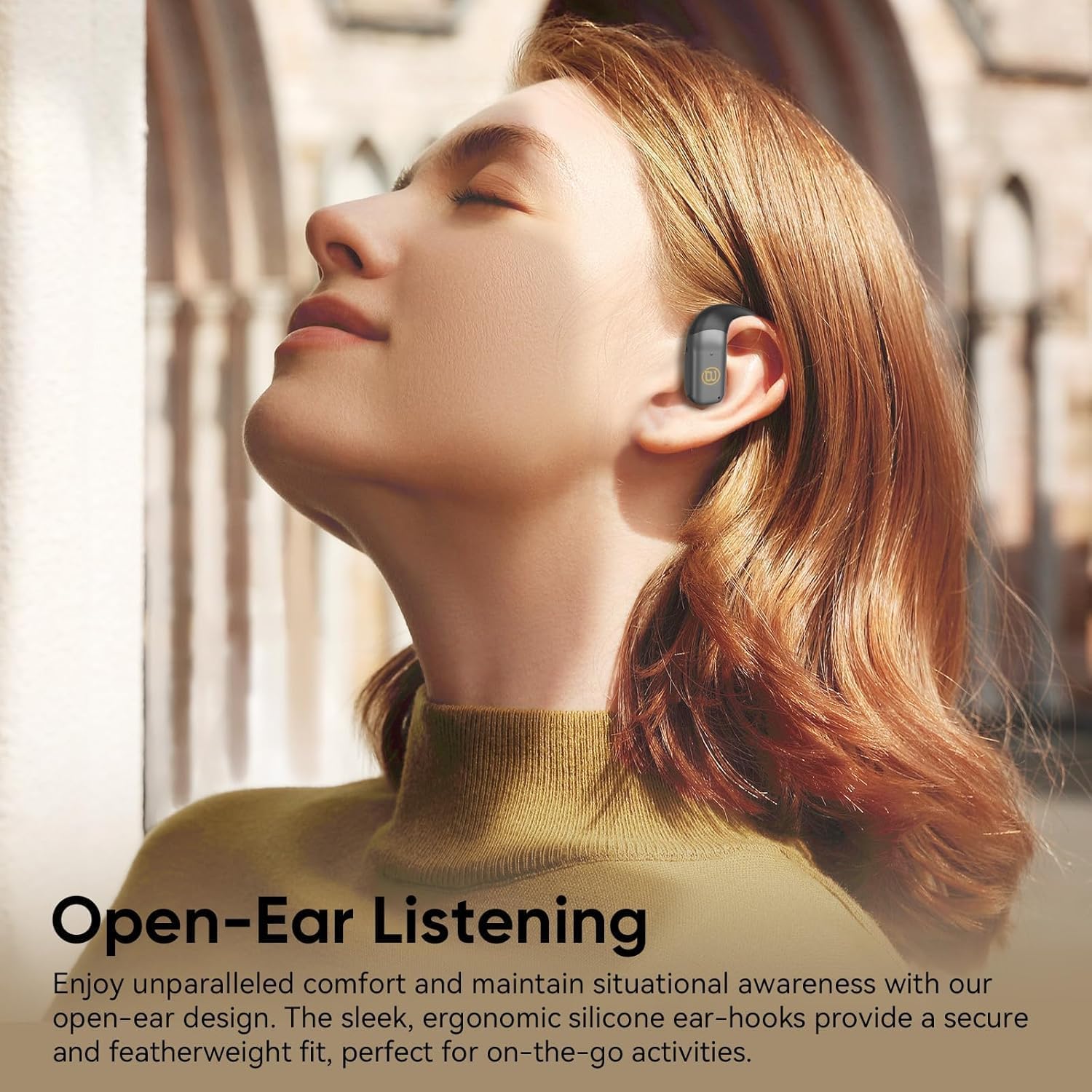
Figure 3.6: A user wearing the BUGANI OWSB10S headphones, highlighting the open-ear design for comfort and environmental awareness.
4. Kuweka
4.1 Kuchaji Awali
Before first use, ensure the charging case is fully charged. Connect the provided USB-C cable to the charging port on the case and to a power source. The indicator light on the case will show charging status. Once fully charged, the case can provide multiple recharges for the earbuds.
4.2 Removing Protective Film
Upon unboxing, remove any protective plastic film covering the charging contacts on the earbuds. This film prevents charging and proper connection. Place the earbuds back into the charging case after removing the film.
4.3 Kuoanisha Bluetooth
- Fungua kesi ya malipo. Vifaa vya masikioni vitaingia kiotomatiki modi ya kuoanisha.
- Kwenye kifaa chako (smartphone, kompyuta kibao, nk), washa Bluetooth.
- Tafuta available Bluetooth devices and select "BUGANI B10" from the list.
- Ukishaunganisha, utasikia kidokezo cha sauti, na vifaa vya masikioni vitakuwa tayari kutumika.
Video 4.1: This video demonstrates the unboxing and initial setup process for the BUGANI OWSB10S headphones, including how to remove protective films and place them in the charging case.
5. Maagizo ya Uendeshaji
5.1 Kuvaa Vipaza sauti
Gently place the ear hooks over your ears, ensuring the earbud rests comfortably outside your ear canal. Adjust for a secure fit. The open-ear design allows for ambient sound awareness.
5.2 Vidhibiti vya Kugusa
The BUGANI OWSB10S headphones feature touch controls for various functions:
- Cheza/Sitisha: Gusa mara moja kwenye kifaa chochote cha masikioni.
- Wimbo Ufuatao: Gusa mara mbili kwenye kifaa cha masikioni cha kulia.
- Wimbo Uliopita: Gusa mara mbili kwenye kifaa cha masikioni cha kushoto.
- Jibu/Maliza Simu: Gusa mara moja kwenye kifaa chochote cha masikioni wakati wa simu inayoingia.
- Kataa Simu: Bonyeza na ushikilie kifaa chochote cha masikioni wakati wa simu inayoingia.
- Washa Msaidizi wa Sauti: Gusa mara tatu kwenye kifaa chochote cha masikioni.
5.3 Kipengele cha Tafsiri cha AI
These headphones support AI translation capabilities when used with a compatible application on your smartphone. Once the app is set up and connected, you can utilize the earbuds for real-time translation. This feature allows you to hear translated speech and/or read translated text on your phone, facilitating communication across different languages.
6. Kuchaji
The earbuds provide 8-10 hours of playtime on a single charge. The 500mAh charging case offers up to 6 full recharges for the earbuds, extending total usage time to approximately 60 hours.
6.1 Kuchaji vifaa vya masikioni
Place the earbuds into the charging case. Ensure the charging contacts align. The earbuds will automatically begin charging. Indicator lights on the earbuds or case will confirm charging status.
6.2 Kutoza Kesi
Connect the USB-C charging cable to the charging port on the case and to a 5V/1A power adapter (not included). The indicator light on the case will illuminate to show charging progress. A full charge typically takes a few hours.
7. Matengenezo
The BUGANI OWSB10S headphones are IPX5 waterproof, meaning they are resistant to sweat, light rain, and splashes. They are not designed for submersion in water.
- Kusafisha: Use a soft, dry cloth to wipe the earbuds and charging case. Do not use abrasive cleaners or solvents.
- Hifadhi: Hifadhi vipokea sauti vya masikioni kwenye kisanduku chao cha kuchaji wakati havitumiki ili kuvilinda na kuviweka vikiwa vimechajiwa. Epuka halijoto kali.
- Mfiduo wa Maji: Ikiwa vifaa vya masikioni vitalowa, vifute vikauke vizuri kabla ya kuvirudisha kwenye kisanduku cha kuchaji ili kuzuia uharibifu wa miguso ya kuchaji.
8. Utatuzi wa shida
| Tatizo | Sababu inayowezekana | Suluhisho |
|---|---|---|
| Vifaa vya sauti vya masikioni havioanishi | Protective film still on contacts; Bluetooth not enabled; Earbuds not in pairing mode. | Remove protective film. Ensure Bluetooth is on. Place earbuds in case, close, then open to re-enter pairing mode. |
| Hakuna sauti | Sauti iko chini sana; Haijaunganishwa; Vyombo vya habari vimesitishwa. | Increase volume on device and earbuds. Reconnect Bluetooth. Check media playback status. |
| Kesi ya kuchaji haichaji | Cable not connected properly; Faulty cable/adapter. | Ensure cable is securely connected. Try a different USB-C cable or power adapter. |
| Vifaa vya sauti vya masikioni havichaji ikiwa kuna kesi | Protective film on contacts; Dirty contacts; Case battery low. | Remove protective film. Clean charging contacts on earbuds and case. Charge the charging case. |
9. Vipimo
| Kipengele | Maelezo |
|---|---|
| Jina la Mfano | OWSB10S |
| Teknolojia ya Uunganisho | Isiyo na waya (Bluetooth 5.4) |
| Umbo la sikio | Fungua Sikio |
| Kiwango cha Upinzani wa Maji | IPX5 (isiyopitisha maji) |
| Njia ya Kudhibiti | Gusa |
| Maisha ya Betri ya Earbud | 8-10 Hours (per charge) |
| Uwezo wa Kesi ya Kuchaji | 500mAh (up to 6 full recharges) |
| Jumla ya Muda wa Kucheza na Kesi | Hadi Saa 60 |
| Aina ya Kiendesha Sauti | Dereva Mwenye Nguvu |
| Vipimo vya Bidhaa | Inchi 1.9 x 4.5 x 4.5 |
| Uzito wa Kipengee | 6.7 wakia |
10. Udhamini na Msaada
BUGANI products are designed and manufactured to the highest quality standards. For warranty information, technical support, or customer service inquiries, please refer to the contact details provided on the product packaging or visit the official BUGANI webtovuti. Tafadhali hifadhi uthibitisho wako wa ununuzi kwa madai yoyote ya udhamini.