
1. Utangulizi
The QUMOX C56 Bluetooth 5.3 FM Transmitter is designed to enhance your in-car audio experience and provide convenient charging solutions. This device allows you to stream music wirelessly from your smartphone, make hands-free calls, and rapidly charge multiple devices simultaneously. Please read this manual carefully to ensure proper use and optimal performance.
2. Bidhaa za Bidhaa
- Bluetooth 5.3 with Lossless Audio: Enjoy stable, high-fidelity sound with Bluetooth 5.3 and lossless decoding compatible with WAV, MP3, WMA, and FLAC formats.
- 15W Dual-Port Fast Charging: Features a Type-C PD 15W port and a USB port for simultaneous fast charging of multiple devices for both front and rear passengers.
- 1.5m Extension Cable for 5 Devices: An integrated 1.5-meter extension cable and a rear charging station allow power for up to 5 devices, ideal for family trips.
- USB/TF Playback with Memory Function: Play MP3s directly from a USB flash drive or TF card. The smart memory function resumes music playback after power-off.
- Hands-Free Calling & LED Screen: Built-in HD microphone and one-touch control for safe calls. The LED screen displays frequency, voltage, na hali ya muunganisho.

Figure 2.1: QUMOX C56 FM Transmitter highlighting its key features and ports.

Figure 2.2: Visual representation of the QUMOX C56's core functionalities.
3. Kuweka na Kuweka
- Ingiza kwenye Kiyoyozi cha Sigara cha Gari: Plug the QUMOX C56 FM Transmitter into your car's 12V/24V cigarette lighter socket. The device will power on automatically, and the LED display will show the current FM frequency and car battery voltage.
- Rekebisha Masafa ya FM: On your car's radio, find an unused FM frequency (an empty channel with no static). Then, press and hold the 'CH' button on the FM transmitter until the frequency display flashes. Rotate the multi-function knob to match the transmitter's frequency to your car's radio frequency.
- Ufungaji wa Bluetooth: Washa Bluetooth kwenye smartphone yako. Tafuta available devices and select "C56" (or similar name like "T25" or "T33C" as shown in some demonstration videos for similar products) to pair. Once connected, the LED display will show "bt" or a Bluetooth icon.
Video 3.1: Demonstration of FM tuning and Bluetooth pairing for a similar FM transmitter (LENCENT T25). The process is generally applicable to the QUMOX C56.
Video 3.2: Step-by-step connection phases for a similar FM transmitter (Mohard T33C), including FM frequency adjustment and Bluetooth pairing.
4. Maagizo ya Uendeshaji
4.1 Uchezaji wa Muziki
- Utiririshaji wa Bluetooth: Once paired, open your music app on your smartphone and start playing audio. The sound will be transmitted to your car's speakers via the selected FM frequency.
- Uchezaji wa Kadi ya USB/TF: Insert a USB flash drive or TF card (up to 64GB) containing MP3, WAV, WMA, or FLAC audio files into the designated port. The device will automatically detect and play the music.
- Udhibiti wa Sauti: Rotate the multi-function knob (often labeled 'VOL' or similar) clockwise to increase volume and counter-clockwise to decrease it.
- Udhibiti wa Wimbo: Use the 'Previous Song' and 'Next Song' buttons (often labeled with arrows) to skip tracks.
- Cheza/Sitisha: Briefly press the multi-function button to play or pause music.
4.2 Kupiga Simu Bila Mikono
- Jibu/Maliza Simu: When a call comes in, briefly press the multi-function button (often with a phone icon) to answer. Press it again to end the call.
- Kataa Simu: Bonyeza na ushikilie kitufe cha kazi nyingi ili kukataa simu inayoingia.
- Zuia tena: Double-click the multi-function button to redial the last number.
4.3 Msaidizi wa Sauti
- Washa Msaidizi wa Sauti: Press and hold the multi-function button to activate your smartphone's voice assistant (e.g., Siri, Google Assistant).
Video 4.1: Zaidiview of features including music playback, hands-free calling, and voice assistant activation for a similar FM transmitter.
Video 4.2: Detailed demonstration of music control, volume adjustment, and call handling for a similar FM transmitter.
5. Kazi za malipo
- The QUMOX C56 features a Type-C PD 15W port and a USB port for fast charging.
- Connect your devices using appropriate charging cables to the respective ports.
- The 1.5m extension cable allows for charging devices in the rear seats, supporting up to 5 devices simultaneously.
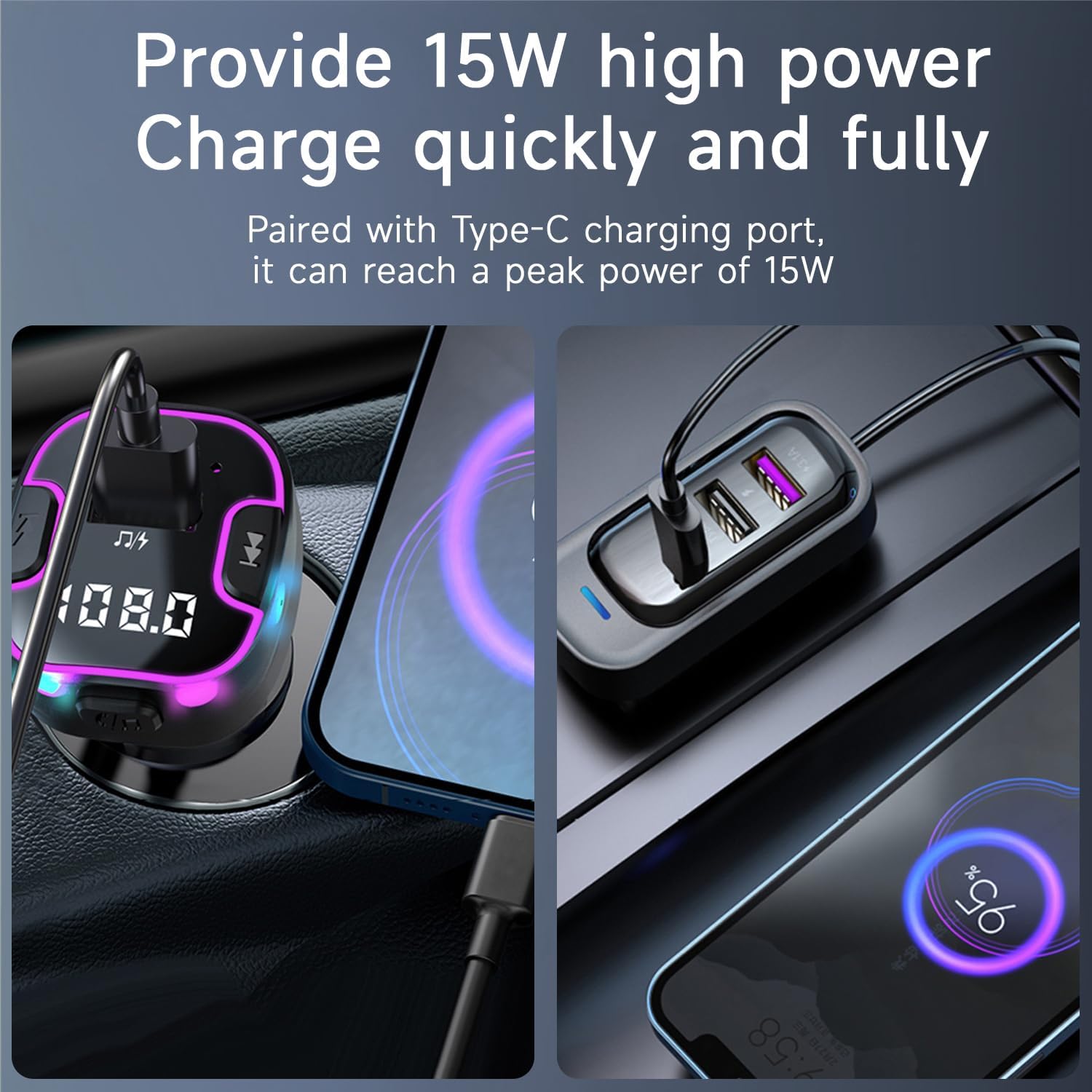
Figure 5.1: The QUMOX C56 providing 15W fast charging to connected devices.

Figure 5.2: The 1.5m extension cable allows charging for up to 5 devices, catering to both front and rear passengers.
6. Usalama na Maonyo
- Use only with a 12V/24V cigarette lighter adapter.
- Do not operate the device while driving to avoid distraction.
- This device uses Bluetooth technology and may interfere with other wireless devices if not used correctly.
- Hifadhi mahali pa baridi, kavu.
- Do not expose to extreme temperatures or excessive humidity.
7. Vipimo
| Kipengele | Maelezo |
|---|---|
| Jina la Mfano | C56 |
| Chapa | QUMOX |
| Teknolojia ya Uunganisho | USB, Bluetooth 5.3 |
| Chanzo cha Nguvu | Corded Electric (12V/24V) |
| Nyenzo | Plastiki, PVC |
| Vipengele Maalum | Hands-free Calling, LED Screen, 1.5m Extension Cable, 15W PD Fast Charging |
| Usaidizi wa Vyombo vya Habari | USB, SD Card (TF Card) |
| Vifaa Sambamba | Smartphones, Tablets, Laptops, Other Bluetooth Devices |
| Viwango Vinavyotumika | Bluetooth 5.3 |
| Kiunzi cha vifaa | USB 2.0, USB-C |
| Idadi ya Bandari | 3 (1x USB-C, 2x USB-A) |
| Njia ya Pato la Sauti | Stereo |
| Uzito | Gramu 125 |
| Ukubwa wa skrini | Inchi 1 |
| User Interface Interaction | Vifungo |
8. Utatuzi wa shida
- Hakuna Nguvu: Ensure the transmitter is securely plugged into the car's cigarette lighter socket and the car's ignition is on. Check if the car's 12V/24V socket is functioning.
- Ubora wa Sauti Tuli/Mbaya: Make sure the FM frequency on the transmitter matches an unused, clear frequency on your car radio. Try different frequencies to find the clearest channel. Adjust the volume on both your phone and car radio.
- Masuala ya Muunganisho wa Bluetooth: Ensure Bluetooth is enabled on your phone and the transmitter is in pairing mode. Forget previous Bluetooth connections on your phone and try pairing again.
- Kuchaji Haifanyi Kazi: Check if the charging cable is properly connected to both the device and the transmitter. Ensure the device being charged is compatible with the charging port (USB or USB-C PD).
- Masuala ya Simu Bila Mikono: Ensure your phone is connected via Bluetooth. Adjust the volume on both the transmitter and your phone. Speak clearly towards the transmitter's microphone.
9. Udhamini na Msaada
This QUMOX C56 FM Transmitter comes with a dhamana ya mwaka 1 from the date of purchase. For technical support, warranty claims, or any other inquiries, please contact QUMOX customer service through the retailer where you purchased the product.