
1. Utangulizi
This manual provides essential instructions for the safe and efficient use of your Samsung Smart FHD 43'' TV, model LS43F6000FGXZD. Please read this manual thoroughly before operating the device and retain it for future reference. Your new television features Full HD resolution, HDR technology, PurColor, and the Tizen™ operating system for a rich viewuzoefu.
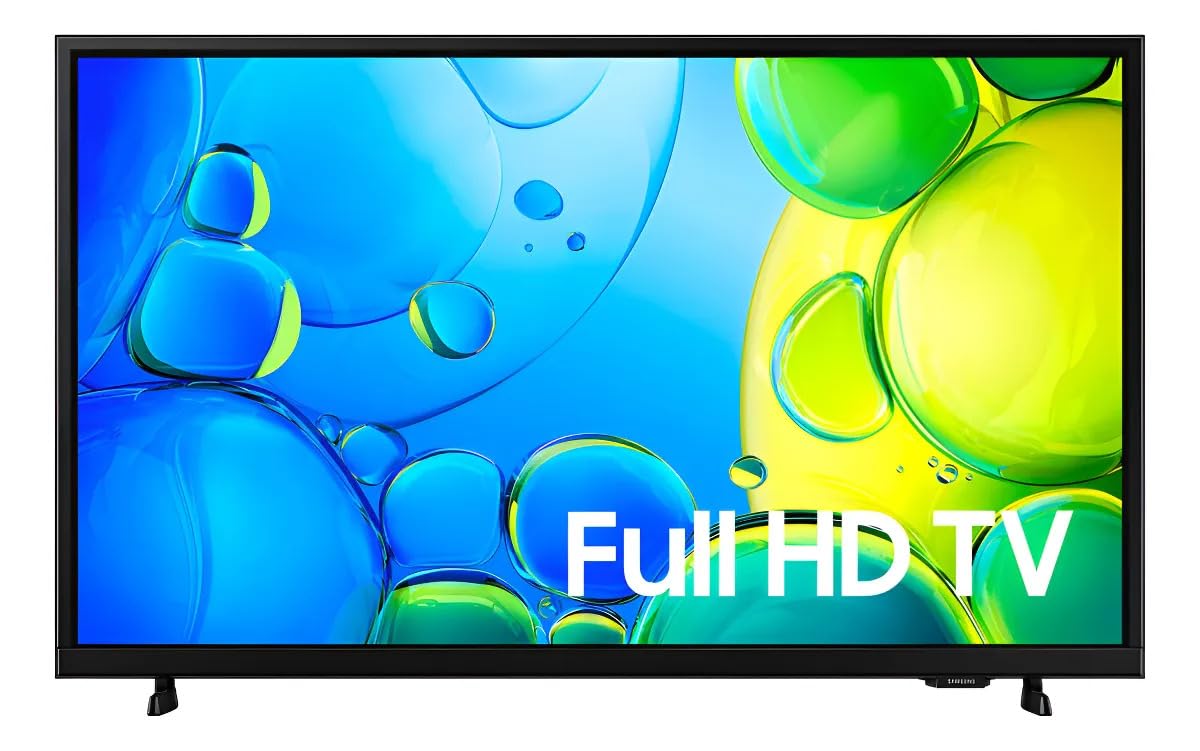
Kielelezo 1: Mbele view of the Samsung Smart FHD 43'' TV.
2. Taarifa za Usalama
Always follow these basic safety precautions to reduce the risk of fire, electric shock, and injury.
- Usiweke kifaa hiki kwa mvua au unyevu.
- Usizuie fursa yoyote ya uingizaji hewa. Sakinisha kwa mujibu wa maelekezo ya mtengenezaji.
- Usisakinishe karibu na vyanzo vyovyote vya joto kama vile radiators, rejista za joto, jiko, au vifaa vingine (pamoja na amplifiers) zinazotoa joto.
- Linda waya wa umeme dhidi ya kutembezwa au kubanwa, haswa kwenye plagi, vyombo vya kuhifadhia umeme, na mahali zinapotoka kwenye kifaa.
- Tumia viambatisho/vifaa vilivyobainishwa na mtengenezaji pekee.
- Rejelea huduma zote kwa wafanyikazi waliohitimu wa huduma. Huduma inahitajika wakati vifaa vimeharibiwa kwa njia yoyote.
- Ensure the TV is placed on a stable surface or securely mounted to prevent tipping.
3. Ni nini kwenye Sanduku
Carefully unpack your TV and ensure all components are present. If any items are missing or damaged, contact your retailer.
- Samsung Smart FHD 43'' TV
- Remote Control (requires 2 AA batteries, not always included)
- Cable ya Nguvu
- Video Adapter (if applicable)
- Stand Components (Base/Feet)
- Mwongozo wa Mtumiaji (hati hii)
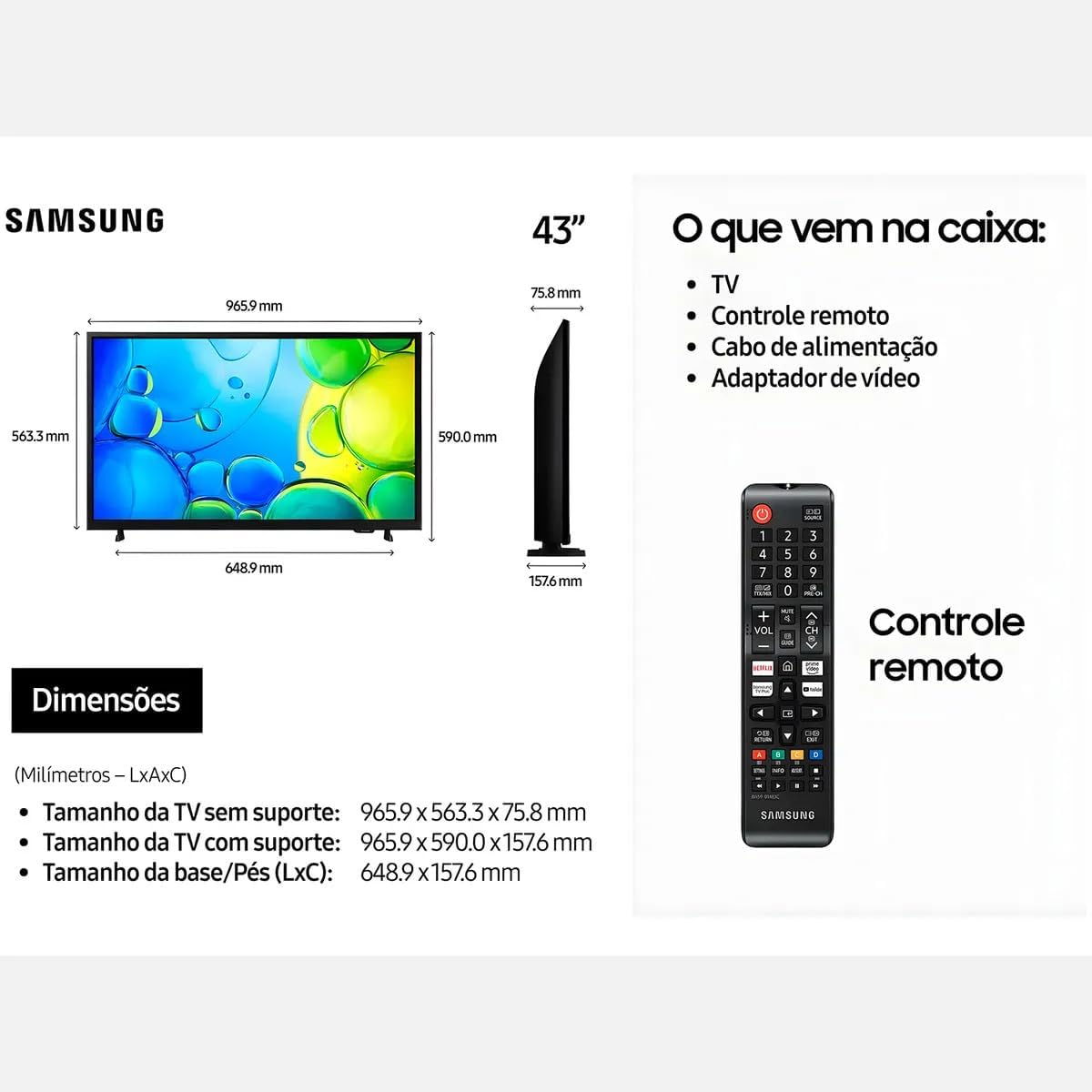
Figure 2: Illustration of items typically included in the product packaging, along with TV dimensions.
4. Kuweka
4.1 Kufungua
Remove the TV and all accessories from the packaging. It is recommended to keep the original packaging for future transport or servicing.
4.2 Kuunganisha Stendi
If you are placing the TV on a table or cabinet, attach the included stand. Follow the instructions provided in the stand assembly guide. Ensure all screws are tightened securely.
4.3 Kuweka Ukuta
For wall mounting, use a VESA-compliant wall mount kit (100 x 200 mm, sold separately). Consult a professional for wall mounting to ensure proper installation and safety.
4.4 Viungo vya Kuunganisha
Unganisha vifaa vyako vya nje kwenye TV kwa kutumia milango inayofaa.
- HDMI: Connect Blu-ray players, game consoles, or set-top boxes to the HDMI ports. This TV has 2 HDMI ports.
- USB: Connect USB storage devices for media playback to the USB 3.0 port. This TV has 1 USB 3.0 port.
- Mtandao (LAN): Kwa muunganisho wa mtandao wa waya, unganisha kebo ya Ethaneti kwenye mlango wa LAN.
- Antena/Kebo: Unganisha antena yako au mipasho ya TV ya kebo.
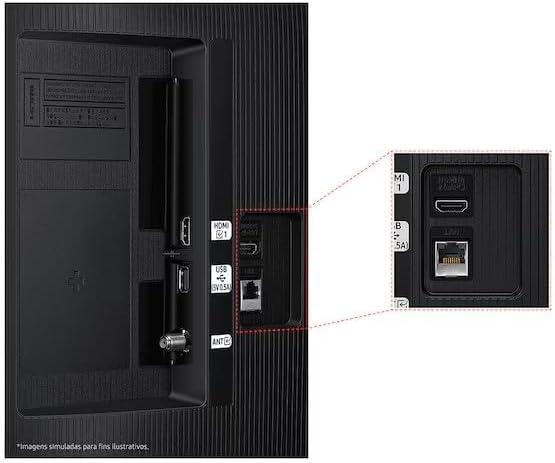
Figure 3: Rear panel connections, highlighting HDMI, USB, and LAN ports.
4.5 Kuwasha na Kuweka Mchawi wa Awali
After connecting all necessary cables, plug the power cord into an electrical outlet. The TV will power on and guide you through the initial setup wizard, which includes language selection, network connection (Wi-Fi or wired), channel scanning, and smart features configuration.
5. Kuendesha TV
5.1 Udhibiti wa mbaliview
Insert two AA batteries into the remote control. The remote allows you to navigate menus, change channels, adjust volume, and access smart features. Refer to the diagram on the remote control for button functions.
5.2 Kazi za Msingi za TV
- Nguvu: Bonyeza kitufe cha kuwasha/kuzima kwenye kidhibiti cha mbali ili kuwasha au kuzima TV.
- Kiasi: Tumia vitufe vya Kuongeza Sauti Juu/Chini kurekebisha kiwango cha sauti.
- Kituo: Tumia vitufe vya Juu/Chini ili kubadilisha chaneli.
- Chanzo: Press the Source button to switch between connected input devices (HDMI 1, HDMI 2, TV, etc.).
5.3 Vipengele vya Televisheni Mahiri (Tizen OS)
Your Samsung Smart TV runs on the Tizen™ operating system, providing access to a wide range of applications and services. Connect your TV to the internet via Wi-Fi or Ethernet to utilize these features.
- Duka la Programu: Download and install various applications like Netflix, YouTube, and Amazon Prime Video.
- Web Kivinjari: Vinjari mtandao moja kwa moja kutoka kwenye TV yako.
- Smart Hub: Access all your smart features, apps, and connected devices from one central location.

Figure 4: The Tizen operating system interface, showing available applications.
The TV also features Knox Security, ensuring your data and privacy are protected.
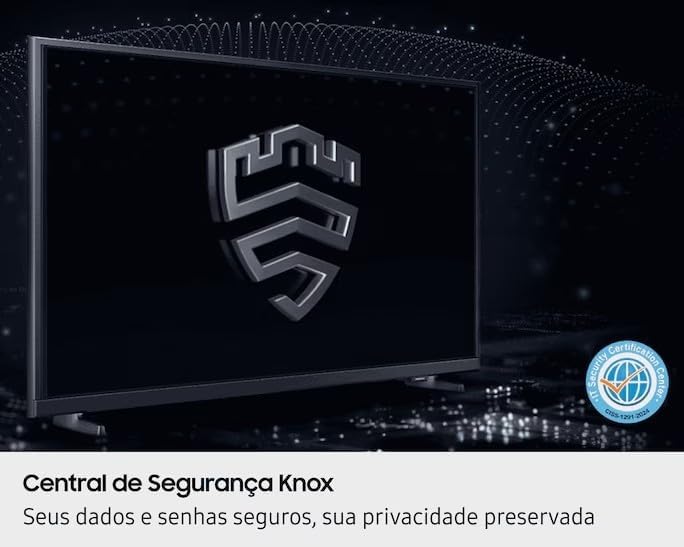
Figure 5: Knox Security Central, highlighting data and privacy protection.
5.4 Mipangilio ya Picha
Rekebisha mipangilio ya picha ili kuboresha yako viewuzoefu.
- Hali ya Picha: Select from various preset modes (Standard, Dynamic, Movie, etc.) or customize your own.
- Mwangaza/Utofautishaji: Adjust these settings to suit your environment.
- HDR Technology: This TV supports HDR10+, providing greater depth in details, even in very bright or dark scenes.
- Purcolor: Enhances color accuracy and vibrancy for a more lifelike image.
- Kiboresha Utofautishaji: Automatically adjusts contrast for improved picture depth.

Figure 6: HDR Technology in action, showing enhanced detail in both bright and dark areas.
5.5 Mipangilio ya Sauti
Customize audio output through the sound settings menu. Options may include sound modes, equalizer settings, and audio output selection (TV speakers, external soundbar, Bluetooth audio).
5.6 Muunganisho
- Bluetooth: Unganisha vifaa vya Bluetooth vinavyooana kama vile vipokea sauti vya masikioni au vipau vya sauti bila waya.
- Wi-Fi: Connect to your home wireless network for internet access and smart features.
6. Matengenezo
6.1 Kusafisha TV
- Skrini: Futa skrini kwa upole kwa kitambaa laini kisicho na pamba. Kwa alama za ukaidi, kidogo dampjw.org sw kitambaa chenye maji au kisafishaji maalum cha skrini. Kamwe usinyunyize kioevu moja kwa moja kwenye skrini.
- Mwili wa TV: Use a soft, dry cloth to wipe dust from the TV's frame and back panel.
- Muhimu: Daima chomoa TV kutoka kwa umeme kabla ya kusafisha.
6.2 Usasisho wa Programu
Your TV may receive software updates to improve performance and add new features. You can usually configure the TV to update automatically or check for updates manually through the settings menu (typically under Support > Software Update).
7. Utatuzi wa shida
Ukikumbana na matatizo na TV yako, rejelea suluhu zifuatazo za kawaida kabla ya kuwasiliana na usaidizi.
| Tatizo | Suluhisho linalowezekana |
|---|---|
| Hakuna nguvu | Hakikisha waya wa umeme umechomekwa vizuri kwenye TV na soketi ya umeme inayofanya kazi. Jaribu soketi hiyo kwa kifaa kingine. |
| Hakuna picha, lakini sauti iko | Angalia chanzo cha ingizo. Hakikisha kuwa kifaa kilichounganishwa kimewashwa na kufanya kazi ipasavyo. Jaribu kebo tofauti ya HDMI. |
| Hakuna sauti, lakini picha iko | Check the volume level and ensure the TV is not muted. Verify audio output settings. If using external speakers, check their connections and power. |
| Udhibiti wa mbali haufanyi kazi | Replace the batteries (AA type). Ensure there are no obstructions between the remote and the TV's IR sensor. |
| Haiwezi kuunganisha kwenye Wi-Fi | Ensure your router is on and functioning. Re-enter the Wi-Fi password. Try restarting both the TV and your router. |
| Masuala ya ubora wa picha (km, ukungu, kupotoshwa) | Angalia azimio la chanzo. Rekebisha mipangilio ya picha (mwangaza, tofauti, ukali). Hakikisha nyaya zimeunganishwa kwa usalama. |
8. Vipimo
Key technical specifications for the Samsung Smart FHD 43'' TV (Model: LS43F6000FGXZD).
| Kipengele | Maelezo |
|---|---|
| Nambari ya Mfano | LS43F6000FGXZD |
| Ukubwa wa skrini | Inchi 43 |
| Teknolojia ya Kuonyesha | FHD (Ufafanuzi Kamili wa Juu) |
| Azimio | FHD (1920 x 1080 pixels) |
| Kiwango cha Kuonyesha upya | 60 Hz |
| Mfumo wa Uendeshaji | Tizen™ |
| Msaada wa HDR | HDR10+ |
| Uboreshaji wa Picha | HDR Technology, PurColor, Contrast Enhancer |
| Muunganisho | Bluetooth, Wi-Fi, 2x HDMI, 1x USB 3.0 |
| Huduma za Intaneti Zinazoungwa Mkono | Netflix, YouTube, Amazon Prime |
| VESA Mount Standard | 100 x 200 mm |
| Dimensions (W x D x H) without stand | 965.9 x 75.8 x 563.3 mm |
| Dimensions (W x D x H) with stand | 965.9 x 157.6 x 590.0 mm |
| Uzito (bila msimamo) | 6.5 kg |
| Voltage | 110-220 Volts (check product label for specific range) |
| Aina ya Betri ya Kidhibiti cha Mbali | AA (x2) |
9. Udhamini na Msaada
9.1 Dhamana ya Bidhaa
This Samsung Smart FHD 43'' TV (Model: LS43F6000FGXZD) comes with a Udhamini mdogo wa miezi 12 from the date of purchase. This warranty covers manufacturing defects and malfunctions under normal use. Please retain your proof of purchase for warranty claims. For detailed terms and conditions, refer to the warranty card included with your product or visit the official Samsung support webtovuti.
9.2 Usaidizi kwa Wateja
For technical assistance, troubleshooting beyond this manual, or warranty service, please contact Samsung Customer Support. You can find contact information (phone numbers, chat support, service center locations) on the official Samsung webtovuti kwa eneo lako.
When contacting support, please have your TV's model number (LS43F6000FGXZD) and serial number ready. The serial number is typically located on a sticker on the back of the TV.