
1. Utangulizi
This manual provides detailed instructions for the installation, configuration, and operation of the Intelbras iNVD 5232 32-Channel IP Digital Video Recorder. Please read this manual thoroughly before using the device to ensure proper functionality and to prevent damage.
The Intelbras iNVD 5232 is designed for professional surveillance applications, offering advanced features for recording, monitoring, and managing IP camera feeds.
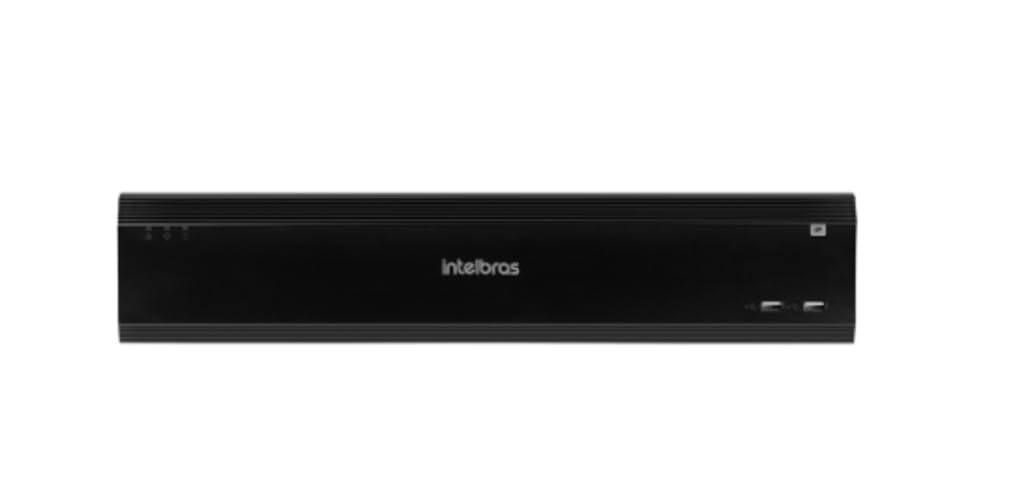
Figure 1: Intelbras iNVD 5232 Digital Video Recorder. This image shows the front panel of the iNVD 5232 unit, featuring a sleek black design with the Intelbras logo and USB ports.
2. Taarifa za Usalama
Fuata tahadhari zifuatazo za usalama ili kuzuia majeraha na uharibifu wa kifaa:
- Hakikisha ugavi wa umeme ujazotage inalingana na mahitaji ya kifaa.
- Usiweke kifaa kwenye unyevu, mvua, au halijoto kali.
- Epuka kuweka kifaa kwenye jua moja kwa moja au karibu na vyanzo vya joto.
- Usifungue kifaa casing. Rejelea huduma zote kwa wafanyikazi waliohitimu.
- Tumia vifaa vilivyoainishwa na mtengenezaji pekee.
- Properly ground the device to prevent electrical shock.
3. Yaliyomo kwenye Kifurushi
Thibitisha kuwa vipengee vyote vipo kwenye kifurushi:
- Intelbras iNVD 5232 Digital Video Recorder Unit
- Adapta ya Nguvu
- Panya ya USB
- Screws for HDD Installation
- Mwongozo wa Kuanza Haraka
- CD-ROM (containing software and full manual)
4. Bidhaa Imeishaview
4.1 Jopo la mbele
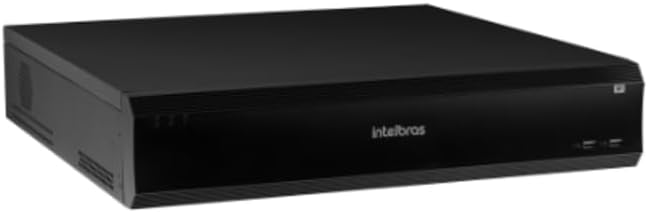
Figure 2: Front Panel of the iNVD 5232. This image displays the front of the DVR, showing LED indicators for power and status, along with two USB ports for peripheral connections.
- Nguvu ya LED: Inaonyesha hali ya nguvu.
- Hali ya LED: Inaonyesha hali ya uendeshaji wa mfumo.
- Bandari za USB: For connecting a mouse, USB drive, or other peripherals.
4.2 Paneli ya Nyuma

Figure 3: Rear Panel of the iNVD 5232. This image details the rear connections, including power input, network ports, video outputs (HDMI, VGA), audio inputs/outputs, and alarm terminals.
- Ingizo la Nguvu: Unganisha adapta ya nguvu iliyotolewa.
- Pato la HDMI: Connect to an HDMI-compatible monitor.
- Pato la VGA: Connect to a VGA-compatible monitor.
- Bandari za LAN: Connect to your network for IP camera communication and remote access.
- Sauti Ndani/Nje: Kwa kuunganisha vifaa vya sauti vya nje.
- Alarm In/Out: For connecting external alarm sensors and actuators.
- Bandari za USB: Bandari za ziada za USB kwa vifaa vya pembeni.
5. Kuweka
5.1 Ufungaji wa vifaa
- Sakinisha Hifadhi Ngumu (ikiwa haijasakinishwa awali): Fungua DVR casing, mount the hard drive using the provided screws, and connect the SATA power and data cables.
- Unganisha Monitor: Unganisha kifuatiliaji kwenye mlango wa kutoa wa HDMI au VGA.
- Unganisha Kipanya: Chomeka kipanya cha USB kwenye mojawapo ya bandari za USB.
- Unganisha Mtandao: Connect an Ethernet cable from the LAN port to your network router or switch.
- Unganisha Nguvu: Plug the power adapter into the DVR's power input and then into a power outlet. The device will power on automatically.
5.2 Usanidi wa Awali
Upon first boot, the system will guide you through an initial setup wizard:
- Uteuzi wa Lugha: Chagua lugha unayopendelea.
- Usanidi wa Nenosiri: Unda nenosiri thabiti la msimamizi.
- Mipangilio ya Mtandao: Configure IP address, subnet mask, gateway, and DNS. DHCP is usually enabled by default.
- Tarehe na Saa: Weka tarehe, saa na saa sahihi za eneo.
- Uanzishaji wa HDD: Format the installed hard drive for recording.
- IP Camera Search and Add: The system will scan for available IP cameras on the network. Select and add your cameras.
6. Kufanya kazi
6.1 Ishi View
After initial setup, the system will display the live view ya kamera zilizounganishwa. Unaweza kubadilisha kati ya kamera moja view, multi-camera grids, and sequence views kwa kutumia vidhibiti vya skrini au kipanya.
6.2 Usimamizi wa Kurekodi
- Ratiba ya Kurekodi: Configure continuous, motion-detection, or alarm-triggered recording schedules for each camera.
- Kurekodi Mwongozo: Initiate recording manually from the live view kiolesura.
- Uchezaji: Fikia foo iliyorekodiwatage by date, time, and event type. Use the playback controls to navigate through recordings.
- Hifadhi: Export recorded video clips to a USB drive or network storage.
6.3 Ufikiaji wa Mbali
The iNVD 5232 supports remote access via a web browser or dedicated mobile application. Ensure your network is configured for remote access (e.g., port forwarding or P2P cloud service activation).
- Web Kivinjari: Enter the DVR's IP address into a web kivinjari kwenye kompyuta iliyounganishwa kwenye mtandao huo.
- Programu ya Simu ya Mkononi: Download the official Intelbras surveillance app from your device's app store. Scan the QR code on the DVR (if available) or manually enter the device ID for connection.
7. Matengenezo
7.1 Kusafisha
Regularly clean the exterior of the DVR with a soft, dry cloth. Do not use liquid cleaners or aerosols. Ensure ventilation openings are free from dust and obstructions.
7.2 Sasisho za Firmware
Periodically check the Intelbras webtovuti ya masasisho ya programu dhibiti. Masasisho ya programu dhibiti yanaweza kutoa vipengele vipya, maboresho ya utendaji, na maboresho ya usalama. Fuata maagizo yaliyotolewa na kifurushi cha sasisho la programu dhibiti kwa uangalifu.
7.3 Usimamizi wa Hifadhi ngumu
Monitor the health of your hard drives through the system's HDD management menu. Replace failing drives promptly to avoid data loss. Configure automatic overwriting of old footage ili kuhakikisha kurekodiwa kwa kuendelea.
8. Utatuzi wa shida
| Tatizo | Sababu inayowezekana | Suluhisho |
|---|---|---|
| Hakuna nguvu | Power cable disconnected; faulty power adapter; power outlet issue. | Check power connections; test power adapter; try a different outlet. |
| Hakuna pato la video | Monitor off/disconnected; incorrect video output settings; faulty cable. | Ensure monitor is on and connected; check video cable; try a different output port or cable. |
| Cannot connect IP cameras | Network issue; incorrect camera IP address/credentials; camera not powered. | Verify network connectivity; ensure cameras are powered and configured correctly; check camera credentials. |
| Hakuna kurekodi | HDD not initialized/full; recording schedule not set; camera disconnected. | Initialize HDD; check recording schedule; verify camera connection and status. |
9. Vipimo
| Kipengele | Maelezo |
|---|---|
| Mfano | iNVD 5232 |
| Ingizo la Video | 32 Njia za IP |
| Pato la Video | HDMI 1, VGA 1 |
| Ingizo/Pato la Sauti | Specific ports (e.g., RCA) |
| Azimio la Kurekodi | Up to 8MP (depending on camera) |
| Playback Capability | Multi-channel synchronous playback |
| Hifadhi | Multiple SATA HDD bays (HDDs not included) |
| Maingiliano ya Mtandao | Bandari za Gigabit Ethernet |
| Kiolesura cha USB | USB 2.0/3.0 bandari |
| Ugavi wa Nguvu | DC 12V (adapter included) |
| Joto la Uendeshaji | 0°C hadi 50°C (32°F hadi 122°F) |
10. Udhamini na Msaada
For warranty information, please refer to the warranty card included with your product or visit the official Intelbras website. Technical support is available through Intelbras authorized service centers and online resources.
Intelbras Official Webtovuti: www.intelbras.com.br
Tafadhali uwe na modeli ya bidhaa yako na nambari ya mfululizo tayari unapowasiliana na usaidizi.