
1. Utangulizi
The DOITOOL USB to 3.5mm Charging Cable Adapter is engineered to provide versatile connectivity for your audio devices. This cable supports both charging and data transmission, as well as audio output, making it a convenient solution for connecting various devices such as headphones, smartphones, tablets, and computers. Its compact and portable design ensures ease of use and transport.

Image 1.1: Two DOITOOL USB to 3.5mm Charging Cable Adapters. These cables feature a USB-A connector on one end and a 3.5mm audio jack on the other, designed for multi-functional use.
2. Kuweka
Setting up your DOITOOL USB to 3.5mm Charging Cable Adapter is straightforward. Follow these steps to connect your devices:
- Tambua Bandari: Locate the USB-A port on your charging source (e.g., computer, wall adapter, power bank) and the 3.5mm audio jack on your target device (e.g., headphones, smartphone, tablet, speaker).
- Unganisha Mwisho wa USB: Insert the USB-A connector end of the cable firmly into the available USB-A port on your power source or computer.
- Connect 3.5mm End: Insert the 3.5mm audio jack end of the cable firmly into the 3.5mm audio port of your device. Ensure a secure connection for optimal performance.

Image 2.1: A hand demonstrating the compact size of the coiled USB to 3.5mm cable, highlighting its portability and ease of handling during setup.
3. Maagizo ya Uendeshaji
The DOITOOL USB to 3.5mm Charging Cable Adapter offers multiple functionalities:
- Inachaji: Once connected to a powered USB port and your device, the cable will facilitate charging. Ensure your USB power source provides sufficient power for your device.
- Pato la Sauti: For audio transmission, ensure your device recognizes the connected cable as an audio output accessory. Play audio from your device, and it will be transmitted through the 3.5mm connection to your headphones or speakers.
- Usambazaji wa Data: If supported by both your device and the connected USB port (e.g., a computer), this cable can enable data transfer between your device and the computer. Refer to your device's manual for specific data transfer capabilities via the 3.5mm jack.

Image 3.1: The USB to 3.5mm cables positioned next to a speaker, illustrating their application for audio connectivity. The image emphasizes the convenience of using these cables with various audio devices.
4. Matengenezo
Proper care and maintenance will extend the lifespan of your cable:
- Hifadhi: Store the cable in a cool, dry place away from direct sunlight, extreme temperatures, and excessive humidity. Avoid tangling the cable to prevent internal damage.
- Kusafisha: To clean the cable, gently wipe it with a soft, dry, lint-free cloth. Do not use harsh chemicals, abrasive cleaners, or immerse the cable in water.
- Kushughulikia: Always grasp the connector ends when plugging in or unplugging the cable. Avoid pulling on the cable itself, as this can damage the internal wires or the connectors. Do not bend or twist the cable excessively, especially near the connectors.

Image 4.1: A detailed close-up of the USB-A and 3.5mm jack connectors. This view highlights the robust construction of the connectors, which should be handled by the plastic housing during connection and disconnection to prevent damage.
5. Utatuzi wa shida
If you encounter issues with your DOITOOL USB to 3.5mm Charging Cable Adapter, try the following solutions:
- Kifaa Hakichaji:
- Hakikisha chanzo cha umeme cha USB kinafanya kazi na hutoa umeme wa kutosha.
- Verify that both the USB and 3.5mm connectors are fully and securely inserted into their respective ports.
- Try using a different USB power source or a different device to isolate the issue.
- Hakuna Toleo la Sauti:
- Check the volume levels on your device and ensure they are not muted.
- Confirm that your device's audio settings are configured to output sound through the connected 3.5mm accessory.
- Test the cable with another audio device (e.g., different headphones or speakers) to determine if the issue is with the cable or the original device.
- Masuala ya Uhawilishaji Data:
- Not all devices support data transfer via the 3.5mm jack; verify your device's capabilities.
- Ensure any necessary drivers are installed on your computer if you are connecting to a PC.
- Jaribu kuunganisha kwenye mlango tofauti wa USB kwenye kompyuta yako.
6. Vipimo
| Kipengele | Maelezo |
|---|---|
| Vipimo vya Bidhaa | Inchi 39.17 x 0.59 x 0.24 (sentimita 99.5 x 1.5 x 0.6) |
| Uzito | Wakia 1.44 (gramu 40.8) |
| Nyenzo | PVC |
| Rangi | Nyeusi |
| Aina ya kiunganishi | USB-A to 3.5mm Jack |
| Kazi | Charging, Data Transmission, Audio Output |
| Nambari ya Mfano | FRVAYDC11129647RSCZN7CA7 |
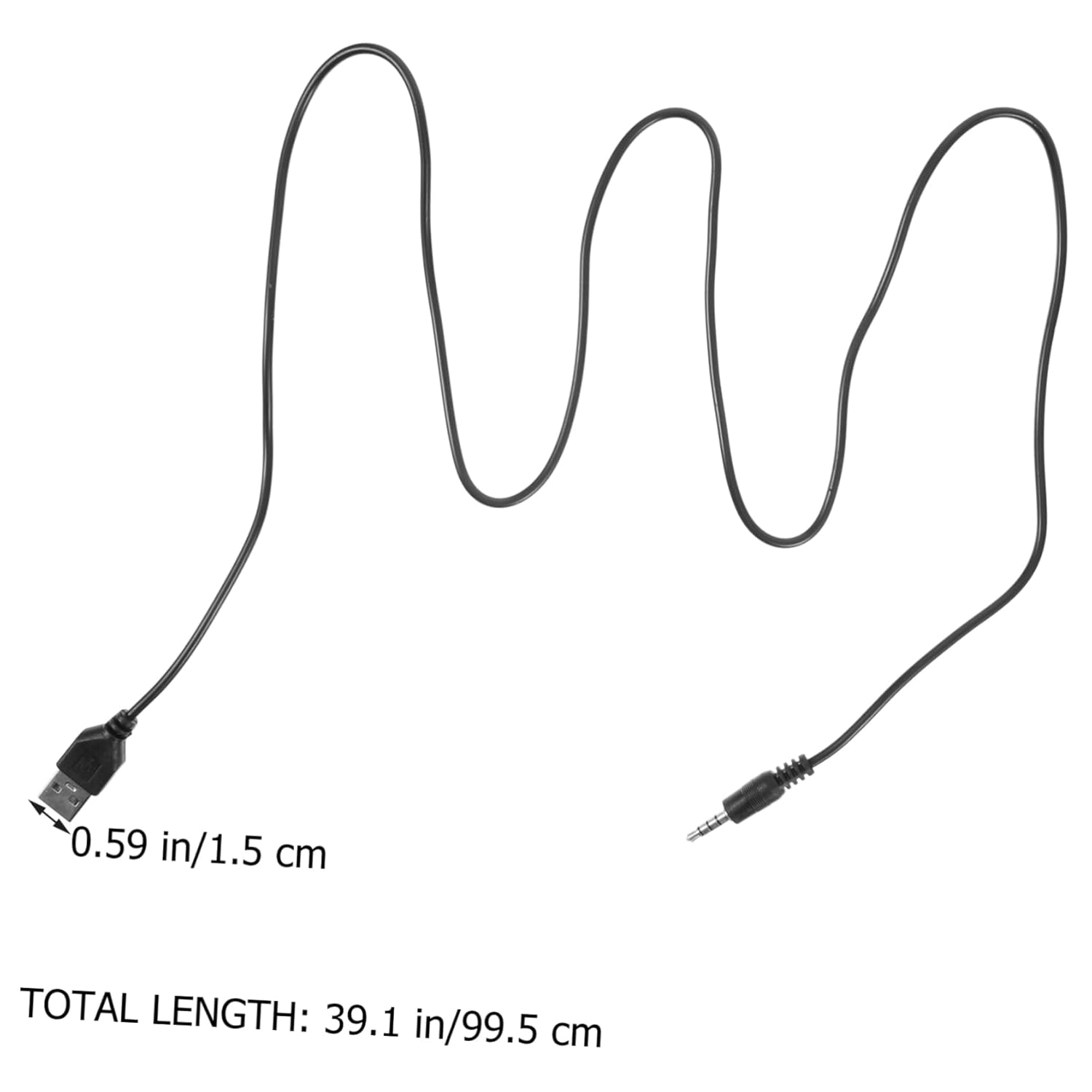
Image 6.1: A diagram illustrating the physical dimensions of the DOITOOL USB to 3.5mm cable, indicating a total length of 39.1 inches (99.5 cm) and a connector width of 0.59 inches (1.5 cm).
7. Udhamini na Msaada
No specific warranty information is provided within this manual. For details regarding product warranty, terms, and conditions, please refer to the product packaging or visit the official DOITOOL webtovuti.
For further assistance, technical support, or inquiries, please contact DOITOOL customer service through their official channels. Contact information can typically be found on the product packaging or the manufacturer's webtovuti.