
Utangulizi
The Oraimo Spacebuds Z (OTW-625) are premium wireless Bluetooth earbuds designed for immersive sound and daily comfort. They feature advanced Active Noise Cancellation (ANC) up to 35dB, providing a distraction-free listening experience. With a 4-microphone noise cancellation system, crystal-clear call quality is ensured. The earbuds deliver rich, deep sound through 360 Spatial Sound and HavyBass™ technology with 10mm dynamic drivers. Enjoy up to 38 hours of total playtime, AniFast™ fast charging, Bluetooth 5.4 connectivity with low-latency game mode, IPX5 water resistance, and full customization via the Oraimo Sound App. These features make the Spacebuds Z ideal for music, calls, gaming, and everyday use.
Ni nini kwenye Sanduku
Carefully unpack your Oraimo Spacebuds Z. The package should contain the following items:
- Oraimo Spacebuds Z Earbuds (Pair)
- Kipochi cha Kuchaji Bila Waya
- Kebo ya Kuchaji ya USB-C
- Vidokezo vingi vya Silicone Ear
- Mwongozo wa Mtumiaji

Image: Oraimo Spacebuds Z earbuds and charging case, illustrating up to 38 hours of total playtime.
Sanidi
Follow these steps for initial setup and pairing:
- Chaji vifaa vya sauti vya masikioni: Before first use, place both earbuds into the charging case and connect the case to a power source using the provided USB-C cable. Ensure the earbuds and case are fully charged.
- Washa: Fungua kisanduku cha kuchaji. Vifaa vya masikioni vitawashwa kiotomatiki na kuingia katika hali ya kuoanisha. Taa za kiashiria kwenye vifaa vya masikioni zitawaka.
- Oanisha na Kifaa Chako:
- Kwenye simu yako mahiri, kompyuta kibao, au kifaa kingine kilichowezeshwa na Bluetooth, nenda kwenye mipangilio ya Bluetooth.
- Tafuta available devices and select "Oraimo Spacebuds Z" from the list.
- Once connected, you will hear a confirmation tone, and the earbud indicator lights will stop flashing.
- Fit the Earbuds: Choose the ear tips that provide the most comfortable and secure fit for optimal sound quality and noise cancellation. Insert the earbuds into your ears and gently twist them to lock them in place.
Video: This video demonstrates the unboxing of the Oraimo Spacebuds Z, showing how to open the charging case, remove the earbuds, and the included accessories like the charging cable and ear tips. It also shows a user placing the earbuds in their ears.
Maagizo ya Uendeshaji
Vidhibiti vya Kugusa
The Oraimo Spacebuds Z feature touch controls for easy management of audio and calls. The specific functions can be customized via the Oraimo Sound App.
| Kitendo | Vifaa vya masikioni vya Kushoto | Earbud ya kulia |
|---|---|---|
| Cheza/Sitisha | Gonga Moja | Gonga Moja |
| Wimbo Unaofuata | Gonga Mara Mbili | Gonga Mara Mbili |
| Wimbo Uliopita | Gonga Mara Tatu | Gonga Mara Tatu |
| Jibu/Maliza Simu | Gonga Moja | Gonga Moja |
| Kataa Simu | Bonyeza kwa muda mrefu (sekunde 2) | Bonyeza kwa muda mrefu (sekunde 2) |
| Washa Mratibu wa Sauti | Bonyeza kwa muda mrefu (sekunde 2) | Bonyeza kwa muda mrefu (sekunde 2) |
| Badilisha Hali ya ANC/Uwazi | Bonyeza kwa muda mrefu (sekunde 3) | Bonyeza kwa muda mrefu (sekunde 3) |
| Volume Up | N/A | Gonga na Shikilia |
| Sauti Chini | Gonga na Shikilia | N/A |
Kughairi Kelele Inayotumika (ANC) na Hali ya Uwazi
The Spacebuds Z offer advanced ANC to reduce ambient noise and a Transparency Mode to stay aware of your surroundings.
- Washa/Zima: Long press either earbud for 3 seconds to cycle through ANC On, Transparency Mode, and ANC Off.
- ANC: Reduces external noise by up to 35dB, ideal for travel or noisy environments.
- Hali ya Uwazi: Allows you to hear your surroundings clearly without removing the earbuds.

Image: A person wearing an Oraimo Spacebuds Z earbud, with sound waves illustrating active noise cancellation.
Usimamizi wa simu
The 4 AI noise-cancelling microphones ensure clear communication during calls.
- Kujibu / Kukomesha Wito: Gusa kifaa cha sauti cha masikioni mara moja.
- Kukataa Simu: Bonyeza kwa muda kifaa chochote cha masikioni kwa sekunde 2.

Image: Diagram of Oraimo Spacebuds Z earbuds highlighting the FF (Feed-Forward) and Talk microphones for 4-mic AI noise cancellation.
Hali ya Mchezo ya Kuchelewa Chini
For an optimized gaming experience, activate the low-latency game mode to ensure seamless synchronization between audio and visuals. This mode can typically be toggled via the Oraimo Sound App or a specific touch gesture (refer to app for details).
Muunganisho wa Vifaa viwili
The earbuds support connecting to two devices simultaneously. To switch between devices, simply pause playback on one device and start playback on the other. The earbuds will automatically switch audio sources.
Inachaji
The Oraimo Spacebuds Z offer extended battery life and fast charging capabilities.
- Muda wa kucheza wa Earbud: Hadi saa 10 kwa malipo moja.
- Jumla ya Muda wa Kucheza (na Kipochi cha Kuchaji): Hadi masaa 38.
- Kutoza Kesi: Connect the charging case to a USB power adapter using the provided USB-C cable. The indicator light on the case will show charging status.
- AniFast™ Fast Charging: A quick 10-minute charge provides up to 180 minutes of playback.
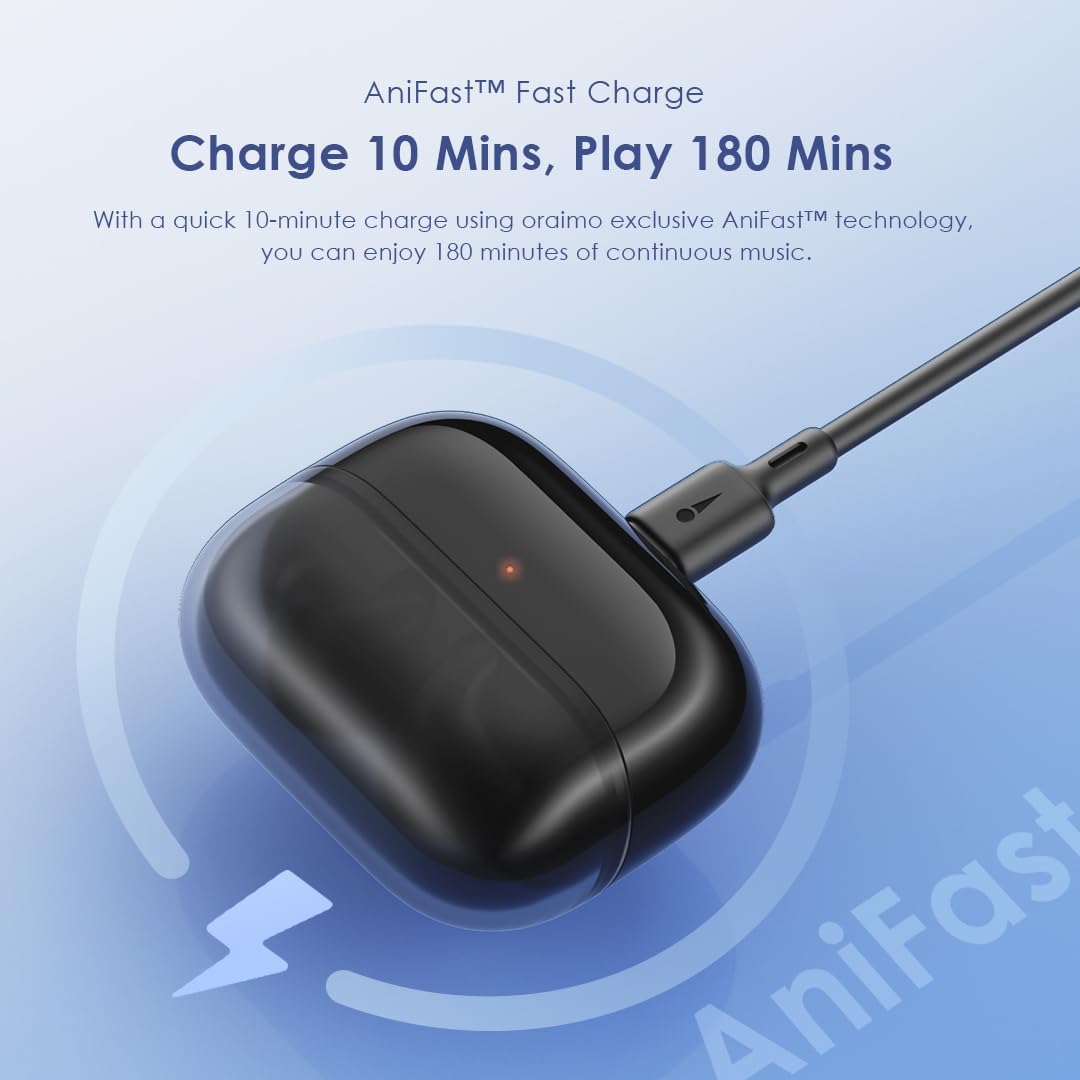
Image: Oraimo Spacebuds Z charging case connected via USB-C cable, demonstrating AniFast™ fast charging.
Matengenezo
Ili kuhakikisha uimara na utendaji bora wa vifaa vyako vya masikioni, fuata miongozo hii ya matengenezo:
- Kusafisha: Safisha vifaa vya masikioni na kipochi cha kuchaji mara kwa mara kwa kitambaa laini, kikavu na kisicho na pamba. Usitumie kemikali kali au vifaa vya abrasive.
- Vidokezo vya Masikio: Remove and clean the silicone ear tips with mild soap and water, then dry them thoroughly before reattaching.
- Bandari za Kuchaji: Weka mlango wa kuchaji wa USB-C bila vumbi na uchafu.
- Hifadhi: Wakati haitumiki, hifadhi vifaa vya sauti vya masikioni kwenye kipochi chao cha kuchaji ili kuvilinda na kuendelea kuwa na chaji.
- Upinzani wa Maji: The earbuds are IPX5 water-resistant, meaning they can withstand splashes and sweat. Do not submerge them in water or expose them to heavy rain. Dry them completely before placing them back in the charging case.
Kutatua matatizo
If you encounter issues with your Oraimo Spacebuds Z, refer to the following common solutions:
- Vifaa vya sauti vya masikioni havioanishi:
- Hakikisha vifaa vya sauti vya masikioni vyote viwili vimechajiwa.
- Weka vifaa vya masikioni nyuma kwenye kipochi, funga kifuniko, subiri sekunde chache, kisha ufungue tena ili uingie tena katika hali ya kuoanisha.
- On your device, forget the "Oraimo Spacebuds Z" from your Bluetooth settings and try pairing again.
- Kifaa kimoja tu cha sauti cha masikioni kinachofanya kazi:
- Hakikisha vifaa vya sauti vya masikioni vyote viwili vimechajiwa.
- Place both earbuds in the charging case, close the lid, and then open it again. This often re-syncs them.
- Safisha anwani za kuchaji kwenye vifaa vya sauti vya masikioni na ndani ya kipochi.
- Ubora duni wa sauti:
- Ensure earbuds are properly seated in your ears with the correct size ear tips.
- Safisha nta au uchafu wowote kutoka kwenye pua za sikio.
- Try moving closer to your connected device to avoid interference.
- Masuala ya malipo:
- Angalia kebo ya USB-C na adapta ya umeme kwa uharibifu.
- Hakikisha mlango wa kuchaji kwenye kisanduku ni safi.
- Verify that the earbuds are correctly placed in the charging case.
Ikiwa hatua hizi hazitatui suala hilo, tafadhali wasiliana na usaidizi kwa wateja.
Vipimo
| Kipengele | Maelezo |
|---|---|
| Nambari ya Mfano | OTW-625 |
| Teknolojia ya Uunganisho | Bluetooth |
| Toleo la Bluetooth | 5.4 |
| Udhibiti wa Kelele | Active Noise Cancellation (ANC) up to 35dB |
| Madereva | 10mm Dynamic Drivers with HavyBass™ Technology |
| Maikrofoni | 4 AI Noise-Cancelling Microphones |
| Jumla ya Muda wa Kucheza | Hadi saa 38 (vifaa vya masikioni vya saa 10 + kipochi cha saa 28) |
| Kuchaji Haraka | AniFast™ (10 min charge for 180 min playtime) |
| Upinzani wa Maji | IPX5 |
| Aina ya Kudhibiti | Udhibiti wa Kugusa |
| Vifaa Sambamba | Smartphones, tablets, laptops, desktop computers |
| Aina ya Nyenzo | Premium ABS plastic, Silicone ear tips, Stainless steel details, Rubberized charging case |
| Uzito wa Kipengee | gramu 50 |
| Vipimo vya Bidhaa | 4.2 x 14.1 x 16.7 cm |
| Impedans | 24 ohm |
| Majibu ya Mara kwa mara | 48 kHz |
Taarifa za Usalama
Tafadhali soma na ufuate miongozo hii ya usalama ili kuzuia uharibifu wa kifaa chako au kuumia kwako mwenyewe:
- Usitenganishe, urekebishe au urekebishe bidhaa.
- Keep the product away from extreme temperatures, humidity, and corrosive substances.
- Epuka kuweka bidhaa kwenye jua moja kwa moja kwa muda mrefu.
- Do not use the product at high volume for prolonged periods to prevent hearing damage.
- Exercise caution when using earbuds in situations requiring awareness of your surroundings (e.g., driving, cycling, walking in traffic).
- Keep out of reach of children and pets to prevent accidental ingestion of small parts.
- Tumia kebo iliyotolewa tu ya kuchaji au kitu sawia kilichoidhinishwa.
Udhamini na Msaada
Your Oraimo Spacebuds Z are covered by a manufacturer's warranty. For specific warranty terms and conditions, please refer to the warranty card included in your product packaging or visit the official Oraimo webtovuti.
For technical support, troubleshooting assistance, or warranty claims, please contact Oraimo customer service through their official channels. You may also find additional resources and FAQs on the Oraimo webtovuti.