
1. Utangulizi
Thank you for choosing the Desky Flexi Monitor Arm. This manual provides detailed instructions for the safe and efficient installation, operation, and maintenance of your new monitor arm. Please read this manual thoroughly before installation and retain it for future reference.
2. Taarifa za Usalama
Tafadhali zingatia tahadhari zifuatazo za usalama ili kuzuia majeraha au uharibifu wa bidhaa:
- Hakikisha vipengele vyote vipo na havijaharibika kabla ya kuviunganisha. Usitumie ikiwa sehemu yoyote haipo au ina kasoro.
- Usizidi uzani wa juu wa uwezo wa lbs 24.2 (kilo 11).
- Ensure your desk surface is strong enough to support the combined weight of the monitor arm and your monitor.
- Tighten all screws firmly, but do not overtighten. Overtightening can damage threads.
- Keep children away from small parts that could be swallowed.
- Adjust the tension of the arm carefully according to your monitor's weight to prevent sudden movement.
3. Yaliyomo kwenye Kifurushi
Thibitisha kuwa vipengele vyote vifuatavyo vimejumuishwa kwenye kifurushi chako:
- Kufuatilia Bunge la Silaha
- Dawati Clamp Mlima
- Mlima wa Grommet
- Sahani ya VESA
- Kifaa cha Vifaa (skrubu, mashine za kuosha, funguo za Allen)
- Mwongozo wa Maagizo
Note: Specific screw sizes and quantities may vary. Refer to the hardware kit for exact contents.
4. Vipimo
| Kipengele | Vipimo |
|---|---|
| Chapa | Desky |
| Mfano | Flexi Monitor Arm |
| Aina ya Kuweka | Clamp or Through Desk (Grommet) |
| Aina ya Mwendo | Kueleza |
| Nyenzo | Steel, Plastic, Aluminium |
| Rangi | Nyeusi |
| Ukubwa Sambamba wa Kufuatilia | 17" hadi 35" |
| Uzito Uwezo | Pauni 6.6 hadi 24.2 (kilo 3 hadi 11) |
| Utangamano wa VESA | 75x75mm, 100x100mm |
| Pembe ya Kuinamisha | +60° hadi -60° |
| Mzunguko | 360° (with 180° rotation stop) |
| Urefu wa Juu | 500mm (from desk surface) |
| Urefu wa chini | 250mm (from desk surface) |
The monitor arm supports a wide range of screen sizes and weights, offering flexibility for various setups.
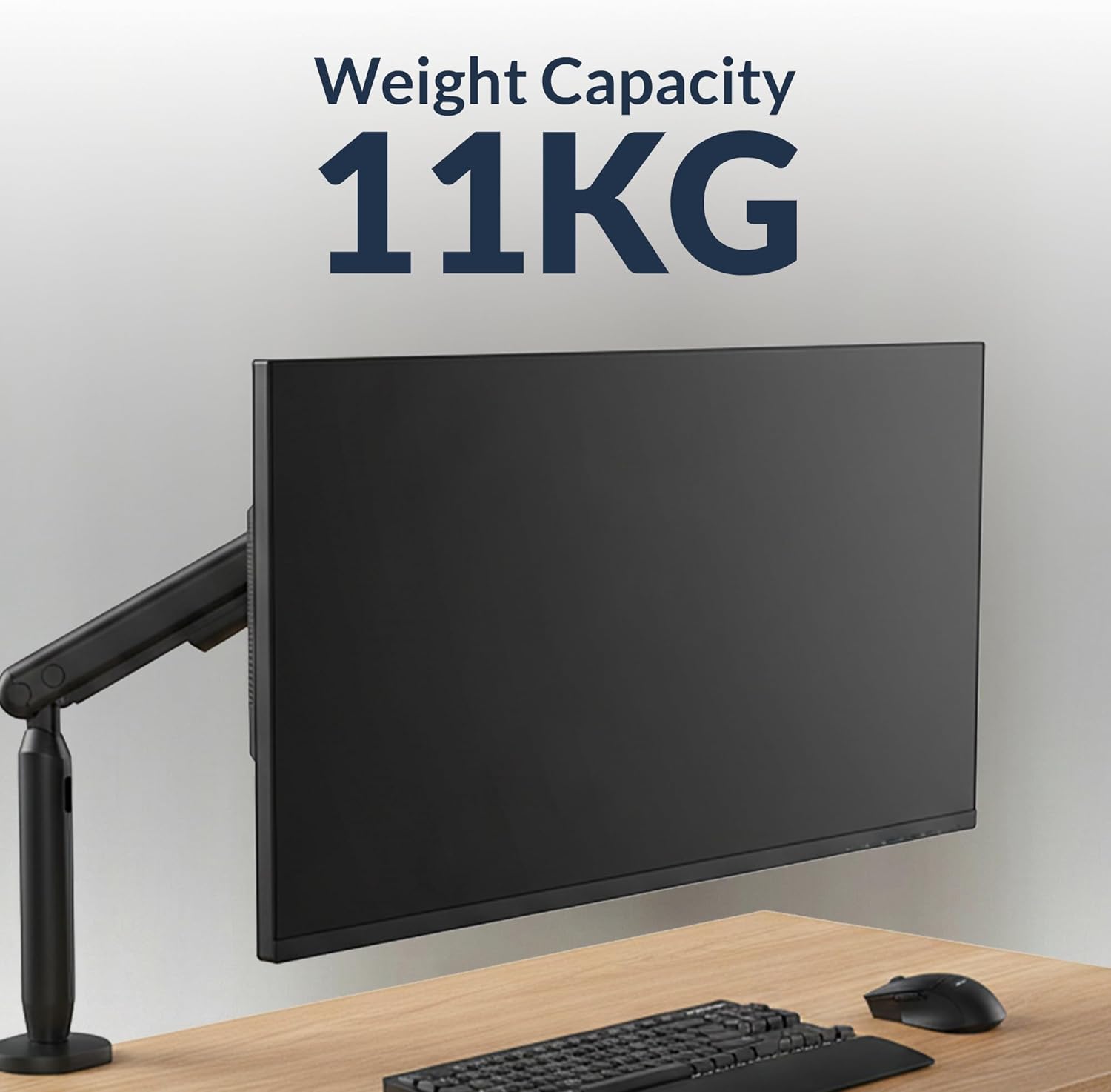
Image: The monitor arm is designed to support monitors up to 11 kg (24.2 lbs).

Image: The monitor arm is compatible with screens ranging from 17 to 35 inches.
5. Maagizo ya Kuweka
5.1 Chagua Chaguo Lako la Kuweka
The Desky Flexi Monitor Arm offers two installation methods: Desk Clamp au Grommet Mount.
5.1.1 Dawati Clamp Ufungaji
- Ambatanisha kikundi cha dawatiamp to the bottom of the monitor arm pole.
- Weka clamp pembeni mwa dawati lako.
- Kaza clamp screw until the arm is securely fastened to the desk. Ensure it is stable and does not wobble.
5.1.2 Ufungaji wa Grommet
- If your desk has a grommet hole, insert the grommet base through the hole.
- Secure the grommet base from underneath the desk using the provided plate and nut.
- Attach the monitor arm pole to the grommet base.
- Kaza vifungo vyote ili kuhakikisha utulivu.
5.2 Kuunganisha Kifuatiliaji
- Ambatisha bamba la VESA nyuma ya skrini yako kwa kutumia skrubu zinazofaa kutoka kwa vifaa vya ujenzi. Hakikisha mashimo ya kupachika ya VESA (75x75mm au 100x100mm) yamepangwa.
- Telezesha kifuatiliaji (kilicho na bamba la VESA lililounganishwa) kwenye kichwa cha VESA cha mkono wa kifuatiliaji hadi kibonyeze mahali pake.
- Secure the monitor by tightening any safety screws on the VESA head, if applicable.

Image: A Desky Flexi Monitor Arm securely mounted to a desk with a monitor attached, demonstrating a typical setup.
6. Maagizo ya Uendeshaji
The Desky Flexi Monitor Arm allows for various adjustments to achieve an ergonomic viewuzoefu.
6.1 Marekebisho ya Urefu
The arm features a spring-assisted mechanism for effortless vertical movement. Gently push or pull the monitor to the desired height. If the monitor does not stay in position, adjust the tension screw on the arm using the provided Allen key. Turn clockwise to increase tension for heavier monitors, and counter-clockwise to decrease tension for lighter monitors.
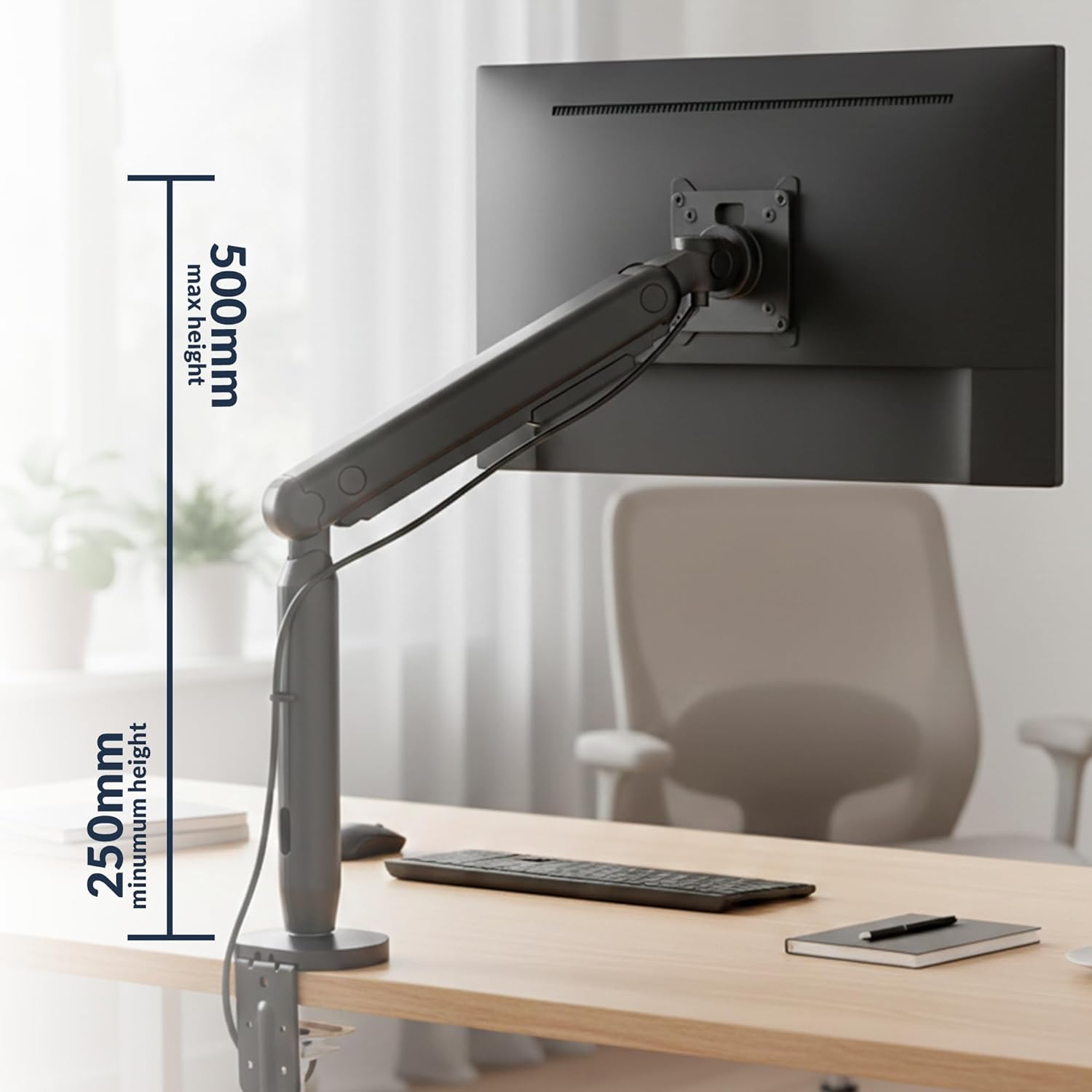
Image: The monitor arm can be adjusted vertically from a minimum height of 250mm to a maximum height of 500mm.
6.2 Kuinama, Kuzunguka, na Kuzunguka
- Teke: Kichunguzi kinaweza kuinamisha +60° hadi -60° ili kupunguza mng'ao na kuboresha zaidi viewpembe za pembe.
- Sogeza: The arm can swivel horizontally to share your screen or adjust your viewmsimamo.
- Mzunguko: The VESA plate allows for 360° rotation, enabling easy switching between landscape and portrait modes. A 180° rotation stop prevents the arm from swinging too far.

Image: The monitor arm allows for a tilt range of +60° to -60° and rotation of +/-90° at the VESA plate.
6.3 Usimamizi wa Cable
Utilize the integrated cable management system to keep your workspace tidy. Route cables through the designated channels along the arm to conceal them.

Image: A monitor arm with a cable routed through its built-in cable management system, keeping the desk organized.
7. Matengenezo
Matengenezo ya mara kwa mara huhakikisha uimara na utendaji bora wa mkono wako wa kifuatiliaji.
- Kusafisha: Wipe the arm with a soft, damp kitambaa. Epuka visafishaji abrasive au vimumunyisho.
- Ukaguzi: Mara kwa mara angalia skrubu na viunganishi vyote ili kuhakikisha vinabana. Funga tena ikiwa ni lazima.
- Upakaji mafuta: The internal spring mechanism is designed for maintenance-free operation. Do not attempt to lubricate internal components.
8. Utatuzi wa shida
If you encounter issues with your Desky Flexi Monitor Arm, refer to the following common problems and solutions:
| Tatizo | Sababu inayowezekana | Suluhisho |
|---|---|---|
| Monitor sags or does not hold position | Arm tension is too low for monitor weight. | Increase tension by turning the adjustment screw clockwise with the provided Allen key. |
| Monitor is difficult to move up or down | Arm tension is too high for monitor weight. | Decrease tension by turning the adjustment screw counter-clockwise with the provided Allen key. |
| Arm feels unstable or wobbles | Kuweka clamp/grommet is not tight enough. | Hakikisha cl ya dawatiamp or grommet mount is securely tightened to the desk. |
| Monitor does not attach to VESA head | Incorrect VESA plate attachment or incompatible VESA pattern. | Verify VESA plate is correctly attached to monitor and that monitor supports 75x75mm or 100x100mm VESA patterns. |
9. Taarifa za Udhamini
The Desky Flexi Monitor Arm comes with a 5 Years Supplier Warranty. This warranty covers defects in materials and workmanship under normal use. Please retain your proof of purchase for warranty claims. For specific terms and conditions, please refer to the warranty documentation included with your product or contact Desky customer support.
10. Msaada kwa Wateja
For further assistance, technical support, or warranty inquiries, please contact Desky customer service. Visit the official Desky webtovuti kwa maelezo ya mawasiliano na rasilimali za ziada.
Webtovuti: Desky Store on Amazon
Please have your product model (Flexi Monitor Arm) and purchase information ready when contacting support.