
1. Utangulizi
This manual provides essential information for the safe and efficient operation of your MakeSkyBlue MPPT Solar Charge Controller, model 40A-V123. This device is designed to optimize power harvesting from your solar panels and efficiently charge your battery bank in 12V, 24V, or 48V solar systems. Please read this manual thoroughly before installation and use.
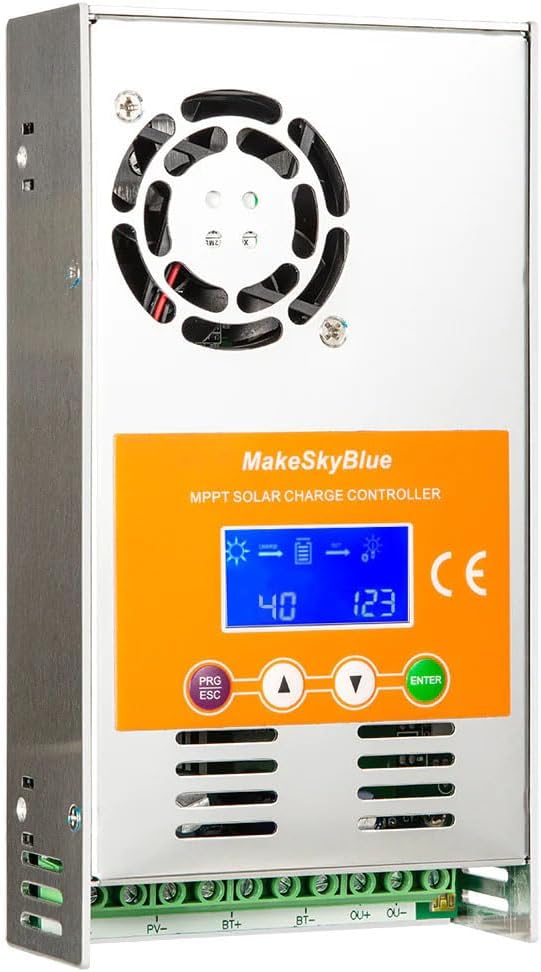
Figure 1: MakeSkyBlue 40A-V123 MPPT Solar Charge Controller
2. Maagizo ya Usalama
Zingatia tahadhari zifuatazo za usalama wakati wa ufungaji na uendeshaji:
- Hakikisha nyaya zote zimeunganishwa kwa usahihi na zimeunganishwa kwa usalama ili kuzuia uharibifu wa kidhibiti na vipengele vingine.
- Always connect the battery to the charge controller kwanza, and disconnect it mwisho.
- Do not connect the solar panel array to the controller without a battery connected.
- Ensure the solar panel array's open circuit voltage (Voc) does not exceed the controller's maximum input voltage.
- Sakinisha kidhibiti katika eneo lenye hewa ya kutosha, mbali na vifaa vinavyoweza kuwaka na jua moja kwa moja.
- Use appropriate circuit breakers or fuses for all connections (solar, battery, load).
- Avoid touching live terminals. Only qualified personnel should perform electrical work.
3. Bidhaa Imeishaview
The MakeSkyBlue 40A-V123 MPPT Solar Charge Controller features advanced Maximum Power Point Tracking technology to maximize energy harvest from your solar array. It includes a multi-function LCD for monitoring and parameter adjustment, and supports 12V, 24V, and 48V battery systems with automatic voltagkugundua.
3.1 Sifa Muhimu
- Intelligent Maximum Power Point Tracking (MPPT) technology.
- Built-in DSP controller for high performance.
- Tatu-stage charging algorithm to optimize battery performance and lifespan.
- Multi-function LCD display with backlight for real-time data and error codes.
- Betri otomatiki ujazotage detection (12V/24V/48V).
- Compatible with various battery types including Lead-Acid, AGM, and Gel.
- Protection features: limited current, temperature, and overcharging.

Figure 2: Compatible Battery Types (Gel, Flooded, AGM)

Figure 3: Illustration of Maximum Power Point Tracking (MPPT) vs. PWM
4. Kuweka na Kuweka
Follow these steps for proper installation of your MPPT solar charge controller. Refer to the wiring diagram for visual guidance.
4.1 Mchoro wa Wiring

Figure 4: MPPT Charge Controller System Wiring Diagram
4.2 Hatua za Ufungaji
- Kupachika: Mount the controller vertically on a non-flammable surface in a cool, dry, and well-ventilated area. Ensure adequate clearance around the unit for heat dissipation.
- Muunganisho wa Betri: Connect the battery cables to the controller's BAT+ and BAT- terminals. Ensure correct polarity. The controller will automatically detect the battery voltage (12V, 24V, au 48V).
- Muunganisho wa Paneli ya Jua: Connect the solar panel array cables to the controller's PV+ and PV- terminals. Ensure correct polarity. The controller will begin charging the battery.
- Muunganisho wa Mzigo (Si lazima): If using the load output, connect your DC loads to the OUT+ and OUT- terminals. Ensure the total current draw does not exceed the controller's rated load current.
- Thibitisha Miunganisho: Double-check all connections for tightness and correct polarity before powering on the system.
Important: Always connect the battery first and disconnect it last. Failure to follow this sequence may damage the controller.
5. Maagizo ya Uendeshaji
The controller's LCD display provides real-time system status and allows for parameter adjustments. The control buttons are PRG/ESC, Up (▲), Down (▼), and ENTER.
5.1 Kazi za Kuonyesha LCD
The LCD cycles through various screens displaying system information. You can manually cycle through screens using the Up/Down buttons or enter parameter settings using PRG/ESC and ENTER.
- Onyesho Kuu: Shows charging status, battery level, and output status.
- Uzalishaji wa Nguvu Mjumuisho: Displays total energy generated by the solar panels.
- Voltage and Load Power: Shows current solar panel voltage and load power consumption.
- Betri Voltage and Load Current: Inaonyesha ujazo wa betri ya sasatage na mzigo wa sasa.
- Accumulated Discharge: Shows total energy discharged from the battery.
- Halijoto ya Ndani: Huonyesha halijoto ya ndani ya kidhibiti.
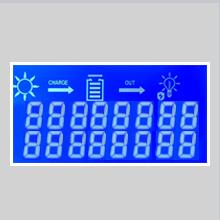
Figure 5: Main Display showing charge and output status.
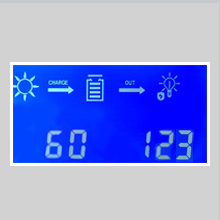
Figure 6: Display showing cumulative power generation.
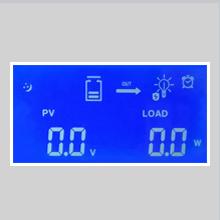
Figure 7: Display showing PV voltage and load power.
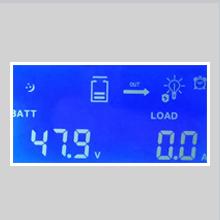
Figure 8: Display showing battery voltage na mzigo wa sasa.
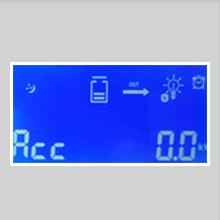
Figure 9: Display showing accumulated discharge.
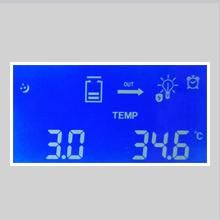
Figure 10: Display showing internal temperature.
5.2 Marekebisho ya Vigezo
To enter parameter adjustment mode, press the PRG/ESC kitufe. Tumia Up (▲) na Chini (▼) buttons to navigate through parameters and adjust values. Press INGIA to confirm changes. Press PRG/ESC tena ili kutoka kwenye hali ya mipangilio.
Vigezo vya kawaida vinavyoweza kurekebishwa ni pamoja na:
- b00: Load working mode (e.g., 24H for continuous, or timed modes).
- b01: Ulinzi wa malipo ya ziada ujazotage (e.g., 55.2V for 48V system).
- b02: Inachaji ahueni juzuu yatage (e.g., 58.0V for 48V system).
- b03: Ulinzi wa kutokwa na maji kupita kiasi juzuu yatage (e.g., 40.0V for 48V system).
- b04: Kupona kutekelezwa zaidi voltage.
- b06: Battery type setting (e.g., 47.9V for a specific battery type).
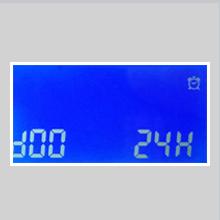
Figure 11: Parameter b00 for load working mode.
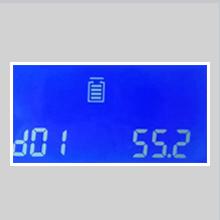
Figure 12: Parameter b01 for overcharge protection voltage.
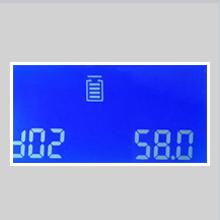
Figure 13: Parameter b02 for charging recovery voltage.
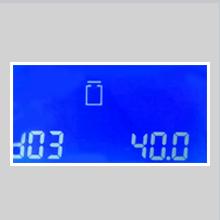
Figure 14: Parameter b03 for over-discharge protection voltage.
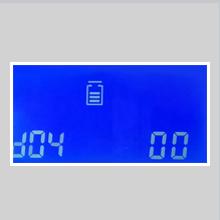
Figure 15: Parameter b04 for over-discharge recovery voltage.
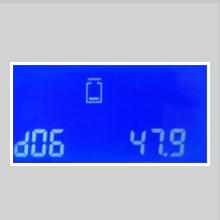
Figure 16: Parameter b06 for battery type setting.
Refer to the full product manual (if available from the manufacturer) for a complete list of parameters and their recommended settings for different battery types.
6. Matengenezo
Matengenezo ya mara kwa mara huhakikisha utendaji bora na uimara wa kidhibiti chako cha chaji cha jua:
- Kusafisha: Periodically clean the controller's exterior, especially the cooling fins and fan openings, to prevent dust buildup and ensure proper heat dissipation. Use a dry cloth.
- Ukaguzi wa Muunganisho: Annually inspect all wiring connections for tightness and corrosion. Loose connections can cause overheating and power loss.
- Uingizaji hewa: Ensure the installation area remains well-ventilated and free from obstructions.
- Ukaguzi wa Betri: Regularly check your battery bank for signs of damage, corrosion, or electrolyte levels (for flooded batteries).
7. Utatuzi wa shida
The LCD display can show error codes to indicate specific issues. If an error occurs, note the code and refer to the manufacturer's documentation for detailed troubleshooting steps. General troubleshooting tips include:
- Hakuna Onyesho/Hakuna Nguvu: Angalia miunganisho ya betri na uhakikishe kuwa betri ina volti ya kutoshatage.
- Hakuna Kuchaji: Verify solar panel connections, ensure sufficient sunlight, and check for any shading on the panels. Confirm PV array voltage iko ndani ya kiwango cha uendeshaji cha kidhibiti.
- Overcharging/Undercharging: Check battery type settings and charging parameters (b01, b02). Ensure the battery is healthy.
- Mzigo Haufanyi Kazi: Check load connections, ensure the load output is enabled (b00 setting), and verify the load current does not exceed the controller's rating. Check for over-discharge protection (b03).
- Over-temperature Error: Ensure adequate ventilation around the controller. Clean any dust from cooling fins.
If the issue persists, contact MakeSkyBlue customer support.
8. Vipimo
Key technical specifications for the MakeSkyBlue 40A-V123 MPPT Solar Charge Controller:
| Kipengele | Vipimo |
|---|---|
| Mfano | 40A-V123 |
| Mfumo Voltage | 12V / 24V / 48V Auto |
| Maximum PV Array Power (12V Battery) | ≤ 720W |
| Maximum PV Array Power (24V Battery) | ≤ 1440W |
| Maximum PV Array Power (48V Battery) | ≤ 2800W |
| PV Array Open Circuit Voltage (Voc) (12V Battery) | 20V - 80V |
| PV Array Open Circuit Voltage (Voc) (24V Battery) | 37V - 105V |
| PV Array Open Circuit Voltage (Voc) (48V Battery) | 72V - 160V |
| Limited Current Protection | 61A |
| Ulinzi wa Joto | >75℃ |
| Fan-on Temperature | >45℃ |
| Fan-off Temperature | <40℃ |
| Ulinzi wa Kuchaji Zaidi Voltage (12V Battery) | 15V |
| Ulinzi wa Kuchaji Zaidi Voltage (24V Battery) | 30V |
| Ulinzi wa Kuchaji Zaidi Voltage (48V Battery) | 60V |
| Joto la Uendeshaji | Hadi 45℃ |
| Aina ya Kuonyesha | LCD |
| Uzito wa Kipengee | Pauni 2.87 (Gramu 1300) |
| Vipimo vya Kifurushi | Inchi 9.84 x 7.87 x 2.76 |
| UPC | 634769632563 |
8.1 Vipimo vya Bidhaa

Figure 17: Product Dimensions (approx. 21.65cm H x 14.96cm W x 8.66cm D)
9. Udhamini na Msaada
For warranty information, technical support, or service inquiries, please contact MakeSkyBlue directly through their official channels. Keep your purchase receipt as proof of purchase.
Unaweza kutembelea MakeSkyBlue Store on Amazon kwa taarifa zaidi.


