
1. Utangulizi
This manual provides detailed instructions for the installation, operation, and maintenance of your Yoidesu Smart Thermostat. Please read this manual thoroughly before installation and use to ensure proper function and safety.
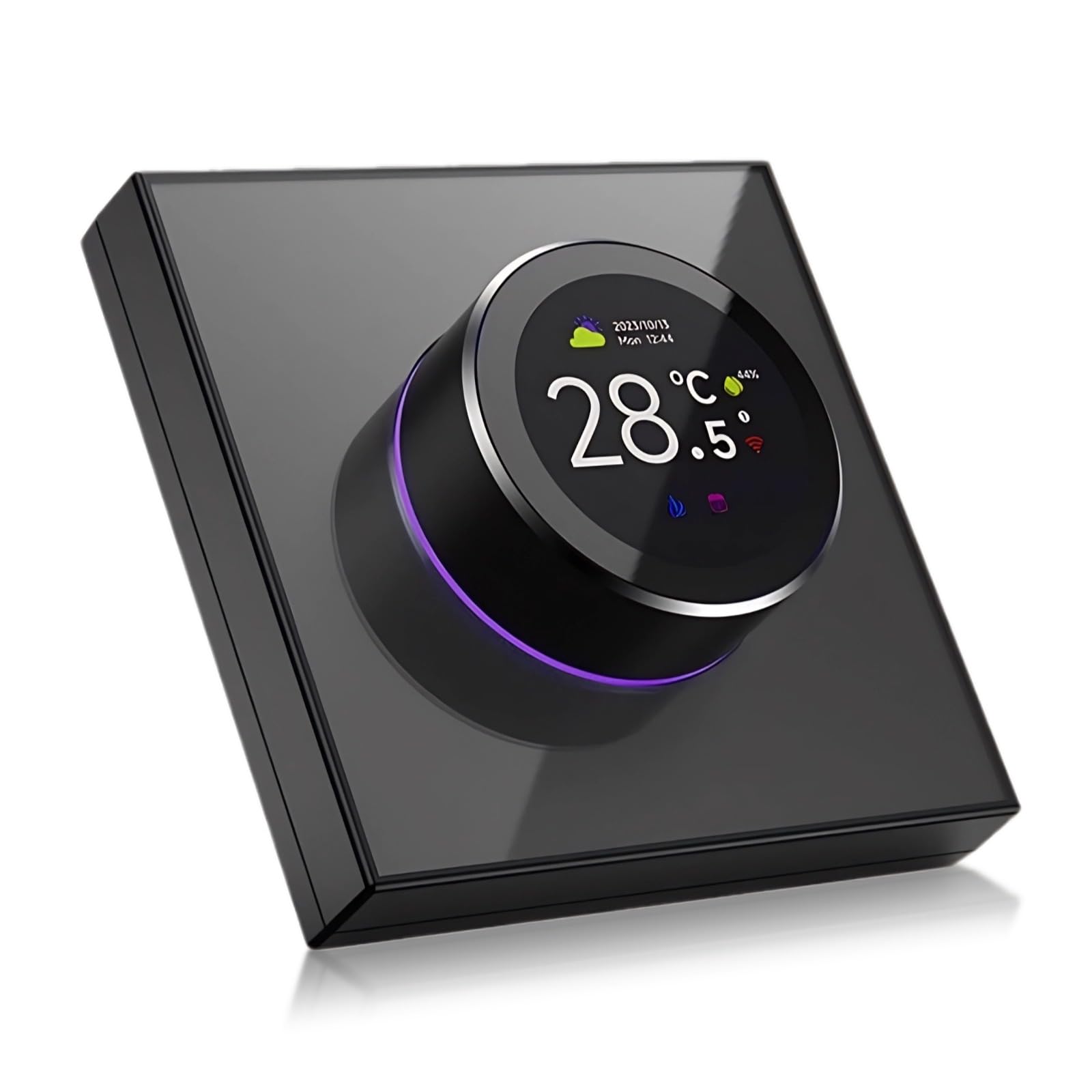
The Yoidesu Smart Thermostat features a sleek design with a central 1.32-inch TFT screen and a rotating knob for intuitive control. It supports app programming, WiFi connectivity, and voice control.
2. Taarifa za Usalama
- Always disconnect power to the heating/cooling system at the main fuse or circuit breaker before installing or servicing the thermostat.
- Installation should be performed by a qualified electrician or HVAC professional if you are unfamiliar with electrical wiring.
- Usiweke kidhibiti joto kwenye maji au unyevu kupita kiasi.
- Weka mbali na watoto.
3. Yaliyomo kwenye Kifurushi
Thibitisha kuwa vipengele vyote vipo kwenye kifurushi:
- Yoidesu Smart Thermostat Unit
- Kuweka Screw na Nanga
- Mwongozo wa Maagizo (hati hii)
4. Kuweka
4.1 Wiring and Installation
Muhimu: Incorrect wiring can damage the thermostat or your heating/cooling system. If you are unsure about any wiring steps, consult a qualified professional.
- Kukatwa kwa Nguvu: Turn off power to your heating/cooling system at the circuit breaker.
- Ondoa Thermostat ya Zamani: Carefully remove your old thermostat from the wall. Note the wiring connections. It is recommended to label each wire with the terminal designation (e.g., R, W, Y, G, C) before disconnecting.
- Kupachika: Mount the new Yoidesu Smart Thermostat base plate to the wall using the provided screws and anchors. Ensure the wires pass through the opening in the base plate.
- Viunganisho vya Wiring: Connect the wires from your heating/cooling system to the corresponding terminals on the Yoidesu Smart Thermostat. Refer to the detailed wiring diagram provided in the separate installation guide included with your product for specific terminal assignments. A common (C) wire is typically required for smart thermostats.
- Ambatisha Thermostat: Secure the thermostat unit to the mounted base plate.
- Rejesha Nguvu: Washa tena nguvu kwenye kikatiza mzunguko.
4.2 Initial Power-On and App Pairing
- Upon first power-on, the thermostat will enter setup mode.
- Pakua Tuya Smart or Maisha ya Smart programu kutoka duka la programu la kifaa chako cha mkononi.
- Unda akaunti au ingia.
- Follow the in-app instructions to add a new device. The thermostat should be automatically detected or can be added manually.
- Connect the thermostat to your home's 2.4GHz Wi-Fi network.
4.3 Ujumuishaji wa Msaidizi wa Sauti
To integrate with voice assistants like Google Assistant:
- Ensure your thermostat is successfully paired with the Tuya Smart app.
- Open your voice assistant app (e.g., Google Home).
- Navigate to the 'Add device' or 'Works with Google' section.
- Tafuta and link the 'Tuya Smart' or 'Smart Life' service.
- Authorize the connection using your Tuya Smart account credentials.
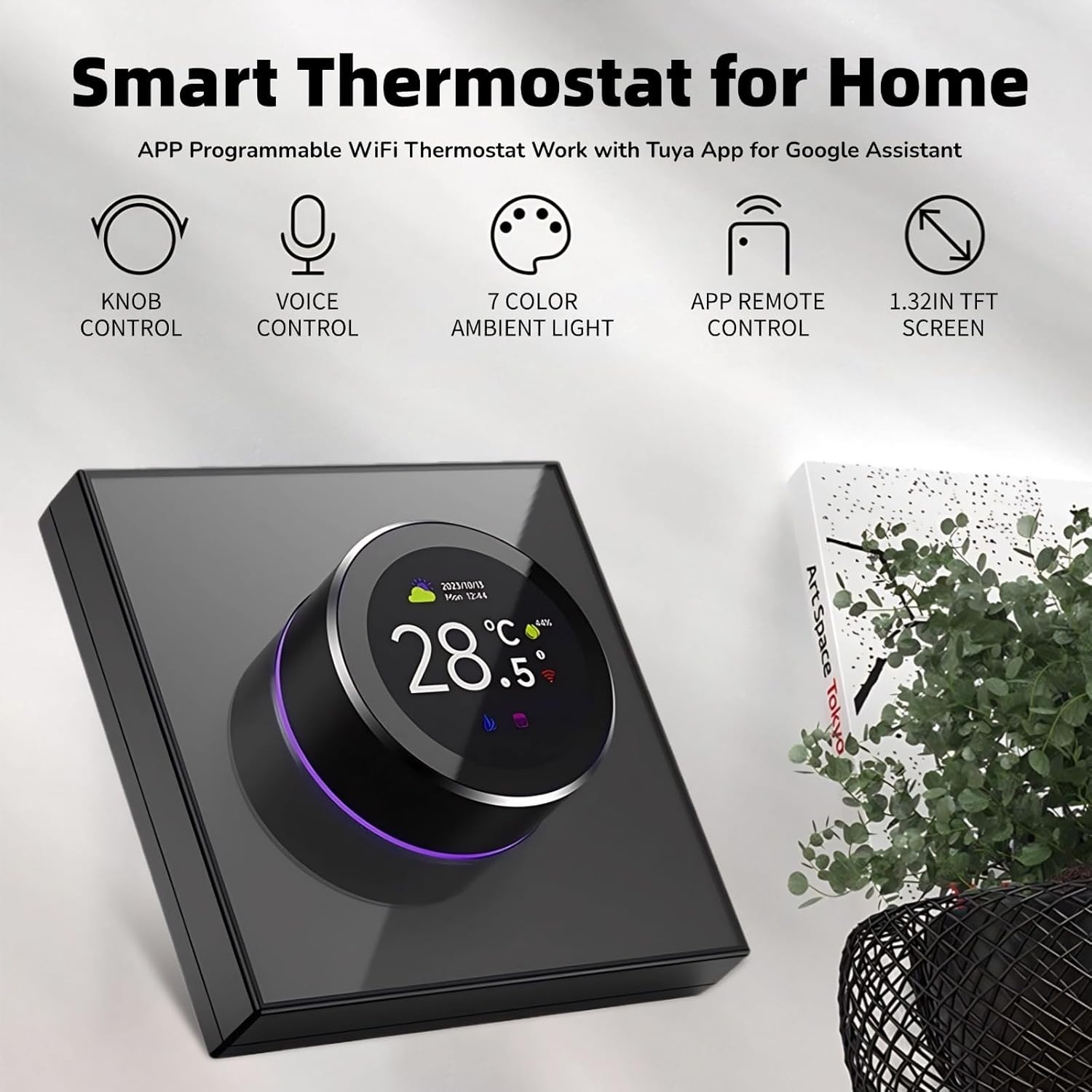
This image highlights the key features of the thermostat, including its physical knob for control, voice command capabilities, customizable 7-color ambient light, remote control via a smartphone app, and a clear 1.32-inch TFT display.
5. Uendeshaji
5.1 Screen Interface and Knob Control
The thermostat features a 1.32-inch TFT screen and a two-way rotating knob for interaction.
- Skrini ya Kudumu: Displays current temperature, time, and weather information.
- Master Control Screen: Rotate the knob to access various function icons. Press the knob to select an option.
- Marekebisho ya Halijoto: In standby mode, rotate the knob to adjust the target temperature.
- Urambazaji wa Menyu: Rotate the knob to scroll through menu options. Press the knob to confirm a selection.

The thermostat's screen displays current temperature, time, and weather in standby mode. In master control mode, various icons represent functions like power, settings, clock, program mode, brightness, temperature calibration, sensor type, and set temperature.

The two-way rotating knob allows for smooth adjustment of settings. The ambient light around the knob changes color, providing visual feedback and enhancing the user experience.
5.2 Kazi Kuu za Udhibiti
The thermostat provides access to 8 main control functions:

This diagram details the eight primary control functions available on the thermostat's interface, enabling users to manage temperature settings, power, calibration, display brightness, programming modes, time, sensor type, and language.
- Weka Muda: Rekebisha halijoto inayotakiwa.
- Nguvu: Turn the thermostat on or off.
- Urekebishaji wa Muda: Calibrate the temperature sensor for accuracy.
- Mwangaza: Rekebisha mwangaza wa skrini.
- Hali ya Programu: Panga ratiba za kupasha joto za kila siku au kila wiki.
- Saa: Weka saa na tarehe ya sasa.
- Aina ya Kihisi: Select the type of temperature sensor (e.g., internal, external floor sensor).
- Lugha: Badilisha lugha ya kuonyesha.
5.3 Udhibiti wa Sauti Mahiri
Ukishaunganisha na msaidizi wa sauti, tumia amri kama vile:
- "Hey Google, turn on the thermostat."
- "Hey Google, set the thermostat to 72 degrees."
- "Hey Google, what is the temperature in the living room?"

The thermostat integrates with smart home systems, allowing users to adjust temperature and settings using voice commands through compatible voice assistants.
5.4 Unique Ambience Light
The ambient light around the knob can be customized. The color of the ambient light changes synchronously with the color of the function area selected on the screen, providing visual cues and personalization.

The thermostat features a unique ambient light that can be customized with various colors, allowing users to personalize the device's appearance to match their decor or preference.
6. Matengenezo
6.1 Kusafisha
Ili kudumisha mwonekano na utendaji kazi wa kidhibiti joto chako:
- Futa skrini na mwili kwa kitambaa laini na kikavu.
- Usitumie visafishaji vya kukwaruza, miyeyusho, au dawa za kunyunyizia kemikali, kwani hizi zinaweza kuharibu uso au vipengele vya ndani.
7. Utatuzi wa shida
If you encounter issues with your Yoidesu Smart Thermostat, refer to the following common problems and solutions:
| Tatizo | Sababu inayowezekana | Suluhisho |
|---|---|---|
| Thermostat has no power/screen is blank. | No power from HVAC system; incorrect wiring; circuit breaker tripped. | Check circuit breaker. Verify wiring connections (especially the C-wire). Consult a professional if wiring is uncertain. |
| Haiwezi kuunganisha kwenye Wi-Fi. | Incorrect Wi-Fi password; thermostat too far from router; 5GHz network selected. | Ensure correct password. Move thermostat closer to router. Confirm your router is broadcasting a 2.4GHz network. |
| Usomaji wa halijoto si sahihi. | Thermostat location affected by drafts or heat sources; sensor calibration needed. | Relocate thermostat if possible. Use the 'Temp Calibration' function in the settings menu. |
| Udhibiti wa sauti haujibu. | Thermostat not linked to voice assistant; internet connectivity issue; incorrect commands. | Verify Tuya Smart app is linked to your voice assistant. Check internet connection. Use standard voice commands. |
| Mfumo wa kuongeza joto/upoeshaji haufanyi kazi. | Incorrect wiring; system power off; thermostat mode incorrect. | Double-check wiring. Ensure HVAC system is powered on. Confirm thermostat is in the correct mode (Heat/Cool). |
For persistent issues, refer to the manufacturer's webtovuti au wasiliana na usaidizi kwa wateja.
8. Vipimo
| Kipengele | Maelezo |
|---|---|
| Nambari ya Mfano | Yoidesu75bctqhkia |
| Chapa | Yoidesu |
| Skrini | Onyesho la TFT la inchi 1.32 |
| Njia ya Kudhibiti | Knob Control, Voice Control, APP Remote Control |
| Utangamano wa Smart Home | Tuya App, Google Assistant |
| Nyenzo | PC, ABS |
| Uzito wa Kipengee | Wakia 7.6 (takriban gramu 215) |
| Vipimo vya Kifurushi | Inchi 3.94 x 3.54 x 2.76 (sentimita 10 x 9 x 7) |
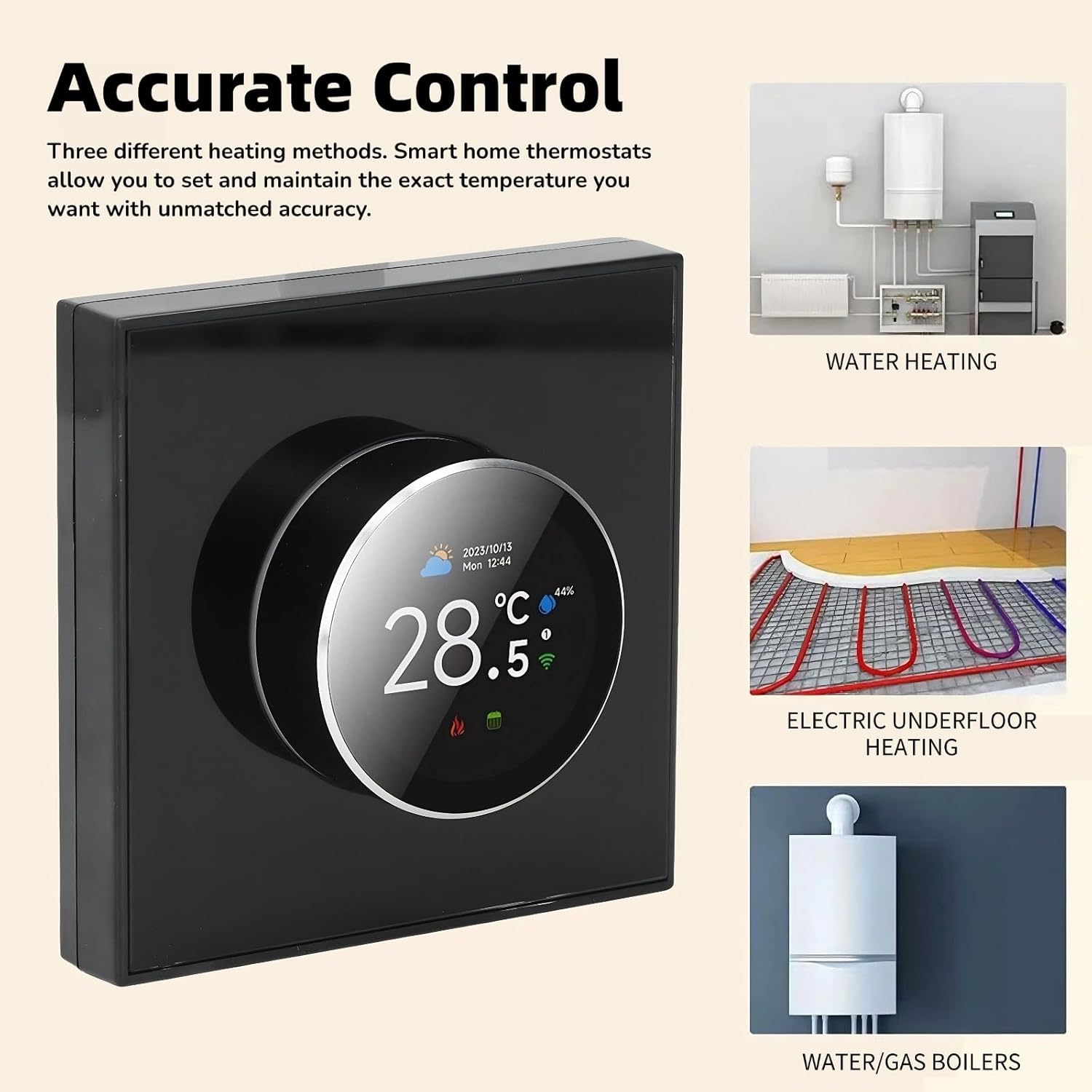
The thermostat is compatible with various heating systems, including water heating, electric underfloor heating, and water/gas boilers, providing versatile control for different home setups.
9. Udhamini na Msaada
9.1 Taarifa ya Udhamini
For specific warranty terms and conditions, please refer to the warranty card included with your product or visit the official Yoidesu webtovuti. Weka uthibitisho wako wa ununuzi kwa madai ya udhamini.
9.2 Usaidizi kwa Wateja
If you require further assistance, technical support, or have questions not covered in this manual, please contact Yoidesu customer support through their official webtovuti au maelezo ya mawasiliano yaliyotolewa kwenye kifungashio cha bidhaa yako.