
Utangulizi
The BL R69 Plus Android 14.0 TV Box is a high-performance multimedia device designed to enhance your home entertainment experience. Equipped with the latest Android 14.0 OS and an Allwinner H728 octa-core processor, it offers smooth performance for streaming, gaming, and various applications. This manual provides essential information for setting up, operating, and maintaining your device.
Ni nini kwenye Sanduku
Tafadhali angalia yaliyomo kwenye kifurushi kwa makini. Ikiwa bidhaa yoyote haipo au imeharibika, wasiliana na huduma kwa wateja.
- Android 14.0 TV Box (R69 Plus)
- US/CA Power Adapter
- HD Cable
- Kidhibiti cha Mbali cha Sauti cha Bluetooth
- Mwongozo wa Mtumiaji
- Kibodi ya Mini Wireless
Bidhaa Imeishaview na Vipengele
The R69 Plus Android TV Box offers a range of advanced features for a superior viewing and interactive experience.
Sifa Muhimu:
- Android 14.0 & H728 Processor: Latest Android 14.0 OS with Allwinner H728 octa-core high-speed processor for enhanced multitasking and responsiveness.
- Ample Capacity & USB 3.0: 4GB RAM and 64GB ROM for daily applications and data storage. Features a USB 3.0 interface for 5Gbps high-speed data transfer, supporting 128GB SD card expansion and 1TB hard drive expansion.
- 4K 8K TV Box: Supports 4K display with HDR10 3D technology, and a decoder up to 4K@60fps or 8K@24fps. Includes H.265 decoding technology for improved compression efficiency.
- 1000M Ethernet & Wi-Fi 6: Supports 2.4G/5.8G Wi-Fi 6 and Gigabit Ethernet (1000Mbps) for stable, high-speed internet. Bluetooth 5.0 for wireless connectivity with headphones, speakers, and other smart devices.
- Rahisi Kutumia: Equipped with a Bluetooth voice remote control and supports seamless casting from mobile phones and tablets. Includes a backlit mini wireless keyboard.
Violesura vya Kifaa:

- DC/5V Power Input
- Toleo la Sauti ya Macho
- Weka Kitufe Upya
- HD (HDMI) Output
- Ethernet (1000M) Port
- Bandari ya USB 3.0
- Bandari ya USB 2.0
- Slot Kadi ya SD
Mwongozo wa Kuweka
Follow these steps for initial setup of your BL R69 Plus Android TV Box.
- Unganisha kwenye TV: Connect one end of the provided HD cable (HDMI) to the HDMI port on your TV Box and the other end to an available HDMI input on your television.
- Unganisha Nguvu: Plug the US/CA power adapter into the DC/5V port on the TV Box, then plug the adapter into a power outlet.
- Unganisha kwa Mtandao: For optimal performance, connect an Ethernet cable from your router to the Ethernet port on the TV Box. Alternatively, you can connect via Wi-Fi during the initial setup process.
- Washa: Turn on your television and select the correct HDMI input source. The TV Box should power on automatically.
- Usanidi wa Kidhibiti cha Mbali: Insert two AAA batteries (not included) into the Bluetooth Voice Remote Control. Follow the on-screen instructions to pair the remote with your TV Box.
- Usanidi wa Awali: Follow the on-screen prompts to complete the initial setup, including language selection, Wi-Fi connection (if not using Ethernet), Google account login, and app installations.

Maagizo ya Uendeshaji
Kuelekeza Kiolesura
The BL R69 Plus runs on Android 14.0 TV OS, providing a user-friendly interface.
- Use the directional pad on your remote to navigate through menus and select items.
- The "Home" button returns you to the main screen.
- The "Back" button returns to the previous screen.
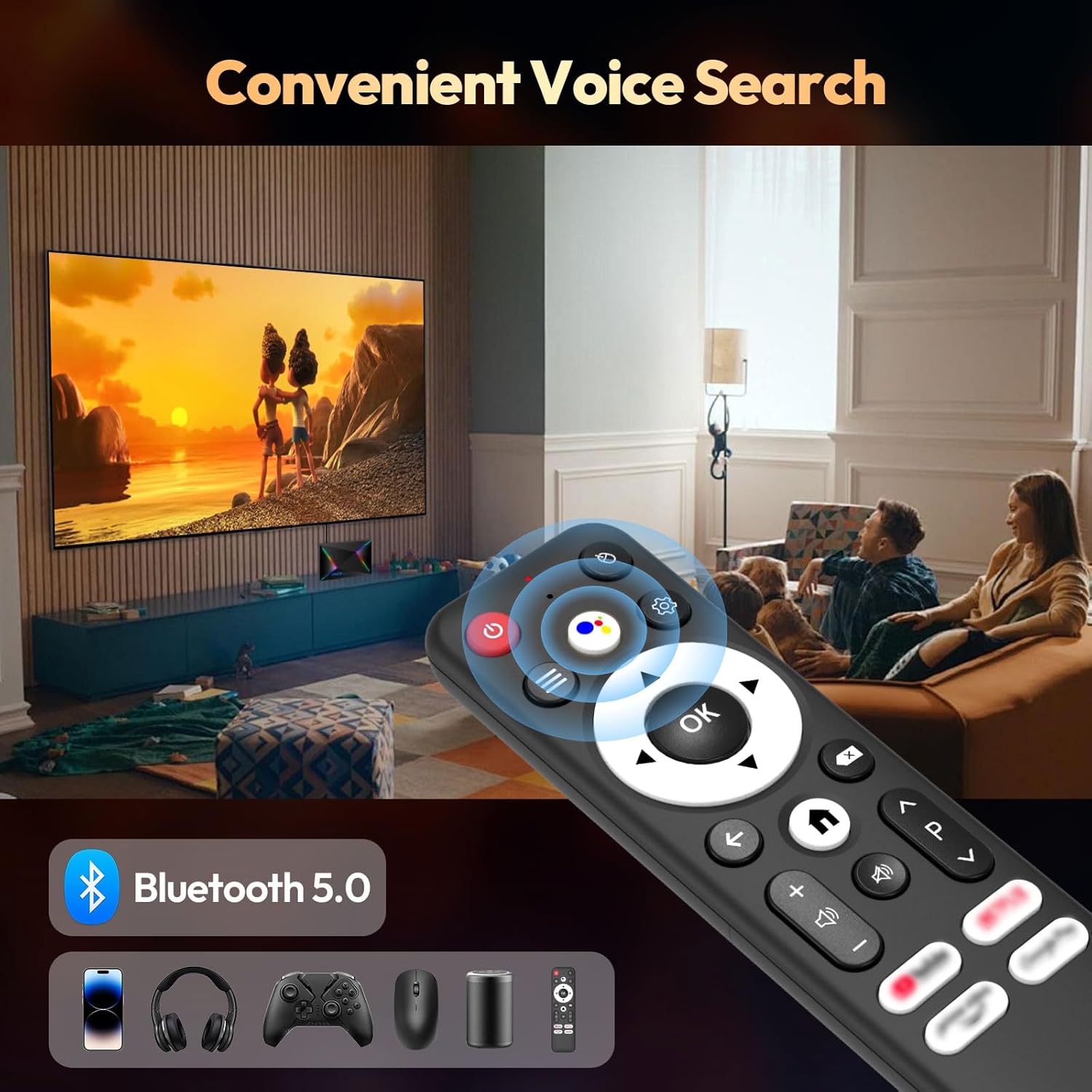
- The "Voice" button activates the voice assistant for searching content or controlling the device.
Using the Mini Wireless Keyboard
The included mini wireless keyboard provides an alternative for text input and navigation.
- Connect the USB receiver of the keyboard to one of the USB ports on the TV Box.
- Use the QWERTY keyboard for typing and the touchpad for mouse-like navigation.
- To change the 7-color backlight, hold the "Fn" key and scroll left/right at the touchpad bottom.

Kuakisi skrini
The device supports AirScreen and Miracast for casting content from your mobile phone or tablet to the TV.

Muunganisho
Wi-Fi na Ethaneti
The R69 Plus supports dual-band Wi-Fi 6 (2.4G/5.8G) and Gigabit Ethernet (1000Mbps) for fast and stable internet access.
- To connect via Wi-Fi, navigate to
Settings > Network & Internet, select your Wi-Fi network, and enter the password. - For Ethernet, simply plug an Ethernet cable into the device and your router.
Bluetooth 5.0
Connect Bluetooth-enabled devices such as headphones, speakers, game controllers, and mice.
- Nenda kwa
Settings > Remotes & Accessories > Add accessoryto pair new Bluetooth devices.
Mipangilio ya Onyesho na Sauti
Resolution and HDR
The device supports up to 8K resolution and HDR10+ for vivid visuals.
- Nenda kwa
Settings > Display & Sound > Resolutionto adjust the display resolution. - For HDR content, ensure your TV supports HDR10 or HDR10+ and enable it in
Settings > Display & Sound > Dynamic range & Color format.

Mipangilio ya Sauti
The R69 Plus supports advanced audio formats for an immersive sound experience.
- Adjust audio output settings in
Settings > Display & Sound > Advanced sound settings. - Ensure your audio receiver or soundbar supports Dolby Atmos or DTSX for the best experience.
Usimamizi wa Hifadhi
Your device comes with 4GB RAM and 64GB ROM. You can expand storage using an SD card or external hard drive.
- Ili kuangalia matumizi ya hifadhi, nenda kwenye
Settings > System > Storage. - Insert an SD card into the designated slot for additional storage.
- Connect a USB hard drive to the USB 3.0 port for high-speed data transfer and storage expansion.
Kutatua matatizo
Hakuna Nguvu
- Hakikisha adapta ya umeme imeunganishwa vizuri kwenye Kisanduku cha Runinga na soketi ya umeme inayofanya kazi.
- Angalia ikiwa umeme unafanya kazi kwa kuchomeka kifaa kingine.
Hakuna Picha
- Hakikisha kebo ya HDMI imeunganishwa kwa usahihi kwenye TV Box na TV.
- Hakikisha TV yako imewekwa kwenye chanzo sahihi cha kuingiza sauti cha HDMI.
- Jaribu kebo tofauti ya HDMI au mlango wa HDMI kwenye TV yako.
Kidhibiti cha Mbali hakijibu
- Angalia na ubadilishe betri kwenye kidhibiti cha mbali.
- Hakikisha hakuna vizuizi kati ya kidhibiti cha mbali na Sanduku la Runinga.
- Re-pair the Bluetooth remote control via
Settings > Remotes & Accessories.
Masuala ya Muunganisho wa Mtandao
- For Wi-Fi, check your router and ensure it's broadcasting a signal. Re-enter the Wi-Fi password if necessary.
- For Ethernet, ensure the cable is securely connected and your router's Ethernet port is active.
- Restart your router and the TV Box.
Apps Freezing or Crashing
- Close and restart the problematic application.
- Clear the app's cache:
Settings > Apps > [Select App] > Clear cache. - Ensure the TV Box firmware and apps are updated to the latest versions.
Vipimo
| Kipengele | Maelezo |
|---|---|
| Mfano | R69PLUS |
| Mfumo wa Uendeshaji | Android 14.0 |
| Kichakataji | Allwinner H728 Octa-core CPU |
| RAM | GB 4 |
| Hifadhi ya Ndani | GB 64 |
| Azimio la Max | 8K |
| Msaada wa HDR | HDR10, HDR10+, Dolby Vision |
| Wi-Fi | Wi-Fi 6 (2.4G/5.8G) |
| Ethaneti | Ethaneti ya Gigabiti ya Mita 1000 |
| Bluetooth | Bluetooth 5.0 |
| Bandari za USB | 1x USB 3.0, 1x USB 2.0 |
| Kusimbua Video | H.265 |
| Vipimo | 22.8 x 19.4 x 9.9 cm |
| Uzito | 640 g |
Matengenezo
- Weka Safi: Regularly wipe the device with a soft, dry cloth. Avoid using liquid cleaners.
- Uingizaji hewa: Ensure the TV Box is placed in a well-ventilated area to prevent overheating. Do not cover ventilation openings.
- Sasisho za Programu: Periodically check for system updates in
Settings > System > About > System updateili kuhakikisha utendaji bora na usalama. - Epuka Hali Zilizokithiri: Do not expose the device to extreme temperatures, humidity, or direct sunlight.
Udhamini na Msaada
Your BL R69 Plus Android 14.0 TV Box comes with a standard manufacturer's warranty. Please refer to the warranty card included in your package for specific terms and conditions.
For technical support, product inquiries, or warranty claims, please contact the seller or manufacturer directly.
Manufacturer: Shenzhen Xing he shi xun Co., Ltd
Kwa msaada zaidi, tembelea BL Store on Amazon.
Video Rasmi za Bidhaa
Video hii inatoa maelezo mafupiview of the Android Box 2025, highlighting its 4GB RAM, 64GB ROM, and the included mini keyboard.
Onyesho fupi la videoasing the Android TV Box 13.0, featuring 4GB RAM, 64GB ROM, 8K support, and the mini keyboard.
This video demonstrates the Xiaomi Android TV Box S 3.0 4K UHD, highlighting its features and capabilities.