
1. Utangulizi
The Retevis Ailunce HA1G is a robust GMRS two-way radio designed for reliable communication in various environments. It features IP67 waterproofing, a long-lasting 2800mAh battery, NOAA weather alerts, and multiple channels including GMRS repeater channels. This manual provides essential information for the proper setup, operation, and maintenance of your HA1G radio.
2. Yaliyomo kwenye Kifurushi
Tafadhali angalia kifurushi kwa vitu vifuatavyo:
- 1 x HA1G GMRS two-way radio
- 1 x Betri
- 1 x kebo ya kuchaji ya USB-C
- 1 x Desk charger
- 1 x klipu ya mkanda
- 1 x Lanyard
- 1 x Mwongozo wa mtumiaji

3. Bidhaa za Bidhaa
- Ukadiriaji wa IP67 Usiopitisha Maji: The HA1G radio is designed to withstand submersion in water up to 1 meter for 30 minutes, making it suitable for outdoor and water-related activities.
- Mawasiliano ya masafa marefu: Includes 8 GMRS repeater channels and 256 memory channels, allowing for extended communication distances.
- Betri ya 2800mAh: Equipped with a high-capacity battery for extended use, providing approximately 17 hours of working time and 5 days of standby time.
- Inachaji USB-C: Convenient charging via USB-C, compatible with power banks, vehicle chargers, and computers.
- Tahadhari za Hali ya Hewa za NOAA: Features 12 NOAA channels for receiving weather information and alerts, enhancing safety during outdoor activities.
- Sauti wazi: Incorporates squelch function and microphone gain for clear and accurate audio transmission.
- VFO Mode & CHIRP Support: Offers VFO mode for flexible frequency tuning and supports CHIRP software for easy programming.
- Kengele ya Dharura: Multiple alarm modes for quick assistance in emergency situations.
- Skrini ya Rangi ya inchi 1.77: Provides clear display of channel and battery information, with excellent readability even in sunlight.
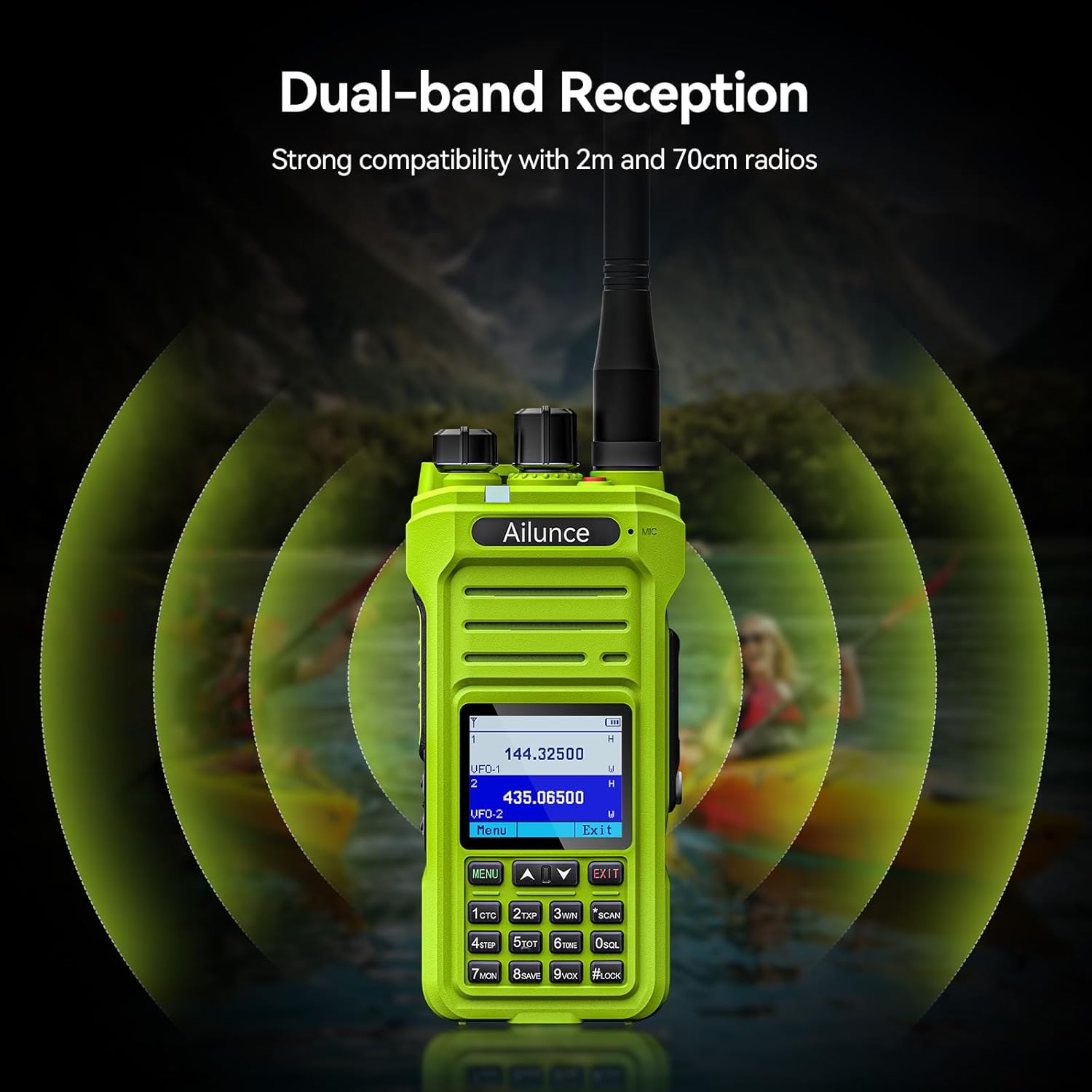
- Dual-band Reception: Strong compatibility with 2m and 70cm radios.




Video: NOAA Function and Usage Scenarios
This video demonstrates the NOAA weather alert function and various usage scenarios for the Retevis Ailunce HA1G GMRS Radio, including its application for hikers and campkwanza
Video: Screen Readability in Sunlight
This video compares the screen readability of the Retevis Ailunce HA1G GMRS Radio in direct sunlight against another radio, highlighting its superior legibility.
4. Kuweka
4.1 Ufungaji wa Betri
- Hakikisha kuwa redio imezimwa.
- Pangilia betri na sehemu ya betri nyuma ya redio.
- Sukuma betri mahali pake kwa upole hadi ibofye kwa usalama.
4.2 Kiambatisho cha Antena
- Telezesha antena kwa mwendo wa saa kwenye kiunganishi kilicho juu ya redio hadi ikaze kidole. Usiimarishe zaidi.
4.3 Kuchaji Betri
Before first use, fully charge the battery for 4-6 hours.
- Connect the USB-C charging cable to the desk charger.
- Place the radio with the battery installed into the desk charger. Ensure the charging contacts align.
- Kiashiria cha kuchaji kwenye chaja kitaonyesha hali ya kuchaji.

5. Maagizo ya Uendeshaji
5.1 Kuwasha/Kuzima na Kudhibiti Kiasi
- To power on, rotate the power/volume knob clockwise until you hear a "click" and the screen illuminates.
- To adjust volume, continue rotating the knob clockwise to increase volume or counter-clockwise to decrease.
- To power off, rotate the knob counter-clockwise until you hear a "click".
5.2 Uchaguzi wa Chaneli
The HA1G supports GMRS channels and memory channels.
- Use the Up/Down arrow buttons on the keypad to navigate through available channels.
- The radio includes 8 pre-programmed GMRS repeater channels and 256 memory channels for custom programming.
5.3 Kutuma na Kupokea
- Ili kutuma, bonyeza na ushikilie kitufe cha Push-To-Talk (PTT) kando ya redio. Sema waziwazi kwenye maikrofoni.
- Achilia kitufe cha PTT ili uache kutuma na urudi kwenye hali ya kupokea.
- The radio also features a programmable sub-PTT button for quick communication.

5.4 Privacy Codes (CTCSS/DCS) and Split Tones
Privacy codes (CTCSS/DCS) filter out unwanted transmissions, allowing you to only hear communications from radios using the same code. When connecting to repeaters, you may need to use different privacy codes for transmission and reception, known as split tones. The HA1G supports these features, which can be configured through the radio's menu or programming software.
5.5 Tahadhari za Hali ya Hewa za NOAA
The HA1G can receive NOAA weather channels and provide alerts for severe weather conditions. You can set up one of the dual channels to continuously monitor NOAA alerts while using the other for regular communication.
5.6 VFO Mode
VFO (Variable Frequency Oscillator) mode allows for direct frequency input and tuning, providing flexibility for advanced users to access specific frequencies not stored in memory channels.
5.7 redio ya FM
The HA1G includes an FM radio function for entertainment or receiving local broadcasts when not actively using the two-way radio features.
6. Matengenezo
6.1 Utunzaji wa Betri
- Epuka kuchaji kupita kiasi au kumaliza kabisa betri.
- Hifadhi betri mahali pa baridi, kavu wakati haitumiki.
- Ikiwa redio haitatumika kwa muda mrefu, ondoa betri.
6.2 Kusafisha
- Futa redio kwa laini, damp kitambaa. Usitumie kemikali kali au visafishaji vya abrasive.
- Ensure all port covers are securely closed to maintain waterproof integrity.
6.3 Hifadhi
- Hifadhi redio katika mazingira makavu, yasiyo na vumbi.
- Epuka jua moja kwa moja na joto kali.
7. Utatuzi wa shida
| Tatizo | Ufumbuzi |
|---|---|
| Haifanyi kazi |
|
| Will not take programming |
|
| Kept cutting out (Audio is choppy or drops) |
|
| It doesn't receive signals properly |
|
8. Vipimo
| Kipengele | Maelezo |
|---|---|
| Chapa | Retevis |
| Nambari ya Mfano | HA1G |
| Rangi | Kijani |
| Idadi ya Vituo | 256 |
| Masafa ya Marudio | GMRS |
| Upeo wa Masafa ya Kuzungumza | 5 maili |
| Kiwango cha Upinzani wa Maji | IP67 Inayozuia maji |
| Uwezo wa Betri | 2800mAh (1 CR5 battery included) |
| Wastani wa Maisha ya Betri | Saa 20 |
| Aina ya Kuchaji | USB-C Rechargable |
| Uzito wa Kipengee | Gramu 300 |
| Voltage | 7.4 Volts |
| Kelele Zinazosikika | 40 decibels |
| Vifaa Sambamba | FRS radios, GMRS radios, USB-C charging accessories |
| Kiwango cha Joto | -10°C ~ 55°C |
| Impedans | 50 ohm |
| Aina ya Kitafuta njia | GMRS |
| Itifaki ya Muunganisho | GMRS |
9. Udhamini na Msaada
Retevis provides a 2-year warranty for the radio body and a 1-year warranty for accessories. Additionally, there is a 30-day no-reason return policy. For any issues or support inquiries, please contact Retevis customer service on Amazon. They aim to respond within 12 hours.
Kwa msaada zaidi tembelea afisa Duka la Retevis kwenye Amazon.