
Ergear EGESD7W-CA
Mwongozo wa Mtumiaji wa Dawati la Kudumu la Umeme la ErGear
Model: EGESD7W-CA | Brand: ErGear
Utangulizi
Thank you for choosing the ErGear Electric Standing Desk. This manual provides detailed instructions for assembly, operation, maintenance, and troubleshooting to ensure optimal performance and longevity of your desk. Please read this manual thoroughly before installation and use, and retain it for future reference.
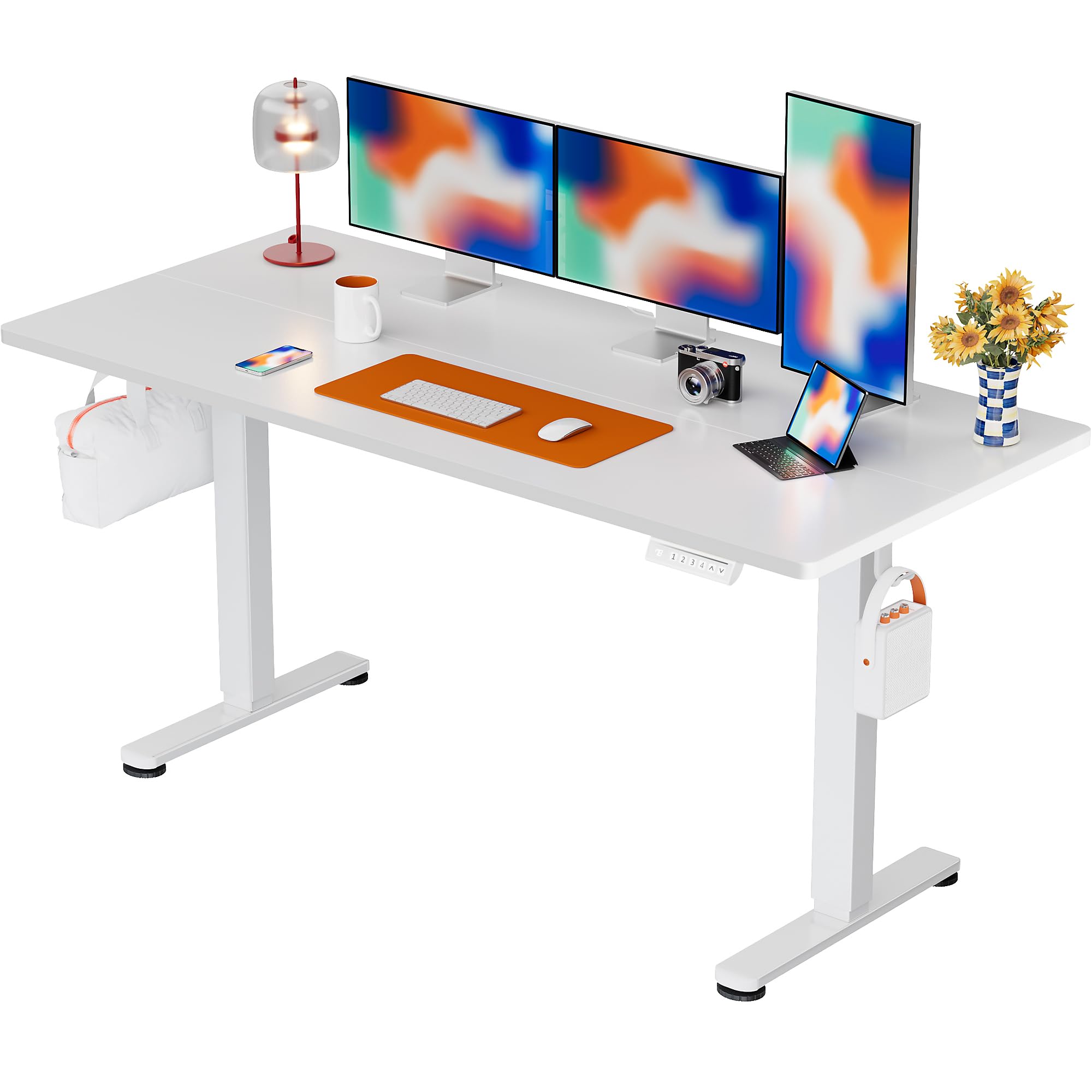
The ErGear Electric Standing Desk, 63x28 inch, in a white finish, featuring a spacious desktop and electric height adjustment capabilities.
Taarifa za Usalama
- Hakikisha vipengele vyote vipo na havijaharibika kabla ya kuviunganisha. Usitumie ikiwa sehemu yoyote haipo au ina kasoro.
- Weka watoto na wanyama kipenzi mbali na dawati wakati wa upasuaji ili kuzuia majeraha.
- Usizidishe mzigo kwenye dawati. Uzito wa juu unaopendekezwa ni pauni 176 (kilo 80).
- Ensure the power cord is not pinched or damaged. Connect to a grounded outlet.
- Epuka kuweka vimiminika moja kwa moja kwenye paneli ya kudhibiti au karibu na vipengele vya umeme.
- Angalia skrubu na miunganisho yote mara kwa mara ili kuhakikisha kuwa imebana na salama.
- Dawati hili limeundwa kwa matumizi ya ndani tu.
Yaliyomo kwenye Kifurushi
Before beginning assembly, please verify that all the following components are included in your package:
- Desktop Boards ×2
- Leg with Motor ×1
- Mguu ×1
- Leg Bases ×2
- Crossbar & Transmission Rod
- Controller & Power Cable
- Vifaa vyote muhimu vya kusanyiko na vifaa
Maagizo ya Mkutano
Follow these steps carefully to assemble your ErGear Electric Standing Desk. An assembly video is also provided for visual guidance.
Official ErGear Electric Standing Desk Assembly Video. This video demonstrates the step-by-step process for setting up your desk.
Step 1: Assemble the Desk Legs
Attach the leg bases to the desk legs using the provided screws. Ensure they are securely fastened.

The stable T-shaped desk legs provide a sturdy foundation for the electric standing desk.
Step 2: Attach Side Plates and Transmission Rod
Connect the side plates to the desk legs. Insert the transmission rod fully into the left leg and secure it. If the two desk legs are not at the same height, insert the rod into the left leg and turn to adjust.
Step 3: Assemble and Attach the Desktop
Place the two desktop boards together, aligning the dowels. Secure the desktop to the assembled frame using the provided screws and brackets. Ensure all connections are tight.
Hatua ya 4: Unganisha nyaya
Connect the motor and control panel cables to the main control box. Ensure all connections are firm and correctly oriented.
Step 5: Install Cable Hole Covers
Place the cable hole covers into the designated openings on the desktop to manage wires neatly.

Ergonomic guidelines for using the standing desk, showing optimal monitor and arm positions for both sitting and standing.
Maagizo ya Uendeshaji
Jopo la Kudhibiti Juuview
The desk features an intuitive control panel with height adjustment buttons and memory presets.
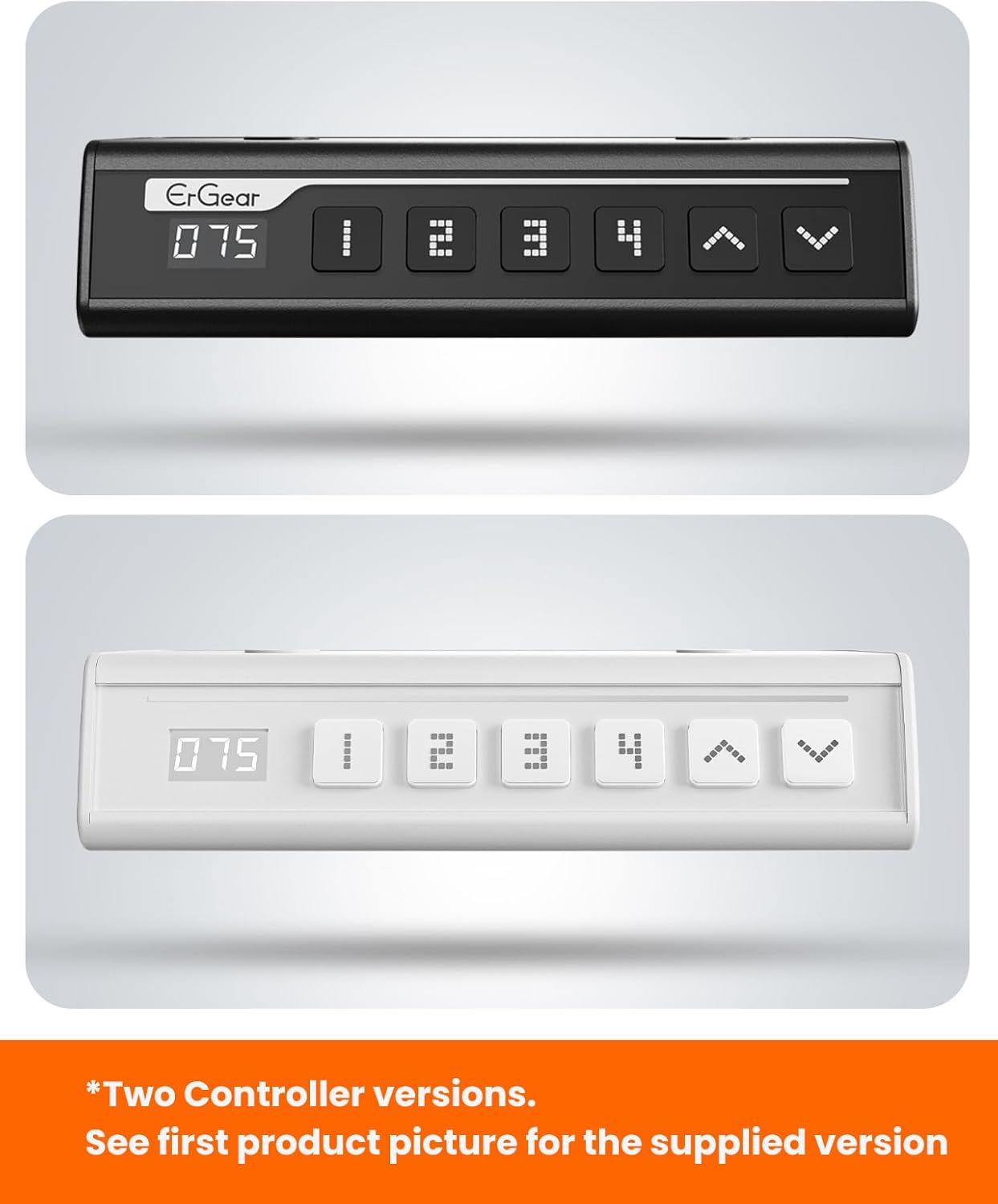
The ErGear control panel, available in two versions, features a digital height display and four programmable memory settings.
Marekebisho ya Urefu
- Tumia Juu (^) na Chini (v) arrows to smoothly adjust the desk height between 28.35 inches and 46.46 inches.
- Achilia kitufe kwenye urefu unaotaka.
Mipangilio ya Kumbukumbu
The desk allows you to save up to 4 preferred height settings.
- Rekebisha dawati hadi urefu unaotaka kwa kutumia mishale ya Juu/Chini.
- Bonyeza kwa M button (or equivalent memory set button). The display will flash.
- Bonyeza moja ya vitufe vilivyowekwa awali vyenye nambari (1, 2, 3, au 4) within 3 seconds to save the current height to that preset.
- Ili kukumbuka urefu uliohifadhiwa, bonyeza tu kitufe kinacholingana cha kuweka mapema chenye nambari. Dawati litahamia kiotomatiki kwenye nafasi iliyohifadhiwa.
This video demonstrates the smooth and quiet operation of the ErGear Electric Standing Desk, showcasing its height adjustment and memory preset features.
Matengenezo
- Kusafisha: Futa eneo-kazi na fremu kwa laini, damp kitambaa. Epuka kemikali kali au visafishaji vya abrasive.
- Ukaguzi: Periodically check all screws and connections for tightness. Re-tighten if necessary.
- Usimamizi wa Cable: Ensure cables are neatly organized and not tangled or pinched to prevent damage.
Kutatua matatizo
Ukikumbana na matatizo yoyote na Dawati lako la Kudumu la Umeme la ErGear, tafadhali rejelea matatizo na suluhisho zifuatazo za kawaida:
| Tatizo | Sababu inayowezekana | Suluhisho |
|---|---|---|
| Dawati haisogei | Power cable disconnected, motor error, overloaded desk. | Check power connections. Unplug for 30 seconds and plug back in. Reduce weight on the desk. |
| Urefu usio sawa | Transmission rod not fully inserted or adjusted. | Refer to Step 2 of assembly to ensure the transmission rod is correctly installed and adjusted. |
| Kelele wakati wa operesheni | Normal operation sound, loose screws. | A slight motor sound is normal. Check and tighten any loose screws on the frame. |
| Mipangilio ya awali ya kumbukumbu haifanyi kazi | Utaratibu wa kuokoa usio sahihi. | Follow the memory preset instructions carefully (press M, then the number within 3 seconds). |
Vipimo
| Kipengele | Maelezo |
|---|---|
| Chapa | ErGear |
| Nambari ya Mfano | EGESD7W-CA |
| Ubunifu wa Dawati | Dawati ya Kudumu |
| Umbo | Mstatili |
| Vipimo vya Bidhaa (D x W x H) | 71.1D x 160W x Sentimita 118H |
| Ukubwa | Inchi 63 * 28 |
| Rangi | Nyeupe |
| Urefu wa chini | Inchi 28.35 |
| Urefu wa Juu | Inchi 46.46 |
| Unene wa Ubao | Sentimita 1.5 |
| Nyenzo za Msingi | Aloi ya chuma |
| Aina ya Nyenzo ya Juu | Engineered Wood (Walnut Wood finish) |
| Vipengele Maalum | Adjustable Height, Electric, Ergonomic |
| Mapendekezo ya Uzito wa Juu | Pauni 176 (kilo 80) |
| Mkutano Unaohitajika | Ndiyo (Inajumuisha vifaa vyote vya kuunganisha) |
Udhamini na Msaada
ErGear is committed to providing high-quality products and customer satisfaction. This product comes with:
- Ulinzi wa miaka 5 on the desktop and desk frame.
- Ulinzi wa miaka 2 on motors and electrical components.
For any questions, concerns, or warranty claims, please contact ErGear customer support. You can typically find contact information on the product packaging or the official ErGear website. Please have your model number (EGESD7W-CA) and purchase details ready when contacting support.

The ErGear Electric Standing Desk seamlessly integrates into various home office environments.
Ask a question about this manual
Ask about setup, troubleshooting, compatibility, parts, safety, or missing instructions. Manuals+ will review the question and use this page’s manual context to help answer it.