
1. Utangulizi
The Hello Kitty Sunrise Alarm Clock is designed to provide a gentle and natural waking experience with its sunrise simulation feature. This digital alarm clock includes multicolor lights, an LED display showing time, date, and temperature, a USB charging port, and a convenient snooze function. Its charming Cinnamoroll design adds a whimsical touch to any room.

Image 1: Hello Kitty Cinnamoroll Sunrise Alarm Clock with multicolor lighting.
2. Taarifa za Usalama
- Usiweke kifaa kwenye joto kali, jua moja kwa moja, au unyevu mwingi.
- Use only the provided USB power cable or a certified equivalent.
- Weka kifaa mbali na maji au vimiminiko vingine.
- Usijaribu kutenganisha au kutengeneza kifaa mwenyewe. Wasiliana na wafanyikazi wa huduma waliohitimu.
- Hakikisha kifaa kimewekwa kwenye uso thabiti na wa gorofa.
3. Yaliyomo kwenye Kifurushi
Tafadhali angalia kifurushi kwa vitu vifuatavyo:
- Hello Kitty Sunrise Alarm Clock (Cinnamoroll design)
- Cable ya Nguvu ya USB
- Mwongozo wa Mtumiaji (hati hii)
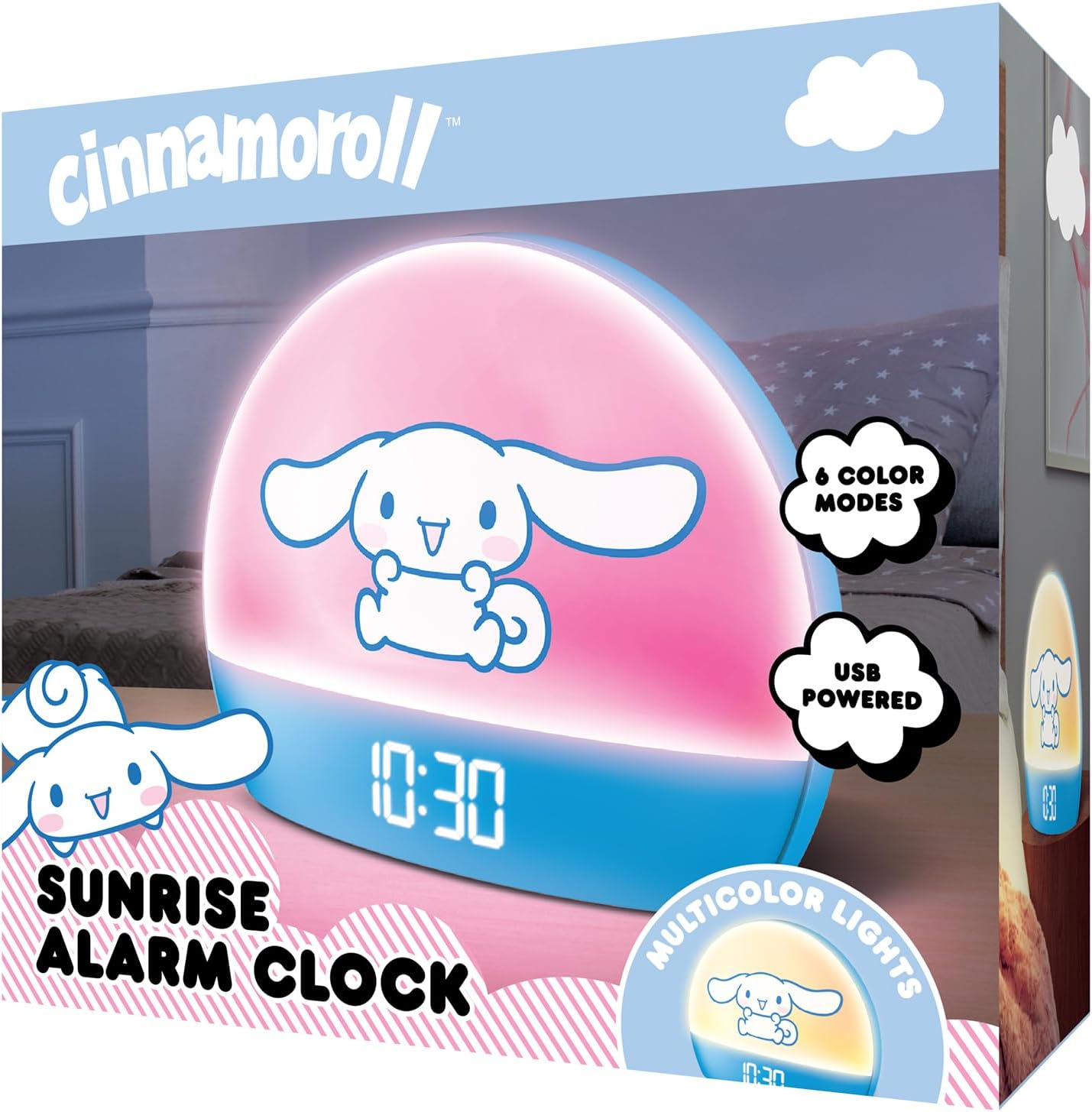
Image 2: Front packaging of the Hello Kitty Cinnamoroll Sunrise Alarm Clock.
4. Bidhaa Imeishaview
Familiarize yourself with the main components of your alarm clock.
- Onyesho la LED: Shows time, date, and temperature.
- Paneli ya Mwanga: Emits multicolor and sunrise simulation lights.
- Vifungo vya Kudhibiti: Located on the back or bottom for setting time, alarm, and light functions.
- Bandari ya kuchaji USB: For powering the device and charging external devices.
- Kitufe cha Kuahirisha: Typically a prominent button on the top or front.

Image 3: Hello Kitty Cinnamoroll Sunrise Alarm Clock in a bedroom setting.
5. Kuweka
Uunganisho wa Nguvu 5.1
- Connect the provided USB power cable to the USB port on the back of the alarm clock.
- Plug the other end of the USB cable into a compatible USB power adapter (not included) or a powered USB port.
- The LED display will light up, indicating the device is powered on.
5.2 Kuweka Muda na Tarehe
Specific button names are not provided, so general instructions are given. Refer to the physical device for exact button labels.
- Press the "SET" or "TIME" button to enter time setting mode.
- Use the "UP" and "DOWN" buttons to adjust the hour. Press "SET" again to confirm.
- Adjust the minute using "UP" and "DOWN" buttons. Press "SET" to confirm.
- Continue this process to set the year, month, and day.
- The clock may offer 12-hour or 24-hour format selection. Follow on-screen prompts or consult the device's specific button functions.
6. Maagizo ya Uendeshaji
Kuweka Kengele
- Bonyeza kitufe cha "ALARM" ili kuingia katika hali ya kuweka kengele.
- Use "UP" and "DOWN" buttons to set the desired alarm hour. Press "ALARM" to confirm.
- Adjust the alarm minute. Press "ALARM" to confirm.
- Some models may allow setting alarm volume or sound. Follow prompts if available.
- To activate/deactivate the alarm, look for an "ALARM ON/OFF" button or a toggle within the alarm setting menu.
6.2 Uigaji wa Machozi
The sunrise simulation feature gradually increases light intensity before your set alarm time, mimicking a natural sunrise.
- This feature is typically linked to the alarm function. When the alarm is active, the light will begin to brighten a set period (e.g., 30 minutes) before the alarm sounds.
- Consult the device's specific controls for adjusting the duration or intensity of the sunrise simulation, if applicable.
Taa 6.3 za Multicolor
The clock offers various color modes for ambient lighting.
- Press the "LIGHT" or "COLOR" button to cycle through different color options or activate a color-changing mode.
- Press and hold the "LIGHT" button to turn off the ambient light.
- Brightness of the display and ambient light can often be adjusted using dedicated buttons or by holding the "LIGHT" button.
6.4 Kazi ya Kuahirisha
When the alarm sounds, press the large "SNOOZE" button (usually on top) to temporarily pause the alarm. The alarm will sound again after a short interval (e.g., 5-10 minutes).
6.5 Bandari ya kuchaji USB
The integrated USB port can be used to charge small electronic devices like smartphones or tablets. Simply connect your device's charging cable to the USB port on the alarm clock.
6.6 Onyesho la Halijoto
The LED display shows the current room temperature. No specific action is usually required to view this, as it cycles with time and date or is displayed continuously.
7. Matengenezo
- Safisha saa kwa kitambaa laini na kikavu. Usitumie visafishaji au viyeyusho vyenye kukwaruza.
- Ensure the USB port is free from dust and debris.
- Hifadhi saa mahali pakavu na penye baridi wakati haitumiki kwa muda mrefu.
8. Utatuzi wa shida
| Tatizo | Sababu inayowezekana | Suluhisho |
|---|---|---|
| Saa haiwaki. | USB cable not connected properly or power source issue. | Check USB cable connection. Try a different USB power adapter or port. Ensure the cable is securely inserted. |
| Muda si sahihi au unapita. | Time not set correctly or internal clock issue. | Re-set the time following Section 5.2. If the issue persists, try disconnecting and reconnecting power. |
| Kengele haisikiki. | Kengele haijawashwa au haijawekwa vibaya. | Verify the alarm is set and activated (check for an alarm icon on the display). Ensure the volume is not set to zero if adjustable. |
| Vifungo havijibu. | Temporary software glitch or physical button issue. | Disconnect power for a few seconds and reconnect to reset the device. If buttons remain unresponsive, contact support. |
| Lango la kuchaji la USB halifanyi kazi. | Cable issue, device not fully powered, or port malfunction. | Ensure the clock is properly powered. Try a different USB charging cable. Check if the port is clean and free of debris. |
9. Vipimo
| Chapa | Habari Kitty |
| Nambari ya Mfano | HKCLK01CR-MFN |
| Rangi | Cinnamoroll |
| Aina ya Kuonyesha | Dijitali |
| Vipengele Maalum | Adjustable Brightness, Alarm, Charging Port, LED Display, Temperature Display, Sunrise Simulation, Multicolor Lights |
| Vipimo vya Bidhaa | 7"W x 6"H |
| Chanzo cha Nguvu | Umeme wa Cord (USB) |
| Nyenzo | Plastiki |
| Uzito wa Kipengee | Kilo 0.4 (wakia 14) |
| Teknolojia ya Uunganisho | USB |
| Mtengenezaji | Telecom ya Kusini |
10. Udhamini na Msaada
For warranty information or technical support, please refer to the contact details provided on the product packaging or visit the official Hello Kitty product support webtovuti. Hifadhi risiti yako ya ununuzi kwa madai ya udhamini.