
eppfun Cutemeet 818 (LS003)
eppfun Cutemeet 818 Wireless Headphones User Manual
Mfano: LS003
Chapa: eppfun
Utangulizi
Asante kwa ununuziasing the eppfun Cutemeet 818 Wireless Headphones. These headphones are designed to provide a superior audio experience with advanced features such as Bluetooth 5.4, LE Audio, and aptX Lossless support. They offer both wireless and wired connectivity, ensuring versatility for various listening scenarios. With a lightweight and comfortable design, the Cutemeet 818 is perfect for extended use.
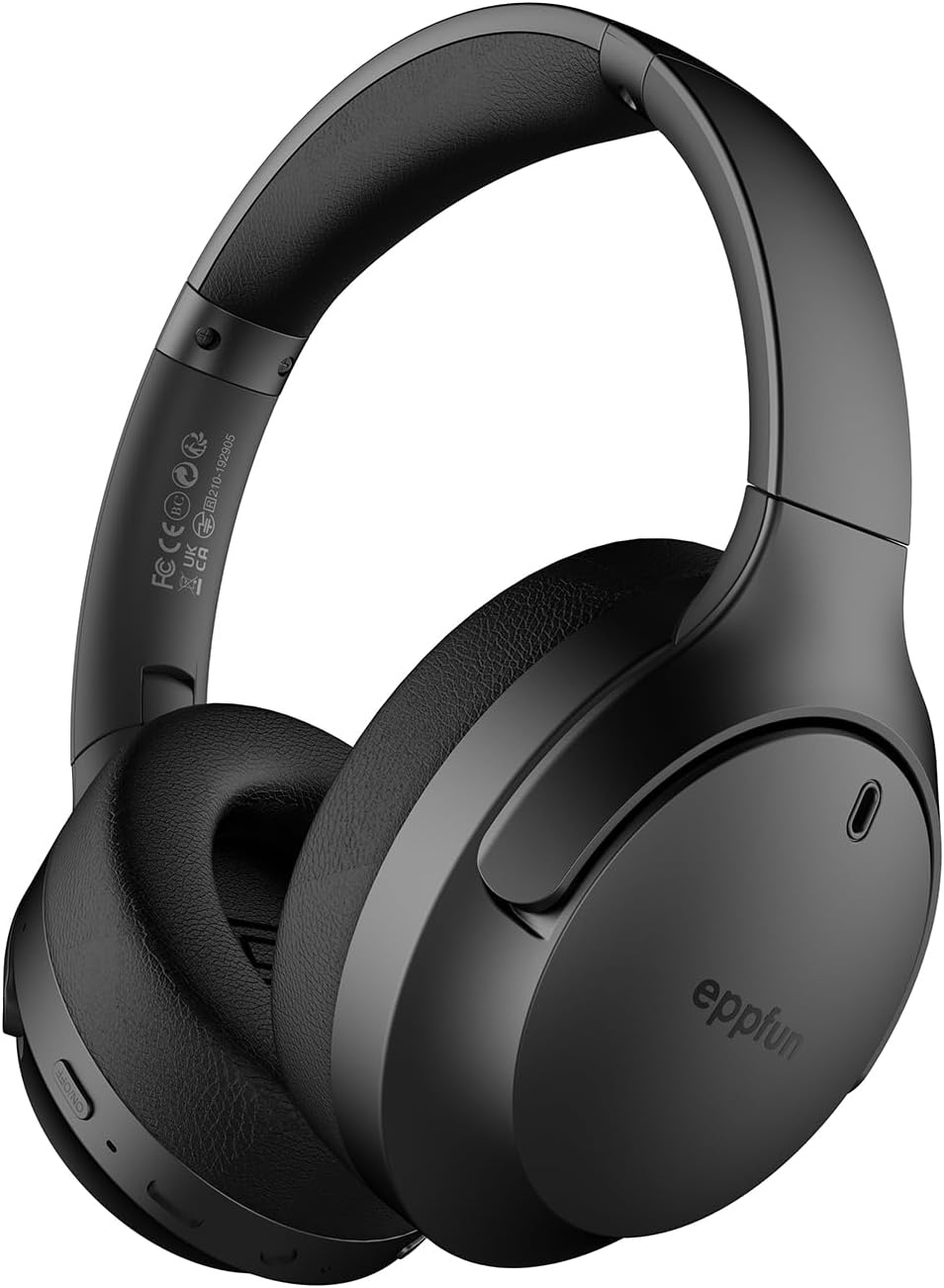
Figure 1: eppfun Cutemeet 818 Wireless Headphones
The image displays the eppfun Cutemeet 818 wireless headphones in black, showcasing their sleek design and over-ear form factor. The eppfun logo is visible on the earcups.
Taarifa za Usalama
Please read this safety information carefully before using the headphones to ensure proper operation and prevent damage or injury.
- Usiwawekee vipokea sauti vya masikioni kwenye halijoto kali, unyevunyevu, au vitu vinavyoweza kusababisha babuzi.
- Epuka kudondosha au kuelekeza vipokea sauti vinavyobanwa kichwani kwenye athari kali.
- Usivunje au kujaribu kutengeneza vipokea sauti vya masikioni mwenyewe. Hii itabatilisha udhamini.
- Safisha vipokea sauti vya masikioni kwa kitambaa laini na kikavu. Usitumie kemikali kali au vifaa vya kukwaruza.
- Sikiliza kwa kiwango cha wastani cha sauti ili kuzuia uharibifu wa kusikia. Kusikia sauti kubwa kwa muda mrefu kunaweza kusababisha upotevu usioweza kurekebishwa wa kusikia.
- Weka mbali na watoto na kipenzi.
Yaliyomo kwenye Kifurushi
Thibitisha kuwa vipengee vyote vipo kwenye kifurushi chako:
- eppfun Cutemeet 818 Wireless Headphones
- Kebo ya Kuchaji ya USB-C
- Cable ya Sauti ya 3.5mm AUX
- Mwongozo wa Mtumiaji (hati hii)
Bidhaa Imeishaview
Familiarize yourself with the various parts and controls of your headphones.
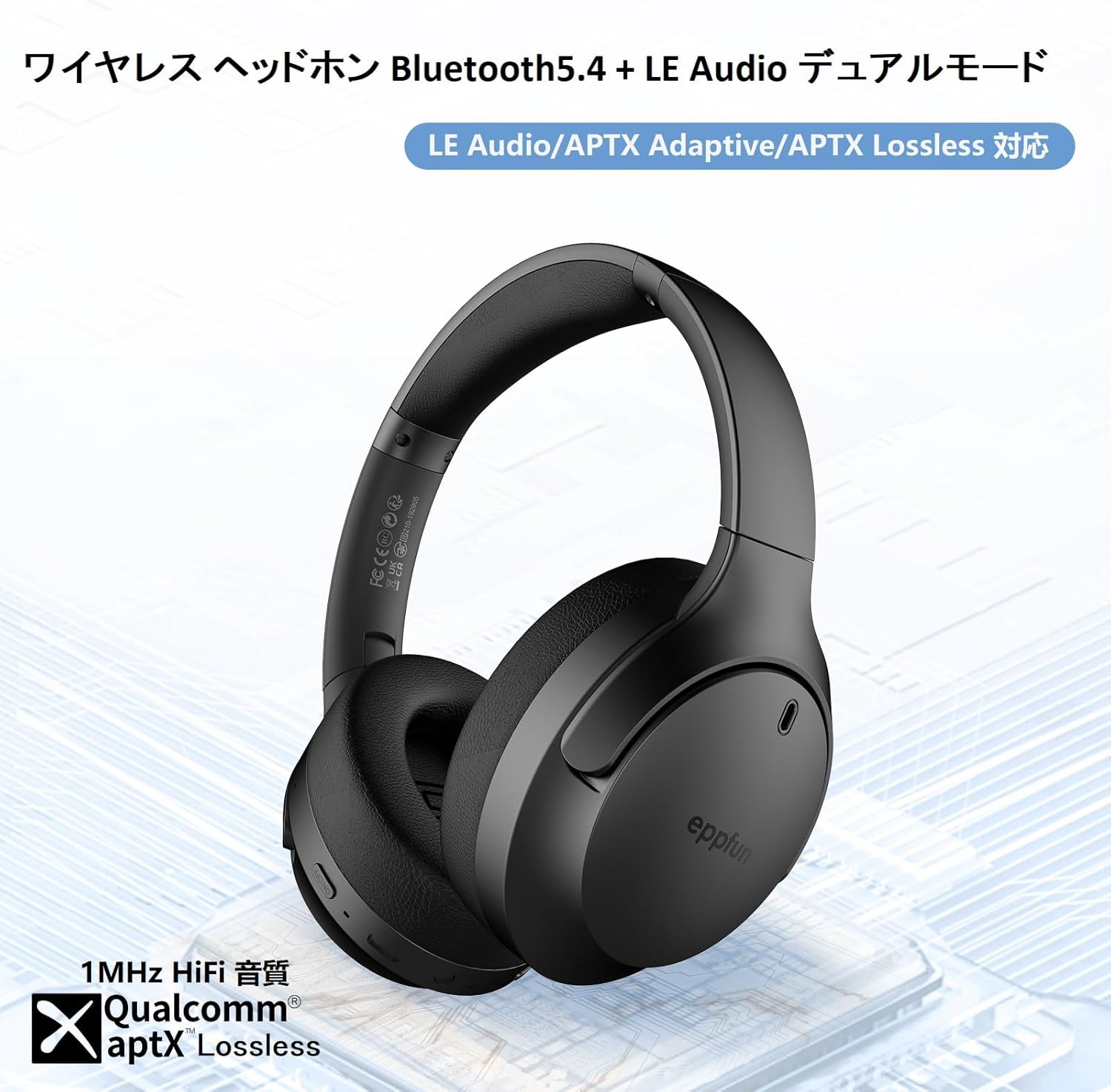
Figure 2: Headphone Features and Controls
This image highlights the eppfun Cutemeet 818 headphones, emphasizing their support for Bluetooth 5.4, LE Audio, APTX Adaptive, and APTX Lossless technologies, indicating high-fidelity audio capabilities.
Vidhibiti na Bandari:
- Kitufe cha Nguvu: Bonyeza na ushikilie ili kuwasha/kuzima. Bonyeza kwa muda mfupi ili kucheza/kusitisha.
- Kitufe cha Kuongeza Sauti/Kinachofuata: Bonyeza kwa muda mfupi ili kuongeza sauti. Bonyeza kwa muda mrefu ili upate wimbo unaofuata.
- Kitufe cha Kupunguza Sauti/Kitufe cha Wimbo Uliopita: Bonyeza kwa muda mfupi ili kupunguza sauti. Bonyeza kwa muda mrefu ili upate wimbo uliopita.
- Kitufe cha kazi nyingi (MFB): Used for answering/ending calls, activating voice assistant.
- Mlango wa Kuchaji wa USB-C: Kwa kuchaji vichwa vya sauti.
- Jack ya Sauti ya 3.5mm: Kwa muunganisho wa waya kwa kutumia kebo ya AUX.
- Kiashiria cha LED: Displays power status, pairing status, and charging status.
- Maikrofoni: Built-in CVC 8.0 noise-cancelling microphone for clear calls.
Sanidi
1. Kuchaji Headphones
Before first use, fully charge the headphones. Connect the USB-C charging cable to the headphone's USB-C port and the other end to a USB power adapter (not included) or a computer's USB port. The LED indicator will show charging status and turn off or change color when fully charged.
2. Kuoanisha Bluetooth
- Hakikisha vipokea sauti vya masikioni vimezimwa.
- Bonyeza na ushikilie kitufe cha Kuwasha kwa takriban sekunde 5 hadi kiashiria cha LED kiangazie bluu na nyekundu kwa kubadilishana, ikionyesha hali ya kuoanisha.
- Kwenye kifaa chako (smartphone, kompyuta kibao, kompyuta), washa Bluetooth na utafute vifaa vipya.
- Select "eppfun Cutemeet 818" from the list of available devices.
- Mara tu kitakapounganishwa, kiashiria cha LED kitageuka bluu ngumu au bluu inayong'aa polepole.

Figure 3: Bluetooth Connectivity Example
This image illustrates the eppfun Cutemeet 818 headphones wirelessly connected to both a smartphone and a tablet, demonstrating their versatile Bluetooth 5.4 capabilities for seamless audio and communication.
3. Muunganisho wa Waya (Njia ya AUX)
To use the headphones in wired mode, connect one end of the included 3.5mm AUX audio cable to the headphone's 3.5mm audio jack and the other end to your audio source's 3.5mm output. The headphones will automatically switch to wired mode, and the Bluetooth function will be disabled.
Maagizo ya Uendeshaji
Washa/Zima
- Washa: Press and hold the Power button for 2-3 seconds until the LED indicator flashes blue.
- Zima umeme: Press and hold the Power button for 3-4 seconds until the LED indicator flashes red and then turns off.
Uchezaji wa Muziki
- Cheza/Sitisha: Bonyeza kwa kifupi kitufe cha Nguvu.
- Kiasi Juu: Bonyeza kwa kifupi kitufe cha kuongeza sauti.
- Punguza sauti: Bonyeza kwa kifupi kitufe cha Kupunguza Sauti.
- Wimbo Ufuatao: Bonyeza kitufe cha Kuongeza Sauti kwa muda mrefu.
- Wimbo Uliopita: Bonyeza kitufe cha Kupunguza Sauti kwa muda mrefu.
Usimamizi wa simu
- Jibu/Maliza Simu: Bonyeza kwa kifupi MFB.
- Kataa Simu: Bonyeza MFB kwa muda mrefu.
- Washa Msaidizi wa Sauti: Bonyeza MFB mara mbili.
LE Audio and Auracast Functionality
The eppfun Cutemeet 818 headphones support LE Audio for superior sound quality with low power consumption and Auracast for ultra-low latency audio transmission. To utilize the Auracast feature for ultra-low latency, an eppfun LE Audio transmitter (sold separately, e.g., ASIN B0CCRTMQ3W) is required. Connect the headphones to the transmitter for an optimized gaming or video experience.

Figure 4: LE Audio and Auracast Support
This image displays a comparison chart of Bluetooth codecs, highlighting the advantages of LC3 (LE Audio) over SBC in terms of audio quality at various bitrates. It also features the Auracast logo, indicating support for this advanced audio sharing technology.
Matengenezo
- Kusafisha: Use a soft, lint-free cloth to wipe the headphones. For earcups, gently wipe with a slightly damp cloth and then dry thoroughly. Do not use alcohol, solvents, or abrasive cleaners.
- Hifadhi: When not in use, store the headphones in a cool, dry place, away from direct sunlight and extreme temperatures. The foldable design (Figure 5) allows for compact storage and easy portability.
- Utunzaji wa Betri: To prolong battery life, avoid fully discharging the headphones frequently. Charge them regularly, especially if not used for extended periods.

Mchoro 5: Muundo Unaoweza Kukunjwa kwa Uwezekano wa Kubebeka
This image demonstrates the foldable design of the eppfun Cutemeet 818 headphones, highlighting their compact nature for convenient storage and travel.
Kutatua matatizo
| Tatizo | Sababu inayowezekana | Suluhisho |
|---|---|---|
| Vipokea sauti vya masikioni havitawashwa. | Betri ya chini. | Chaji vipokea sauti vya masikioni kikamilifu. |
| Haiwezi kuoanisha na kifaa. | Vipokea sauti vya masikioni haviko katika hali ya kuoanisha; Bluetooth ya kifaa imezimwa; mbali sana na kifaa. | Ensure headphones are in pairing mode (flashing blue/red). Turn on device Bluetooth. Move headphones closer to device (within 10m). |
| Hakuna sauti au ubora duni wa sauti. | Volume too low; incorrect audio source; interference; low battery. | Increase volume on headphones and device. Check if AUX cable is properly connected. Move away from sources of interference. Charge headphones. |
| Ubora wa simu ni duni. | Kelele ya mazingira; kizuizi cha maikrofoni. | Nenda kwenye mazingira tulivu zaidi. Hakikisha maikrofoni haijafunikwa. |
| Intermittent connection/audio drops. | Mbali sana na kifaa; kuingiliwa; betri ya chini. | Move closer to the device. Avoid obstacles between headphones and device. Charge headphones. |
Vipimo
| Kipengele | Maelezo |
|---|---|
| Jina la Mfano | LS003 (Cutemeet 818) |
| Teknolojia ya Uunganisho | Bluetooth 5.4, Inayotumia Waya (3.5mm AUX) |
| Teknolojia ya Mawasiliano ya Wireless | Bluetooth |
| Udhibiti wa Kelele | Sound Isolation (CVC 8.0 for calls) |
| Jack ya kipaza sauti | Jack 3.5 mm |
| Vipengee vilivyojumuishwa | Cable, Headphones |
| Umri unaolengwa | Mtu mzima |
| Nyenzo | Acrylonitrile Butadiene Styrene (ABS), Leather, Metal |
| Vifaa Sambamba | iPhone & Android Smartphones, Gaming Consoles, TVs, Laptops, Mobile Phones |
| Kiwango cha Upinzani wa Maji | Sugu ya Maji |
| Betri Inahitajika | Ndiyo |
| Mtengenezaji | eppun |
| Uzito wa Kipengee | 430 g |
| Impedans | 32 ohm |
| Mtindo wa Vipokea Simu | Zaidi ya Sikio |
| Kodeki za Sauti Zinatumika | LE Audio (LC3), aptX Lossless, aptX Adaptive |
Udhamini na Msaada
eppfun products come with a standard warranty. For detailed warranty information, product support, or technical assistance, please refer to the warranty card included in your package or visit the official eppfun website. You can also contact eppfun customer service through the retailer where you purchased the product.
Kumbuka Muhimu: The maximum communication distance for Bluetooth is 10 meters. This distance may vary depending on the usage environment and interference from other electronic devices. If the battery level is too low, latency may occur. Please charge the headphones regularly.
Ask a question about this manual
Ask about setup, troubleshooting, compatibility, parts, safety, or missing instructions. Manuals+ will review the question and use this page’s manual context to help answer it.