
1. Utangulizi
Thank you for choosing the KIDYWOLF KIDYMICPARENT Bluetooth Microphone. This all-in-one microphone features a built-in speaker, light effects, and Bluetooth connectivity, designed to provide an engaging music experience. This manual provides essential information for the safe and effective use of your device. Please read it thoroughly before use and retain it for future reference.
2. Taarifa za Usalama
- Keep the microphone away from water and moisture.
- Usiweke kifaa kwenye joto kali au jua moja kwa moja.
- Epuka kuangusha au kuathiri maikrofoni kwa nguvu.
- Usijaribu kutenganisha au kutengeneza kifaa mwenyewe. Wasiliana na wafanyikazi wa huduma waliohitimu.
- Tumia kebo ya kuchaji ya USB-C iliyotolewa pekee au kifaa sawa kilichothibitishwa.
- This product contains a rechargeable battery. Do not dispose of it in fire.
- Ensure children use the microphone under adult supervision.
3. Yaliyomo kwenye Kifurushi
Tafadhali angalia kifurushi kwa vitu vifuatavyo:
- 1 x KIDYWOLF KIDYMICPARENT Bluetooth Microphone
- 1 x Cable ya kuchaji ya USB-C
4. Bidhaa Imeishaview
The KIDYWOLF KIDYMICPARENT is a versatile microphone designed for entertainment. It integrates a 5W speaker, dynamic light effects, and various voice modulation features.
Kielelezo cha 4.1: Mbele view of the KIDYWOLF KIDYMICPARENT Bluetooth Microphone. This image shows the microphone head with its foam cover and the main body with control buttons.
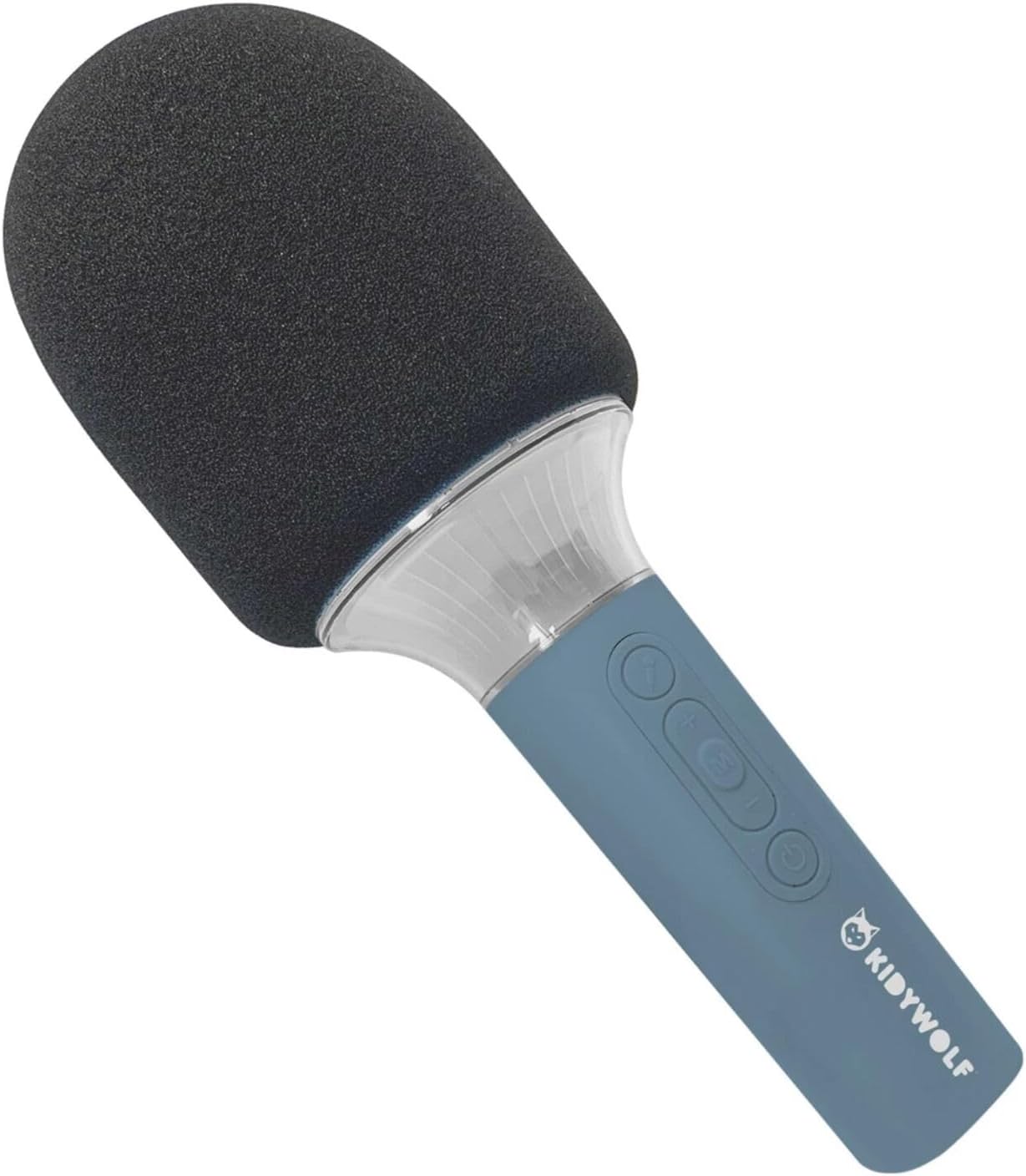
Kielelezo cha 4.2: Mwenye pembe view of the KIDYWOLF KIDYMICPARENT Bluetooth Microphone. This perspective highlights the ergonomic design of the handle and the placement of the control buttons.

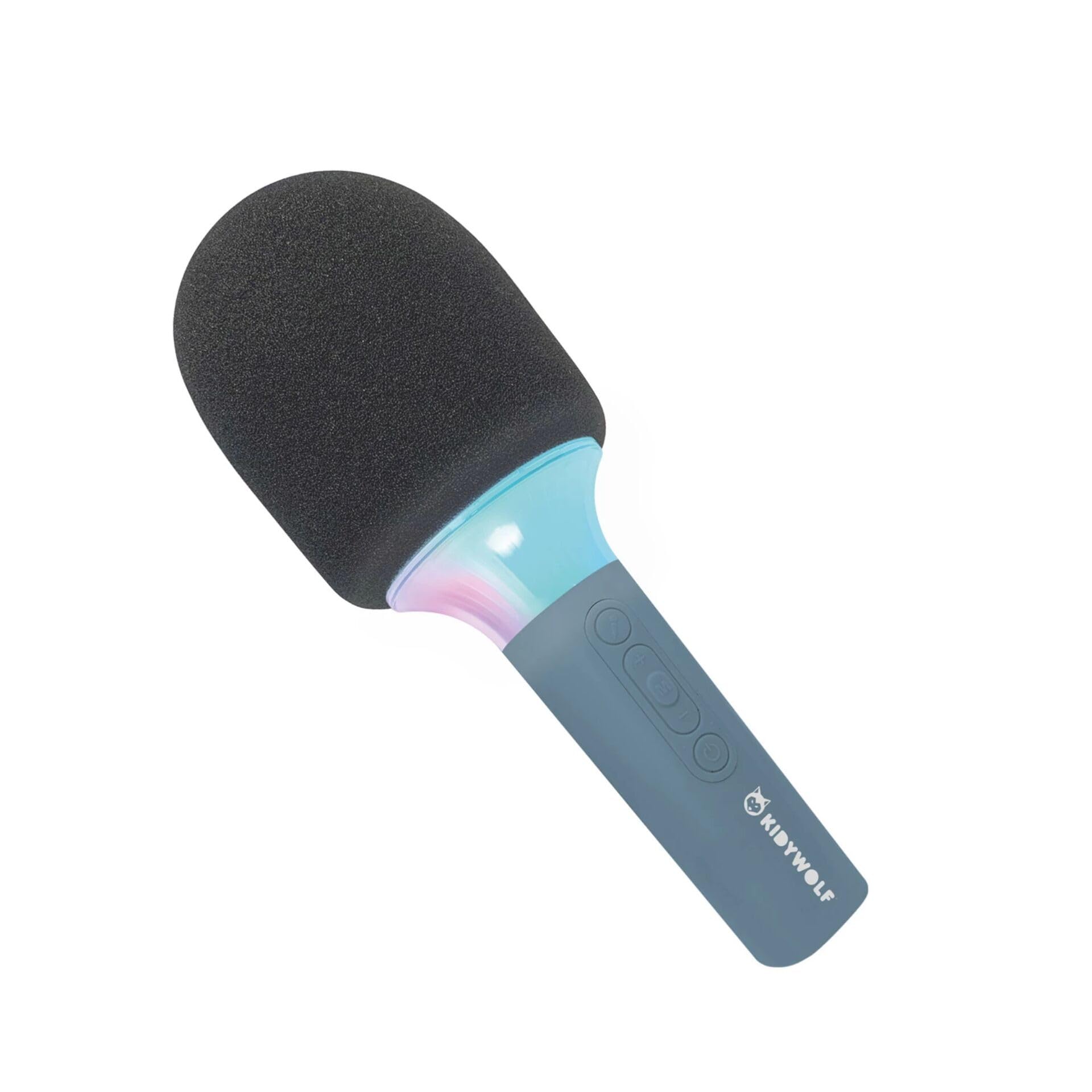
Kielelezo cha 4.3: The KIDYWOLF KIDYMICPARENT Bluetooth Microphone with its integrated light effects active, showcasing the illuminated section below the microphone head.
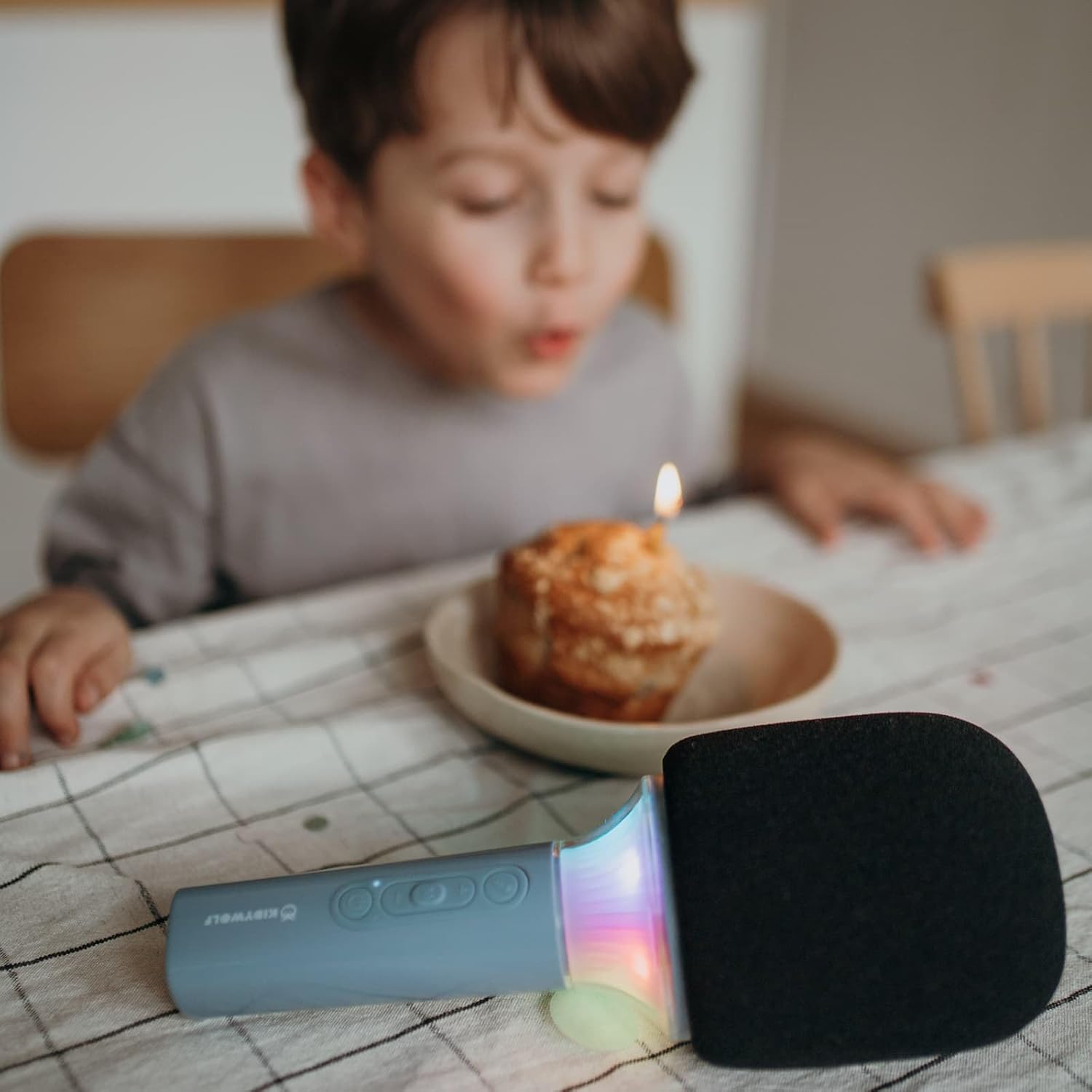
Kielelezo cha 4.4: A child using the KIDYWOLF KIDYMICPARENT Bluetooth Microphone, demonstrating its intended use for entertainment.
5. Kuweka
5.1 Kuchaji Maikrofoni
- Locate the USB-C charging port on the microphone.
- Connect the provided USB-C cable to the microphone's charging port.
- Unganisha ncha nyingine ya kebo ya USB-C kwenye adapta ya umeme ya USB inayooana (haijajumuishwa) au mlango wa USB wa kompyuta.
- Nuru ya kiashirio cha kuchaji itaangazia wakati wa kuchaji na kuzima au kubadilisha rangi ikiwa imechaji kikamilifu.
- Chaji kamili huchukua takriban saa 2-3.
5.2 Kuoanisha Bluetooth
- Washa: Press and hold the Power button (usually marked with a power symbol) on the microphone until the indicator light turns on and you hear an audible prompt.
- Washa Bluetooth: The microphone will automatically enter Bluetooth pairing mode, indicated by a flashing light or an audible prompt.
- Washa Bluetooth kwenye Kifaa Chako: Kwenye simu yako mahiri, kompyuta kibao, au kifaa kingine kinachotumia Bluetooth, nenda kwenye mipangilio ya Bluetooth na uhakikishe kuwa Bluetooth imewashwa.
- Chagua Kifaa: Look for "KIDYMICPARENT" or a similar name in the list of available Bluetooth devices and select it to pair.
- Uthibitisho: Once successfully paired, you will hear a confirmation sound from the microphone, and the indicator light will stop flashing and remain solid.
Kumbuka: If pairing fails, turn off the microphone and your device's Bluetooth, then repeat the steps. The microphone will automatically attempt to reconnect to the last paired device when powered on.
6. Maagizo ya Uendeshaji
6.1 Washa/Zima
- Kuwasha: Bonyeza na ushikilie kitufe cha Nguvu kwa takriban sekunde 3.
- Kuzima: Bonyeza na ushikilie kitufe cha Nguvu kwa takriban sekunde 3.
6.2 Udhibiti wa Kiasi
- Tumia '+' button to increase the microphone and speaker volume.
- Tumia '-' button to decrease the microphone and speaker volume.
6.3 Uchezaji wa Muziki
Once paired via Bluetooth, you can play music from your connected device. The microphone's built-in speaker will output the audio. Use your connected device to control music playback (play, pause, skip tracks).
6.4 Madhara ya Mwanga
The microphone features integrated light effects. Refer to the specific button (if available, often marked with a light bulb symbol or integrated with another function) to cycle through different light modes or turn them on/off. If no dedicated button is present, the lights may activate automatically with sound or be controlled via a multi-function button.
7. Athari za Sauti
The KIDYWOLF KIDYMICPARENT microphone offers 6 different voice settings to enhance your singing experience. To change voice effects:
- Locate the dedicated voice effect button (often marked with a microphone icon or "FX").
- Press the button repeatedly to cycle through the available voice effects.
- Listen to the audio output to select your desired voice effect.
8. Matengenezo
8.1 Kusafisha
- Wipe the microphone's exterior with a soft, dry, or slightly damp kitambaa.
- Usitumie kemikali kali, visafishaji vya abrasive, au vimumunyisho.
- Ensure no liquid enters the microphone's openings.
8.2 Hifadhi
- Store the microphone in a cool, dry place away from direct sunlight.
- Keep it away from dust and extreme temperatures.
9. Utatuzi wa shida
| Tatizo | Sababu inayowezekana | Suluhisho |
|---|---|---|
| Maikrofoni haiwashi. | Betri imeisha. | Chaji maikrofoni kwa kutumia kebo ya USB-C. |
| Haiwezi kuunganisha kupitia Bluetooth. | Bluetooth is off on the device; microphone is not in pairing mode; device is too far. | Ensure Bluetooth is enabled on your device. Put the microphone into pairing mode. Move the device closer to the microphone (within 10 meters). |
| Hakuna sauti kutoka kwa spika. | Volume is too low; microphone is muted; device is not playing audio. | Increase volume using the '+' button. Check if the microphone is muted. Ensure audio is playing on the connected device. |
| Voice effects are not changing. | Incorrect button pressed; feature not active. | Ensure you are pressing the correct voice effect button. |
10. Vipimo
| Jina la Mfano | KIDYMICPARENT |
| Chapa | KIDYWOLF |
| Kipengele cha Fomu | Mkononi |
| Vipimo (LxWxH) | 24 x 9 x 9 cm |
| Uzito | 414 g |
| Chanzo cha Nguvu | Betri Inayoweza Kuchajiwa tena |
| Nyenzo | Plastiki |
| Idadi ya Vituo | 1 |
| Teknolojia ya Uunganisho | Bluetooth |
| Aina ya Muunganisho | USB Type-C |
| Vipengele Maalum | Volume Control, Light Effects, Voice Modulation (6 settings) |
| Vipengee vilivyojumuishwa | Microphone, USB-C Charging Cable |
| Matumizi Iliyopendekezwa | Karaoke |
11. Udhamini na Msaada
For warranty information and customer support, please refer to the documentation provided at the time of purchase or contact your retailer. You may also visit the official KIDYWOLF webtovuti kwa ajili ya rasilimali za usaidizi za hivi karibuni na maelezo ya mawasiliano.