
AOLON GT5 Pro
Mwongozo wa Mtumiaji wa Saa Mahiri ya Aolon GT5 Pro
Mfano: GT5 Pro
1. Utangulizi
Thank you for choosing the Aolon GT5 Pro Smart Watch. This manual provides essential information for setting up, operating, and maintaining your device. Please read it carefully to ensure optimal performance and longevity of your smart watch.
2. Yaliyomo kwenye Kifurushi
Baada ya kufungua kifurushi, tafadhali hakikisha kwamba vitu vyote vilivyoorodheshwa hapa chini vipo:
- Aolon GT5 Pro Smart Watch (with one strap attached)
- Additional Strap (e.g., leather or silicone, depending on variant)
- Cable ya Kuchaji Magnetic
- Mwongozo wa Mtumiaji

Image: Contents of the Aolon GT5 Pro Smart Watch package, showing the watch, an extra strap, a magnetic charging cable, and the user manual.
3. Bidhaa Imeishaview
The Aolon GT5 Pro Smart Watch features a robust design with a 1.6-inch HD display and multiple physical buttons for intuitive control, especially during outdoor activities.
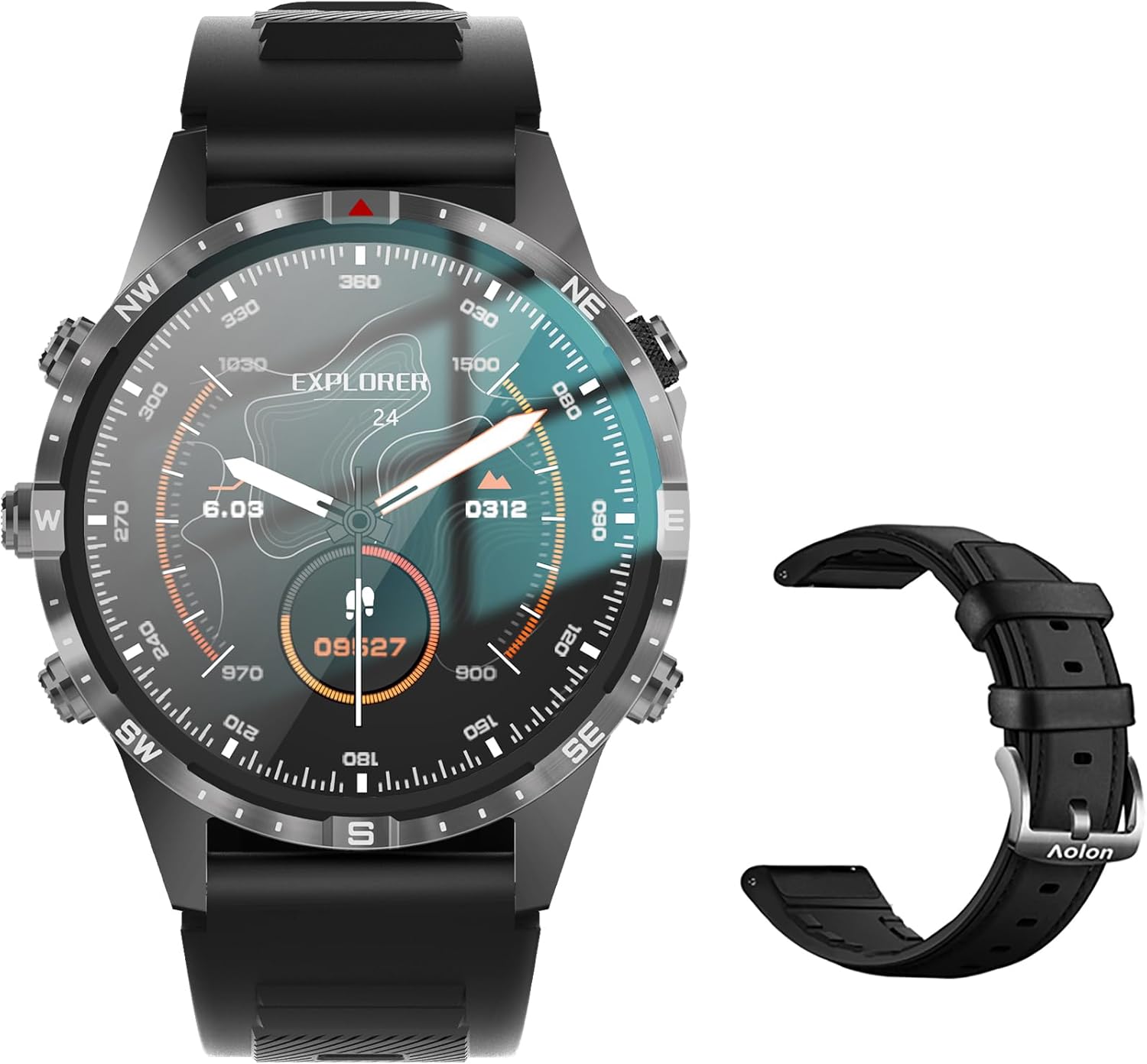
Image: The Aolon GT5 Pro Smart Watch displaying a compass-like watch face, alongside an additional black leather strap.
3.1. Vipengele vya Saa
- Onyesha: 1.6-inch HD Large Screen (360x360 resolution IPS HD with ultra-narrow bezel).
- Vifungo: 5 independent physical buttons for precise control and navigation.
- Sensorer: Heart rate sensor, blood oxygen sensor, motion sensor.
- Spika na Maikrofoni: Kwa utendaji wa kupiga simu kwa Bluetooth.

Picha: Karibu view of the Aolon GT5 Pro Smart Watch screen, emphasizing its 1.6-inch HD display with 360x360 pixel resolution and narrow bezel.
4. Kuweka
4.1. Kuchaji Saa Mahiri
Before first use, fully charge your Aolon GT5 Pro Smart Watch. Connect the magnetic charging cable to the charging points on the back of the watch and plug the USB end into a power adapter (not included) or a computer's USB port.
- Muda wa Kuchaji: Takriban saa 1.5 kwa chaji kamili.
- Battery Life: Up to 7-10 days with typical use, 30 days standby time.

Image: Visual representation of the Aolon GT5 Pro's battery performance, indicating 30 days standby, 7-10 days typical use, and 1.5 hours charging time.
4.2. Ufungaji na Kuoanisha Programu
To unlock the full potential of your smart watch, download the companion app on your smartphone.
- Pakua Programu: Scan the QR code in the manual or on the watch screen, or search for the app name (usually mentioned in the quick start guide) in your phone's app store (App Store for iOS, Google Play Store for Android).
- Sajili/Ingia: Fungua programu na ufuate maagizo kwenye skrini ili kuunda akaunti au kuingia.
- Oanisha Saa: Ensure Bluetooth is enabled on your smartphone. In the app, navigate to the device pairing section and select your Aolon GT5 Pro from the list of available devices. Confirm the pairing request on both your phone and watch.
5. Maagizo ya Uendeshaji
5.1. Urambazaji wa Msingi
- Telezesha kidole Juu/Chini: Tembeza kupitia menyu na arifa.
- Telezesha kidole Kushoto/Kulia: Fikia vipengele vya haraka au wijeti tofauti.
- Bonyeza Vifungo: Use the 5 independent buttons for specific functions like power on/off, back, or quick access to sports modes. Refer to the quick start guide for specific button assignments.
- Tap Screen: Chagua vipengee au uthibitishe vitendo.
5.2. Kupiga simu kwa Bluetooth
The Aolon GT5 Pro supports Bluetooth calling, allowing you to make and receive calls directly from your wrist.
- Hakikisha saa yako imeunganishwa kwenye simu yako kupitia Bluetooth.
- Access the call function on your watch to dial numbers or answer incoming calls.
- Receive message notifications from your phone's apps directly on your watch.

Image: The Aolon GT5 Pro Smart Watch showing its Bluetooth calling feature, with icons representing call, music, and contact functions.
5.3. Njia za Michezo
The watch supports over 100 sports modes, including swimming, running, cycling, and yoga. Select your desired activity to track specific metrics.
- Navigate to the Sports section on your watch.
- Choose your activity. The watch will record data such as calories burned, steps, distance, and pace.
- Connect to your phone's GPS via the app for detailed route tracking.
5.4. Ufuatiliaji wa Afya
The Aolon GT5 Pro continuously monitors various health metrics.
- Kiwango cha Moyo: Dynamic heart rate measurement 24/7.
- Oksijeni ya Damu: Low power consumption blood oxygen level monitoring.
- Ufuatiliaji wa Usingizi: Records your sleep status in real-time, providing data on deep, light, and awake times.

Image: The Aolon GT5 Pro Smart Watch screen showing health monitoring features, including heart rate, blood pressure, and blood oxygen levels.

Image: The Aolon GT5 Pro Smart Watch screen illustrating sleep quality monitoring, detailing sleep stages na muda.
5.5. Compass Navigation
Utilize the built-in guide needle navigation for accurate direction during outdoor activities.
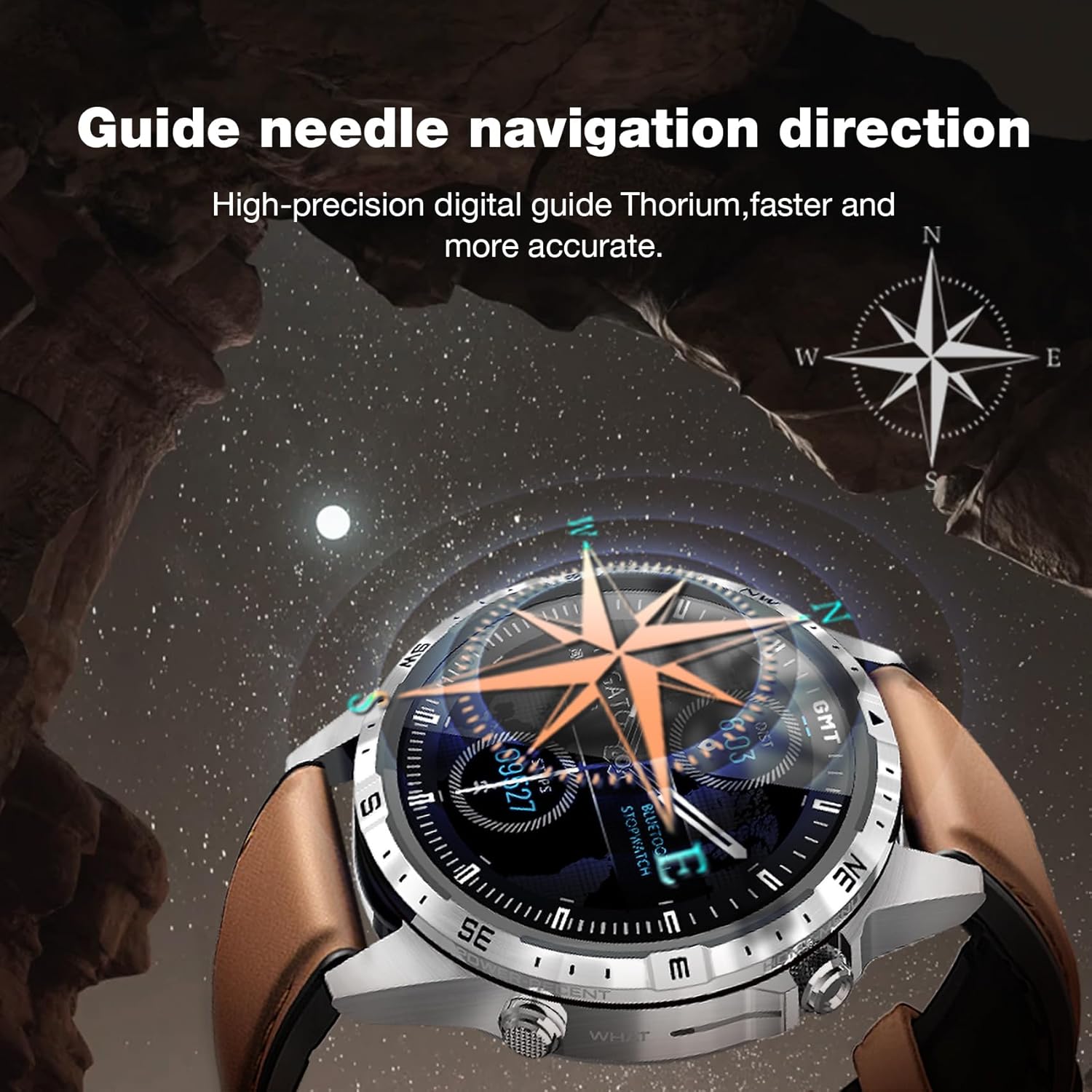
Image: The Aolon GT5 Pro Smart Watch showing its guide needle navigation feature, providing high-precision digital direction.
5.6. Kazi Nyingine
The watch includes various other essential functions:
- Udhibiti wa Muziki
- Utabiri wa hali ya hewa
- Stopwatch
- Udhibiti wa Kamera ya Mbali
- Ambient Sound Monitoring
- Tafuta Simu Yangu
- Saa ya Kengele
- Kikumbusho cha Kukaa
- Mawaidha ya Dawa
- Women's Menstrual Health Tips
5.7. Kubadilisha Nyuso za Saa
Personalize your watch by choosing from multiple types of dials available through the watch or the companion app.

Image: A selection of diverse watch faces for the Aolon GT5 Pro, demonstrating customization options.
6. Matengenezo
6.1. Kusafisha Saa
- Futa skrini ya saa na mwili kwa kitambaa laini kisicho na pamba.
- Kwa uchafu mkaidi, kidogo dampsw kitambaa na maji. Epuka kutumia kemikali kali au vifaa vya abrasive.
- Hakikisha anwani za kuchaji ni safi na kavu kabla ya kuchaji.
6.2. Upinzani wa Maji
The Aolon GT5 Pro is IP67 waterproof. This means it is protected against dust and can withstand immersion in water up to 1 meter for 30 minutes.
- It is suitable for daily use, such as washing hands, face, or sweating during exercise.
- Avoid hot water, steam, or prolonged immersion in water.
- Usitumie vifungo chini ya maji.
6.3. Strap Care and Replacement
The watch comes with standard dual straps (silicone and leather). Clean straps regularly. The silicone strap is ideal for sports, while the leather strap offers a more formal look. Straps can be easily switched without tools.
7. Utatuzi wa shida
If you encounter issues with your Aolon GT5 Pro Smart Watch, refer to the following common solutions:
| Tatizo | Suluhisho |
|---|---|
| Saa haiwashi | Hakikisha kuwa saa imejaa chaji. Bonyeza na ushikilie kitufe cha kuwasha/kuzima kwa sekunde kadhaa. |
| Haiwezi kuoanishwa na simu mahiri | Ensure Bluetooth is enabled on your phone. Restart both the watch and phone. Make sure the watch is not already paired with another device. Check app permissions. |
| Data ya afya isiyo sahihi | Hakikisha saa imevaliwa vizuri kwenye kifundo cha mkono wako, si ngumu sana au huru sana. Safisha eneo la kitambuzi nyuma ya saa. |
| Arifa hazijapokelewa | Check app notification settings on your phone and within the watch app. Ensure the watch is connected via Bluetooth. |
| Maisha mafupi ya betri | Reduce screen brightness, turn off unnecessary features (e.g., continuous heart rate monitoring if not needed), and ensure proper charging. |
8. Vipimo
| Kipengele | Maelezo |
|---|---|
| Mfano | GT5 Pro |
| Onyesho | 1.6-inch HD IPS, 360x360 Pixel Resolution |
| Uwezo wa Betri | 340 mAh Lithium Polymer |
| Maisha ya Betri | Siku 7-10 (matumizi ya kawaida), siku 30 (kusubiri) |
| Muda wa Kuchaji | Takriban. 1.5 masaa |
| Upinzani wa Maji | IP67 |
| Muunganisho | Bluetooth |
| Utangamano | Android na iOS |
| Vipimo | 16.3 x 10 x 2.5 cm (Package); Watch: 47.5mm diameter, 22mm strap width |
| Uzito | Gramu 180 (Kifurushi) |
9. Taarifa za Usalama
- Usijaribu kutenganisha au kurekebisha saa.
- Weka saa mbali na joto kali na jua moja kwa moja.
- Consult a medical professional before starting any new exercise regimen or if you have pre-existing health conditions. The health data provided by the watch is for reference only and should not be used for medical diagnosis or treatment.
- Weka mbali na watoto.
10. Udhamini na Msaada
For warranty information and customer support, please refer to the warranty card included in your package or visit the official AOLON webtovuti. Ukikumbana na masuala yoyote ambayo hayajashughulikiwa katika mwongozo huu, tafadhali wasiliana na huduma kwa wateja kwa usaidizi.
Nyaraka Zinazohusiana - GT5 Pro
 |
aolon HS5 Smartwatch: Vipengele na Vipengee Vimekwishaview Gundua saa mahiri ya aolon HS5. Hii imekwishaview inafafanua vipengele vyake muhimu kama vile kupiga simu kwa Bluetooth, mapigo ya moyo na ufuatiliaji wa oksijeni ya damu, na vipengele vyake vya kimwili. Imetengenezwa nchini China. |
 |
Bauhn AFTW-1221 Smart Watch User Guide: Setup, Features, and Specifications Comprehensive user guide for the Bauhn AFTW-1221 Smart Watch. Learn how to set up, use features like Bluetooth calling, activity tracking, health monitoring, and find specifications and warranty information. |
 |
Popglory P66 Smart Watch FAQs and Troubleshooting Frequently asked questions and troubleshooting guide for the Popglory P66 Smart Watch, covering topics like data accuracy, Bluetooth calling, connectivity, message notifications, step tracking, and charging. |
 |
ZOSKVEER P95 Smart Watch User Guide: Setup, Features, and FAQs Comprehensive user guide for the ZOSKVEER P95 Smart Watch, covering connection, Bluetooth calling, message notifications, health tracking (heart rate, blood pressure, blood oxygen), sleep monitoring, watch face customization, and troubleshooting. |
 |
ZOSKVEER P95 Smart Watch User Guide and FAQs Comprehensive user guide and frequently asked questions for the ZOSKVEER P95 Smart Watch, covering setup, features, and troubleshooting. Learn how to connect, make calls, receive notifications, monitor health, and customize your watch. |
 |
Maswali Yanayoulizwa Mara kwa Mara ya Saa Mahiri ya Popglory P66 na Mwongozo wa Mtumiaji A comprehensive guide to the Popglory P66 Smart Watch, covering frequently asked questions about connecting to a phone, Bluetooth calling, watch faces, message notifications, health monitoring (heart rate, blood pressure, blood oxygen), language settings, alarms, weather display, music control, physiological cycle tracking, and sleep data. |
Ask a question about this manual
Ask about setup, troubleshooting, compatibility, parts, safety, or missing instructions. Manuals+ will review the question and use this page’s manual context to help answer it.