
1. Maagizo Muhimu ya Usalama
Please read all instructions carefully before using this appliance and retain for future reference. Failure to follow these instructions may result in electric shock, fire, or serious personal injury.
- Hakikisha kila wakati feni imewekwa kwenye uso thabiti na tambarare ili kuzuia kuinama.
- Usitumie feni kwa kutumia waya au plagi iliyoharibika. Ikiwa waya au plagi imeharibika, wasiliana na huduma kwa wateja.
- Unplug the fan from the power outlet before cleaning, performing maintenance, or when not in use.
- Usiingize vidole au vitu vya kigeni kwenye fursa yoyote ya feni.
- Kifaa hiki hakikusudiwa kutumiwa na watu (pamoja na watoto) wenye uwezo mdogo wa kimwili, hisi, au kiakili, au wasio na uzoefu na ujuzi, isipokuwa kama wamepewa usimamizi au maagizo kuhusu matumizi ya kifaa na mtu anayehusika na usalama wao. .
- Keep children and pets away from the fan during operation. The bladeless design enhances safety, but supervision is always recommended.
- Do not use the fan near water or in damp mazingira.
- Usizuie viingilio vya hewa au njia.

Figure 1: Protective bladeless design for enhanced safety around children and pets.
2. Bidhaa Imeishaview
The advwin Bladeless Tower Fan provides quiet and efficient cooling with a modern design. It features multiple speed settings, oscillation, a timer, and convenient control options.
Yaliyomo kwenye Kifurushi:
- 1 x advwin Bladeless Tower Fan
- Kidhibiti cha Mbali 1 (betri za AAA hazijajumuishwa)
- 1 x Mwongozo wa Mtumiaji
Sifa Muhimu:
- Ubunifu usio na Blade: Safe for households with children and pets, and easy to clean.
- 24 Mipangilio ya Kasi: Offers a wide range of airflow intensity from a gentle breeze to powerful cooling.
- Mzunguko wa 120°: Provides wide coverage for effective air circulation throughout the room.
- Kipima Muda cha Saa 12: Allows for automatic shut-off, conserving energy and providing convenience.
- Touchscreen & Remote Control: Offers flexible control options for ease of use.
- Kazi ya Kusafisha Hewa: Husaidia kuboresha ubora wa hewa.
- Operesheni ya utulivu: Operates at less than 55 dB, suitable for bedrooms and offices.
3. Kuweka
The advwin Bladeless Tower Fan requires no assembly, making setup quick and easy.
3.1 Uwekaji
- Place the fan on a firm, level surface. Ensure there is adequate space around the fan for optimal airflow and oscillation.
- Avoid placing the fan directly against walls or furniture that could obstruct air intake or output.

Figure 2: Stable base and touch control panel.
Uunganisho wa Nguvu 3.2
- Chomeka kebo ya umeme kwenye sehemu ya kawaida ya umeme ya 110V AC.
- Ensure the power cord is not pinched or routed under the fan.
3.3 Ufungaji wa Betri ya Kidhibiti cha Mbali
- The remote control requires AAA batteries (not included).
- Fungua sehemu ya betri nyuma ya kidhibiti cha mbali.
- Ingiza betri mbili za AAA, hakikisha polarity sahihi (+/-).
- Funga sehemu ya betri kwa usalama.
4. Maagizo ya Uendeshaji
The fan can be operated using the touch control panel on the unit or the included remote control.
4.1 Washa/Zima
- Bonyeza kwa WASHA/ZIMWA kitufe kwenye paneli ya kudhibiti au rimoti ili kuwasha au kuzima feni.
- The LED display will show the current settings when the fan is on.
4.2 Kurekebisha Kasi ya Mashabiki
- Bonyeza kwa KASI button on the control panel or remote to cycle through the 24 available speed settings.
- The LED display will indicate the current speed level.

Mchoro 3: Mipangilio ya kasi ya feni.
4.3 Kazi ya Oscillation
- Bonyeza kwa KUPANDA button on the control panel or remote to activate or deactivate the 120° oscillation function.
- When activated, the fan head will rotate horizontally to distribute air across a wider area.
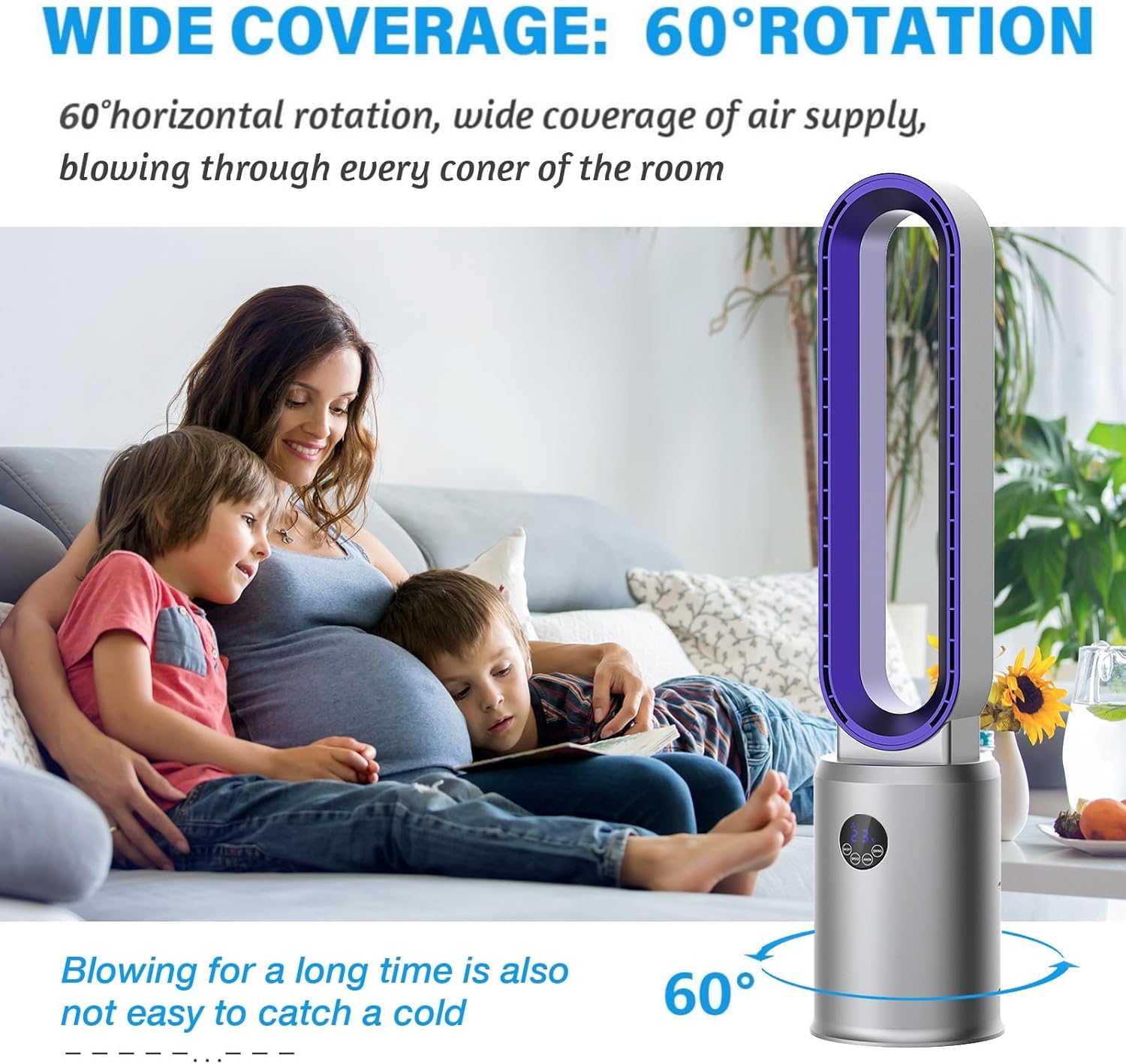
Figure 4: Wide oscillation for broad air distribution.
4.4 Mpangilio wa Kipima saa
- Bonyeza kwa TIMER button on the remote control to set the fan to automatically turn off after a specified period (up to 12 hours).
- Each press will increase the timer by one hour. The LED display will show the set time.
4.5 Air Purification Function
- Bonyeza kwa ANION button on the remote control to activate or deactivate the air purification function.
- This function utilizes an air purifier system to help improve indoor air quality.

Figure 5: Air purification system with filter.
4.6 Hali ya Kulala
- Bonyeza kwa LALA button on the remote control to activate sleep mode.
- In sleep mode, the fan operates at a lower speed and reduced noise level for a more peaceful environment.
5. Matengenezo
Regular cleaning and maintenance will ensure optimal performance and longevity of your fan.
5.1 Kusafisha Kipepeo
- Daima chomoa feni kutoka kwa umeme kabla ya kusafisha.
- Due to its bladeless design, cleaning is simplified. Use a soft, damp kitambaa kuifuta nyuso za nje za shabiki.
- Do not use abrasive cleaners, solvents, or harsh chemicals, as these may damage the fan's finish.
- For internal cleaning, gently wipe the air intake and outlet areas with a dry cloth or a soft brush to remove dust.
Figure 6: Easy cleaning of the bladeless fan.
5.2 Utunzaji wa Kichujio cha Hewa
The fan includes an air purification system with a filter. Periodically check and clean the filter to maintain air quality and fan efficiency.
- Refer to the specific instructions in the included manual for details on accessing and cleaning or replacing the air filter.
- Ensure the fan is unplugged before attempting any filter maintenance.
6. Utatuzi wa shida
If you encounter any issues with your advwin Bladeless Tower Fan, please refer to the following common problems and solutions:
| Tatizo | Sababu inayowezekana | Suluhisho |
|---|---|---|
| Shabiki haiwashi. | Hakuna usambazaji wa nguvu. | Hakikisha waya wa umeme umechomekwa kwa usalama kwenye plagi ya kufanya kazi. Angalia kivunja mzunguko. |
| Udhibiti wa mbali haufanyi kazi. | Betri zilizokufa au kizuizi. | Replace AAA batteries in the remote. Ensure there is no obstruction between the remote and the fan's sensor. |
| Mtiririko dhaifu wa hewa au usio thabiti. | Viingilio/matundu ya hewa yaliyoziba au kichujio kichafu. | Ensure air inlets and outlets are clear of obstructions. Clean the air filter as per maintenance instructions. |
| Shabiki hufanya kelele isiyo ya kawaida. | Foreign object or unstable placement. | Unplug the fan and check for any foreign objects. Ensure the fan is on a stable, flat surface. |
If the problem persists after attempting these solutions, please contact advwin customer support for assistance.
7. Vipimo
Detailed technical specifications for the advwin Bladeless Tower Fan (Model RUXI-Z30).
- Mfano: RUXI-Z30
- Chapa: mshauri
- Chanzo cha Nguvu: Umeme
- Voltage: Volti 110-120 (AC)
- Wattage: 35 Watts
- Vipimo vya Bidhaa (D x W x H): 8.66" x 8.66" x 38.2"
- Uzito Halisi: Pauni 6.17 (kilo 2.8)
- Kiwango cha Kelele: < 55 Decibels
- Angle ya Oscillation: 120°
- Mipangilio ya Kasi: 24
- Kipima muda: Saa 1-12
- Mbinu ya Kudhibiti: Mbali, Gusa
- Nyenzo: Plastiki ya Uhandisi ya ABS
- Vipengele Maalum: Bladeless, Portable, Remote Controlled, Air Purifier System, LED Display

Kielelezo 7: Vipimo vya bidhaa.
8. Udhamini na Msaada
For warranty information and customer support, please refer to the documentation included with your product or contact the manufacturer directly.
- Mtengenezaji: ADVWIN
- Anwani: Please visit the official advwin website or refer to your purchase receipt for customer service contact details.