
Utangulizi
Thank you for choosing the LINCE Fit 3 Smartwatch. This manual provides essential information for setting up, operating, and maintaining your device. The LINCE Fit 3 is designed to enhance your daily life with features like health monitoring, fitness tracking, and smart notifications. Please read this manual carefully to ensure optimal performance and longevity of your smartwatch.

Image: The LINCE Fit 3 Smartwatch, showcasing muundo na onyesho lake.
Sanidi
1. Kuchaji Smartwatch
Before initial use, fully charge your LINCE Fit 3 Smartwatch. Connect the charging cable to the watch's charging port and a USB power source. A full charge typically takes approximately 2 hours. The battery capacity is 260mAh, providing up to 10 days of usage depending on activity.
2. Ufungaji na Kuoanisha Programu
- Pakua EVOLUCOES app from your smartphone's app store (compatible with Android and iOS devices).
- Hakikisha kuwa Bluetooth imewashwa kwenye simu yako mahiri.
- Open the EVOLUCOES app and follow the on-screen instructions to pair your LINCE Fit 3 Smartwatch via Bluetooth BLE 5.2.
- Thibitisha ombi la kuoanisha kwenye simu yako mahiri na saa mahiri.
Maagizo ya Uendeshaji
1. Urambazaji wa Msingi
The LINCE Fit 3 features a 1.96-inch TFT full-touch display with a resolution of 356x400 pixels. Swipe across the screen to navigate through menus and tap to select options. The ergonomic button on the side provides quick access to functions or the home screen.

Image: The smartwatch display, showcasing its curved glass and high-resolution interface.

Picha: Upande view of the smartwatch, showing the aluminum body and ergonomic button.
2. Kupiga na Kupokea Simu
With Bluetooth 5.2 connectivity, the LINCE Fit 3 allows you to make and receive phone calls directly from your wrist. Ensure your smartwatch is paired with your smartphone. You can access recent calls, dial numbers, and manage up to 100 contacts through the watch interface. The improved Bluetooth speaker offers enhanced sound quality.

Image: Smartwatch displaying an incoming call, demonstrating its call functionality.
3. Ufuatiliaji wa Afya
The smartwatch is equipped with advanced sensors, including an accelerometer and PPG sensors, to monitor various health parameters:
- Kiwango cha Moyo: Ufuatiliaji endelevu wa mapigo ya moyo.
- Respiratory Rate: Monitors your breathing patterns.
- Blood Oxygenation (SpO2): Hupima viwango vya oksijeni katika damu yako.
- Joto la ngozi: Tracks your body's skin temperature.
- Ufuatiliaji wa Usingizi: Huchambua usingizi wakotages na ubora.
- Period Cycle Follow-up: Kwa watumiaji wa kike, fuatilia na ubashiri mizunguko ya hedhi.

Image: Smartwatches displaying health monitoring features such as heart rate and blood oxygen.

Image: Smartwatch screen showing sleep monitoring data.
4. Ufuatiliaji wa Siha
The LINCE Fit 3 supports over 100 types of workouts, acting as a pedometer and activity tracker. It records your steps, distance, calories burned, and active minutes. Select your desired workout mode from the app or directly on the watch to track your performance.

Image: Smartwatch displaying workout tracking for outdoor running.
5. Customization and Other Features
- Dial Customization: Personalize your watch face with hundreds of dials available through the EVOLUCOES app, including over 14 different modules and 100+ dial designs.
- Msaidizi wa Sauti: Tumia msaidizi wa sauti aliyejumuishwa kwa udhibiti usiotumia mikono.
- Kidhibiti cha Mbali cha Kamera: Remotely control your smartphone's camera (compatible with iOS and Android).
- Arifa: Receive notifications for calls, messages, and app alerts directly on your smartwatch.
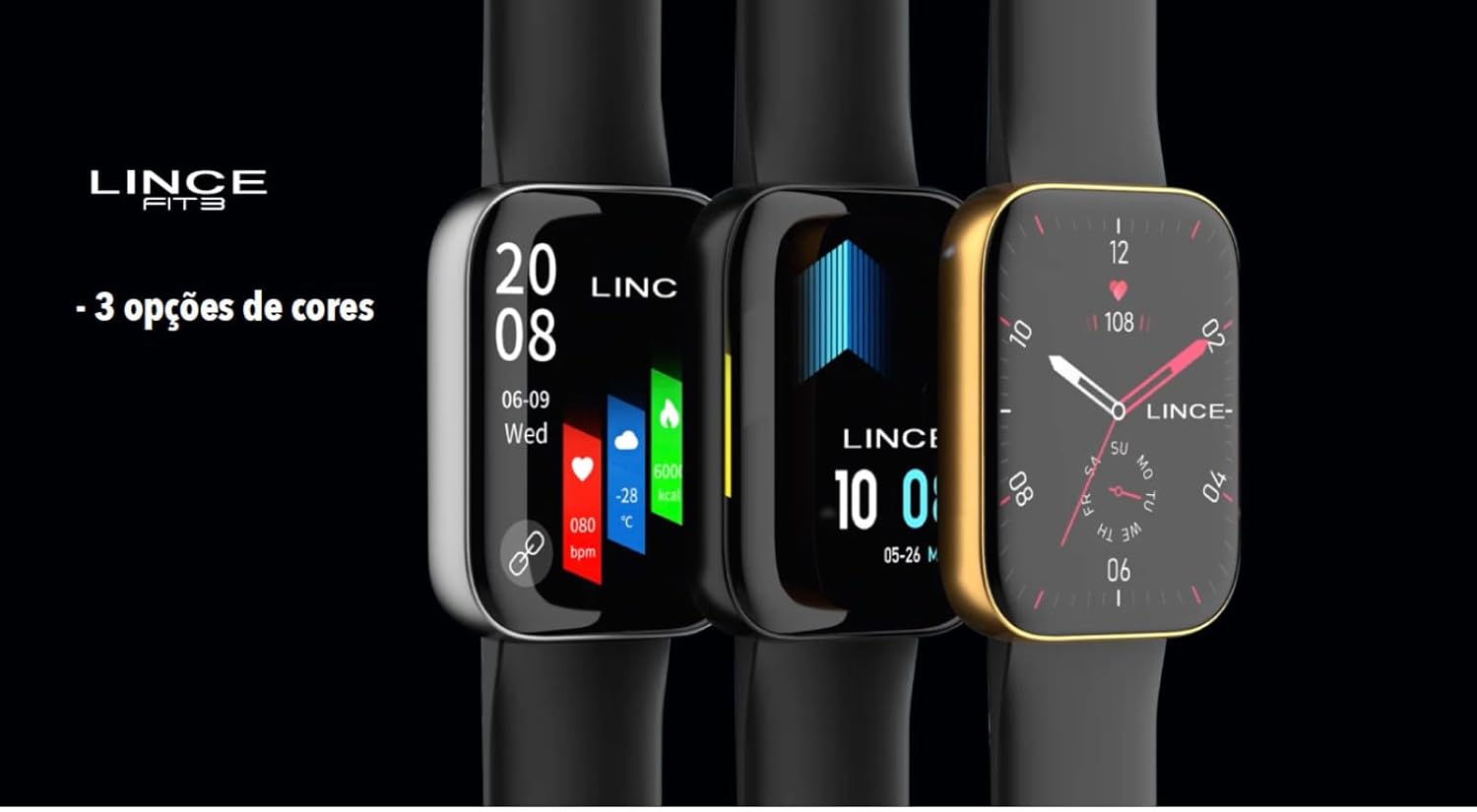
Image: Smartwatches showcasing different color options and customizable watch faces.
Matengenezo
1. Kusafisha
Regularly clean your smartwatch and strap with a soft, dry cloth. For stubborn dirt, slightly dampfunika kitambaa na maji. Epuka kutumia kemikali kali au vifaa vya kukwaruza, kwani hivi vinaweza kuharibu kifaa.
2. Upinzani wa Maji
The LINCE Fit 3 Smartwatch has an IP68 water resistance rating, meaning it is protected against dust and can withstand immersion in water up to 1.5 meters for up to 30 minutes. It is suitable for daily use and light water activities, but not recommended for swimming, diving, or high-pressure water exposure.
3. Kubadilisha Kamba
The smartwatch features an interchangeable silicone strap (22mm). To replace the strap, locate the quick-release pins on the underside of the strap where it connects to the watch case. Slide the pin to detach the strap. Align the new strap with the watch case and slide the pin back into place to secure it.
Kutatua matatizo
- Tazama bila kuwasha: Hakikisha kuwa saa imejaa chaji. Iunganishe kwenye chaja kwa angalau dakika 30.
- Haiwezi kuoanisha na simu mahiri:
- Check if Bluetooth is enabled on your phone and watch.
- Ensure the EVOLUCOES app is installed and running.
- Restart both your phone and smartwatch.
- Sahau kifaa katika mipangilio ya Bluetooth ya simu yako na ujaribu kuoanisha tena.
- Data ya afya isiyo sahihi: Hakikisha kuwa saa inavaliwa vizuri kwenye kifundo cha mkono wako, sio ya kubana sana au kulegeza sana. Safisha vitambuzi mara kwa mara.
- Maisha mafupi ya betri: Punguza mwangaza wa skrini, zima arifa zisizo za lazima, na punguza ufuatiliaji endelevu wa mapigo ya moyo ikiwa haihitajiki.
- Display unresponsive: Anzisha upya saa mahiri. Ikiwa tatizo litaendelea, hakikisha skrini ni safi na kavu.
Vipimo
| Chapa | LINSI |
| Rejea ya Mfano | LSWUQPM005-PXPX |
| Onyesho | 1.96" TFT (356x400px), Curved Mineral Crystal, Full Touch |
| Nyenzo ya Kesi | Chuma (mwili wa alumini) |
| Nyenzo ya Kamba | Silicone (Interchangeable, 22mm) |
| Muunganisho | Bluetooth BLE 5.2 |
| Utangamano | Android na iOS |
| Uwezo wa Betri | 260mAh |
| Maisha ya Betri | Hadi siku 10 |
| Muda wa Kuchaji | 2 masaa |
| Upinzani wa Maji | IP68 |
| Sensorer | Accelerometer, PPG sensors (Heart Rate, Respiratory Rate), Skin Temperature Sensor |
| Uzito | 39g (Product), 300g (Item) |
| Vipimo vya Bidhaa | 44.5 x 37 x 10.5 mm (Watch), 12 x 20 x 8 cm (Package) |
Udhamini
Specific warranty details are not provided in the product information. Please refer to the warranty card included with your purchase or contact LINCE customer support for information regarding warranty coverage and terms.
Msaada
For further assistance, technical support, or inquiries, please visit the official LINCE webtovuti au wasiliana na idara yao ya huduma kwa wateja. Maelezo ya mawasiliano yanaweza kupatikana kwenye kifungashio cha bidhaa au cha mtengenezaji webtovuti.