
1. Bidhaa Imeishaview
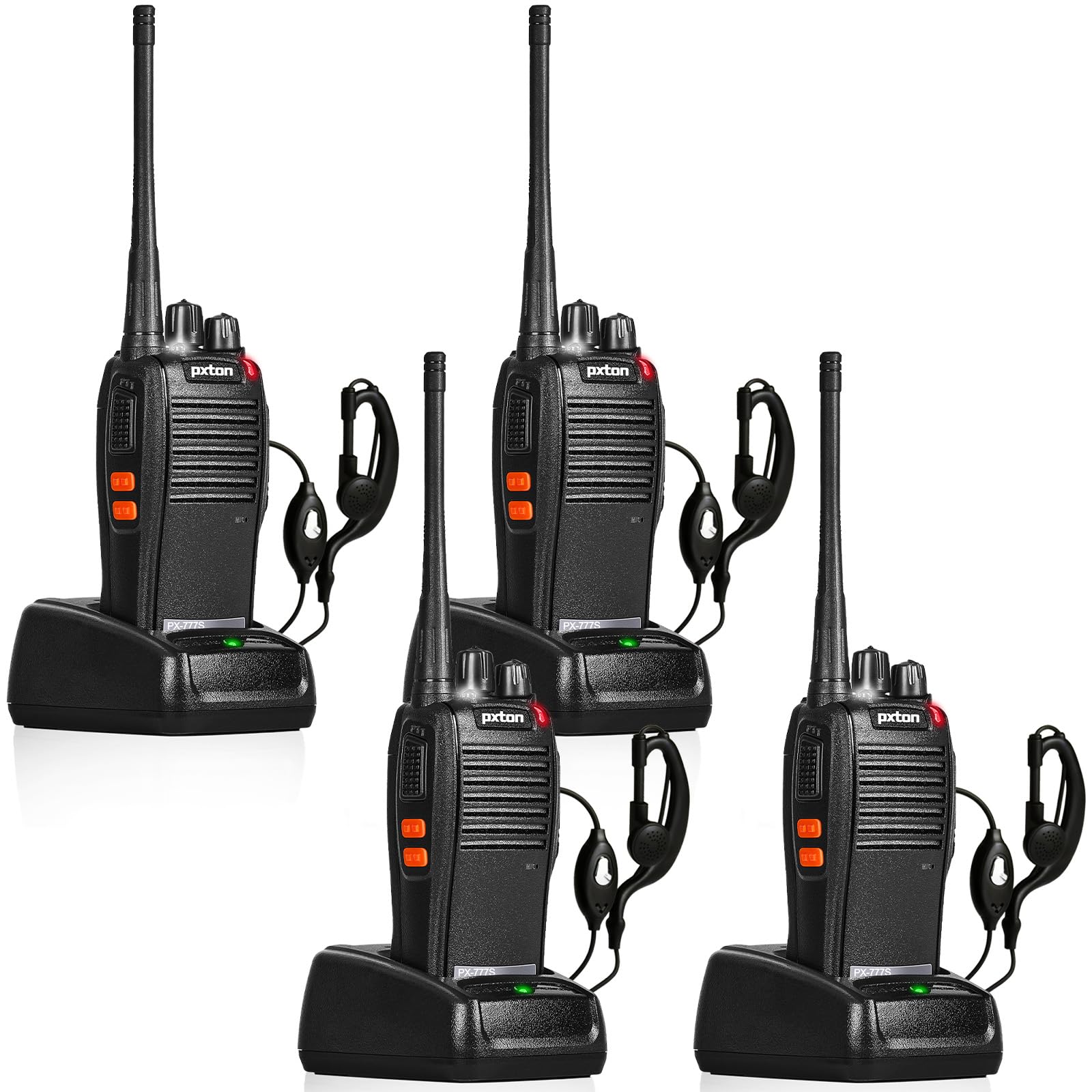
The pxton 777S is a versatile two-way radio designed for reliable communication. It features 16 memory channels, 165 privacy codes, VOX functionality, an emergency alarm, noise reduction, automatic squelch, a low battery alert, power-saving mode, scanning, monitoring, and an LED flashlight.
2. Yaliyomo kwenye Kifurushi
Before setup, please verify that all items are present in your package:
- 4 x pxton 777S Walkie Talkies
- 4 x Charging Docks
- Betri 4 za Lithiamu zenye uwezo wa 1500mAh
- 4 x Sehemu za Ukanda
- 4 x Vifaa vya masikioni
- 2 x Miongozo ya Mtumiaji

3. Maagizo ya Kuweka
3.1 Utambulisho wa Vipengele
Familiarize yourself with the various parts and controls of your pxton 777S walkie talkie:

3.2 Ufungaji wa Betri
- Hakikisha kuwa kiongezi kimezimwa.
- Tafuta sehemu ya betri nyuma ya kitengo.
- Align the 1500mAh lithium battery with the contacts and gently push it into place until it clicks securely.
- Funga kifuniko cha sehemu ya betri.
3.3 Kuchaji Betri
Before first use, fully charge the battery. A full charge typically takes 3-4 hours.
- Connect the charging dock to a power outlet using the provided adapter.
- Place the walkie talkie (with battery installed) into the charging dock.
- The LED indicator on the walkie talkie or charging dock will show the charging status (e.g., red for charging, green for fully charged).

3.4 Kuambatanisha Vifaa
- Klipu ya Ukanda: Attach the belt clip to the designated slot on the back of the walkie talkie.
- Kitambaa cha mapema: Insert the earpiece plug into the SP/MIC jacks on the side of the walkie talkie.
4. Maagizo ya Uendeshaji
4.1 Kuwasha/Kuzima na Kudhibiti Kiasi
Zungusha Kubadilisha Nguvu / Udhibiti wa Sauti knob clockwise to power on the walkie talkie. Continue rotating to increase the volume. Rotate counter-clockwise to decrease volume and power off the unit.
4.2 Uchaguzi wa Chaneli
Zungusha Kubadilisha Kituo Kisu cha kuchagua mojawapo ya chaneli 16 zinazopatikana. Hakikisha redio zote katika kundi lako zimewekwa kwenye chaneli moja kwa ajili ya mawasiliano.
4.3 Kutuma na Kupokea
- Kusambaza, bonyeza na kushikilia Kitufe cha PTT (Push-To-Ongea). on the side of the walkie talkie. Speak clearly into the microphone.
- Release the PTT button to receive messages.
4.4 Kazi ya VOX (Ubadilishaji wa Sauti Unaoendeshwa)
The VOX function allows hands-free operation. When activated, the radio will transmit automatically when it detects your voice.
- The pxton 777S offers 5 levels of VOX sensitivity adjustment. Refer to the full user manual for detailed programming instructions to adjust VOX sensitivity.
4.5 Kazi ya Ufuatiliaji
Bonyeza na ushikilie MONI Button to temporarily disable the squelch and listen for weak signals on the current channel.
4.6 Tochi ya LED
Bonyeza kwa Kitufe cha Tochi kuwasha au kuzima tochi ya LED.
4.7 Kengele ya Dharura
The walkie talkie includes an emergency alarm function. Consult the full user manual for specific activation and deactivation procedures.
4.8 Kazi ya Kuchanganua
The scanning function allows the radio to automatically scan through active channels. Refer to the full user manual for details on activating and managing channel scanning.
4.9 Aina ya Mawasiliano
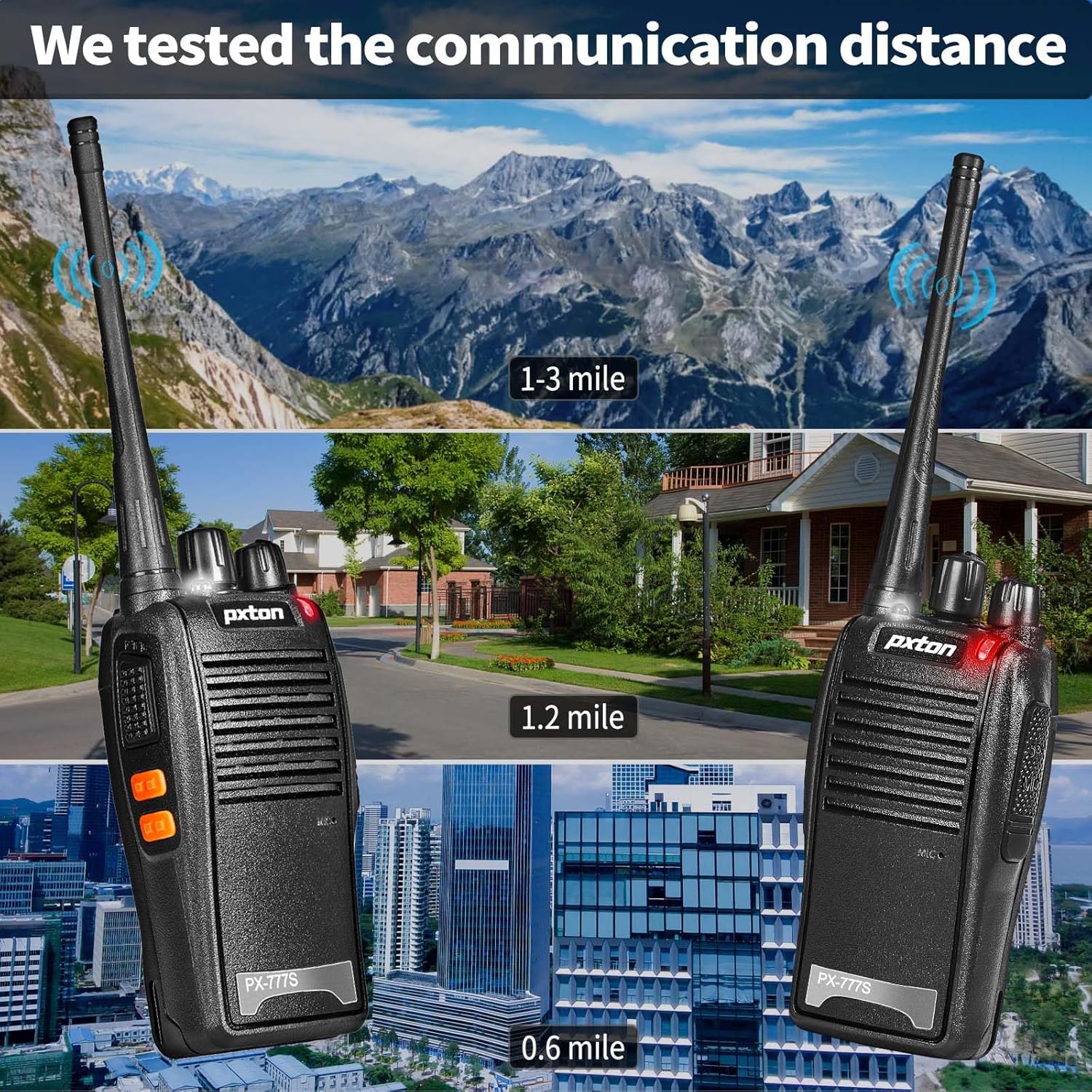
The effective communication range varies based on terrain and obstacles:
- Unobstructed Areas (e.g., flat terrains, mountain peaks): Up to 3 miles.
- Suburban or Rural Areas: Approximately 1.2 miles.
- Within Cities: Approximately 0.6 miles.
Actual range may vary significantly depending on environmental conditions and obstructions.
5. Matengenezo
5.1 Utunzaji wa Betri
- To maximize battery life, fully charge the 1500mAh lithium battery before initial use.
- Epuka kuchaji kupita kiasi au kumaliza kabisa betri.
- If the walkie talkie will not be used for an extended period, remove the battery and store it in a cool, dry place.
- A full charge typically takes 3-4 hours. Under normal usage, the battery can last up to 120 hours on standby or up to 12 hours of continuous usage.
5.2 Kusafisha
- Clean the exterior of the walkie talkie with a soft, damp kitambaa.
- Usitumie kemikali kali au kusafisha abrasive.
- Ensure the unit is dry before use or storage.
5.3 Hifadhi
Store the walkie talkie in a cool, dry environment away from direct sunlight and extreme temperatures.
6. Utatuzi wa shida
If you encounter issues with your pxton 777S walkie talkie, refer to the following common problems and solutions:
| Tatizo | Sababu inayowezekana | Suluhisho |
|---|---|---|
| Hakuna nguvu | Betri iko chini au haijasakinishwa ipasavyo | Chaji betri au isakinishe upya kwa usahihi. |
| Haiwezi kusambaza au kupokea | Incorrect channel, out of range, or squelch too high | Ensure all radios are on the same channel. Move closer to other radios. Adjust squelch level or use MONI button. |
| Ubora duni wa sauti | Weak signal, interference, or low volume | Move to an area with fewer obstructions. Adjust volume. Check earpiece connection if applicable. |
| Betri huisha haraka | Frequent transmission, old battery, or high power setting | Reduce transmission time. Consider replacing the battery if it's old. Ensure power-saving mode is active. |
If the problem persists after attempting these solutions, please contact pxton customer support.
7. Vipimo
| Kipengele | Maelezo |
|---|---|
| Nambari ya Mfano | PX-777S-0002 |
| Kitambulisho cha FCC | 2AX68GTR8 |
| Idadi ya Vituo | 16 |
| Misimbo ya Faragha | 165 (CTCSS/DCS) |
| Masafa ya Marudio | UHF |
| Upeo wa Masafa ya Kuzungumza | 3 Miles (unobstructed) |
| Aina ya Betri | 1500mAh Lithium Ion (imejumuishwa) |
| Voltage | Volti 3.7 (DC) |
| Vipimo vya Bidhaa | Inchi 9.9 x 4.4 x 6.9 (sentimita 25.1 x 11.2 x 17.5) |
| Uzito wa Kipengee | Pauni 2.82 (kilo 1.28) |
| Kiwango cha Upinzani wa Maji | Sugu ya Maji |
| Vipengele Maalum | Battery Saver Mode, Emergency Alarm, Long Range, Noise Reduction, Rechargeable, VOX, TOT, Flashlight, Scan Function |

8. Udhamini na Msaada
8.1 Taarifa ya Udhamini
pxton offers a 30-day unconditional return policy na lifetime after-sales service for the PX-777S walkie talkies.
8.2 Usaidizi kwa Wateja
If you have any questions, concerns, or require assistance with your pxton 777S walkie talkies, please contact pxton customer service. Refer to the product packaging or the official pxton webtovuti kwa maelezo maalum ya mawasiliano.
8.3 Dokezo la Utangamano
The PX-777S walkie talkie is compatible with the PX-888S, PX-666S, and PX-888S Pro models. These models can operate together and utilize the same programming tools and cables. Please note that programming cables must be purchased separately and are not included with this product.