
Utangulizi
Thank you for choosing the Lexip Tsume Kakashi Kamui Naruto Shippuden Controller. This high-performance gaming controller is designed to enhance your gaming experience with its unique design and advanced features. This manual provides essential information for setting up, operating, and maintaining your controller.
Yaliyomo kwenye Kifurushi
Tafadhali angalia kifurushi kwa vitu vifuatavyo:
- Lexip Tsume Kakashi Kamui Naruto Shippuden Controller
- USB Charging/Data Cable
- Mwongozo wa Mtumiaji (hati hii)
Mpangilio wa Kidhibiti
Familiarize yourself with the various components of your controller.

Kielelezo cha 1: Mbele view ya kidhibiti, onyeshoasing the limited edition design inspired by Naruto Shippuden.
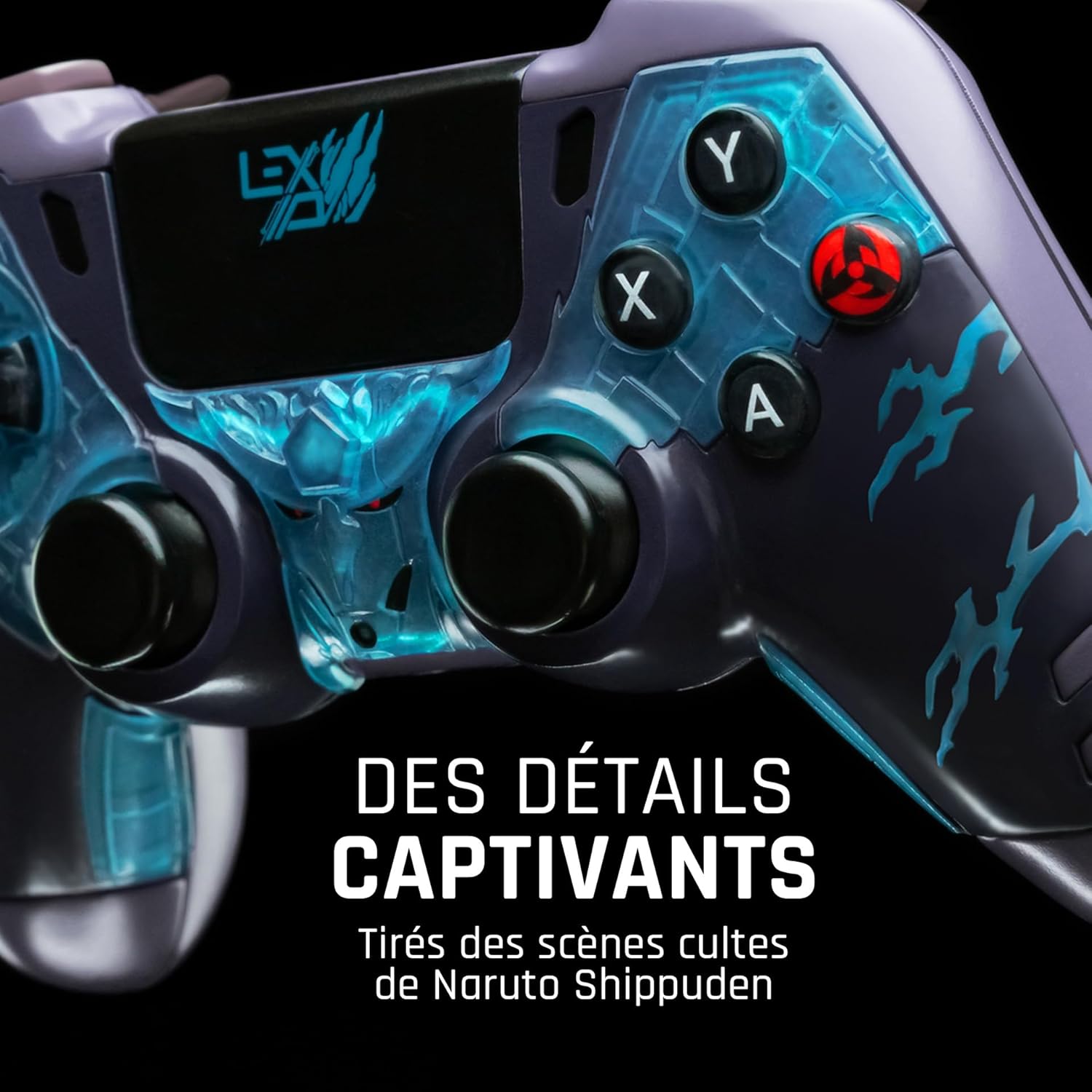
Kielelezo cha 2: Kina view of the controller's face buttons and analog sticks, highlighting the intricate Naruto Shippuden design elements.

Kielelezo cha 3: Nyuma view of the controller, illustrating the placement of the programmable paddles (M1, M2, M3) for enhanced gameplay.
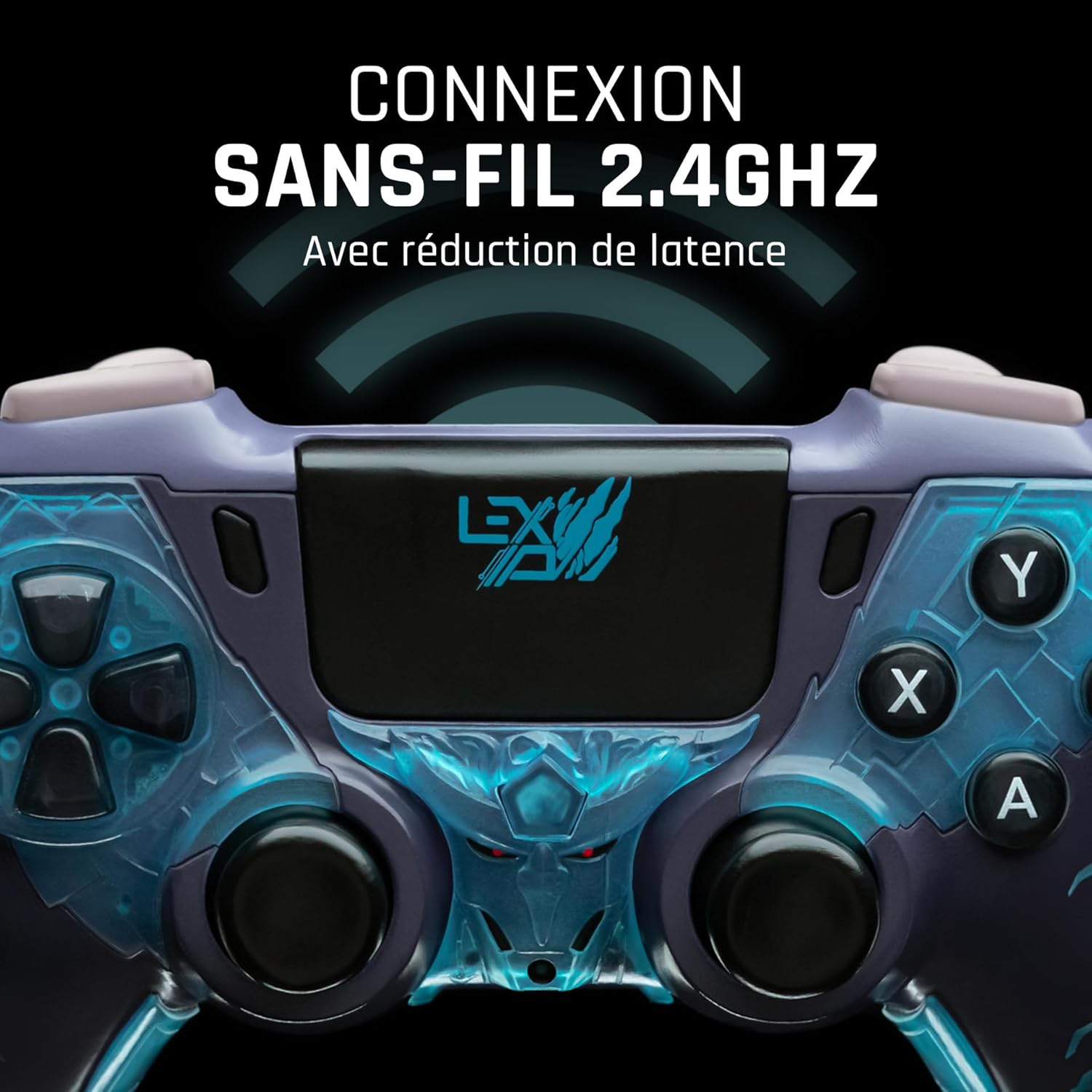
Kielelezo cha 4: Mbele view of the controller, indicating its 2.4GHz wireless connection capability for reduced latency.
Vipengele Muhimu:
- Vijiti vya Analogi: Vijiti viwili vya analogi vyenye usahihi wa hali ya juu kwa ajili ya mwendo na udhibiti wa kamera.
- D-Pad: Pedi ya mwelekeo kwa ajili ya kuingiza data kwa usahihi.
- Vifungo vya Uso (A, B, X, Y): Vifungo vya kawaida vya kitendo.
- Vifungo vya Mabega (L1, R1) na Vichochezi (L2, R2): Kwa vitendo mbalimbali ndani ya mchezo.
- Programmable Paddles (M1, M2, M3): Located on the rear for custom button assignments.
- Kitufe cha Nyumbani: For system menu access.
- Share/Options Buttons: For in-game menu and sharing functions.
- Bandari ya USB-C: Kwa ajili ya kuchaji na kuunganisha kwa waya.
Sanidi
1. Uchaji wa Awali
Before first use, fully charge the controller. Connect the supplied USB cable to the controller's USB-C port and the other end to a powered USB port (e.g., console, PC, or USB wall adapter). The charging indicator will show the charging status and turn off when fully charged.
2. Kuunganisha Bila Waya (2.4GHz)
- Insert the 2.4GHz wireless dongle (if included, typically found in the controller's packaging or a dedicated slot) into an available USB port on your gaming console or PC.
- Washa kidhibiti kwa kubonyeza kitufe cha Nyumbani.
- The controller will automatically attempt to pair with the dongle. The indicator light on the controller will stop flashing and remain solid once connected.
3. Connecting via USB Cable
To use the controller in wired mode or if wireless connection is not desired:
- Connect the USB cable to the controller's USB-C port.
- Connect the other end of the USB cable to an available USB port on your gaming console or PC.
- The controller will be recognized as a wired device and is ready for use.
Maagizo ya Uendeshaji
Washa/Zima
- Kuwasha: Press the Home button. The controller will attempt to connect to the last paired device.
- Kuzima: Press and hold the Home button for approximately 5-10 seconds until the indicator lights turn off. The controller will also power off automatically after a period of inactivity to conserve battery.
Using Programmable Paddles
The controller features three programmable paddles (M1, M2, M3) on the rear. These paddles can be assigned to replicate other button inputs for quick access during gameplay. Refer to your console or PC's controller settings for specific button remapping options, as dedicated software for programming these paddles may not be available.

Kielelezo cha 5: A user holding the controller, demonstrating its ergonomic design during use.
Matengenezo
- Kusafisha: Tumia kitambaa laini na kikavu kusafisha kidhibiti. Kwa uchafu mkaidi, safisha kidogoampfunika kitambaa na maji. Usitumie kemikali kali au visafishaji vya kukwaruza.
- Hifadhi: Hifadhi kidhibiti mahali pa baridi, pakavu mbali na jua moja kwa moja na joto kali.
- Utunzaji wa Betri: Ili kuongeza muda wa matumizi ya betri, epuka kutoa kidhibiti kikamilifu mara kwa mara. Ichaji mara kwa mara, hata ikiwa haitumiki kwa muda mrefu.
Kutatua matatizo
Kidhibiti Hakiunganishi
- Hakikisha kuwa kidhibiti kimechajiwa.
- For wireless connection, ensure the 2.4GHz dongle is securely plugged into the console/PC and the controller is powered on.
- Try connecting the controller via the USB cable to verify functionality.
- Restart your console/PC and try connecting again.
Buttons/Sticks Unresponsive
- Hakikisha kidhibiti kimeunganishwa vizuri na kimewashwa.
- Angalia kama kuna vizuizi au uchafu wowote wa kimwili karibu na vifungo au vijiti.
- Jaribu kidhibiti kwa mchezo au programu nyingine ili kubaini kama tatizo ni mahususi kwa programu moja.
Maisha Mafupi ya Betri
- Hakikisha kidhibiti kimechajiwa kikamilifu kabla ya matumizi.
- Reduce rumble intensity if possible through system settings, as vibration motors consume significant power.
- Avoid extreme temperatures during use and storage.
Vipimo
| Kipengele | Maelezo |
|---|---|
| Nambari ya Mfano | TSXLXGC0002 |
| Muunganisho | Waya isiyotumia waya ya 2.4GHz, USB |
| Vipimo (L x W x H) | Inchi 3.94 x 1.97 x 0.5 |
| Uzito | Pauni 1.01 |
| Uingizaji Voltage | 3V - 500mA |
| Programmable Paddles | Yes (M1, M2, M3) |
Udhamini na Msaada
For warranty information and technical support, please refer to the official Lexip website or contact Lexip customer service. Keep your proof of purchase for warranty claims.
Lexip Official Webtovuti: www.lexip.com (Note: This is a placeholder link, please refer to actual Lexip support channels.)