
1. Bidhaa Imeishaview
The ATOMSTACK FB2 Laser Engraver Enclosure is designed to provide a protective environment for your laser engraving machine. It features a foldable, fireproof, and dustproof design, incorporating an exhaust vent and pipe for odor and noise reduction. The enclosure also offers eye protection through its viewing windows and is compatible with most semiconductor laser engraving machines.
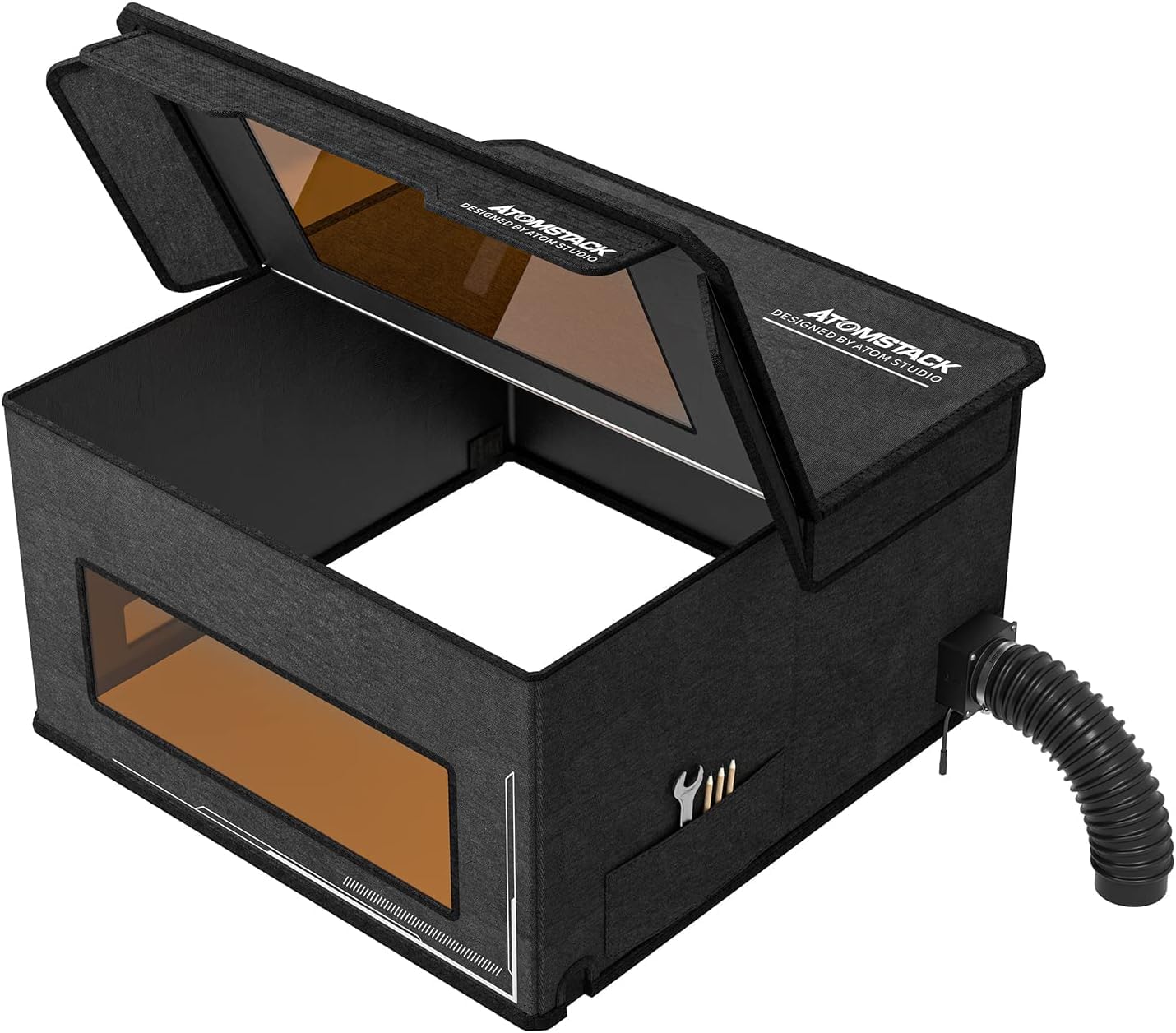
Image: The ATOMSTACK FB2 Laser Engraver Enclosure, shown both folded for portability and set up with an exhaust pipe connected, ready for use.
Sifa Muhimu:
- Vipimo: 30" X 29" X 17" (approximate external dimensions)
- Nyenzo: Multilayer composite material, lightweight, high density, fireproof.
- Uingizaji hewa: Integrated exhaust vent and pipe for smoke and odor reduction.
- Usalama: Ulinzi wa macho viewing madirisha.
- Muundo: Foldable for easy storage and portability.
- Utangamano: Designed for most semiconductor laser engraving machines.
2. Yaliyomo kwenye Kifurushi
Verify that all components are present in the package before proceeding with assembly.

Picha: Maelezo ya kina view of the ATOMSTACK FB2 enclosure's packing list, including the protective box set, exhaust pipe, exhaust fan, DC12V power supply, metal mesh cover, throat hoop, flange fan, H3 Allen key, and flat-blade screwdriver.
- 1 x FB2 Protective Box Set
- 1 x Bomba la kutolea nje
- 1 x Exhaust Fan
- 1 x DC12V Power Supply
- 1 x Metal Mesh Cover
- 1 x Throat Hoop
- 1 x Flange Fan
- 1 x H3 Allen Key
- 1 x Flat-blade Screwdriver
- M4*50 screws and nut combination (4 sets)
- Mwongozo wa Maagizo
3. Maagizo ya Kuweka
Follow these steps to set up your ATOMSTACK FB2 Laser Engraver Enclosure.
3.1 Unfolding the Enclosure
- Carefully remove the protective box from its packaging.
- Unfold the protective box, ensuring the Velcro strips align to form the cubic structure. Secure all Velcro fasteners to maintain the box's shape.

Image: A user unfolding the enclosure and connecting the necessary cables for the laser engraver inside.
3.2 Kuweka Mfumo wa Kutolea nje
- Identify the exhaust fan and the fan flange. Note the arrow on the fan, which indicates the exhaust direction. This arrow should face outwards when installed.
- Attach the fan flange to the exhaust fan using the provided M4*50 screws. Ensure a secure fit.
- Insert the assembled fan and flange into the designated opening on the side of the enclosure. Secure it from the outside using the metal mesh cover and nuts. Tighten with the H2.5 hex key.
- Attach one end of the exhaust pipe to the fan flange. Use the throat hoop and flat-blade screwdriver to tighten the connection, ensuring no air leaks.
- Extend the exhaust pipe to a suitable outdoor ventilation point. The pipe can stretch up to 2 meters.
- Unganisha usambazaji wa umeme wa DC12V kwenye feni ya kutolea moshi.
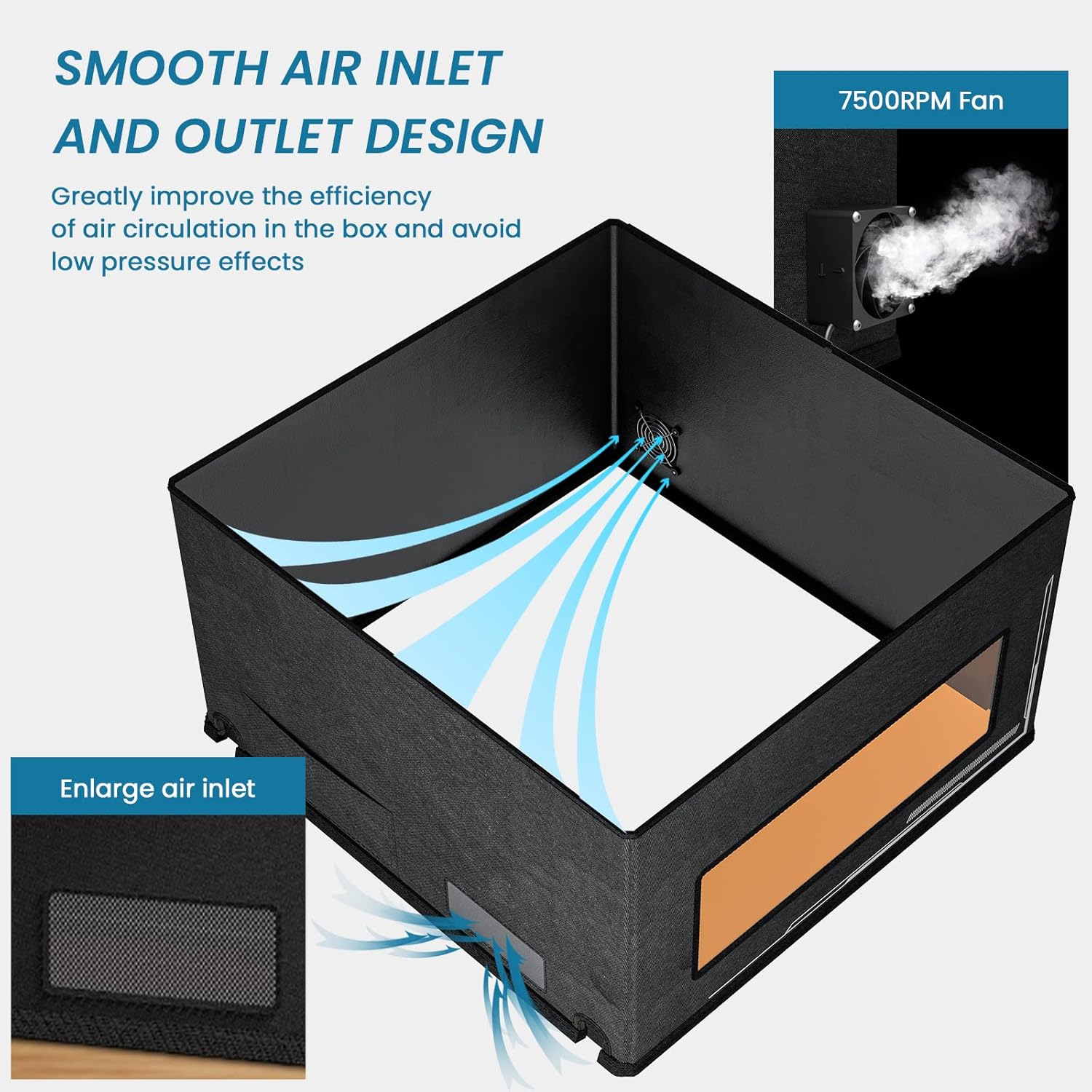
Image: Close-up of the enclosure's air inlet and the 7500RPM exhaust fan, illustrating the airflow path.

Image: The ATOMSTACK FB2 enclosure set up with its extended smoke exhaust pipe, demonstrating its reach for ventilation.
3.3 Video Guide for Installation
Kwa mwongozo wa kuona kuhusu mchakato wa usakinishaji, tafadhali rejelea video hapa chini:
Video: A step-by-step guide on how to install the ATOMSTACK FB2 Fireproof Protective Cover, demonstrating the assembly and connection of components.
4. Maagizo ya Uendeshaji
This section outlines the general operating procedures for using the ATOMSTACK FB2 enclosure with your laser engraver.
- Uwekaji: Place your laser engraver inside the unfolded enclosure. Ensure there is adequate space around the engraver for operation and air circulation. The enclosure provides a large space (approximately 740mm width x 760mm depth x 420mm height) compatible with most semiconductor laser engraving machines.
- Usimamizi wa Cable: Route all necessary cables (power, USB, etc.) for your laser engraver through the designated openings in the enclosure.
- Washa: Connect the exhaust fan to its power supply and turn it on. Ensure the fan is operating correctly to create negative pressure and extract fumes.
- Engraving Process: Close the top flap of the enclosure. Use the eye protection viewing windows to monitor the engraving process safely.
- Uingizaji hewa: Maintain continuous operation of the exhaust fan throughout the engraving process and for a short period afterward to clear any residual fumes.

Image: The ATOMSTACK FB2 enclosure highlighting its internal dimensions (740mm width, 760mm depth, 420mm height), demonstrating its large space for various laser engravers.
Video: A demonstration of the enclosure's effectiveness in odor and noise reduction during laser engraving operations.
5. Tahadhari za Usalama
- Always operate your laser engraver in a well-ventilated area, even with the enclosure.
- Ensure the exhaust pipe is properly connected and vented outdoors to prevent accumulation of smoke and fumes.
- Never look directly at the laser beam, even through the protective windows, without additional certified laser safety glasses.
- Keep the enclosure closed during operation to contain laser light, smoke, and debris.
- Do not place flammable materials near the exhaust outlet.
- Weka watoto na wanyama wa kipenzi mbali na eneo la uendeshaji.

Image: Illustrates an unsafe setup with children near an exposed laser engraver, emphasizing the need for protective measures.

Image: Shows a laser engraver safely contained within the ATOMSTACK FB2 enclosure, demonstrating proper usage for safety.
6. Matengenezo
- Kusafisha: Regularly wipe down the interior and exterior of the enclosure with a damp kitambaa ili kuondoa vumbi na uchafu. Epuka visafishaji vya kukwaruza.
- Ukaguzi wa Mashabiki: Periodically check the exhaust fan for any obstructions or signs of wear. Ensure it operates smoothly.
- Pipe Inspection: Inspect the exhaust pipe for any kinks, tears, or blockages that could impede airflow.
- Hifadhi: When not in use, the enclosure can be folded for compact storage. Ensure it is clean and dry before folding.
7. Utatuzi wa shida
| Tatizo | Sababu inayowezekana | Suluhisho |
|---|---|---|
| Excessive smoke/odor inside enclosure |
|
|
| Enclosure does not hold its shape |
|
|
| Fan is noisy or vibrating excessively |
|
|
8. Vipimo
- Mfano: FB2
- Vipimo Vilivyofungwa: Inchi 32.68 x 22.44 x 5.12
- Internal Working Area: Approximately 740mm (width) x 760mm (depth) x 420mm (height)
- Uzito wa Kipengee: Pauni 15.82
- Rangi: Nyeusi
- Mtengenezaji: KUSHUKA
- Exhaust Fan Speed: 7500 RPM (as indicated in images)
- Urefu wa Bomba la Kutolea nje: Stretches up to 2 meters
- Nyenzo: 900D Oxford cloth, Honeycomb, Flame retardant cloth (with silicone coating)
9. Udhamini na Msaada
9.1 Taarifa ya Udhamini
Specific warranty details for the ATOMSTACK FB2 Laser Engraver Enclosure are not explicitly provided in the product specifications. Please refer to the official ATOMSTACK website or your purchase documentation for comprehensive warranty terms and conditions.
9.2 Usaidizi kwa Wateja
For any technical assistance, troubleshooting, or inquiries regarding your ATOMSTACK FB2 enclosure, our professional technical and support teams are available 24/7 to answer your questions. Please visit the official ATOMSTACK webtovuti kwa maelezo ya mawasiliano na rasilimali za usaidizi.
ATOMSTACK Official Store: Tembelea Duka